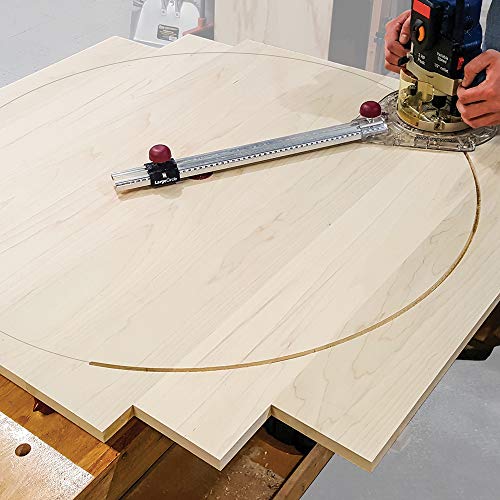
✂️ Cut, carve, and create like a pro—sign making just got a serious upgrade!
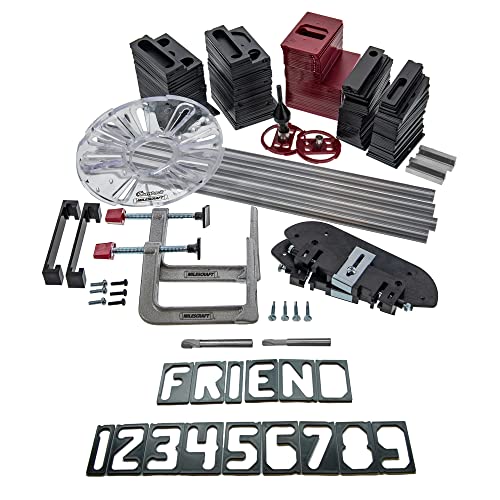
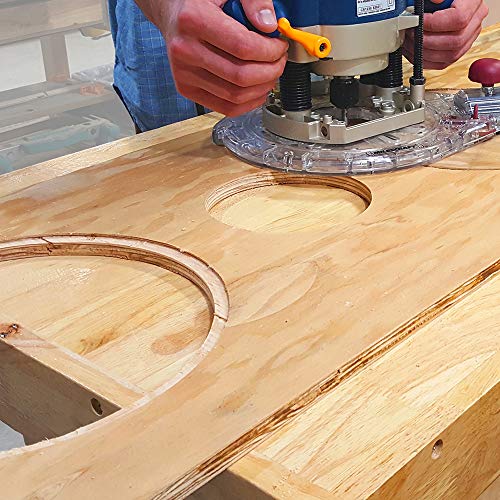
The Milescraft Sign Making and Circle Cutting Router Kit combines precision-engineered tungsten carbide router bits, a versatile circle cutting jig capable of diameters from 1.5" to 52", and over 200 durable polymer templates. Featuring patented turn-n-lock technology for quick, tool-free adjustments and enhanced stability with sturdy rails and metal bushings, this kit empowers professionals and hobbyists alike to craft flawless signs and perfect circles with ease and efficiency.


| Manufacturer | Milescraft |
| Style | Sign Making Kit + Circle Guide Kit |
| Material | Metal, Polymer |
| Item Package Quantity | 1 |
S**T
Easy to use awesome letter templates
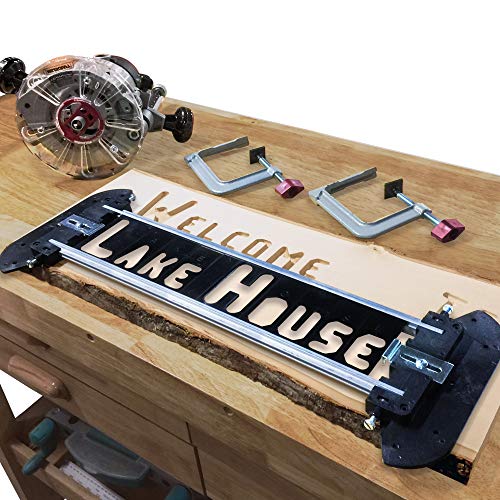
If a guy like me who’s full time job is working with computers for a living can do this, then chances are you can too ;)… I’ve only recently started discovering that I like working with wood. Started putting together a little workshop in my garage and decided to play with a router and lettering just these past few days, for real. Got these templates last week and this is my first sign. Practiced a few letters on a piece of scrap to get the hang of it and before long, I was able to do this like a pro. Word of advice if you use the rail jointers is that the rails will not keep straight and letters will fall out (big mess with that router), so use small clamps to keep rails straight. I got better results simply working on smaller sections at a time instead of one long line at once (not sure if that made sense).
T**W
most likely easiest to use system out there when used with care.
This is a great system. 4 take-aways.1- The templates are plastic so be careful.2- It is best to use a plunge router.3- If you are making a large sign add another clamp to the center, or the extended rails will bow slightly.4- Use a cheap piece of wood for your first attempt.My first attempt was met with utter failure. I tried to make a large sign using the extended rails. there is a slight bow in the center and it will make the letters/numbers look odd. when you have it measured out put a clamp just right of center, and when you get near it move it to left of center and move on. This will remove the bowing effect. Don't expect to do well on your first try, and keep in mind that these are plastic templates, and you are using a bit that can ruin them easily if you dont use care. This is where I say a plunge router would be best. Some cheaper routers are harder to see if you are in the template or not, and when you turn it on you just gouged your template.I highly recommend this over the other systems I have seen. Others seem to take too many steps, or just looks difficult in their intricacy. This can be a system that can be used for many years. I would like to see the option to purchase more symbols, and maybe individual letters. You get 2 of almost every letter, 4 of a couple others. Creating a sign for some names out require more variety of letters. Still this is in my opinion the best sign making kit out there.
C**E
Quite good for a hobbyist, larger production not so much
Easy to assemble and use for mid-advanced skill level. The company service is excellent and turn around is fast for parts. Characters are limited to company's offering. Any character not offered, you have to make yourself, out of polycarbonate 3/32" thick. Most advanced skilled have a sheet laying around, tools to use and skills to make.The biggest let down are the clamps that are included with the kit. When using anything, < 1/2", you have to use a shim with the clamp to snug it up. One clamp fell off the work bench, on to the concrete and broke in half. Man was I shocked. Another clamp, which I have to yet contact the company, the red plastic tightening knob just fell off.I ended up purchasing another complete kit, due to a large order and time limit for delivery.Please keep in mind there are only a few offerings, using a router on wood for making signs. Choose what your need is.
K**T
Fun to use
Made my very first ever sign for a family friend. It was easy to assemble and use. It works extremely well.
R**N
Works as advertised
It did what it advertised. Would have liked the number template's to ne a little thicker but I have used it multiple times and have no complaints
R**N
Difficult to Center
The concept is good, but obviously profits were more important than adding a few more quality features. First, this thing needs to have tiny holes, chips, markers, ruler, etc., on both top, bottom, and both sides which will allow to easily center the finished, routed letters both vertically and horizontally on a piece of wood with drawn lines. Also, the letters are too thin, and many letters are flimsy and way too flexible to maintain their position in the rails provided. The tolerances are too loose and many letters flex up or down when all the screws are tightened down. I actually routed a five-letter name where the right-side spacers flexed and the fourth letter moved to the right about 1/8th of an inch. Also, it can be difficult to see and follow the router and create unintentional cuts outside the intended letter lines. I believe the collet should fit tighter in the letter slots as well which would keep the router bit on track. The provided bits are cheap and dulls after very little cutting time. Lastly, contrary to the instructions, the bit only makes clean cuts when cutting 3/16 in or less into the surface. I'm largely disappointed, but I intend to keep trying and perhaps get this down to a fine science, since I've used it and can't return it at this point.
J**O
Sign Pro for and amateur
I haven't used this yet, but have a project coming up. All the letters & numbers were shipped in bags so I spent some time organizing them for quicker layout. Looks like it will meet my needs.
I**.
milescraft service is great
i got the 1212 sign pro right away and unpacked it it was missing one of the screws on the end frame so i letmilescraft know on their website they sent an end frame assembly out right away at no charge with no fussi got the jig put together and used it it is easy to use works like its supposed its good quality with exelent service i will continue to buy their products
B**E
excellent product
easy to install.would buy again
R**G
Don't get in a hurry.
Having used this a couple of times, it is worth fitting the supplied base to your router and using the supplied "quick change" guide bushes. This lets you see what you're doing. I already had the correct size guide bushes but would be working blind. The end result is just like it shows on the box. Note - Only use a plunge router or be super careful to not touch the stencils with the spinning cutter as they are plastic and would be destroyed in a nano second.
A**N
Parts missing or broken
Couple of letters missing and centre tool broken
B**C
Great stencil kit with a little practise
The amount of parts in the box is a little intimidating but most of it is letters and number stencils which, to me, is a good thing.Assembly of the jig is pretty straight forward and the instructions are clear enough but I found it helpful to watch an instruction video. There are a few on Youtube, including Milescraft's own.In my rush to use the kit for a small project that I was just finishing I used it with a trim router. The trim router that I used didn't have a plunge base which meant that I did scuff the stencil with the spinning router bit as I brought the bit down through the stencil to the wood.This problem disappeared as soon as I attached a plunge base to the trim router. Using a plunge base means that the router guide bush is in place to protect the stencils and the router bit can pass/plunge through the router guide bush to the wood without damaging the stencils.After my third practise board/cut I was producing decent consistent lettering.The kit holds the stencils in a straight line for horizontal or vertical alignment.If you want to cut wording in a curve or arch you will have to improvise.I'm happy with the kit and if I lost it I would buy it again.I prefer using my cordless trimmer, no cable to get in the way and dust extraction makes it easier to monitor the cut.
A**R
Decent but not great
It works ok but it takes awhile to set up and the letters dont look to great. Letters just look so plain and boring. It’s fairly expensive as well. Will work in a pinch tho
Trustpilot
2 days ago
2 weeks ago
2 weeks ago
1 month ago