📡 Elevate your screen time—never miss a moment with PCTV 292e!
The PCTV 292e is a lightweight, USB-powered triple-mode digital TV tuner that delivers Freeview HD (DVB-T2), standard DVB-T, and DVB-C cable signals directly to Windows and Linux PCs. It features superior over-the-air reception, supports live TV pause and recording via TVCenter 6 software, and enables wireless streaming to iOS and Android devices. Compatible with a wide range of media platforms and smart devices, it includes a remote control and antenna, making it a versatile solution for professional users seeking high-quality, flexible digital TV access on multiple devices.


| ASIN | B004C1176E |
| Analog Video Format | PAL |
| AntennaDescription | Television |
| Brand Name | Hauppauge |
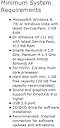
| Compatible Devices | Linux 16.04 Xenial with kernel 4.4, Windows 7, 8, 10 |
| Connector Type | USB |
| Customer Reviews | 3.8 3.8 out of 5 stars (432) |
| Global Trade Identification Number | 00785428230764, 04016138951042 |
| Includes Remote | Yes |
| Item Part Number | 23076 |
| Item Weight | 15.2 Grams |
| Manufacturer | Hauppauge |
| Manufacturer Part Number | 23076 |
| Model Number | 23076 |
| Network Connectivity Technology | USB |
| Product Warranty | 2 |
| Tuner Type | DVB-T, Digital |
| UPC | 785428230764 |
C**E
Nanostick and XBMC - Perfect Partners!
First of all, I would just like to say how good Amazon were with me and this order. They sent me a product that unfortunately had the adapter missing. I spoke to a lovely person called Rina VI and bam - I had another one in my hand next day - 5 stars Amazon. OK, on to the product..... If you are like me, you probably read all the terrible reviews first. I did this on this product. I do this normally just to see if there actually is a flaw in the product somewhere or if it is mainly down to noob's and techy related reasons. Im pleased to say that most of the terrible reviews for this, is down to (mostly) noobs. :) My setup: I have a full bell and overkill whistle system - so no problem there. (i didnt even look at reqd specs) My intention was to replace my normal freeview USB device which I use through XBMC Home Theatre and Argus TV Server Streaming software. Probably the first thing to note is:- I never took the CD out of the box! My first port of call was to go to PCTV's website, get a support ticket started and ask for the very latest drivers for my nanostick. Im pleased to say that PCTV replied to me within 24 hours with a link to the very latest. I downloaded and installed the drivers. I then went in to my Argus Software (which is free by the way - awesome stuff) and did my channel scan. I know many on here have mentioned how long it took them (about an hour etc) to scan - took me 10 minutes max and it found 126 channels all in including the HD ones - no sweat at all. All my channels are at 100% strength except the HD ones which all came in at 80% exactly. (and look fantastic on my HDTV) The LCN numbers were a little mixed up. BBC One and the new BBC One HD channel were trying to share LCN#1 So I manually changed it to LCN#101 and did the same with 2, itv, 3 and 4. Another 5 mins. I then started up my XBMC - It loaded in the new channels to the EPG and boom - All working, looking fantastic and ready to record. Wonderful stuff and a very pleasant experience. The only slight problem I have just now is that the new BBC Red Button HD does not seem to be working right now. I will investigate however, I have BBC One HD in time for WImbledon and I'm very happy. 5 stars to the nanostick too. Highly recommend. :)
R**G
Great Hardware - Software not so good
The good news about this product is that it will both display and record Freeview and Freeview HD on your PC just fine. You need to be careful your PC is powerful enough for HD use and (as with all things DVB-T)you need a solid aerial feed. The Bad news is that the bundled TV Centre software is not so great - it can and does do the job, but frankly it is a bit of a mission. Media Centre users seem to get an easier ride ! Firstly just scanning the channels is time consuming chore - there are three settings 'quick, normal & deep' - for which read 'slow, dead slow and take the afternoon off'- Mine got all the channels in 'quick', but for some reason I had to wait till BBC3 and 4 were broadcasting before it saw them. The system doesn't allocate Freeview EPG numbers, it simply numbers in the order it finds them. It is easy to set up favourite lists in the right order, but you still don't get the Freeview channel numbers. Why don't they just let you edit the numbers? The biggest issue is that the Freeview HD EPG doesn't work properly so you have to use the SD ones for BBC1 HD, ITV HD and CH4 HD.- It is a breeze to change the channel number when setting recordings so this is a minimal problem. Unfortunately you have to set up BBC HD recordings manually. The Picture quality from the HD channels is everything you would expect - just beautiful in full screen mode on my 1680 x 1050 monitors. I presume it would be perfect if you have a full 1920 screen. There is a viewing and file conversion module called 'Gallery'. I have had no issues viewing my recordings, but the conversion software often seems to fail. You also have to pay a nominal fee for a license if you want to convert to Divx or decode Dolby streams - which is a bit of an ask for a product at this price!. Frankly you are better off exploring third party solutions for this, but why should you have to when you paid this much? That said the native H264 .ts files play fine in VLC player and I stream directly to my TV using an Xtreamer. It all works OK so I am actually pretty happy. The worst experience is their support who are incredibly unhelpful. It would help if they actually read your emails properly. They simply refuse to admit there is a problem with the HD EPG, even though a Google search quickly reveals that no-one is getting it to work. I find this particularly disappointing given the high price tag. Still there is no other real alternative right now and it does work if you accept these minor limitations.
S**.
Good for TV but disappointed with the lack of a proper Radio EPG feature
This is probably one of the best devices for recording or watching TV, HD or SD. You can actually record and watch later HD on a different PC so the recording isn't tied to the device only. If I'd just been rating it for TV then probably 4 stars. I was wanting to use it to record Radio via EPG and unfortunately this device software does not provide a Freesat Radio EPG. Very few products actually do. If you want to set to record a radio show then you need to manually set the timer. The NEBULA DIGITV system does support radio EPG but unfortunatel is no longer available. Does anyone else know of a product that does ? It may be possible to use the Hauppauge with a Media operating system but I wanted it to be stand alone. So just to clarify, Full 7day EPG record on most TV channels (Not the HD ones) Radio and HD channels give currently showing info only but manually set ahead recordings can be used for these.
V**I
Dopo i consigli di qualcuno stavo abbandonando l'idea di acquistarla, ma ora che ce l'ho devo smentire tutto quello che mi hanno detto. Collegata al mio WD Nas EX2 da 6TB funziona benissimo. Non solo si integra con DVBLink e mi permette di registrare i programmi TV ma è perfettamente compatibile con il mio iMac. Inoltre posso vedere tutti i canali TV attraverso DVBLink sul mio Samsung Smart anche quelli in HD, cosa che prima facevo fatica a vedere. Prodotto eccellente, lo consiglio.
J**.
Fonctionne très bien en France en 2018 en DVB-T et T2. Testé avec TVHeadend sous Debian (linux) avec une antenne de toit rateau. Très bonne qualité.
J**G
It's a wonderful USB device fully compatible with the new DVB-T2 TDT standard in my country (Bogotá - Colombia - South America), but first you must need to "UPDATE THE SOFTWARE" from the vendor site. Now i can record all my favorites programs from my PC, then convert them to an MKV format and put in my SAMSUNG SMART-TV by using my portable USB storage device. WARNING: Make sure to guarantee that you have DVB-T2 (signal coverage) in your area before any try to buy, install and test this device on any PC. For example in (Colombia - South America), please visit this official web site: (http://www.tdtparatodos.tv). See some screenshots at (http://1drv.ms/1snPC0E) :-)
C**N
Habe den Stick für mein NAS gekauft, um im Haus überall ohne extra Receiver das Kabel-Signal verteilen zu können. Voraussetzung ist natürlich, dass die Fernseher/Wiedergabegeräte an einer Android-Box, Apple TV, Fire TV (oder ähnlich) hängen oder selbst eine derartige Funktionalität bieten. Bis auf das Koax-Kabel zum Anschluss der Dose an den Stick ist alles dabei and Hardware, was man benötigt. Auf dem NAS nutze ich das gratis TV-Server Paket von TVHeadend. Nach ein wenig Fummelei bzgl. der Anmeldung am TV-Server funktioniert alles wie von allein --> Der Stick wurde erkannt, DVB-C als Receiver ausgewählt, glücklicherweise waren Einstellungen (Muxe) für meinen Provider bereits vorhanden und der Sender-Scan (sowohl HD als auch SD und Radio) ging auch schnell von statten. Das Bild ist sehr gut, es gibt also keinen Qualitätsverlust, die Sender schalten schnell, EPG funktioniert, Aufnahme funktioniert und auch das Streaming auf meine mobilen Endgeräte (sowohl Android als auch iPhone) mit einem TVHeadend-Client funktioniert einwandfrei. Aufgrund einer guten Internetanbindung (500/50) und unlimited LTE kann ich auch mobil und unterwegs auf den TV-Server zugreifen. Auf fixen Endgeräten benutze ich Kodi, auch das funktionierte sofort. In der DS Videostation wird der Stick auch erkannt und findet auch Sender, ich benutze allerdings lieber Kodi wie erwähnt und kann daher nicht viele Informationen diesbezüglich teilen. Was nicht funktioniert (wird auch nicht beworben, aber falls jemand die Erwartung hat): Verschlüsselte Sender können nicht so einfach entschlüsselt werden, da es keine Möglichkeit gibt, eine Smartcard oder ähnliches anzuschliessen. Ich habe in der TV-Server App Funktionien für Zertifikate gesehen, evtl funktioniert so etwas damit - ich habe allerdings keine Erfahrung damit und auch kein Interesse daran. Alles in allem ein guter und empfehlenswerter Stick. In meinem Fall eher eine Spielerei, da ich sowieso nicht mehr als 50h im Jahr TV schaue, aber für den einen oder anderen sicherlich sinnvoll.
A**R
Estuve haciendo una comparativa de sintonizadores USB de televisión, ya que necesitaba uno que fuese compatible con DVB-C (señal digital de televisión por cable) y... me decanté por este. He de decir que estoy contentÃsimo con su compra. Viendo la foto, pensaba que el conector era de plástico (porque lo veÃa negro) pero no, es un enganche de metal convencional, por lo que me alegré aún más. Es un aparato pequeño. Muy pequeño. Del tamaño de un pulgar. Me sorprende como la tecnologÃa es cada vez más pequeña (tenÃa una antigua sintonizadora hace diez años y era un chip enorme). El paquete incluye el aparato USB, una antena portátil, un mando a distancia, cd y un adaptador para antena convencional. Este adaptador se coloca al aparato en el caso de que lo conectes a la antena de casa. Pensaba que ya estaba integrado en el mismo dispositivo (viendo las fotos por internet) pero se conoce que este modelo, para hacerlo más pequeño, han decidido extraer el enganche de la antena (ver fotos adjuntas). A mi esto no me convence mucho, por si algún dÃa se pudiese romper o algo, preferÃa que estuviese todo bien integrado pero bueno, funciona muy bien de momento. Aunque el envoltorio esté solo en inglés y alemán, hay un manual de instrucciones xpress dentro en castellano. Y dentro del CD hay pdfs con más instrucciones paso a paso. El mando a distancia es un poquillo... básico. Hay otros modelos de PCTV más monos (alargados, blancos...). Este es un poco cutrecillo, pero bueno, hace su función. Aunque hay veces que no lo detecta... El software con el que viene, TV Center, es muy fluido. Se ejecuta muy rápido y el cambio entre canales es igualmente rápido (más rápido que la tele de mi salón). También recibe los canales HD (dependiendo de tu proveedor) y se ven... ¡de cine! El programa puede grabar vÃdeos, programar, hacer capturas de fotos, el "timeshift" (poder retroceder o avanzar en el tiempo de la emisión -genial por si quieres apuntar algo que se te haya escapado-), guÃa de programación... Tiene una interfaz bonita y es agradable de usar. Puedes alternar con subtÃtulos, otras pistas de audio (idiomas), teletexto... Tiene otras opciones muy interesantes que aún no he usado, como "Distan TV", que sirve para ver la TV a través de tu red local (por ejemplo, si tienes el aparato conectado al ordenador y quieres ver la TV en tu móvil, tablet, en otro ordenador...), además de la posibilidad de activar sonido Dolby. La busqueda de canales estandar toma un tiempo en hacerlo (aunque puedes ajustar a qué velocidad quieres que haga la búsqueda). El software no ordena los canales de manera automática (por ejemplo, por "bloques temáticos" como harÃa tu proveedor de tv). Desde el fabricante recomienda crear una lista de favoritos con tu orden o usar otro programa de TV, como "Hauppauge Wintv", "Mediaportal", "Nextpvr" o el mismo "Windows Media Center". Otra cosa que no me queda muy clara es si se pueden mezclar canales de DVB-C con DVB-T. En el TVCenter no lo veo... creo que deberÃa de resintonizarlo, pero bueno, sé que con el Hauppauge WinTV sà se puede. Hay una nota en el manual de instrucciones (por si a alguien le interesa) que dice que no es recomendado usar el aparato en movimiento (por ejemplo, un portátil durante un viaje en coche), ya que las señales de TDT cambian y varian según el recorrido. Por lo demás, es un sintonizador supercompleto y genial. Yo os lo recomiendo al 100% ;)
Trustpilot
2 weeks ago
2 weeks ago