
DOWNLOAD THE APP


Customer Services
Copyright © 2025 Desertcart Holdings Limited
DOWNLOAD THE APP


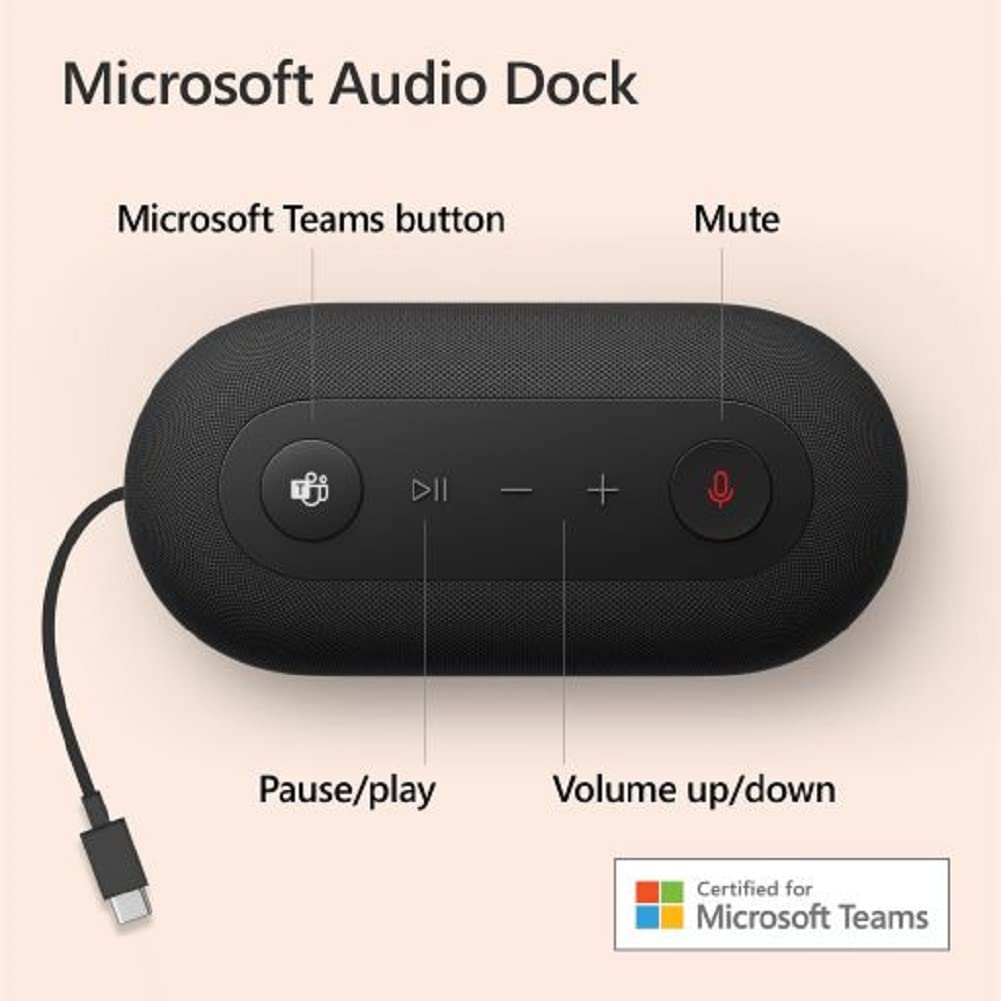
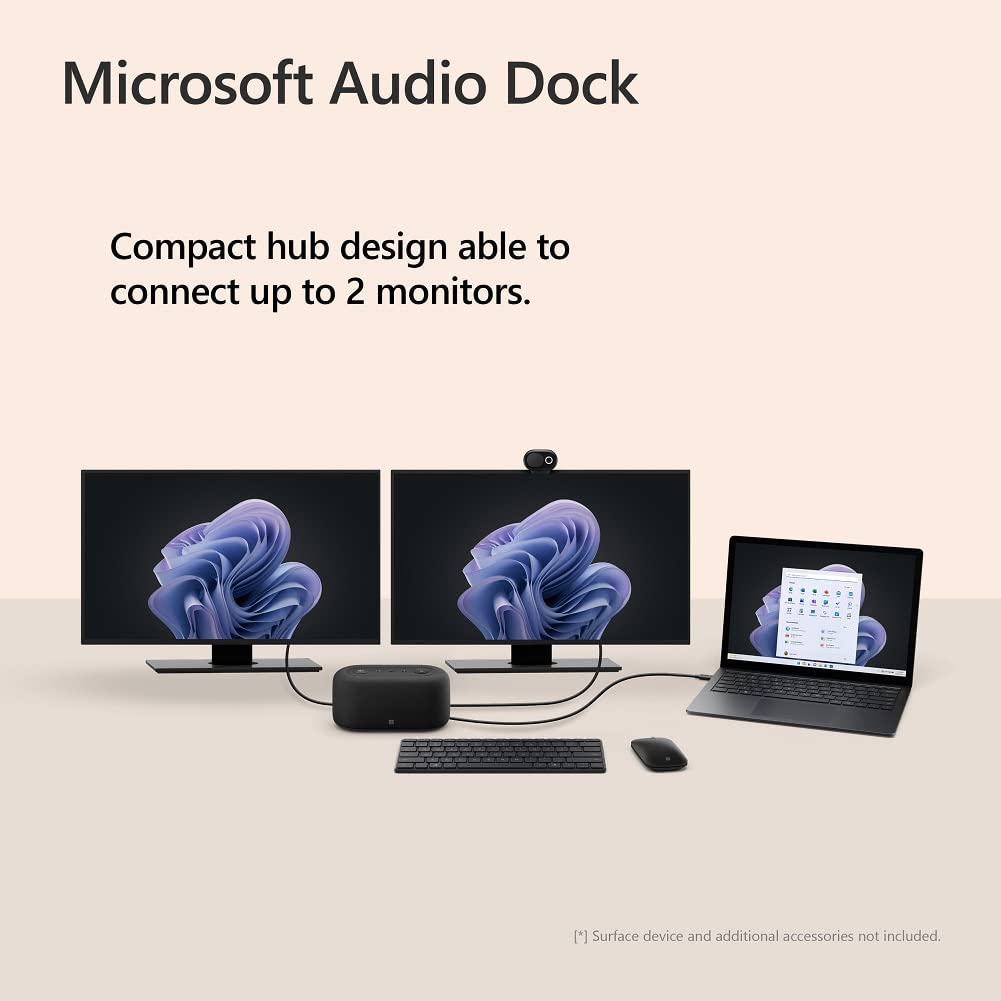
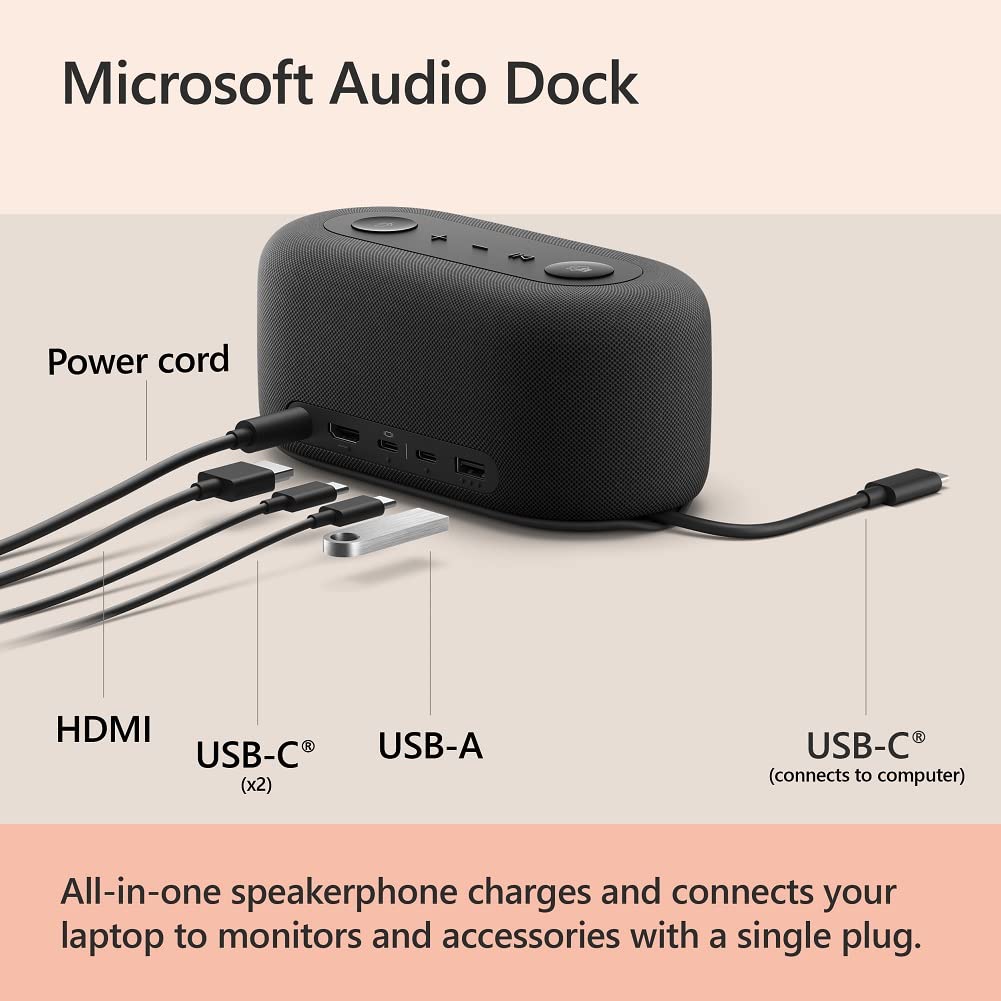
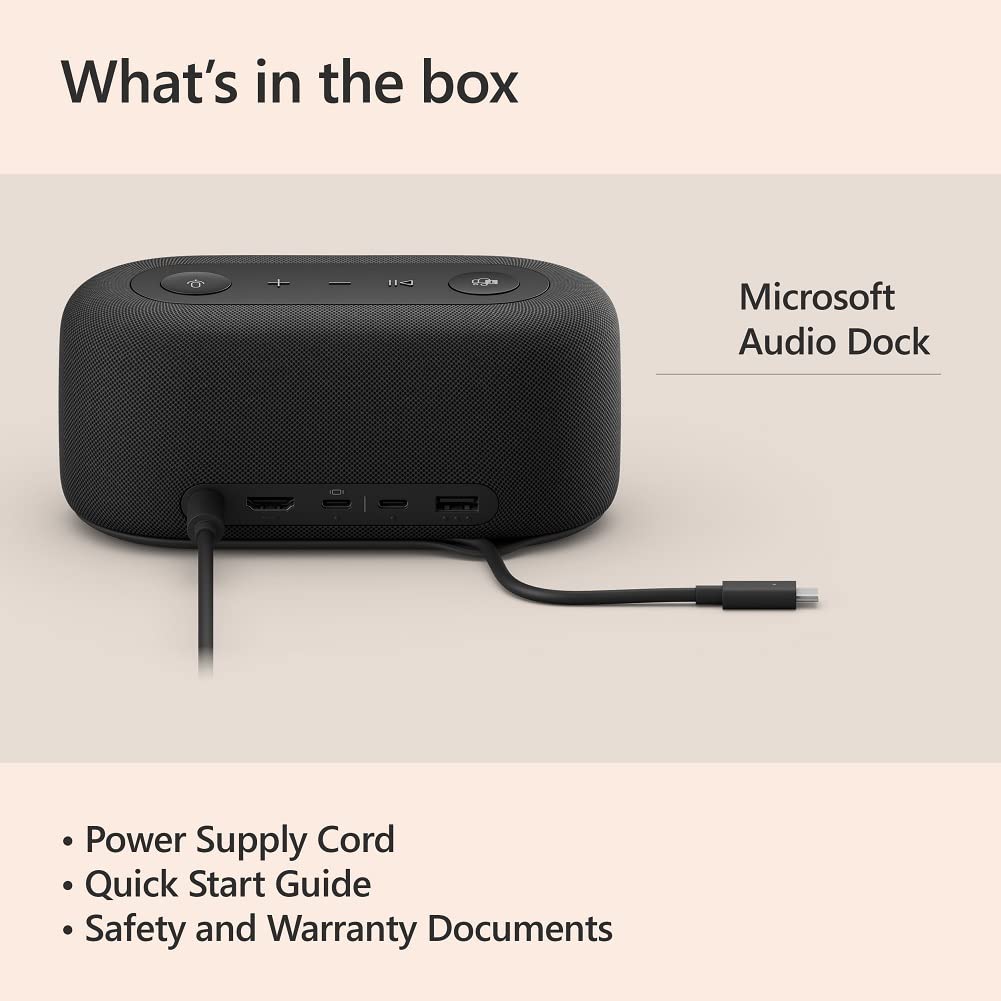
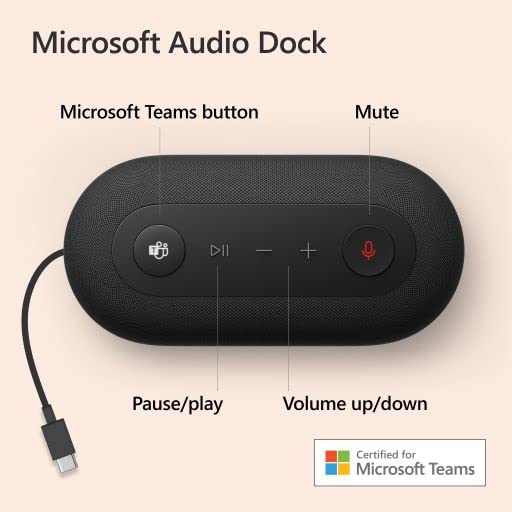
🎧 Elevate your workspace with sound, power, and style — all in one sleek dock!
The Microsoft Audio Dock is a compact, all-in-one USB-C hub designed for professionals seeking clutter-free, high-quality audio and multi-display connectivity. Featuring certified Teams integration, dual noise-cancelling microphones, 90dB omnisonic speakers, and pass-through charging, it supports up to two external monitors via HDMI and USB-C. Perfect for seamless hybrid work setups on Windows and MacOS, it combines powerful sound, efficient device management, and plug-and-play convenience in a sleek, black form factor.


| ASIN | B0BB8NFHSY |
| Best Sellers Rank | #6,306 in Computers & Accessories ( See Top 100 in Computers & Accessories ) #486 in Laptop Docking Stations |
| Brand | Microsoft |
| Built-In Media | Device, Power Cable, Power Supply, Various Documents |
| Color | Black |
| Compatible Devices | USB-C Laptops |
| Customer Reviews | 4.0 out of 5 stars 299 Reviews |
| Hardware Interface | HDMI |
| Item Dimensions L x W x H | 8.31"L x 8.54"W x 3.48"H |
| Item Type Name | Microsoft Audio Dock - Teams Certified, USB-C dock, HDMI 2.0, USB-A, USB-C x 2 ports, pass-through charging, audio speaker phone, works with Teams, Zoom, and Google Meet apps |
| Manufacturer | Microsoft |
| Number of Ports | 3 |
| Product Dimensions | 8.31"L x 8.54"W x 3.48"H |
| Total Number of HDMI Ports | 1 |
| Total USB Ports | 2 |
| Total Usb Ports | 2 |
| UPC | 196388091997 196388092574 |
| Unit Count | 1.0 Count |
| Warranty Description | 3 year manufacturer |
| Wattage | 15 watts |
E**S
Surprisingly useful for WFH
This is a surprisingly useful and well-made home office device. It's a high-quality speakerphone that also acts as a USB-C hub, providing power to the laptop and taking HDMI display-out from the laptop to my monitor. The call quality is very good and the echo-cancellation is very effective. The integration with Teams is excellent, with a dedicated Teams button that acts as a mute/unmute button during calls, and opens the Teams app when pressed when not in a call. I'm surprised this isn't more popular of a device. I honestly think it's a really good value for less than $70. Audio quality is fairly good, and call quality is excellent. Requires zero software and is truly plug-and-play. I highly recommend this device for working from home, particularly if you use a PC. Not sure about Mac interoperability.
D**T
Wonderful at the sales price
Got this Microsoft dock when it was on sale. For the price, it works wonderfully. Needed a small portable unit for travel that can be a speaker, microphone and charger. The extra ports and HDMI are a big plus. The sound is on the low side but it is fine for a small room. It definitely works on my laptop. Sound and charging seems fine on my Android tablet but I haven't tried a conference call with that yet. I dislike that the main cord is permanently attached and it requires an external power brick but I can't complain at the price. I can sure complain if it was full price though.
P**.
Not what I would use for a full WFH setup, but it's decent for a minimalist
I found that the documentation for the device is lacking, but I was able to figure a few things out. You'll need to ensure the device you're connecting to supports USB-C to display port (aka DisplayPort Alt-Mode), even though there's a HDMI connection on the device. It does support Samsung Dex mode when connecting to my S23, but Dex doesn't recognize the built-in speaker (which is a bummer for me). It can power two monitors, which is nice, but I'm running into issues where the second monitor that's powered by the usb-c port doesn't always display properly and I have to unplug it and plug it back in to be detected. Overall, I'd give it 3 starts. 4 stars because I got a $250 device for ~$60 USD. Comparable devices are usually much more expensive.
H**N
Low volume. Limited compatibility.
I really wanted to like this one. But while is really well made, the speaker -a two way 15w unit with passive radiator that should have a powerfull sound- seems to be tuned specifically for the output level of a Microsoft Surface, so for any other computer, cellphone or tablet it has a very low volume... so just use an app to boost the volume, right? well, not if your are using a company device where only approved apps can be installed. At max volume it has a similar sound pressure level to that of a Sony SRS-XB100, rated at 2.5W. I hoped a firmware update would resolve the volume issue, but nowhere in the microsoft website is such update. It doesn't fully support Power Delivery to the stated 60w, so its a hit and miss which devices will detect the dock as a power supply.
O**K
Works properly with Mac, Windows and Dex
Works properly with Mac mini M4 (which has been very fussy with other docks I had tried), a Lenovo windows laptop, and also with Samsung Dex. A few more ports and a non-captive cable would be nice (the cable is at least nice and long), but for the price really cannot complain. Audio quality (and microphone pickup) very good for calls and passable for music and media.
W**L
Recommended
Make sure you plug it into the correct outlet. Good quality, works well
M**T
Bad dock. Good desktop speakerphone.
Having speakers, mic and controls front and center on the desk is great. Speaker audio is good for conference calls. I was worried the mic would pick up the keyboard typing inches away but its very good at focusing on my voice. With Teams, the mute button rarely works properly. I usually have to press it 4-5times before it stays muted. (In Webex it works properly.) As a dock this thing is terrible. Theres no ethernet and its incapable of driving two 4k displays at full resolution. The choice to have a single USB-C and HDMI is odd. If youre using a USB-C display then you probably dont need this dock. Where's the displayport? Also, for a dock/speakerphone the cable is too short limiting placement. This is a reasonable cheap option for a speakerphone, but the power cord and size limits its portability, so given its poor dock capabilities I would suggest a different solution.
S**N
Totally underrated. It a great dock!
I use with MacBook Air M3. Power in ok. Usbc to DisplayPort 1.4 deliver 2k monitor at 100hz with HRD in 4 lanes. No compression, image is great. I’m using with 35” ultra wide monitor. Sound, really good. Mic, use the Mac with is great. Additional usbc for camera and usb for charger or pen drives. I did use hdmi but reach only 75hz, good, but DP 1.4 better. All this for this price you will never find. Highly recommend
Trustpilot
3 weeks ago
1 month ago