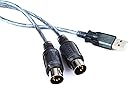
Yamaha UX-16 USB-MIDI cable
Product ID: 48207683
Details
- BrandYamaha
- Compatible devicesPersonal
- Connectivity technologyUSB
- Item weight181 g
- Number of channels16
🎹Plug & play MIDI controller
💻Mac & Windows compatible
🔌2ft USB + 4ft MIDI cables
🎶 Connect. Create. Captivate. Your music journey starts here.
The Yamaha UX-16 USB-MIDI cable is a professional-grade connection solution designed to link your musical keyboard to Windows or Mac computers. Featuring a durable 2ft USB cable paired with a 4ft MIDI cable, it requires no external power and supports seamless integration with recording, sequencing, and notation software. Officially recommended by Yamaha, this cable ensures reliable performance for intermediate musicians aiming to elevate their digital music production.
| ASIN | B0002E2S1I |
| Audio Input | USB |
| Brand | Yamaha |
| Brand Name | Yamaha |
| Compatible Devices | Personal Computer |
| Compatible devices | Personal Computer |
| Connectivity Technology | USB |
| Connectivity technology | USB |
| Customer Reviews | 3.9 out of 5 stars 228 Reviews |
| Global Trade Identification Number | 00086792640532, 04957812003841 |
| Item Type Name | Stage or Studio Cable |
| Item Weight | 0.4 Pounds |
| Item weight | 0.4 Pounds |
| Manufacturer | Yamaha Musical Instruments |
| Manufacturer Part Number | UX-16 |
| Model Number | UX16 |
| Number of Channels | 16 |
| Number of channels | 16 |
| Operating System | Mac, Windows |
| Operating system | Mac, Windows |
| UPC | 086792640532 867926405322 639476317772 763616014518 |
A**R
Download the drivers for the UX-16 USB-MIDI cable on the Yamaha Web page
Expensive but worth the buy and compatible for an old Yamaha keyboard i'm using. I looked at cheaper MIDI cables, and tempted to purchase one, but thought not worth the hassle if the cheap cable does not work for what i'm using the keyboard for. Before the cable arrived i'd already found the drivers on the Yamaha web page for Yamaha UX-16 USB-MIDI cable to work. So this was relatively easy once the cable arrived, and the keyboard works perfectly
J**4
Expensive but it worked
Works on Sibelius but not on Musescore - for me anyway. Like others I went for a cheaper cable first which didn't work but even so jumping from £5 to £50 seems very pricey.
M**D
Yamaha Midi-USB Connector
Bought this specific product as it was recommended for my keyboard manual. I am learning piano/keyborard and wanted to be able to record my output/progress in a fun way using my PC and to be able to dabble in due course in midi/music mixing. I am using this device with Sony Acid Music Studio software and it seems to work fine with that. As other reviewers have stated I had to use the supplied CD to help me go find the Windows 7 64 bit driver via the web links on the CD. The manual tells you not to plug in the device before installing the driver but the driver installation then said it found no device present and could not install! I was therefore not sure whether this had installed OK the first time so I repeated the install with the device connected just in case. A bit confusing but all seems to have worked out OK for me without too much hassle. You can check if the driver has installed via Control Panel where it sets up its own configuration utility. The device needs no separate power it is powered through the USB bus. All I would add is that midi-music is clearly something quite advanced and therefore I will need a lot of time and patience to begin to get best use out of this device and the software I have got! That's not the device's fault!
B**N
Works well
There's not a lot to review, really, but it works well. The main (good) thing is that there is no noticeable delay at all. I've heard that some cheaper products have quite large delays. The instructions for installation were some of the most confusing I've seen, and seem to contradict themselves. But if you just ignore it all, plug the device in, put the CD in and get windows to search for the drivers it works fine. This is for Vista (it may be different for other systems). The IN and OUT "labels" are very hard to read on the plugs. But like I said, it works very well, and works fast.
T**Y
Very expensive for what it is
The product was supposed to include the required driver on a CD but it didn't. I had to download the driver which would not install on my computer, even though it should have been compatible, so I ended up returning it.
M**T
At last one that works
having tried, and failed, to get cheaper versions to do the job of transferring information to and fro between a keyboard and computer, it is with great relief that it finally works, and works really well. setup was simple, and the score sheets are produced effectively.
C**D
Cable extra
You'll need this if you buy any Yamaha Midi equipment and want to connect to a computer to download the promised files from the internet. Connection is a bit hit and miss because of flaky drivers, but you will need it if you've spent a fortune on something that comes without it.
R**N
Works but......
Works well enough but almost impossible to read which is MIDI in and out; seems a silly design fault, it's one of the few design features which matters.
L**R
UX-16 pour clavier arrangeur Yamaha
Bonjour, Un produit, qui me permets d'avoir mon arrangeur de branché sur mon ordinateur, facile d'installation, et rempli très bien son rôle d'interface aussi bien quand émission et réception des données. Si vous possédez un clavier arrangeur de chez Yamaha et que vous souhaitez faire votre propres styles avec un logiciel séquenceur; Je vous recommande ce produit.
M**O
cavetto interfaccia
ok soddisfatto100% consiglio a chi deve importare brani su tastiera il costo e contenuto e svolge pienamente il suo lavoro
G**.
gute verarbebeitung und alle funktionen einwandfrei
funtioniert im vollen fuktionsumfang im gegensatz zu billigen midi usb adaptern gibt es hier designierte treiber für alle aktuelen windows versionen. heisst es funktioniert neben midi ein und ausgabe bei sondmix programmen sonder es funktioniert auch um datenpakete zu keybord usw. ind die jeweiligen flash speicher zu senden oder um eben gespeicherte daten zu sichern
R**.
Worked PERFECTLY For Loading Patches onto Yamaha DX7 1st Generation Synth!
I had a LOT of trouble getting patches loaded from my Windows PC onto my 1st Generation (brown) Yamaha DX7. After much troubleshooting, I found that the problem was I had bought a cheap USB MIDI interface. This thing cost a bit, but it is very well made (in Japan, where they still take some pride in their workmanship), heavy gauge wire with thick insulation, and solidly built connectors. Driver must be loaded from Yamaha website. This is pretty easy, but read the (small) print in instructions carefully and note that the device must be plugged into USB port on PC BEFORE installing the driver. Also, if you have never used one of these before, remember that the OUT lead must be plugged into the IN port and the IN lead must be plugged into the OUT port on synth.
N**E
Five Stars
works great
Trustpilot
1 month ago
3 days ago