We remain fully operational. Our teams are working around the clock to ensure your deliveries continue safely.

DOWNLOAD THE APP


Customer Services
Copyright © 2025 Desertcart Holdings Limited
DOWNLOAD THE APP
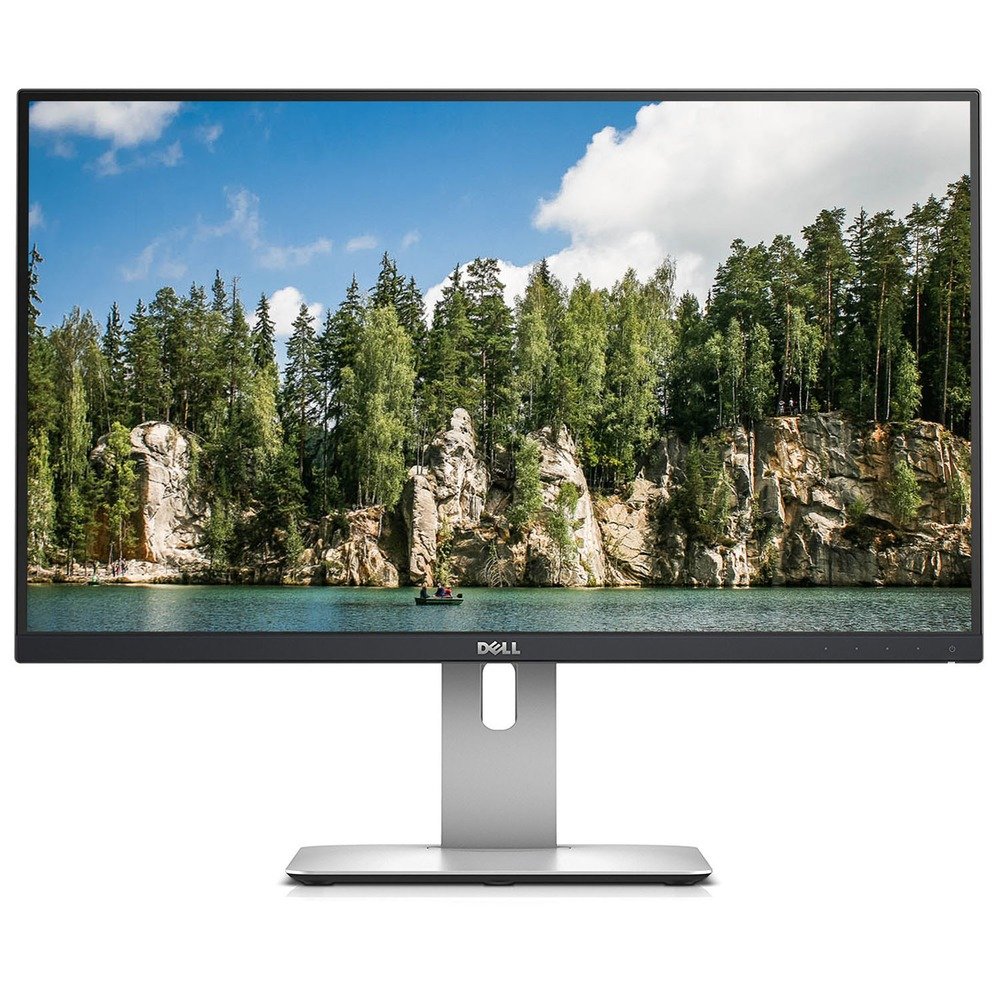
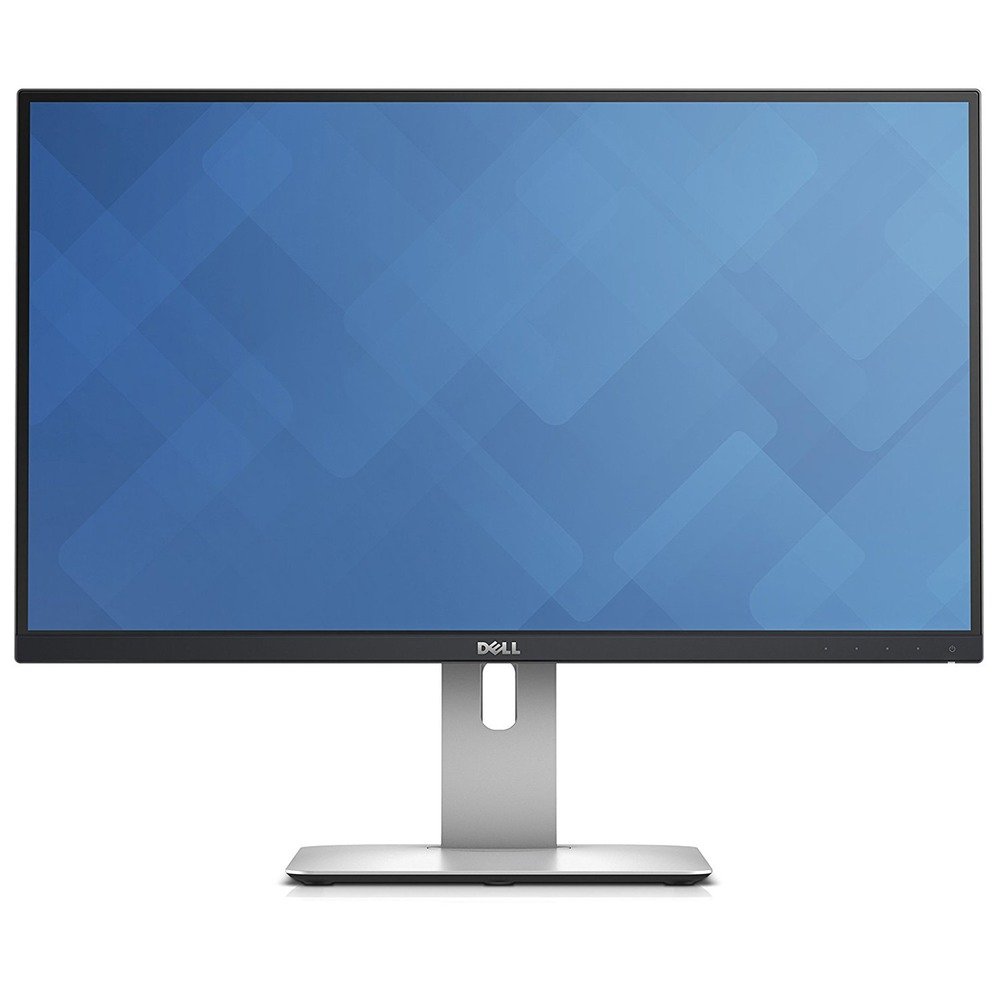
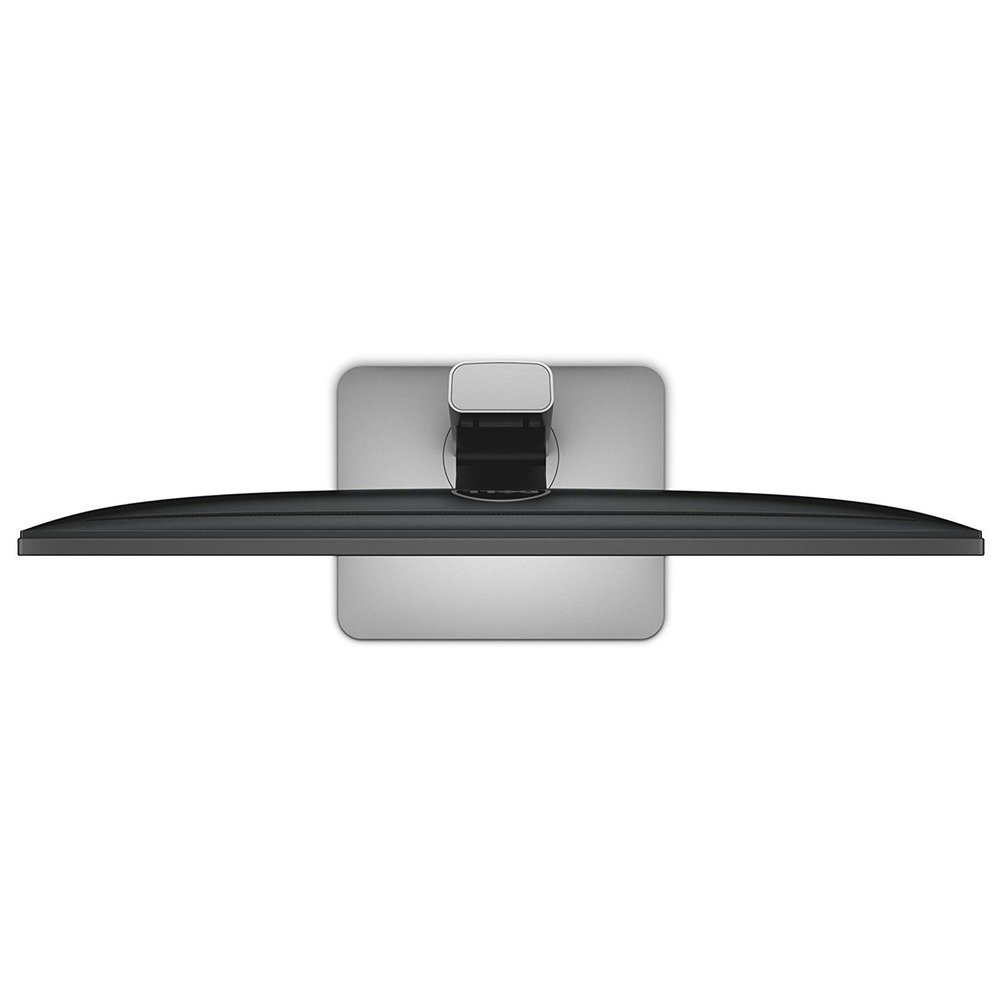
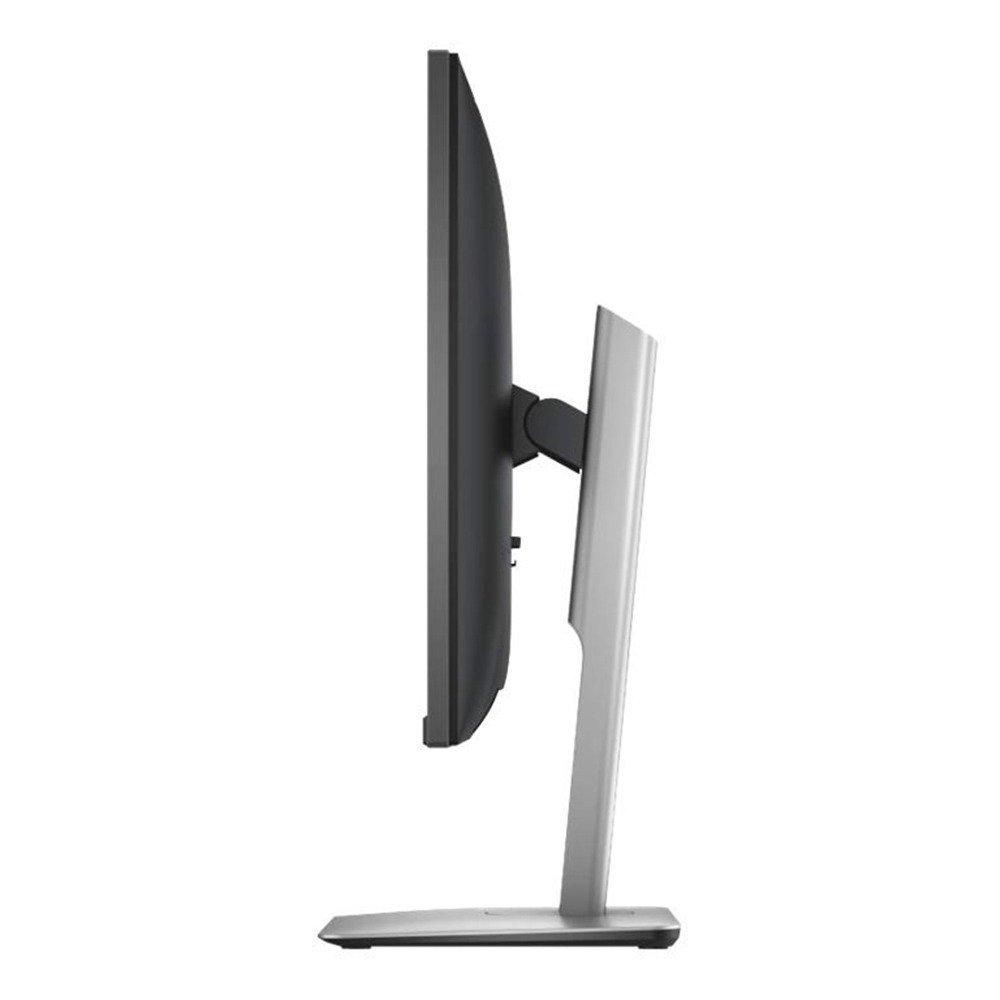
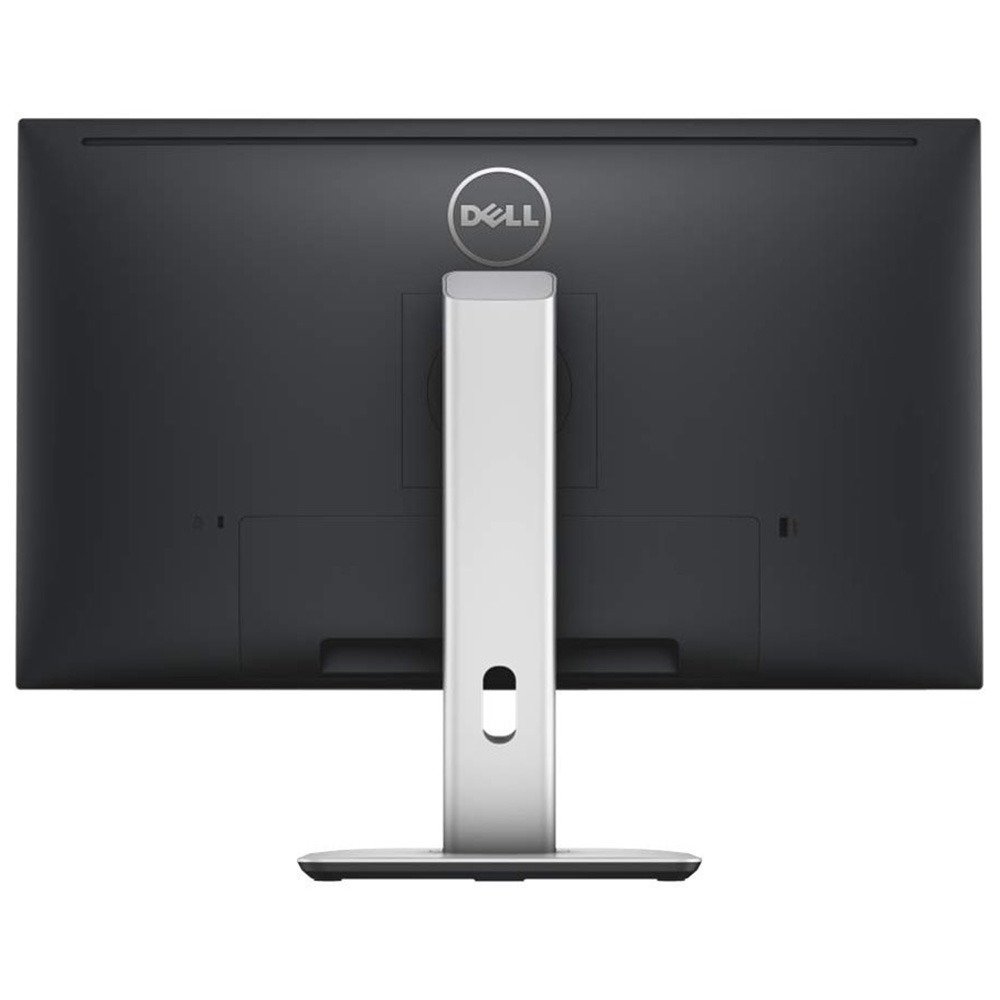
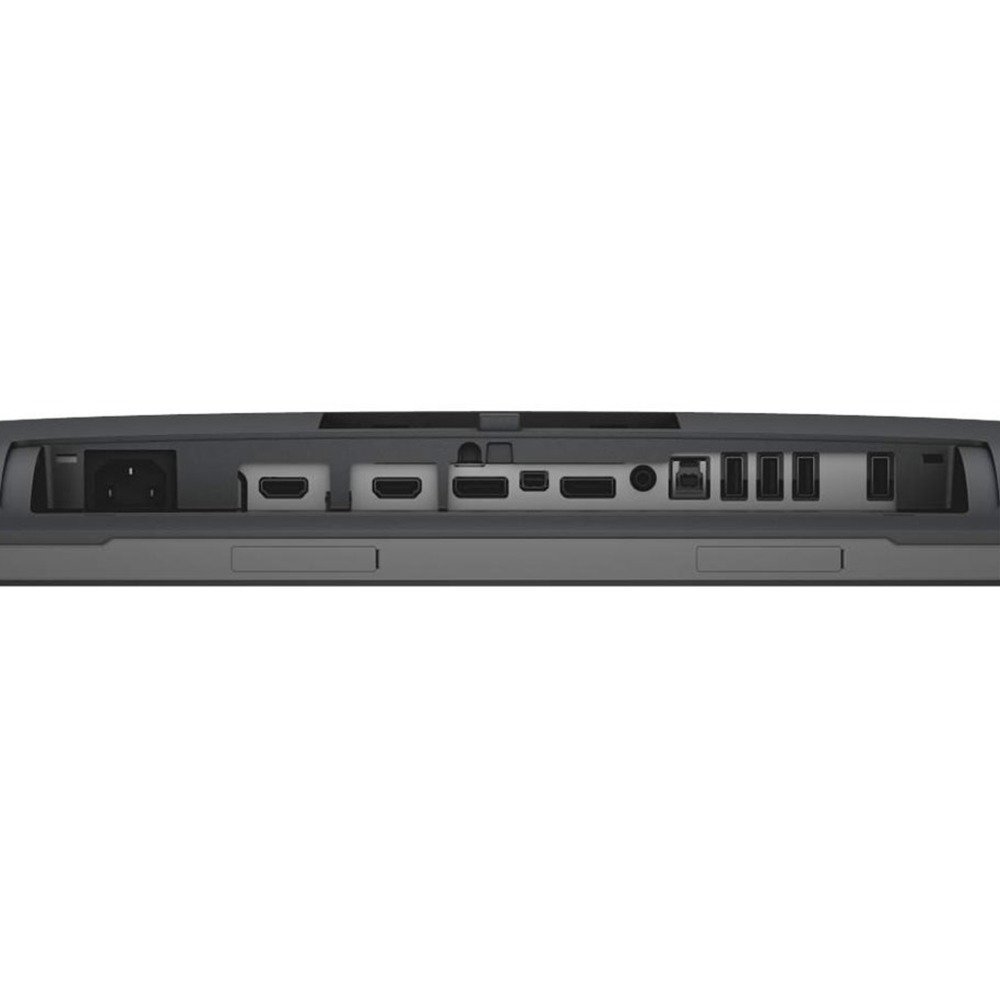
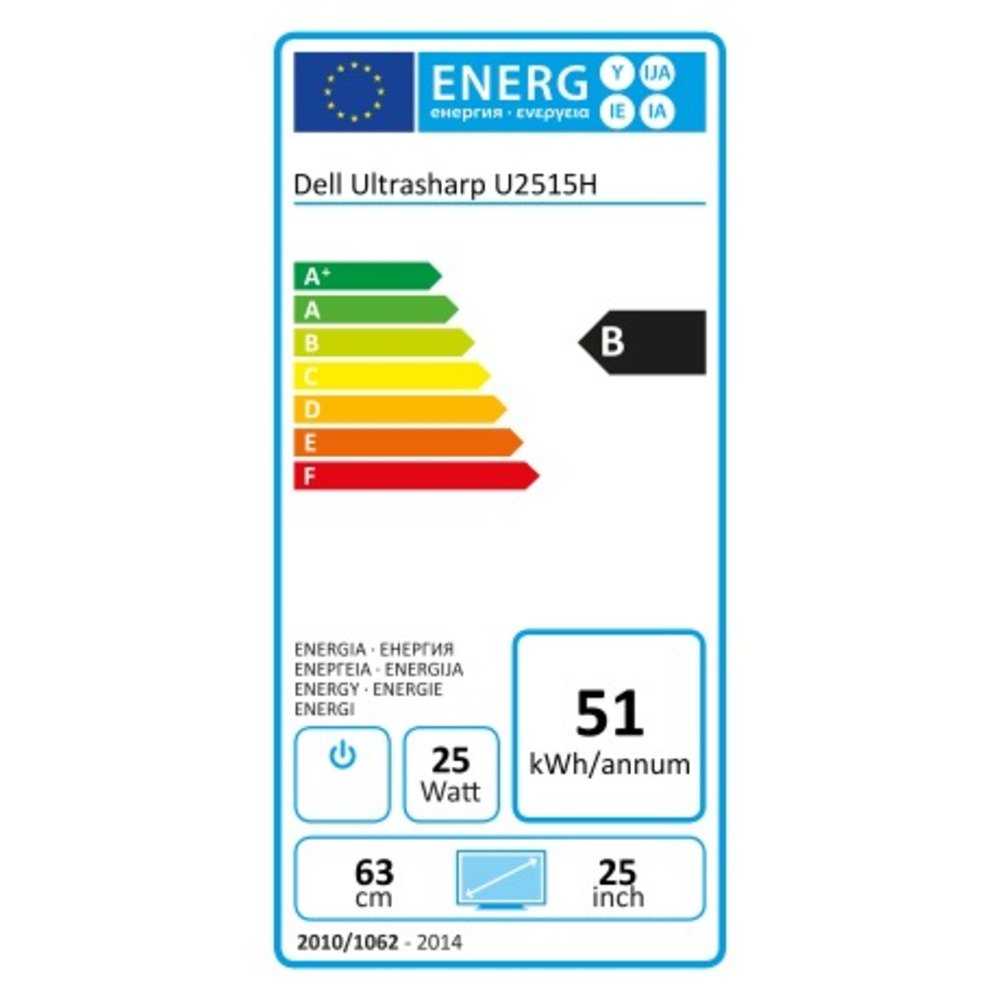
Elevate Your Vision! 🌟
The DELL U2515H ADZG is a 25-inch LCD monitor that delivers stunning visuals with a resolution of 2560 x 1440 at 60 Hz. Featuring an IPS panel for vibrant colors and wide viewing angles, this monitor is perfect for professionals seeking clarity and performance. With multiple connectivity options including HDMI and USB 3.0 ports, it seamlessly integrates into any workspace while maintaining energy efficiency.


| ASIN | B00P6O3YYO |
| Adaptive Sync | G-Sync Compatible |
| Aspect Ratio | 16:9 |
| Aspect ratio | 16:9 |
| Best Sellers Rank | 199,464 in Computers & Accessories ( See Top 100 in Computers & Accessories ) 3,296 in Monitors |
| Brand | Dell |
| Brand Name | Dell |
| Colour | Black |
| Contrast Ratio | 2000000 |
| Customer Reviews | 4.3 out of 5 stars 947 Reviews |
| Display Technology | LED |
| Display Type | Hd,Ips,Lcd,Led |
| Global Trade Identification Number | 05397063621644 |
| Hardware Connectivity | DisplayPort, HDMI, Mini-DisplayPort, USB 3.0 |
| Has Color Screen | No |
| Image Brightness | 350 cd/m² |
| Image contrast ratio | 2000000 |
| Item Weight | 4.4 Kilograms |
| Manufacturer | KOMQI |
| Maximum Display Resolution | 2560 x 1440 |
| Model Name | U2515H ADZG |
| Model Number | FBA_210-ADZG |
| Mounting Type | Panel Mount |
| Native Resolution | 2560x1440 |
| Network Connectivity Technology | DisplayPort, HDMI, USB |
| Picture Quality Enhancement Technology | Smart View |
| Processor Count | 1 |
| Product Features | Height Adjustment, Pivot Adjustment, Swivel Adjustment, Tilt Adjustment |
| Refresh Rate | 60 Hz |
| Resolution | QHD Wide 1440p |
| Screen Finish Type | Flat |
| Screen Size | 25 Inches |
| Screen size | 25 Inches |
| Screen surface description | Flat |
| Specific Uses For Product | Business, Education, Gaming, Photo Editing, Programming, Video Editing |
| Total HDMI Port | 2 |
| Total USB 3.0 Ports | 5 |
| Total USB Ports | 5 |
| Total Video Out Ports | 1 |
| Viewing Angle | 178 Degrees |
C**/
Monster Screens with eye popping quality and USB 3 Hub.
Following some very comprehensive reviews on amazon.co.uk and elsewhere I went ahead and treated myself to a pair of these Dell U2515H monitors, replacing two long standing Dell 1600 x 1200 pixel monitors which I've had for about 7 years. I'm delighted with the upgrade, I work in Programming, Web Layouts, Design and I.T. Management fields so they do get a good work out and the improved brightness, clarity and lack of flicker compared to the old models is astonishing. Paired up with a Dell Precision Workstation running on Display port with a USB 3.0 uplink and carrying the sound over display port and out from the headphone jack on the back of the monitor into a Technics Amp these Monitors have tidied up a lot of cable mess and mean I have charging Ports for iPhone and Flash drives handy at desktop level. The USB 3.0 upgrade was one of the reasons for going ahead with them and the difference is well worth the investment. Dual 25" really is a huge workspace, almost too big width wise at 2 x 2560 pixels. But It's worth it to get the 1440 pixel height format which offers so much more space for Toolbars and Panels when designing and programming. The Dell Display manager software does help splitting the width down according to an array of layouts, although the Colour borders on the Dell software can look a bit clunky over Windows 10. Colour is really very good indeed, I do take work to production ready stage but not as often as other members of staff so I did not feel the need to go up a notch and get Dell's Premier Colour monitors. We will go that route for the designer's though as they are such a good price compared to the usual Industry standard Colour Monitor suspects. The Stands on this monitor are great and the single front LED White power light is discreet enough. The Touch buttons on the front are a bit of a dog to use as described by other reviewers, but you do very quickly learn how and where to touch the screen to get a reliable result. Mostly I only use this for setup and checking the Colour Calibration so not a major problem to us though it is a bit heart in mouth when you first cable the screens in and then struggle to switch them for about 6 or 7 attempts at getting it right. Could do better here Dell so be advised! Lastly the thin bezels make multi screen setups look very good indeed, although I still run a strip of black electricians tape down the back of the join seem to block out any light or white wall distraction from behind the screen. Very happy indeed, but yes Dual 24" may have been Ideal in the end.
C**Y
Can't get better at this price point.
I'd been saving up for a while to get a decent monitor as I work from home running my own business and the second hand "make do" ones just weren't cutting the mustard any more. Especially as I'm coding part-time too. I decided to go for this as screen real estate is what I was in desperate need of. This high resolution at this price point is very competitive, and the small things that you don't realise before you purchase adds plenty of value. This includes the built in USB 3 hub, with all but one of the ports behind the cable tidy cover, so if you have any semi-permanently attached USB peripherals, then it doesn't get too messy. The other one is the edge to edge screen - I didn't realise how sleek it looked till I got it. Being the very definition of a tight Scotsman, I wanted to ensure I wasn't risking any of my hard earned £'s, so I did look at 1 star reviews to get an idea of where this fails. So, for anyone else who may be worried about parting with your cash, here's a few pointers in reference to those 1 star reviews. The monitor, when it arrives, is factory colour calibrated - you get a sheet with the results for your monitor. One thing though, I do not think this covers brightness - and this monitor, in my case anyway, arrived very bright indeed. I have it on the lowest brightness setting, and it is bright enough. Typically cathode-fluorescent back lit displays would wear over the years and lose their brightness; This isn't the case to the same degree with an LED back-lit display such as this one, so I am at a loss as to why it is so bright, and understandably it can cause a headache if you are sensitive to such things. But, as said above, it's perfectly fine when you turn it down. The resolution is sublime. I like the fact that I can have visual studio on one half of the screen and other source material on the other half without compromising the ability to work in each application. Bottom line is, I've never had such a great monitor, and at this price, it's simply unbeatable. Sure, there will be better monitors out there, but you'll be paying at least double the price for what most people wouldn't be able to tell the difference on. HDMI Port - I noted that some people said that their monitor was dead on arrival, and they are using it with a HDMI connection. This may not have anything to do with the monitor per se. There are numerous revisions of the HDMI standard, and different revisions support different signalling rates and in turn support different resolutions. This monitor's resolution is significantly higher than standard HD (1080p) and cannot be driven with some HDMI interfaces - such as on older laptops. A quick look on Wikipedia will bring to up to speed regarding all this, but if you have an old laptop, say ~8 years old, and expect this to be able to use this screen with its onboard HDMI port, I would caution you to not expect it to work. This isn't a fault of the screen, even though it may appear to be, but more a limitation of the technology of the time. So if you are in any doubt, I advise you to check the revision that your computer supports to ensure it can handle the resolution that this display uses. Another thing related to the above, some integrated and older graphics controllers will not be able to handle the resolution of this display either. I was in this boat but was aware of it when I purchased. If you are not a gamer, then something like the NVidia GTX 750 Ti would be ample to drive this, it's low wattage, DX12 compatible, uses NVidia’s Maxwell architecture, and doesn't require any additional power connection (certain brands do). This is what I bought, and have it connected using a Display Port connection, and don't have any issues with it. Another 1-star review commented on the stand. In my opinion the stand is solid. The only way I can imagine that the screen can fall off would be that the bottom lugs of the stand back plate weren't properly 'clicked' into place, or perhaps the release button for these lugs was perhaps stuck in the engaged position. When correctly set up, there is no risk at all of this screen falling of the stand. This reviewer's initial review stated that when they originally set up the monitor that they weren't entirely happy with how it 'balanced' on the stand - I can only assume it was never correctly placed together to begin with, hence why it eventually fell off. A bonus of the stand is that it can also be rotated, so you could if you wanted have the screen in 'portrait' mode. In all, I am more than happy with my purchase. It's made working so less stressful when trying to manage multiple windows. It's a pleasure to use, it's of very high quality, and I've not had any issues as of yet.
D**N
1440p resolution in the best package around
The U2515H is all the rage at the moment and it is easy to see why. With a whole host of adjustment options, a super slim bezel and the ultrasharp colour accuracy, it is a very versatile monitor for the price with full tilt and swivel adjustments and the 1440p resolution is lovely coming from 1080p. It took my eyes a few days to adjust to font size but once set up correctly everything appears much clearer and there is an awful lot more real estate on screen to play with which makes the experience of using the desktop rig much nicer. Of course it doesn't quite compare to 4K, nor does it have the same pixel count as an Apple Retina Display, but the experience is comparable, and I feel as though with the correct display scaling, the leap between 1080p and 1440p would seem bigger than 1440p to 4k. The colour accuracy is very good and showed up my previous LG IPS display and whilst you may need to tweak this for professional work it does come pre-calibrated from factory with a print out with graphs to prove this. Viewing angles are very good too but being a matte IPS display you do get some glow with blacks which is to be expected with this display technology - however there is no noticeable backlight bleed like you get on many monitors so that's a nice plus. The matte coating isn't as harsh as some other displays I have had either The adjustments are endless and there is VESA mounting capability too with some nice cable management as well as a whole host of ports so it is a very versatile display, and due to the slim bezel make for a wonderful multimonitor setup (I have two of these on my desk as pictured). Overall, unless you are desperate for a high refresh rate for gaming, the U2515H is probably one of the most full featured and attractive 1440p monitors out there. The only drawback I have to speak of is the capacitive touch controls on the front, whilst premium feeling I cant help but notice I sometimes have to stroke/jab the power a few times to get it to register.
P**R
Dell U2515H Great monitor
This is a stunning monitor. Picture clarity and colour rendition are superb and as it is an IPS panel the viewing angles are great. The matt display make it a pleasure to work on and because of super slim bezels it does not look too imposing. I must admit I worried about scaling on Windows 10 given such a high resolution but most applications work well (eg. I have MS Office 2013) and all new applications are fine. I use this with HP spectre x360 laptop which is same resolution (2560 x 1440) so a great pairing. I have also added the Dell Soundbar AC511 which clips unobtrusively to the bottom of the screen and makes the set up great for media. The built in USB3 hub is also really useful (see caveat below) The only reason I give this 4 stars and not 5 is because the first unit I had the USB3.0 Hub did not work at all (not recognised by laptop and dell soundbar not detected). Thankfully Amazon took back the unit and gave me a full refund and I bought from Debenhams Plus next time round as cheaper price. Now having used the replacement for a month can honestly say there is not a better monitor at this price point (quality is on par with Apply retina displays).
S**I
Nearly perfect monitor
This monitor is absolutely outstanding. The colours are great, and since the monitor comes with a calibration report, you can be sure they are accurate. The pixel density is just about perfect for no UI scaling on windows. It does take a little bit of getting used to, but it's no longer than a day. Looking at standard ~90 DPI display makes everything on it look really big. The port selection is pretty good, with a DP, mDP and two HDMI ports. You get a mDP to DP cable in the box, so you can connect pretty much anything with any form of Display Port to this thing. The stand has everything that any professional monitor would have, with tilt and swivel as well as a portrait mode. I have played about with some display settings in the Nvidia control panel, and managed to overclock the panel to 75Hz, although there was some really bad ghosting and motion blur issues, so staying at the default 60Hz is recommended. Gaming performance is just fine. I haven't noticed any major ghosting issues, and I didn't really notice any lag from the greater response time compared to my last panel, which was TN based. The touch buttons can be a little bit finicky, although they're not nearly as bad as some people make them out to be; you just have to press a little harder. There was one occurrence where the buttons were unresponsive for a couple of minutes, however, it hasn't happened again since. Another thing is that the USB 3 hub isn't properly detected on my computer, although that's most likely an issue with my motherboard. When I plugged it into a USB 3 port on my laptop, it worked perfectly fine, and plugging it into USB 2 ports on my desktop also worked, so your experience may vary. These issues are easily offset by the fact that, at most, you only use the power button a couple of times a day, and the OSD menu maybe a couple of times a month, if even. As for the hub, I haven't had one on any of my previous monitors, so I don't miss it, and I don't think I'd use it much anyway. Pair that with the amazingly reasonable price (I bought mine for around £280) for what you get, and this is one of the best monitors on the market right now. I could not recommend it more.
J**L
Standard bearer
I am rarely impressed with monitors, and to be honest came to this with suitably low expectations given the comparatively low cost. It's a new model so other reviews at the time of my purchase were few and far between, but I took a chance given it wasn't outrageously priced unlike a great many other models in the 2560x1440 resolution range. The U2515 is absolutely stunning. The stand is by a massive margin the easiest to assemble of any display I have ever seen, which is not a small number by any means. It has a high build quality and a decent heft to it without being heavy, with a full range of movement options which I find easy to adjust. The movement is resistant enough that I don't accidentally disorient the screen in normal use, but easy to move when needed with no struggle required. There's a small cable routing hole in the upright arm which is a thoughtful inclusion given my other monitor does not. Pivot, height, swivel and tilt adjustments are all supported. After attaching the supplied cable, the inbuilt usb 3.0 hub installed itself automatically in around 10s under windows 7. I attached the Dell AC511 Soundbar I bought separately to the monitor and hub. This also installed itself without needing my attention, and was up and running around 1m thereafter. I did not need to connect the monitor hub to a usb 2 port on my PC to get this to work, contrary to what you may find reported elsewhere. Image quality comes crisp and factory calibrated to 99% of the sRGB spectrum so is suitable for general purpose usage. Viewing angles are as to be expected of a quality IPs panel, excellent across the board. I've tried it for movies, browsing and various games and found it a pleasure to use. There was no noticeable ghosting, and the 'IPS glow' was barely visible in my usage. The 25" screen size means compared to a 27" model 2560x1440 resolution screen the images will be slightly better, given the higher pixels per inch on display. The only gripe you may find is the touch sensitive buttons on the bezel. They appear to need a particular application of pressure and direction to activate which does take some getting used to. Whether this is intentional to stop accidental presses I am unsure, but it didn't take long to adapt to. I can't understand why this was being sold for £250, the bezel is extemely thin, and the whole unit has a gorgeous minimalistic design which has an aura of high end quality. The light matte screen coating is good at reducing reflections without adversely affecting the image quality as other more intrusive options have done on competing monitors. I would have expected this model to carry a much, much higher price tag which would probably have been justified. At this price? Buy one. Be more dog.
B**B
[Edit] Defective after just 3 months
Edit: I am amending my review from 4 stars to 1 star because the stand became defective just three months after I purchased it. Quite literally, parts within the stand fell out, rendering the monitor useless as I could no longer attach the monitor to the stand. I had noticed a month prior to this that the monitor was quite "loose" on the stand. It was very difficult to get a refund from Dell (they refused TWICE to accept a return/refund - the Dell customer "service" representatives from India couldn't grasp the fact consumer rights law supersedes any "company policy"). However, the retailer I purchased the item from via the Amazon Marketplace was very helpful and cooperative in getting my refund sorted (PCBuyIt Ltd.) Very disappointed with the monitor and the poor service I received from Dell. I won't be buying a Dell product ever again. -- Original Review -- I have used one of these monitors at work and what first caught my eye was the high resolution - admittedly, everything seemed weirdly small at first, but I quickly adjusted. I wouldn't say everything is so small you can't read text - not like that at all - but if you are used to a 1080p monitor like I was, then it's certainly the first thing you WILL notice! As I was using the monitor at work I started to see how good the colours were compared to the two 21-inch monitors I used at home which were TN panels, so I decided a couple weeks later I would buy one for home. For a 25-inch IPS display with a 2560 x 1440 resolution and built-in USB ports (big bonus for me since my computer only has 4x USB), the price is very reasonable in my view. The fact each Dell U2515H display undergoes a facory colour calibration test (with a test result sheet provided in the box) was a big plus to me in my buying decision. This monitor suppors DisplayPort, Mini DisplayPort and HDMI. Using HDMI, I can get the full 2560 x 1440 resolution on my Mac mini, but not on my desktop PC - I assume my PC may not have HDMI version 1.3 or above, which is needed to support resolutions exceeding 1920 x 1200. The colours on this display are very good. As a web developer, the colour accuracy, sharpness and resolution of a display are very imporant to me. I can definitely highly rate it in this regard. One thing I should mention (and to forewarn) was the ridiculous packaging. Although understandably the monitor needs to be packaged well to prevent damage during transit, Dell decided to go that extra few hundred miles and make the packaging unbelieveably difficult to open - I even cut myself trying to open it. They also interlock multiple pieces of cardboard together inside the box. You might just want to take a tea or coffee break after you have got through the packaging. No joke. If there was an award for the most ridiculously annoying packaging, Dell wins. Pros: - Excellent colours - IPS display - Resolution - You can set what the first two menu buttons activate (e.g. brightness, input source, etc.) by going to monitor settings, selecting "Personalise" and changing the "Shortcut Key 1" and "Shortcut Key 2" options. - USB ports - HDMI and DisplayPort support (1x mDP, 1x DP, 2x HDMI) Cons: - Only comes with Mini DisplayPort to DisplayPort cable in the box; no HDMI cable. Not a problem for me but may be for others - During bright days, I would like to be able to make the display a little brighter (max. ~350 cd/m2). The fact the display is matte and NOT glossy does help, however - The menu buttons are touch-sensitive. I'd prefer to have physical buttons because it wouldn't require as much effort having to look at your monitor and making sure you press directly over the button you want to activate
M**S
A good monitor for a good price. A few flaws which may matter more than to others.
Overall these monitors are quite nice. I bought three to use together on my desk. The construction is quite high quality, with the exception of the plate which clips on the back to offer some degree of cable tidiness...On the 2 of my monitors I have so far set up, it doesn't seem to clip snugly but does so sufficiently to stay in place. On those same monitors, there are no dead pixels and the image quality is good. The adjustment mechanism feels solid and I like that you can use it in portrait mode if desired. Although the construction is mainly plastic, the base and support feels solid and sturdy. Although these monitors have a thin bezel, there is still a black border on the screen of about 10mm which is not used. I don't like the touch capacitive "buttons" on the front of the monitor which you use to power them up and to access the on screen menu to switch between inputs. In less than bright light, they are really difficult to see properly and rarely do I manage to switch them on or off first try. Also the USB sockets are in a daft place which makes them impractical to use for anything other than a USB device which will be permanently connected to your system. None of these issues are show stoppers for me personally. 4K monitors don't suit my work for numerous reasons so the resolution of these is better. The price is very reasonable too. Overall very happy with them so far. EDIT: A few months on and I'm removing a star, principally because of the touch capacitive controls on the front......They rarely work first time and it's virtually impossible to see what you're doing. There are some small white dots which are meant to help but in anything less than a brightly lit room, they're really hard to see. There's a lot of trial and error every time I have to switch the inputs on my monitors (which I do frequently as I have another machine hooked up to them as well). Over time it gets very tiresome. I could almost regret buying them now, were it not for the fact the picture is pretty good. This is one of those situations where if I'd been able to use the monitor in a store first and touch the controls, I would have passed on it, just because of the controls.
Trustpilot
1 month ago
1 month ago