
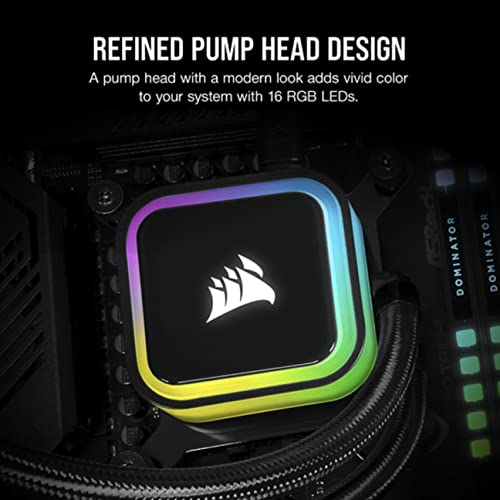
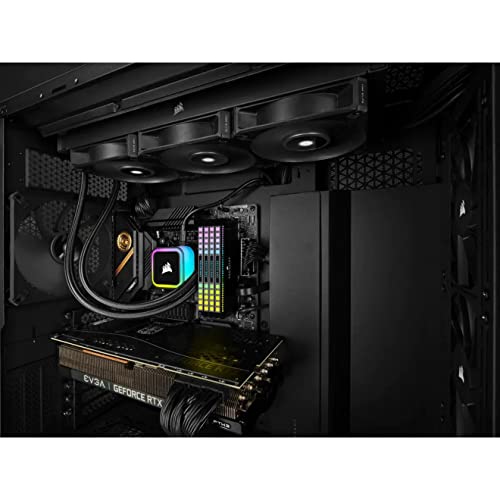

💧 Cool your CPU, light up your setup, and silence the noise — the elite choice for pros.
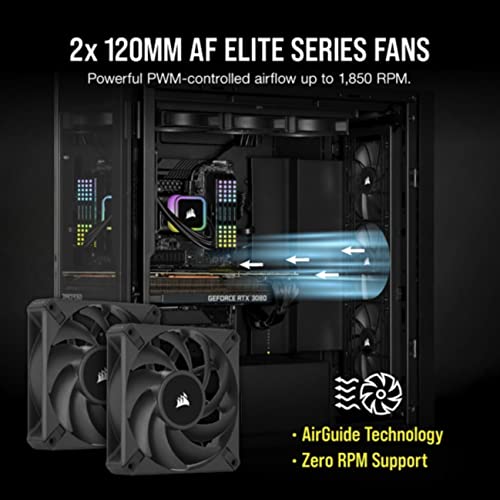
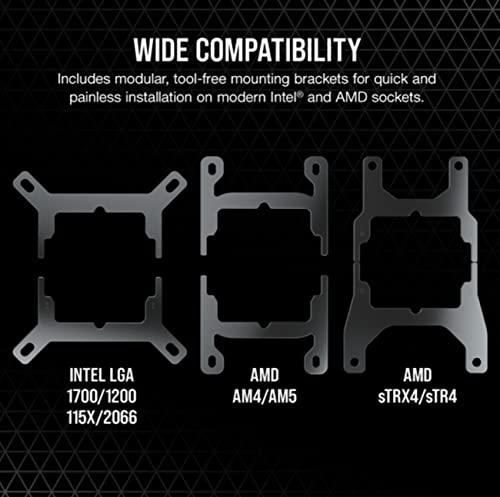
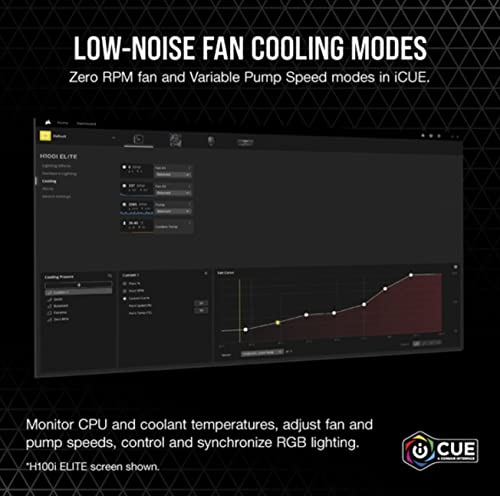
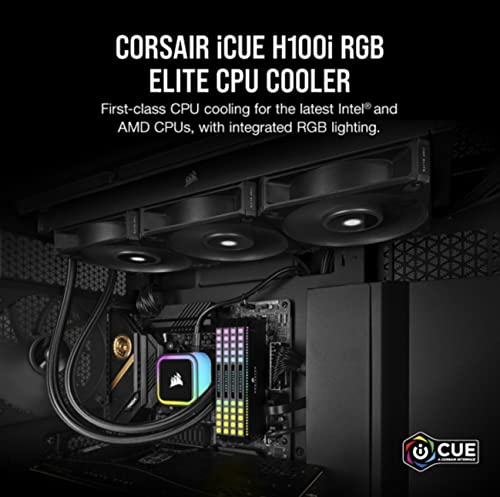
The Corsair iCUE H100i RGB Elite is a premium all-in-one liquid CPU cooler featuring a 240mm radiator, dual 120mm AF Elite PWM fans, and 16 individually addressable RGB LEDs. Compatible with the latest Intel and AMD sockets, it offers powerful cooling performance with quiet operation modes and full customization through Corsair’s iCUE software, making it ideal for high-performance and visually striking PC builds.


| ASIN | B09YC9FZ8M |
| Best Sellers Rank | #235 in Water Cooling Systems |
| Brand | Corsair |
| Compatible Devices | Radiator |
| Cooling Method | Water |
| Date First Available | July 29, 2022 |
| Global Trade Identification Number | 00840006648109 |
| Item Weight | 2 pounds |
| Item model number | CW-9060058-WW |
| Manufacturer | Corsair |
| Material | Copper |
| Maximum Rotational Speed | 2400 RPM |
| Noise Level | 31.5 Decibels |
| Number of Items | 1 |
| Power Connector Type | 4-Pin |
| Product Dimensions | 10.91"L x 1.06"W x 4.72"H |
| UPC | 840006648109 |
| Voltage | 12 |
| Wattage | 71.83 watts |
O**D
Fantastic AIO cooler
This is my second purchase of a Corsair AIO watercooler and I was not disappointed. Just as with my previous Corsair H60 purchase, the iCUE H100i Pro XT was easy to install, built very well with excellent fit-and-finish, and the cooling performance was and is excellent. I used the H100i Pro XT to cool two processors at separate times - an overclocked Core i7 2600K (2nd-gen) and a Core i7 9700 (9th-gen). When I used to run a system with the Core i7 2600K, I kept experiencing thermal throttling on a modest 4.0GHz overclock on the crappy stock Intel heatsink and fan (from 3.4GHz base/3.8GHz Turbo Boost). Once I installed the H100i Pro XT, my 4.0GHz overclock idled in the high-20's to low-30's (down from 72 C idle), and peaked around 50 C (down from 98 C). Even after I increased the 2600K's overclock to 4.5GHz (with an Offset voltage of +0.055V), I idled around the mid-30's and peaked at 61 C while gaming or running CPU stress tests. After switching over to a new motherboard and an Intel Core i7 9700, I experienced similarly low temperatures - idle in the mid-30's and peak at 57 C while playing Assassin's Creed Odyssey. Since I can't overclock the Core i7 9700, I'm instead running it at full all-core Turbo Speeds using Intel XTU and ThrottleStop. Even at an all-core core speed of 4.5GHz, both of my idle and peak temperatures are low, and I never hit the thermal throttle limit. Considering I live in very warm southern California in a house with poor ventilation, I'm even more impressed by the performance of the H100i Pro XT. The only hiccup I experienced was getting the RGB lighting to turn on. As it turns out, I had to connect the RGB SATA power cable to a 5-wire SATA power cable from my PSU. When I initially had it connected to a 4-wire SATA power cable from the PSU, the RGBs refused to light up, despite the iCUE software saying that my lights were activated. Besides that initial stumble, everything else has been peachy - cool RGB lighting control, adjustable fan speed and noise, and no concerning noises coming from the water pump. 5 stars all the way~!! 👍
N**L
Works great even on 13900ks
I got this to replace an air cooler on my 2nd PC that’s right on my desk about 2-3 feet away from me. It’s on a i7 13700k 5.4ghz all core 4.3ghz e core. Hitting 90c under full load 260watts. I added this cooler and I instantly like the quality of the radiator. The paint looks and feels good. The sleeves on the water tubes are nice and the USB connection for the power is sleek looking and not an eyesore. I like the fans they run well but are not annoying loud. They do get loud but it’s only at 300watts full load. Now my CPU is at 5.6ghz all core 4.5ghz e core and it runs great. While gaming this has dropped my gaming temps by 10-20c depending on the load and the water pump is not loud. I’ve had about 4 AIO and this is the best quality ones I have seen. Also to note the pump seems to run cooler than my older AIO’s. So I just took out the 13700kf and put in a new 13900ks. It’s enough to cool that but only for gaming and everyday use. This can cool out 300watts. Now it can’t run this KS fully, but it’s still faster than a stick 13900k They have been making quality AIO,s for over a decade now so the tech is actually a lot more advanced than it was back in 2008-2013.
N**6
great temperatures
The CORSAIR H150i RGB Elite Liquid CPU Cooler has exceeded my expectations in every way. Its 360mm AIO design, coupled with the efficient AF120 Elite PWM fans, provides outstanding cooling performance, keeping my CPU temperatures impressively low even under heavy loads. The cooler's installation was straightforward, and it seamlessly fits into my Intel® LGA 1 socket. One of the standout features is the customizable RGB lighting, which adds a vibrant and visually striking element to my build. The lighting effects are easily controlled through CORSAIR's iCUE software, allowing for endless personalization. The cooler operates quietly, even when ramped up, ensuring that my system remains cool without the distraction of fan noise. Overall, the CORSAIR H150i RGB Elite is a top-tier liquid cooler that combines high performance, sleek aesthetics, and ease of use, making it an excellent choice for gamers and PC enthusiasts alike.
M**L
🔥 Recensione dettagliata: Corsair iCUE H150i RGB Pro XT 🔥 Se stai cercando un dissipatore a liquido all-in-one (AIO) affidabile, efficiente e con un’estetica accattivante, il Corsair iCUE H150i RGB Pro XT è una delle migliori scelte sul mercato. Questo modello si distingue per le sue prestazioni eccellenti, il design premium e il software avanzato, rendendolo ideale sia per il gaming che per il lavoro ad alte prestazioni. 📌 Design & Costruzione Il Corsair iCUE H150i RGB Pro XT si presenta con un radiatore da 360mm, perfetto per build di fascia alta e per chi necessita di un raffreddamento avanzato. Il design è moderno e minimalista, con una pompa a liquido ben costruita e illuminazione RGB personalizzabile sul blocco della CPU. Le ventole incluse sono le ML Series da 120mm, che utilizzano la tecnologia levitazione magnetica, garantendo un funzionamento più fluido e duraturo rispetto alle ventole tradizionali. 🔧 Installazione & Compatibilità L’installazione del Corsair H150i RGB Pro XT è semplice e intuitiva grazie al sistema di montaggio rapido. Il dissipatore è compatibile con una vasta gamma di socket, tra cui: ✅ Intel: LGA 1700, 1200, 115X, 2066, 2011 ✅ AMD: AM5, AM4 Il kit include tutto il necessario per l’installazione, dalle staffe ai cavi di collegamento, e il processo di montaggio è ben spiegato nelle istruzioni. 🚀 Prestazioni Termiche Uno dei punti di forza del Corsair H150i è l’eccellente capacità di raffreddamento. Grazie al radiatore da 360mm e alle tre ventole ML Series, il dissipatore mantiene la CPU a temperature basse anche sotto carichi elevati, come il gaming o il rendering video. Modalità standard: Mantiene temperature ottimali con un rumore quasi impercettibile. Modalità massima potenza: Ideale per overclocking e carichi intensivi, garantendo prestazioni eccellenti. Zero RPM Mode: Le ventole si spengono automaticamente quando la temperatura è bassa, garantendo silenziosità assoluta. Nel confronto con altri AIO di fascia alta, il H150i RGB Pro XT si posiziona tra i migliori, con temperature inferiori rispetto a molti competitor. 🎨 Illuminazione RGB & Software iCUE L’illuminazione RGB integrata nel blocco della pompa è completamente personalizzabile tramite il software Corsair iCUE. Con iCUE è possibile: ✅ Regolare gli effetti RGB con ampia personalizzazione. ✅ Monitorare le temperature in tempo reale. ✅ Impostare profili di raffreddamento personalizzati per ottimizzare il rumore e le prestazioni. L’integrazione con altri prodotti Corsair permette di creare una sincronizzazione perfetta con ventole, RAM e altri componenti RGB del brand. 🔇 Silenziosità & Efficienza Uno degli aspetti più sorprendenti del Corsair H150i è la bassa rumorosità. In condizioni di utilizzo normale, il dissipatore è praticamente silenzioso. Anche in carico massimo, il rumore delle ventole rimane contenuto rispetto ad altri dissipatori AIO della stessa categoria. Le ventole ML Series con levitazione magnetica sono un punto di forza, riducendo l’attrito e garantendo un funzionamento silenzioso e duraturo nel tempo. 📌 Pro e Contro ✅ PRO ✔️ Prestazioni di raffreddamento eccellenti 🔥 ✔️ Radiatore da 360mm per dissipare al meglio il calore ✔️ Illuminazione RGB personalizzabile con Corsair iCUE ✔️ Ventole ML Series silenziose ed efficienti ✔️ Software iCUE avanzato per il monitoraggio e la gestione ✔️ Installazione semplice e compatibile con Intel e AMD ❌ CONTRO ❌ Il prezzo è elevato rispetto a soluzioni più economiche, ma giustificato dalla qualità ❌ Richiede spazio nel case per il radiatore da 360mm 🏆 Conclusione Il Corsair iCUE H150i RGB Pro XT è uno dei migliori dissipatori a liquido per chi cerca il massimo delle prestazioni senza compromessi. Con un raffreddamento eccezionale, un design accattivante e un software avanzato, è perfetto per PC gaming, workstation e overclocking. 💡 Se vuoi un AIO di fascia alta, silenzioso e con ottime performance, questo modello è una scelta eccellente! ⭐⭐⭐⭐⭐ Voto: 5/5
M**I
Fans always run at 100% and it sounds like a jet engine. RPM cannot be controlled in BIOS. Neither CPU nor Pump headers allow controlling this AIO. iCUE softwares does not detect it either when plugged into JUSB port, so no way to control the fans on this unit. Not sure if this particular unit is defective or it's normal for this model. Returned it and purchased another brand AIO which works as expected.
T**S
Lo compre para un i7 14700f. Mantiene las temperaturas por debajo de los 70°C. En videojuegos a 4k @ 60fps y hasta en 120fps se mantiene en 60°C, solo con Cyberpunrk y raty tracing al maximos llega a los 70°C de ahí nunca lo he visto llegar a más temperatura. Y que decir del ruido, imperceptible. Eso sí, con el iCue puedes personalizar la velocidad y si es necesario subir las velocidades cuando esté en alto rendimiento el CPU, ahí si se escuchan los ventiladores, pero no es tanto para lo que mantiene refrigerado. En estética mantiene el interior más libre y como el monitor donde está el logotipo de corsair tiene RGB se ve genial con las luces apagadas además que puedes controlar el RGB con el iCUE y uno que otro software; aunque es una lástima que no se pueda sincronizar con el resto de RGB con aura. No se si alguien sepa que tipo de mantenimiento hay que darle, cada cuando y que tipo de agua hay que ponerle para cambiarla, y sobre todo que riesgo hay que una manguera tenga una fisuar donde pueda derramarse el líquido, ya que he visto que es el único inconveniente de este tipo de refrigeración.
K**E
Warning! The pump can not go below 40%/2000rpm because it is controlled by the software / hardware which is bad and missing 3 and 4 pin! Which makes the product sound extremely loud! Ive tried everything. I have been very happy with Corsair before but this is the last time i buy something from Corsair!
A**.
Corsair è un marchio che non ha certo bisogno di presentazioni; negli anni ha saputo crearsi una solida reputazione grazie a ottimi prodotti ed accessori per pc. La fascia di utenti è quella definita Enthusiast, ovvero utenti appassionati di modding perennemente alla ricerca del pc perfetto sia da un punto di vista estetico che delle prestazioni. Io non mi riconosco propriamente in questa categoria di utenti, anche se talvolta amo ammodernare un vecchio mio pc, oppure, come in questo caso, assemblarne completamente uno nuovo. Tra le problematiche più complicate la gestione delle temperature risulta sicuramente al primo posto ed è complicata poiché coinvolge moltissimi componenti ed è soggetta a moltissime variabili, come la gestione dei flussi di aria in entrata e in uscita dal case. Sia la CPU che la scheda grafica sono delle discrete "stufette" e le alte temperature mettono seriamente a rischio la stabilità e la durata stessa del pc. Questo prodotto si prende “cura" della CPU, raffreddandola a liquido e mantenendola in un range accettabile; è una soluzione chiusa, in quanto il liquido tramite due tubi flessibili viene a contatto con la piastra e poi raffreddato dal radiatore con le ventole Una soluzione completa e razionale H 150i RGB elite è una soluzione completa che consente il montaggio del radiatore con annesse 3 generose ventole da 120 x 25 mm il tutto fissato a un radiatore da 360 mm; tale radiatore può essere montato sia un orizzontale (la posizione orizzontale ed in alto è quella che personalmente consiglio) che verticale, ovviamente a condizione che le dimensioni del case lo permettano. Grazie a specifiche staffe di adattamento è possibile installarlo per raffreddare CPU sia Intel che AMD In particolare lo potete utilizzare con Intel 1700, 1200, 1150, 1151,1156, 2011, 2066, 1366 e con CPU AMD del tipo AMG, AM 5, STR 4; unica accortezza è ricordare che le staffe di fissaggio alla cpu vanno fissate nella parte posteriore della scheda madre, per cui prestare attenzione che la parte posteriore sia accessibile nel case, altrimenti optate per il montaggio delle staffe sulla scheda madre PRIMA di fissarla al case; comunque è un' operazione abbastanza semplice; la piastra di dissipazione da montare a contatto con la cpu è di rame e viene fornita con la pasta termoconduttiva già applicata e pronta all’uso; il montaggio completo non porta via più di 15/20 minuti. Tralascio qui i dettagli RGB ed i relativi effetti, belli ma dedicati principalmente ai patiti del modding, maentre mi soffermo sulle prestazioni, davvero notevoli; Il mio processore intel i9-13900KF non ha mai superato i 45º e le ventole quando sono in funzione risultano estremamente silenziose, niente a che vedere con i miei precedenti PC con quel delizioso effetto "elicottero" che faceva tanto "Apocalypse now”. In definitiva un prodotto davvero valido dedicato a tutti coloro che vogliono godere delle prestazioni dei moderni processori senza dover preoccuparsi del rumore o delle temperature; vi assicuro che non è poco!
Trustpilot
4 days ago
1 month ago



