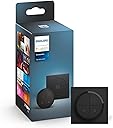
![Tap Dial Switch [Black] Easy Smart Lighting Control. Indoor Home Lighting Automation, Set Scenes, Ambiance and Dimming.](https://m.media-amazon.com/images/I/61+BAO7AedL._AC_SL3840_.jpg)
Buy anything from 5,000+ international stores. One checkout price. No surprise fees. Join 2M+ shoppers on Desertcart.
Desertcart purchases this item on your behalf and handles shipping, customs, and support to Iceland.
🎛️ Dial into smarter living with Philips Hue Tap Dial Switch!
The Philips Hue Tap Dial Switch in black offers intuitive, hub-free smart lighting control via ZigBee connectivity. With a rotary dial and three programmable buttons, it enables precise dimming and multi-room management. Easy to install on walls or magnetic surfaces, it enhances any smart home setup with seamless ambiance control and guest-friendly operation.


| ASIN | B0B2PSDNV1 |
| Actuator Type | Rotary |
| Brand | Philips Hue |
| Circuit Type | 1-way |
| Colour | Black |
| Connectivity Protocol | ZigBee |
| Connector Type | Screw terminals |
| Contact Material | Plastic |
| Contact Type | Normally Open |
| Control Method | Touch |
| Controller Type | Push Button |
| Country Of Origin | China |
| Customer Reviews | 4.7 4.7 out of 5 stars (999) |
| Global Trade Identification Number | 08719514440937 |
| Included Components | Tap Dial Switch |
| International Protection Rating | IP20 |
| Item Dimensions | 8 x 8 x 2 centimetres |
| Item Type Name | Remote control |
| Item Weight | 100 Grams |
| Manufacturer | Signify |
| Material | Plastic |
| Model Number | 929003500201 |
| Mounting Type | Wall Mount |
| Number of Items | 1 |
| Number of Positions | 4 |
| Operation Mode | manual |
| Product Warranty | 2 Year Manufacturer |
| Specification Met | CE, RoHS |
| Switch Type | Mechanical |
| Terminal | Screw |
| Unit Count | 1.0 Count |
| Wattage | 1000 watts |
T**H
Great Switch
Have multiple set up around the home replacing standard light switch's, enables control of multiple entity's around the home. Connects to HA without issue and looks and feels a lot better than other options on the market. Great for home automation especially allowing guests and visitors to be able to control everything easy.
C**Y
Control at your fingertips
Fantastic item, great price, works exactly as expected. Allows all sorts of variations on your set up and control at the touch of a button, highly recommended.
G**S
Works well with Hue and can also control others via Alexa routines
I bought this to control Hue light bars and a Hue bulb in my home office. I also wanted it to control my Govee lamp which I have had some success with. The 4 buttons & dial can be configured to control individual bulbs, rooms or zones and has several options available. On a single press you can get it to cycle through different scenes, select a single scene, have a time-based scene selection (e.g. a different scene in the morning), or switch lights off. Long press can be configured to switch lights off too. There is also a smart on/off function whereby a short press will cycle through scenes, but if you leave it for 3 seconds the next short press will switch the light off instead. It comes with a backing place to stick on the wall, however I have mine directly attached to the leg of a Secretlab desk. This works really well and the magnet is strong enough to hold it firm while using the dimmer dial. The black colour looks great on the desk too as it doesn't stand out. You can control non-Hue products to a degree but it is limited. You can do this via a routine on Alexa as the single button presses are exposed as events. It's not great though as one button can be used to turn on a Govee light (for example) but then you can't switch it off with the same button. Long presses are not sent over to Alexa as a separate event. Note that whilst it appeared in Alexa as a device I had trouble getting the events to fire, in the end I had to de-link and re-link the Hue skill. After that it worked fine and it is turning on my Govee lamp. The Alexa routine will be fired regardless of what else you have set up on the button in the Hue app. Overall glad I got it, looks great and is easy to use. It is too expensive though in my opinion, I managed to get it for £31.99 before it shot back up to £40+. Even the price I paid is a bit too much for a switch.
U**D
Just what I wanted
This is exactly what I wanted for the hue. A multi scene switch. I currently have Lutron Telume and Grafik Eyes installed and they are brilliant bits of kit, but they are leading edge dimmers and they don’t play well with LEDs bulbs. So have replaced a lot of lights with philips hue options but I have not had something that adequately replicated the abilities of the Lutrons to have different scenes at the light switch. This does exactly that with the added benefit of the circular dimming dial. It’s also available in something other than boring white which seems to be the only colour you can get light switches for hue up till now. My personal preference for lights and sockets is polished chrome and black controls which is what I have on the lutrons but here’s hoping we’ll get some polished chrome at some point.only 2 stars for value for money as Hue stuff is very overpriced, but it does what it should and then some.
A**S
Looks great, little fiddly to put back on.
Looks & works great, the alignment pin is pretty small so you have to be careful to put it back on correctly. For smooth scrolling in HA I set it up in the Hue app and made all 4 buttons STOP a timer automation, then assigned the rotation directly to a Philips light. Doing it via HA seemed jumpy. The backplate seems to fit perfectly over a 1 GANG backbox. However if your cutout is slightly bigger it will show. I had to 3D print a little spacer 10mm wider on all sides to hide the bad marks.
C**E
5 lamps
Odd to have 5 (yes 5 !) lamps controlled by one device, bought to replace a couple of Philips dimmers and found I can control 5 lamps Im using simple on/off for the 4 I expected but the dial I use as a dimmer for a 5th
Y**I
Smart switch
Love the ease of the switch and looks smart, although a little bulky.
R**A
Great device
I particularly like the dimming function. Switching off the lights is a bit hard sometimes (the button must be pressed for a certain amount of time)
R**K
Lite dyr men ändå smidig kvalitetslösning om man behöver en trådlösdimmer och Multi funktions kontroll
A**O
📝INTRODUZIONE Philips Hue è una linea di prodotti per l'illuminazione smart sviluppata da Philips: offre una vasta gamma di lampadine, strisce luminose, lampade da tavolo, plafoniere e accessori collegati alla rete Wi-Fi, che possono essere controllati tramite l'applicazione mobile Philips Hue o altri dispositivi compatibili come smartphone, tablet o assistenti vocali. Ciò che distingue Philips Hue è la sua capacità di creare un'illuminazione personalizzata e programmabile. Puoi regolare l'intensità luminosa, scegliere tra una vasta gamma di colori e impostare programmi di illuminazione automatizzati per adattarsi alle tue preferenze o alle diverse situazioni. In questo contesto si inserisce il Tap Dial Smart. 🎯COS’È E A COSA SERVE Il Tap Dial Smart, che io acquistato nella sua versione in nero (è disponibile anche con la colorazione bianca) è a tutti gli effetti un “interruttore” in grado di controllare le luci, anche se la parola interruttore è impropria perché non viene fisicamente connesso all'impianto di illuminazione. È possibile controllare fino a tre stanze o una zona con ogni singolo pulsante, e in tutto ne sono presenti 4; è anche dotato di una manopola per aumentare o diminuire l'intensità delle luci che si stanno controllando. Può essere montato a parete o posizionato su una qualsia superficie magnetica: la comodità è che può essere trasportato in giro per casa e usato come telecomando. Come detto, non ha bisogno di essere connesso all’impianto di casa, infatti la sua installazione è wireless, basta connetterlo al WiFi e al Hue Bridge ed è alimentato da una batteria di tipo CR2032 📐 PACKAGING E CONTENUTO Il packaging è abbastanza contenuto: come ogni prodotto della linea Hue ha il suo sigillo di fabbrica. All’interno si trova l’interruttore Tap Dial Smart, la sua base da fissare al muro, il “Legal manual” e un manualetto per il suo smaltimento. Nessuno dei due è in lingua italiana. Il packaging è praticamente tutto di carta, fatto salvo per un separatore in plastica tra l’interruttore e la sua base. Tuttavia, l’interno del mio acquisto è risultato sporco in vari punti, come se fosse usurato. Non fatevi trarre in inganno dalle foto, il sigillo era chiuso al momento dell’unboxing. ⚙️COME FUNZIONA? Una volta tirato fuori dalla scatola, basta tenere premuti i tasti e far accendere il led presente tra tasto 1 e 2; bisogna quindi entrare nell’app Hue Philips, andare in Impostazioni, poi in Accessori e qui cercare e accoppiare il dispositivo. Attenzione: per utilizzare il Tap Dial Smart bisogna disporre del Hue Bridge, non incluso in questo prodotto. Una volta connesso il dispositivo, si accede alla schermata principale dove è possibile: • Rinominare il dispositivo. • Assegnare una luce, gruppi di luce o stanze a ogni tasto. • Programmare le funzioni di ogni singolo tasto e della manopola. I tasti hanno due azioni principali: • Premi: cosa dovrebbe accadere quando si preme un pulsante. Qui ci sono 3 opzioni. 1. Scenario singolo Con questa opzione è possibile configurare una singola scena: alla pressione del tasto il gruppo di luce da controllare si accende a seconda la scena da noi impostata. Molto utile anche la scena “Ultimo stato accensione” che permette di ripristinare la luce allo stato in cui era prima del precedente spegnimento. 2. Sequenza scene Con questa opzione è possibile configurare fino ad un massimo di 10 scene: le scene ruotano nell’ordine predefinito in base al numero di pressioni sul pulsante. Arrivati all’ultima scena, si ricomincia dalla prima. 3. Luce in base all’ora Con questa opzione è possibile configurare fino ad un massimo di 10 fasce orarie: alla pressione del tasto la luce si accende con colore e luminosità predefinite in base all’orario di accensione. Inutile aggiungere che è tutto completamente personalizzabile, dalla fascia oraria alla scena. • Tieni premuto: cosa dovrebbe accadere quando si preme viene tenuto premuto un pulsante. Di fatto con questa azione si possono solo spegnere le luci. 👍PRO • Con pochi passaggi è pronto all’uso. • Può essere fissato alla parete in prossimità degli interruttori, in modo da evitare il fastidioso reset delle lampadine smart connesse a un impianto elettrico tradizionale. • Buona personalizzazione. • Particolarmente utile per dimmerare le luci senza “tirare a indovinare” chiedendo all’assistente la percentuale che desideriamo. 👎CONTRO • L'interruttore connesso Philips Hue richiede Hue Bridge per funzionare. • Per quanto sia di facilissima installazione, manca un vero e proprio manuale delle istruzioni. • Se si è abituati all’uso degli assistenti vocali il rischio di utilizzarlo poco è elevato. 💭CONSIDERAZIONI FINALI Come tutti i prodotti della linea Hue si fa pagare e non poco. Può essere messo in qualsiasi punto della casa, configurato a piacimento un'infinità di volte . Tuttavia, dal momento che controllo tutte le mie luci Hue con l'assistente vocale Alexa, passato l'entusiasmo iniziale lo sto utilizzando poco, praticamente solo per regolare la luminosità delle luci. Segnalo inoltre che la mia esperienza è leggermente negativa per il fatto che il mio Tap Dial Smart è uscito dalla scatola leggermente usurato e dalle foto si vede. La mia opinione personale è che sia un ottimo prodotto ma non è il must have del sistema di illuminazione Philips Hue.
R**É
Comme tout l’écosystème Hue ce produit est parfait, les fonctionnalités sont incroyables et multiples, je m’en sers tous les jours sans aucuns bugs
E**E
Easy set-up. Material feels high quality. Small. Nice combination of functions/buttons. Black works well in interior, not shiny at all.
E**C
Works well
Trustpilot
1 month ago
1 month ago