Desertcart purchases this item on your behalf and handles shipping, customs, and support to Iceland.
🔒 Elevate your security game with 36 channels of crystal-clear, lag-free surveillance!
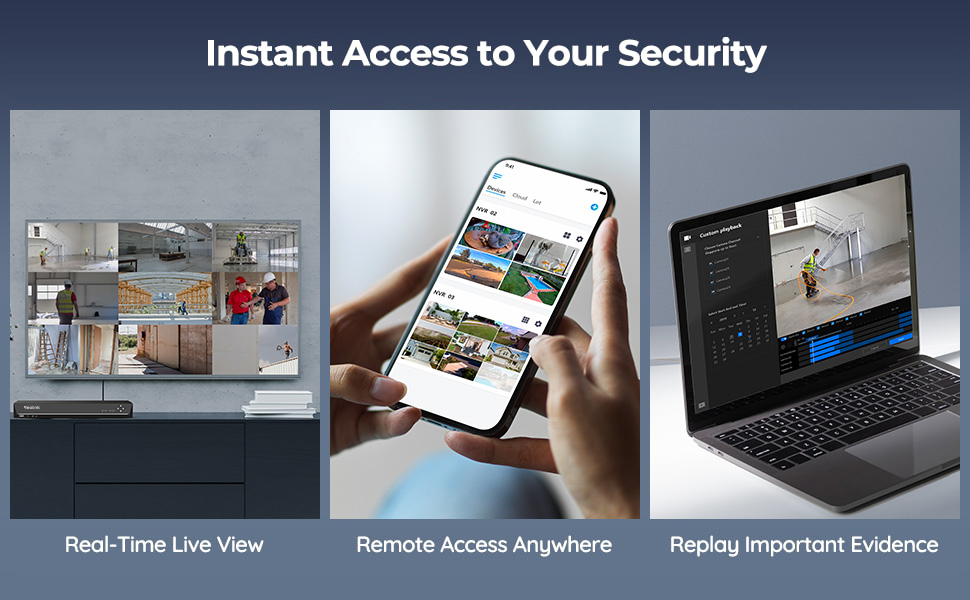
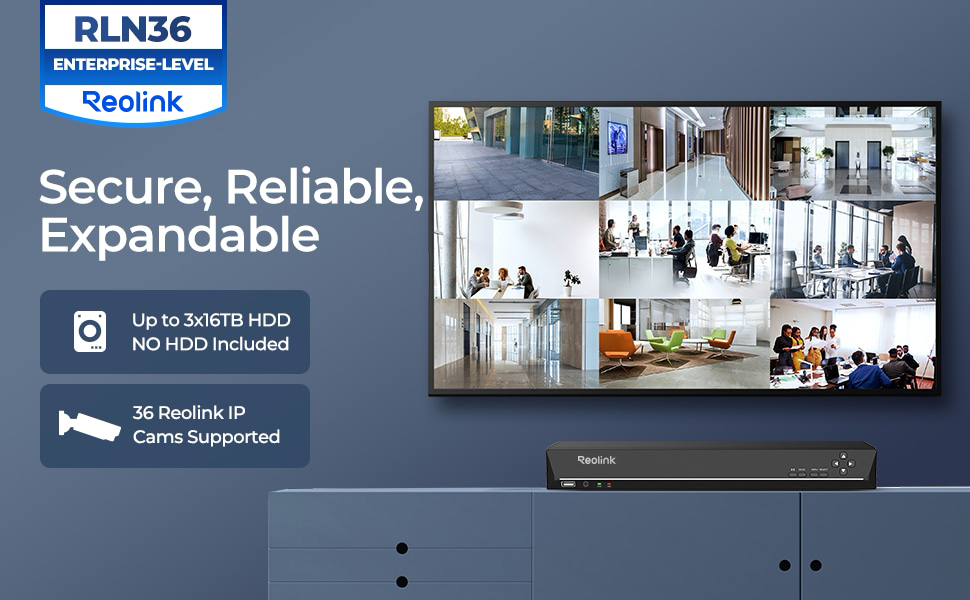
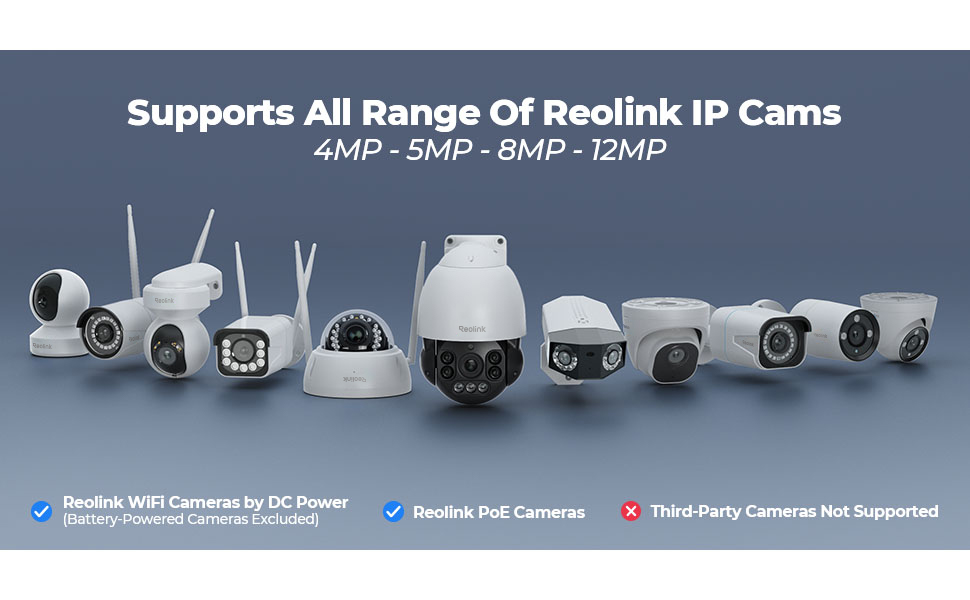
The Reolink RLN36 is a professional-grade 36-channel NVR designed exclusively for Reolink IP cameras. It features three HDD bays supporting up to 48TB of storage, enabling continuous 4K recording for around 20 days. Equipped with 1Gbps LAN ports and USB 3.0 for fast data transfer, it supports advanced AI integrations like human/vehicle detection and two-way talk. While it requires separate PoE switches and HDDs, its scalable design and seamless integration make it ideal for comprehensive, high-performance security setups.


| ASIN | B09YDCCMYD |
| Audio Input | RCA |
| Best Sellers Rank | 12,166 in DIY & Tools ( See Top 100 in DIY & Tools ) 1 in Surveillance Video Recorders |
| Box Contents | 1 x RLN36 NVR (without HDD pre-installed); 1 x NVR Power Adapter; 1 x HDMI Cable; 1 x USB Mouse; 1 x 1m Network Cable; 1 x Quick Start Guide; 3 x Pack of Screws |
| Brand | Reolink |
| Brand Name | Reolink |
| Compatible Devices | cams Reolink |
| Compatible devices | cams Reolink |
| Connectivity technology | USB |
| Country of Origin | China |
| Customer Reviews | 4.5 out of 5 stars 284 Reviews |
| EU Spare Part Availability Duration | 2 Years |
| Hard disk size | 16 TB |
| Hard-Drive Size | 16 TB |
| Item Highlight | Supports 16MP/4K/5MP CCTV Camera, 24/7 Surveillance Recording, Integrated O/I Alarm, No PoE Port, Requires Reolink PoE Switch |
| Item Type Name | Reolink 36 Channel NVR for Security Camera |
| Manufacturer | Reolink |
| Manufacturer Part Number | RLN36 |
| Media Format Digital Video | H.264 |
| Memory Storage Capacity | 48 TB |
| Memory storage capacity | 48 TB |
| Model Number | RLN36 |
| Network Connectivity Technology | USB |
| Number of Channels | 36 |
| Number of Items | 1 |
| Number of Packs | 1 |
| Number of channels | 36 |
| Product Warranty | 2-year limited warranty. |
| Software Update Supported to Date | unknown |
| Total USB Ports | 3 |
| Video Input | RJ45 |
A**Y
Well priced, easy to setup
Impressed so far! I was using a Synology NAS drive with Surveillance Station, but I wasn't happy with the playback as it always seemed to hang and not play. I've connected all my cameras directly into this (which is a big improvment over the setup I had previously) so they're on their own network. Setup was easy, I haven't used the HDMI at all, and I'm just using the MacOS and Android clients to view the video. Playback works well and given it's a dedicated NVR, the cameras are all recording at their native resolution so the image quaity is a bit better than the NAS solution. I did have to do a manual reset on each camera to get them to be picked up (probably using an old IP handed up by the previous DHCP system), but once reset they all connected straight away and it just worked!
M**E
No inbuilt PoE or HDD but works great when set up
Solid, reliable recorder. Set it up with 3x 4TB WD drives and it's been running 24/7 without a hiccup. Interface is clean, footage retrieval is straightforward, and it integrates well with Home Assistant. 36 channels gives plenty of room to grow. Important note: no built-in PoE — cameras connect over your network, so you'll need a separate PoE switch. Worth knowing before you buy.
T**R
Does the job
Needed to make Additions to my current cctv set up. Was easy to set and good value for money. Connecting was straight forward. I find reolink is a good quality system. With 36 channels it's got great functionality.
P**L
Good value product
I have been using Reolink's for quite a long time and this is the first time I have even seen the 36 port nvr I was very excited to use it as I have a property that requires a lot of cameras. It works the same as all the other nvr which is a good thing as our simple to operate and configure. It is worth mentioning that you need to purchase and install hard drives as the kit comes with nothing. I suppose this is normal for large devices but I have been used to getting the device with built-in storage so was surprised and had to come back to the site a few days later to install the storage.
D**.
NVR 36
just the job less cables to run, and a sharp pic
B**R
Easy setup works like a dream
Bought this to work with my 2 new cameras, once I’d installed the hard drive it setup and connected to my cameras very fast. There’s no deviation from what the camera sees quality wise and the image recorded and that’s the same with the sound. It’s very easy to use and is the perfect nvr for my Poe cameras! It’s worth noting that it’s compatible other camera makes, but if your using it for Poe cameras you will need a Poe injector as this doesn’t provide power over Ethernet directly
P**N
Top NVR
this is the 4 Reolink i have ordered in for a customer the rang just keeps on getting better and better
C**S
Ok, but the UI has a little bit of an identity crisis
Good if you’re already invested in the Reolink system. Especially ok if you’ve got nothing to compare it to. But missing some essential functionality IMHO. I bought this to replace a dedicated (Linux / home brew) based solution, which was built to spec. So an ‘off the shelf’ system was never going to tick all my boxes. But it did make my life much easier to get 9x new Reolink cameras recording quickly, with all the motion event flags, etc. Reolink cameras will attach and record ok. Motion events are highlighted on the playback bar and it’ll attach to the Reolink phone app 👍 BUT… For me, the network playback & administration functionality has a bit of an identity crisis. i.e. The local (hdmi) interface of the NVR is a much richer experience than the app/web based playback. If you want to stick this under your tv in the living room, that’s fine. But in that case, I’d be wanting a remote and a couch control experience too (who wants to use a mouse, 3ft away from their tv)? So to me, this is better suited in a secure, remote location. Like a rack in a locked server room. But then, because you can’t remotely access much of the administrative functions, you’ll need to stick a monitor and mouse in there too. And go there manually to administer it 🤬 I am seriously considering attaching it to a CometPro KVM (or similar) for proper remote access. But that’s basically doubling the cost of the NVR. … and without a network KVM, you really do have to go and attend to it manually. You can’t add new cameras to the NVR via the app or web-if. You have to do it on the device itself. For me, that goes against the spirit of the “N” in “NVR”. Backup is also a bit tedious. I expected to be able to easily pull recorded files over the network when required. But the primary export method involves sticking a USB stick into the physical NVR. Downloading recordings over the network is slow, painful, limited & feels like an afterthought. To me, the playback is a bit odd too. I expected to see a native grid view (all cameras at once, playing back in sync) with the ability to seamlessly toggle between them. But that’s not how it works. It assumes you just want to see one at a time. With a bit of faff, you can ‘pin’ 4 cameras to the same view. But if you want to have more playback views in sync (to see activity across the whole site), you’re out of luck. Full grid view was available on all the DVRs I’ve used in the past worked. But maybe I’ve been spoiled. Last but not least, a minor word of caution to anybody who fits multiple HDDs, of large capacity… the load balancing logic is really basic. It will fill up one disk, then go to the next, and eventually loop. The real world effect of that, is you’ll have a disk spinning for a whole month, with no usage. It won’t spin a disk down, when it’s not being used. Of course, you wouldn’t want it spinning down frequently, but when we’re talking a month or more between access times, then I’d like to have the option.
S**H
Fait son job
Rien a dire pour le prix. J'avais un similaire en 16ch. Ben la c'est pareil sauf que j'ai acheté des switchs poe pour pouvoir alimenter les caméra avec l'enregistreur. Il est très simple à configurer, malgré le manque de notice. En ce qui concerne le bruit , ben pour moi il fait le bruit de tout enregistreur, autrefois je posséder un Samsung, le bruit était pire Le seul point noir et le lecture en multiecran. Impossible de lire les vidéos en multiecran quand les caméras sont en 8mp. Par contre sur les 5mp aucun problème la lecture est possible en multiecran. Je contacte cependant avec ce mode une lecture avec un décalage comme mon ancien enregistreur. Point fort la capacité de stockage. Mon ancien c'était 12To. ( Réel on pouvait mettre 16) . La j'ai mis 3 12to sans aucun soucis . J'ai pas tenter les 16to car encore trop chère. La résolution de l'enregistreur au moment de la configuration est importante. Votre écran est également un élément important pour profiter au maximum d'une vidéo de qualité
U**P
Billig och användbar
Bra produkt om man redan har PoE switchar. Dessutom bra att man kan själv välja vilka HDD man vill montera in. Fläktarna låter något högt, men inget som stör då jag har denna i en serverrack. Något som går att förbättra är mjukvarans användarvänlighet, dessutom ta fram en utförlig manual. Saknar möjligheten att kunna konfigurera de 4 LAN ingångarna (VLAN, IP mm).
M**E
Super bien
Car le ventilateur fait du bruit, sinon rien à dire à part prends beaucoup de giga
A**E
Sehr gut unter einer Bedingung
Firmware - Update. Ohne Firmware - Update wird man dieses Produkt nicht wie gewollt nutzen können. Ich kaufte mir dieses NVR für meine Reolink-Kameras und machte das Setup, um dann bei der App zu erkennen, dass Personenerkennung, Haustiererkennung, Bewegungserkennung nicht gefiltert werden konnte. Bei der Bewegungserkennung bin ich mir nicht sicher, ob da überhaupt eine war, allerdings gab es für alles Bewegungserkennung und man konnte nicht nach Personen filtern. Dachte mir, da hätte ich mir was Schönes eingebrockt. Ich hätte die neue HW-Version im 8 Channel Switch von Reolink nehmen sollen, dann wäre es sicher gegangen, weil ich im Internet las, dass der Hersteller mit den NVRs den Kameras immer hinten nachhinkt. Gab dem ganzen noch eine Chance. Firmware Update von reolink Seite heruntergeladen, auf USB-Stick geklatscht in NVR reingesteckt, geupdated, alles funktioniert. Gott sei Dank funktioniert jetzt alles. Von der Funktionalität, App und alles weitere das beste System, das ich je hatte. Hatte diverse billige Hersteller, welche mit einem Firmware-Update die Kamera kaputt machten und mir eine neue andrehen wollten. Bei diesem Hersteller fügt das FW-Update jedoch, wie es soll, Funktionalität hinzu. Finde es ein bisschen blöd für wenig versierte Anwender, die von Computern keine Ahnung haben. Als IT-ler habe ich das jedoch super hingekriegt. Es gibt einen Zeitstrahl, wo man sich alle Events raussuchen kann. Wann immer was passiert, man weiß Bescheid. Dazu 15 TB seagate exos Festplatte für massig Speicher, *Chefs kiss*. Ein hochfunktionales System für den Heimanwender. Einige Probleme, wo man etwas IT-technisch nachdenken muss und der normale Anwender Probleme haben könnte. 1. Einrichtung funktioniert nur mit einer speziellen Maus, die mitgeliefert wird Wann immer wann was eingibt, macht man das mit Maus und der Bildschirmtastatur. Einrichtung zuerst NVR wie beschrieben auf der reolink Seite zu dem Produkt anstecken, hdmi anschließen und auf Bildschirm Setup durchgehen. 2. Funktionalität hängt vom Stream ab Wenn man unterwegs ist oder auch direkt im LAN, gibt es beim 4k Stream Bildruckler und Tonunterbrecher. Das kann bei Zugriff aus der Ferne am Upload des Netzwerkes liegen oder an der Festplatte, die die massigen Daten rauskramen muss. Es wird nur möglich sein, den schlechten Quali stream durchzuklicken und sich bei Bedarf den 4k - Stream in einer Zeitspanne runterzuladen. Dann ist die Quali aber 1A. Alles ist natürlich ohne Unterbrecher gespeichert, aber nicht einmal Netflix streamt 4k, weil es zu viel Ressourcen benötigen würde. Kein großes Übel also, wie ich finde und wsl auch nicht besser lösbar. Ich denke, dass es vll gehen würde, wenn man 500 Euro für eine AI-Festplatte wie die WD Purple Pro ausgeben würde anstatt 250 für eine normale Seagate Exos zum Beispiel. Ich weiß auch gar nicht, ob über NVR nur flüssige Live-Wiedergabe geht anstatt 4k auf Kameras, welche direkt mit einem poe verbunden sind und direkt über ihre UID abgerufen werden. Allerdings egal. 3. FW-Update Die nicht funktionierende FW wird mit dem Gerät mitgeliefert und lässt nur 24h Rückblick zu ohne Filterung und ist vom Oktober 2022. Jetzt mit dem neuen FW-UPdate von März 2023 geht alles. Das muss man allerdings als normaler User auch erst wissen. Das System hat wenige Kompromisse, welche man halt auch bei anderen Produkten wsl nicht besser lösen kann und ist alles in allem top.
I**I
Benissimo
Facile da configurare, da usare e con un buon rapporto qualità prezzo
Trustpilot
3 weeks ago
2 weeks ago