We remain fully operational. Our teams are working around the clock to ensure your deliveries continue safely.

DOWNLOAD THE APP


Customer Services
Copyright © 2025 Desertcart Holdings Limited
DOWNLOAD THE APP

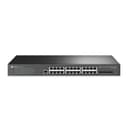
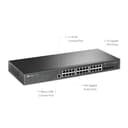


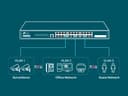

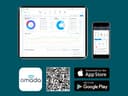
🚀 Elevate your network game with TP-Link’s TL-SG3428 — where speed meets smart control!
The TP-Link TL-SG3428 is a 28-port (24 RJ45 + 4 SFP) gigabit managed switch integrated with Omada SDN for centralized cloud management. It supports advanced L2+ features including static routing, multi-layer QoS, and enterprise-grade security protocols. Designed for professional environments and remote management, it offers scalable, high-speed connectivity with a robust 5-year warranty and dedicated technical support.













| ASIN | B0916BP6J5 |
| Best Sellers Rank | 124,628 in Computers & Accessories ( See Top 100 in Computers & Accessories ) 784 in Network Switches |
| Box Contents | TL-SG3428, Power Cord, Quick Installation Guide, Rackmount Kit, Rubber Feet |
| Brand Name | TP-Link |
| Case Material Type | Metal |
| Color | BLACK |
| Compatible Devices | Desktop |
| Current Rating | 1 Amps |
| Customer Reviews | 4.6 4.6 out of 5 stars (160) |
| Data Transfer Rate | 1000 Megabits Per Second |
| EU Spare Part Availability Duration | 5 Years |
| Interface | RJ45 |
| Item Type Name | Ethernet Switch |
| Item Weight | 1.93 Kilograms |
| Manufacturer | TP-Link |
| Manufacturer Part Number | TL-SG3428 |
| Maximum Power | 384 Watts |
| Model Number | TL-SG3428 |
| Number of Ports | 24 |
| Platform | DOS |
| Product Warranty | 3 Years |
| Switch Type | managed |
| UPC | 845973010140 840460605113 |
| Unit Count | 1.0 Count |
| Upper Temperature Rating | 45 Degrees Celsius |
D**N
Worked without an issue
Working as it should
N**.
The TP-Link TL-SG3428 JetStream 24-Port Gigabit L2+ Managed Switch with 4 SFP Slots is a powerhouse for my RV home office and entertainment setup! This switch offers 24 Gigabit RJ45 ports and 4 Gigabit SFP slots, delivering lightning-fast, reliable connections for my devices—laptops, smart TVs, and IoT gadgets—while boondocking or at campgrounds. Integrated with TP-Link’s Omada SDN platform, it supports centralized cloud management via the Omada app, allowing me to monitor and configure my network remotely with ease. Features like Zero-Touch Provisioning, L2/L3/L4 QoS, and IGMP Snooping ensure smooth streaming and VoIP calls, even with multiple devices connected. Setup was straightforward, with the included rackmount kit and web-based GUI making configuration a breeze, even for complex tasks like VLAN setup or static routing. The robust security features—IP-MAC-Port Binding, ACL, and DHCP Snooping—keep my network secure from threats, crucial for public campground Wi-Fi. The fanless design is a huge plus, keeping my RV quiet. My only minor note is that the web interface can be overwhelming due to its extensive options, but the Omada app simplifies most tasks. Priced around $150–$200, this switch outperforms pricier competitors like Cisco’s small business switches, offering enterprise-grade features at a fraction of the cost. For RVers or small business owners needing a scalable, high-performance network solution, the TL-SG3428 is a fantastic choice! Highly recommend!
W**E
I first bought a TL-SG2428P, not realising how crazy loud & annoying the fans were. Though I did want the PoE functionality, it wasn't worth the noise. So I got this model (TL-SG3428) instead and haven't looked back. Granted, PoE functionality has to be added on separately, but there are lots of fanless options for that. It's run for months now without any problems. I manage it directly using its built-in web server, and in a minor way via SNMP. Everything works well. The web GUI is similar to other contemporary TP-Link switches & routers. It's a little hard to find things sometimes - there's so many configuration options, and it's not always intuitive as to where they are in the navigation hierarchy. Overall I'm really happy with it. I think it's good value too, compared to the other options I've been able to find.
T**Y
Its not cisco but stick with it for the comparitive cost
A**H
I have configured a few smart switches before but this one took a little work to get it working properly. For whatever reason the default subnet and rules didn't work. I had to setup the USB serial adapter (which worked fine with putty) and manually assign an IP. After that it went pretty smooth until I forgot to set the default listening vlan (the specific name of it escapes me ATM). This was more user error and not well presented in the GUI. I have used the HP/Dell GUI's more in the past. Once it was setup and once you learn to navigate it everything else is pretty easy. I have this in a home lab where I have two separate ISP's and I use this to isolate them at the vlan level while still having access from my desktops. Overall after getting it setup properly it's run pretty smooth.
P**R
Finally managed 24 port switch, easy to configure and segment for my needs.
Trustpilot
3 weeks ago
3 days ago