



🌞 Stay ahead, stay secure — even off the grid!
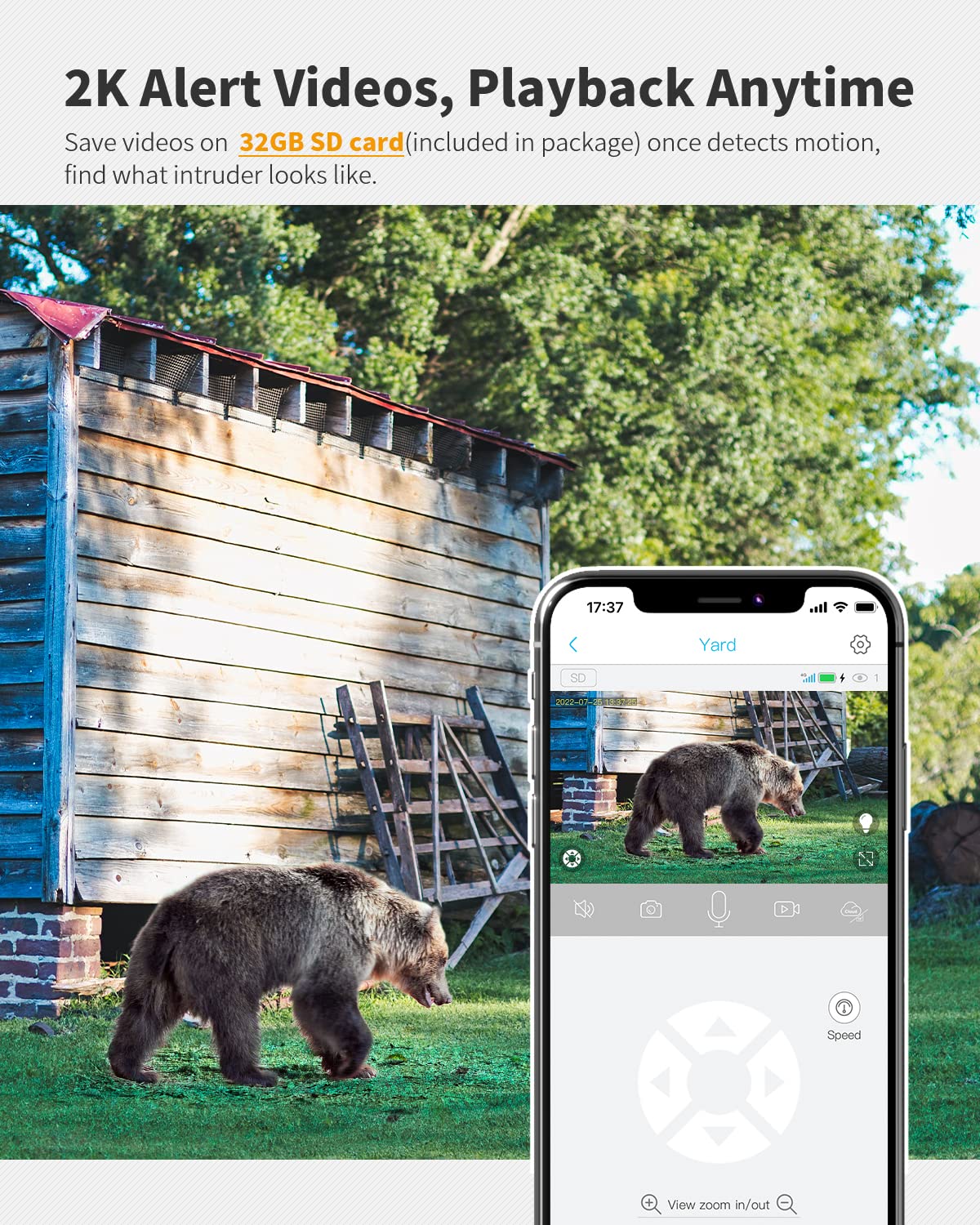
This 4G LTE cellular security camera delivers high-definition 2K video with color night vision and 360° live view, all without needing WiFi. Equipped with a powerful 10400mAh battery and a 6W solar panel, it ensures continuous outdoor surveillance in remote locations. Compatible with Verizon, AT&T, and T-Mobile networks, it includes a prepaid SIM card and 32GB memory card for motion-activated recording and remote smartphone access. Weather-resistant and easy to install, it’s the ultimate wireless security solution for professionals managing farms, ranches, jobsites, and wild areas.


| ASIN | B0B5TF4R2W |
| Alert Type | Motion Only |
| Batteries | 1 C batteries required. (included) |
| Batteries Required? | No |
| Battery Power | 10400 |
| Best Sellers Rank | #145 in Bullet Surveillance Cameras |
| Color | White |
| Compatible Devices | Smartphone |
| Connectivity Protocol | Cellular |
| Control Method | App |
| Controller Type | UBox |
| Customer Reviews | 4.2 4.2 out of 5 stars (2,179) |
| Form Factor | Dome |
| Included Components | 1 x 32GB Micro Memory Card, 1 x 4G Security Camera, 1 x 5W Solar Panel, 1 x EIOTCLUB SIM Card, 1 x User Manual |
| Indoor/Outdoor Usage | Outdoor |
| Installation Type | Wall-Mounted |
| International Protection Rating | IP65 |
| Item Weight | 2.35 pounds |
| Item dimensions L x W x H | 5.71 x 2.76 x 4.72 inches |
| Item model number | S40 |
| Low light technology | Night Color |
| Manufacturer | Ebitcam |
| Mounting Type | Wall Mount |
| Number of Channels | 2 |
| Number of Items | 1 |
| Power Source | Battery Powered, Solar Powered |
| Product Dimensions | 5.71 x 2.76 x 4.72 inches |
| Room Type | Warehouse |
| Specific Uses For Product | Security or monitoring for farm, construction site, campsite, ranche, countryside, barn, jobsite, wildlife study, deer feeder zoo, trail and hunting on wild area. |
| UPC | 198168278383 |
| Unit Count | 1.0 Count |
| Video Capture Format | MPEG-4 |
| Video Capture Resolution | 2K |
| Wattage | 5 |
| Wireless Communication Technology | Cellular |
| Zoom Ratio | 4 |
| Zoom Type | Digital Zoom |
D**L
Excellent remote 4G security camera
This 4G web camera is an excellent product. The price for what you get is very good. I researched many different cameras and I decided on this one. Considering everything, it was the best choice. We use our camera to monitor cattle, their water, and the general security of our land. Our land is remote. The camera picks up a good signal from AT&T, Verizon, or T-Mobile. The connection is always solid. The app works great. The app notifications work great. We use the memory card to record the motion activated videos. Then access the recorded videos remotely via 4G, the memory card, and the app. We set up multiple users for the camera on the app. So, all users can view live, recorded videos, and manipulate the camera direction. All users can also set up notifications for anytime a video is recorded by the motion sensor. The motion sensor has a screen on the app to disable blocks of areas. For example, if a tree branch is causing the motion sensor to trip, you can block this area. This greatly reduces activation from trees, grass, and anything that moves that you don't want recorded. The customer service and support via the app text messaging is fast, responsive, and accurate. The users guide is clear and helpful. We buy the annual data plan on the app. It lasts the whole year even in HD quality camera mode. The data plans are priced good. I bought a segmented pool cleaning pole from Amazon to mount the camera up high. I used steel zip ties from Amazon to secure the camera to the pole holes where the pool skimmer net would go. Then use the same zip ties to mount the pole to the fence T-post. I mounted the solar panel on the same pole. I taped the removable pole segments to reduce the play. I left one segment without tape, so I can bring the camera and solar panel down for maintenance. The only maintenance I had to do was to replace the memory card after about 6 months of use. It may have failed from the heat. With a new card everything worked fine even in the heat and cold. The only recommendation I have for this product is to use a lens that will last in the sun and elements. Maybe use a glass lens. Maybe a visor to block the sun from hitting the lens. Or a replaceable plastic lens. The sun caused crazing of the plastic lens after about 1 year of use. The crazing caused the lens to be cloudy, so the image quality went down. I had to get a replacement camera at no charge, except for paying for the return shipping. The camera was just outside of its 1 year warranty period. Customer service decided to send me a replacement anyways. We have used the camera and app for over a year now. Other than the memory card failing and the lens clouding, everything works great. We highly recommend this product. The 2 attached photos are taken from the camera using the screenshot button.
N**B
Great product!
I’ve been using this camera for a few weeks now, and I’m really impressed with both the product and the service. The image quality is great for the price, and setup was simple even for someone who’s not super tech-savvy. What really stood out to me, though, was the customer support. I had a few technical questions, and Mia from the support team went above and beyond to help me. She was kind, patient, and incredibly knowledgeable. Thanks to her guidance, everything is working perfectly. It’s rare to find such responsive and helpful support these days, so I truly appreciate the effort. Highly recommend this camera!
E**R
Great camera, excellent customer support!
Camera works good, at times there is a bit of a lag but I know it’s not in an area with the best signal. After a few months I had a critter or a limb break the charging cable from the solar panel to the camera. I msgd customer support through the app asking what charging port the camera uses so I could try and search for an aftermarket one. They answered my question, then proceeded to question what I had wrong with it. They requested pics of the damage, screenshot of my amazon order #, & then my address. Without any more questions they msgd me to let me know a new solar panel was on the way! I was in no way asking for it to be covered but they stepped up and did! So with the ease of use, great function of the system & the excellent customer service they provide I’d highly recommend this product if your in the market for a cell service style security camera!
B**B
OCTOBER 2024 UPDATE... READ BEFORE YOU BUY.
Update 10/28/24 Decided to go with another camera system, I have three of these and they require more maintenance and set up than I bargained for. The solar panels don't charge the batteries fast enough. The UBOX app only works on phones and is a buggy app. It may be plug and play, but the constant maintenance isn't worth the effort. It's also very expensive per year for could storage, well over a $100 if not caught on sale. The other thing is that there is no way to use the app on Windows 11 or any PC for that matter, which would make it more easy to monitor the camera's 24/7/365. Update 9.6.23 I've been having issues with the UBOX APP, the app works fine on my cellphone, but on PC it's another story. I have two computers, one is a Windows 8.1 and the other is a Windows 11. I use the Blue Stacks applet that allows you to run Android apps on PC. Blue Stacks Works fine on Windows 8.1 but on Windows 11 it won't run on the latest Blue Stacks 5/X version, be warned that the UBOX app isn't even offered on the Google play store here. I've contacted Blue Stacks about the problem and they recommended I uninstall and reinstall it which I did, I even wiped the hard drive and reinstalled it and Blue Stacks still does not operate on Windows 11 nor does it offer UBOX app in the play store. I am currently trying different things and will report back here as soon as I figure out a solution. It could be the anti-virus is interfering with the install as well, or I may have to try to find a different app that can run the UBOX app on PC. The idea that there is not a readily available PC friendly version of UBOX is concerning, it makes these camera's more a novelty for your phone than an actual security device in that regard. You can only view one camera at a time, not two or more on a single display, and that makes this a weak choice for an actual security solution. Perhaps they may fix it in the future, but I wouldn't hold my breath. Original updated review. POWER PROBLEMS SOLVED! Update 7.28.23 After being contacted by the seller inquiring if I wanted a refund or exchange I declined and ordered 2 more of these camera's. They're good camera's and do the job I need them to do, albeit I'm using a direct power solution. The solar panel would be great for redundancy, if the camera had two power ports that take a charger and the solar panel, that would be ideal but the charger works fine for my uses of 24/7 surveillance better than the solar panel. The solar panel works great, so long as it contacts direct sunlight, but on cloudy days it will struggle to reach a full recharge. But if you don't have power like on a trail or far off part of your property, its better than nothing at all. I do like the camera's, enough that I ordered a couple more and I'm gonna repeal my original review, and bump it up to five stars now that I got the bugs worked out for my uses. As for the solar panels, so far I'm unable to figure out a way I can use both the panel and the charger to power the camera, so I got another use for them powering a battery bank with LED lighting on my property, and for that they work great. My only other gripe is I wish they would make the app more PC friendly, it would be a nice to have to have all my camera's visible live on one screen.. I have to use Blue Stacks to open the UBOX app on my PC/laptop, and can only view one camera at a time. If there was a way I could view all my camera live on one screen, now that would be awesome! Perhaps in the future they'll update the app or software for these camera's in the future, and figure out a dual port power solution for a charger and solar for redundancy. I would throw my wallet at the screen if they could do that. Update; 8.7.23 I don't know what the deal is? But the cloud service isn't uploading my camera's video to the cloud? It's been like this for a few days now. I checked all the settings. I purchased a one year cloud service package but when I go to check my recordings, it's just blank? If it keeps on doing this I'm gonna reach out to UBOX and find out what the issue is, so stay tuned.
E**.
Fácil de instalar y configurar
خ**د
سي ولاتعمل
Trustpilot
1 day ago
1 week ago



