We remain fully operational. Our teams are working around the clock to ensure your deliveries continue safely.

DOWNLOAD THE APP


Customer Services
Copyright © 2025 Desertcart Holdings Limited
DOWNLOAD THE APP


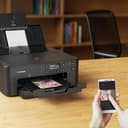
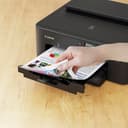
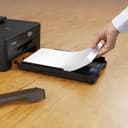
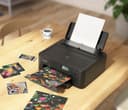
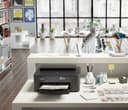
🖨️ Print smarter, not harder — your office’s new productivity powerhouse!
The Canon PIXMA TS705a is a high-resolution inkjet printer designed for home and small office use, featuring 5 individual inks for sharp, vivid prints. It supports wireless and Ethernet connectivity, boasts a large 350-sheet paper capacity, and includes automatic duplex printing to maximize efficiency. Ideal for professional-quality documents and creative printing on diverse media, it combines reliability with versatile functionality.


| ASIN | B0B1F88CDF |
| Additional Printer Functions | Print Only |
| Best Sellers Rank | 5,995 in Computers & Accessories ( See Top 100 in Computers & Accessories ) 3 in Ink Cartridge Printers |
| Box Contents | Canon PIXMA TS705a Series, Manuals and other documents, Power cord, Set-up CD-ROM, Set-up ink tanks |
| Brand Name | Canon |
| Color Depth | 1 bpp |
| Color Pages per Minute | 10 ppm |
| Colour | Black |
| Compatible Cartridge | PGI-580PGBK; CLI-581BK; CLI-581C; CLI-581M; CLI-581Y |
| Compatible Devices | Laptops, PC, Smartphones, Tablets |
| Control Method | App, Touch |
| Controller Type | Android, iOS |
| Country of Origin | Thailand |
| Customer Reviews | 4.2 4.2 out of 5 stars (357) |
| Display Type | LCD |
| Dual-sided printing | Yes |
| Duplex | Automatic |
| Global Trade Identification Number | 04549292198447 |
| Hardware Interface | Ethernet, USB |
| Ink Colour | Pigment Black, Black, Cyan, Magenta, Yellow |
| Item Dimensions D x W x H | 36.5D x 37.2W x 15.8H centimetres |
| Item Type Name | Inkjet Printer |
| Item Weight | 5.4 Kilograms |
| Manufacturer | Canon |
| Maximum Copies Per Run | 99 |
| Maximum Copy Resolution Black and White | 4800 dpi x 1200 dpi |
| Maximum Copy Resolution Color | 4800 x 1200 dpi o menos |
| Maximum Print Resolution Black and White | 4800 x 1200 Dots Per Inch |
| Maximum Sheet Capacity | 350 |
| Maximum Supported Paper Size | A4 |
| Maximum print Resolution Color | 4800 x 1200 Dots Per Inch |
| Model Name | PIXMA TS705a |
| Model Number | 3109C028 |
| Model Series | 9000 |
| Network Connectivity Technology | Ethernet, USB, Wi-Fi |
| Number of Drivers | 2 |
| Number of Ethernet Ports | 1 |
| Number of Trays | 2 |
| Other Special Features of the Product | Auto-Duplex, CD-Printing, Display Screen, Email Print |
| Output sheet capacity | 250 |
| Paper Size | Rear Tray: A4, A5, B5, LTR, LGL, 4"x6", 5"x7", 7"x10", 8"x10", Envelopes(DL, COM10), Square (5" x 5", 4"x4",89x89mm), Card Size(91 x 55mm) [Custom size] width 55mm - 215.9 mm, length 89mm - 676mm Cassette: A4, A5, B5, LTR [Custom size] width 148.0 mm - 215.9 mm, length 210mm - 297mm Millimetres |
| Power Consumption Size | 23 Watts |
| Print media | Envelopes, Glossy photo paper, High-resolution paper, Paper (plain) |
| Printer Output Type | Colour |
| Printer Type | Inkjet |
| Processor Count | 1 |
| Product Warranty | 2 year manufacturer |
| Resolution | 4800 x 1200 |
| Scanner Type | Photo |
| Series Number | 9000 |
| Specific Uses For Product | Home and Small Office |
| Total USB 2.0 Ports | 1 |
| Total USB Ports | 1 |
| Unit Count | 1.0 Count |
| Warranty Type | Limited |
| Wattage | 23 watts |
K**R
Good little printer
Very good simple little printer, Easy to set up and works well with windows 11. Just a nice simple printer that takes reasonably priced compatible cartridges and does what the package says. Prints good quality pages and holds lots of paper. Wireless connectivity is also perfect for both phone and router. Although you can also use cable. No scanner but as I have a high quality photo scanner that addition was not required. It also works with windows 10 and it was easy to move across to the new windows once it was upgraded to 11. As long as it lasts as long as my last canon printer I will be very happy.
W**T
Fantastic & Cheap! Great for CD/DVD printing!
This was a replacement for my old canon IP7250, the reason for purchasing this printer was to print direct on to printable Blu-ray/DVD discs, this is one of a few cheaper printers that do this and so far works perfectly. Comes with a detachable CD tray that the printable disc goes on to. It takes 5 separate inks, comes with a set of genuine canon inks, I will be replacing these with cheaper non canon inks as a quarter of the price and just as good, been doing that for years and is much cheaper to replace the printer and use cheap inks than to purchase genuine cannon inks. Works perfectly on my iMac.
A**R
A well made and highly functional ink-jet printer
I’m just getting used to it. Canon appear to have made it as foolproof as possible to use. When compared with my previous printers (a Brother HL 1250 and a HP colour laser 1600) it is definitely less sturdy - I would have preferred it if it was built of plastic that was approx 50% thicker - it is sturdy enough to allow me to handle it with reasonable care but I would not like to use it in a busy office where users may not be gentle. For its price I consider it to be very good value. It takes time to learn how to use it. The online user manual is quite helpful but lacks an index at the end - I suppose that I could use a search engine to find the information that I want but the manual (just the English part) runs to over 400 pages (many of which are only a few lines). I found an orange coloured plastic moulding, attached only by an orange length of sellotape (which the manufacturers use for securing lids and other similar parts when packaging it for delivery in its quite sturdy packing carton. I still have not been able to identify what or where it comes from (it’s not a broken off part) but the printer works perfectly well without it! Setting up was well documented and reasonably straight forward - the wireless connection to my modem worked very easily. The primer operates fairly quietly and the results are good printed documents. I don’t think that it is particularly user serviceable apart from changing ink cartridges and filling it with paper. AI seems to have excluded intervention by the amateur, but as I say, for the price paid, it does seem to be reasonably disposable (the user guide even goes into detail about that too!)
C**.
good printer
good for print document
M**G
Be aware you need to dumb down the WiFi network to get it to connect
As other say bit of a pain to set up - thankfully my partner works in IT! He pointed out that it works with 2.4ghz wpa2 only - so you'd have to dumb down your modern WiFi network and remove some safety aspects. It also refuses to print unless the output tray is fully extended, but of a nuisance. Printing normal is fine so far, not yet tried photo quality/paper yet.
S**S
Brilliant!
Set up is easy took 45 mins. Faster than I thought for the price. Quiet in operation. Highly recommend. ********** .Even if you uninstalled a different, previous printer remember to change your default printer in settings. (Getting rid of Eonsp requires quirte an effort, had to go into registry) Big problem for me it has no scanner plate. Returning.
S**I
HAS A MIND OF ITS OWN!
A palaver getting it to print. Have to keep pressing the OK button or turn on and off as the orange warning light keeps coming on, to get it to start. Then often stops half way through the print run, and the orange light comes on. Asks for the rear paper tray to be loaded when it's set for front paper loading (So I put some paper in the rear tray, and it starts printing - TAKING PAPER FROM THE FRONT TRAY!). Often prints double-sided even though set up for single-sided. Asks me to load more paper when there's plenty of paper in the cassette - I just pull the cassette out and push back in, and hey presto it prints. Often pulls through two or three sheets of paper. (Good quality A4 paper). If I try to print from my mobile it usually throws up an error message - very occasionally it will print. Sometime prints Landscape when it's set to portrait. Etc. It's not fit for purpose - I should really send back, but I suspect the Seller (or Canon?) will ask me if this or that is set, how is it connected, etc. I'm not techie, and can't be bothered getting involved - I just want a printer that prints first time when I ask it to. Not too much to ask ids it?
A**8
TS705
Had this about a week before I actually set it up. Easy setting up although one thing I'm not sure I liked - setting up wirelessly it found my Wi-Fi ad set up automatically without asking for my password. That's odd, very odd. However it runs okay so far - printed test page, got printed photo (great borderless colour piccy) and duplex printed too. I have not yet tried DVD/CD printing which is why I bought this - gave my old printer away but now realise I could have tried using printer cleaner! Well that loss is Canon's gain as I now have a new "shiny" printer.
F**C
Imprimante capricieuse et coute plutôt cher pour le service rendu. Pas de scanner ni de photocopie :-( Heureusement que l’on trouve des cartouches d’encre à très bon prix par rapport aux autres marques et modèles.
O**.
Perfect for my requirements!
K**E
bin voll zufrieden funktioniert einwand frei
J**N
Una impresora puedes conectar al móvil y PC, muy reducida. Practica, la alimentación de hojas tiene dos tipos como arriba o abajo tipo casssete.
D**N
The menu screen has no back lit light.
Trustpilot
2 months ago
1 month ago