


✨ Upgrade your MacBook Air to touch—because your workflow deserves to feel this smooth! 🖱️➡️👆
The AirBar for 13.3” MacBook Air (pre-2018) is a sleek USB-powered touchscreen sensor that magnetically attaches to your laptop, enabling intuitive touch input with fingers, gloves, or stylus. Designed exclusively for older MacBook Air models, it offers plug-and-play ease, multi-touch gestures, and a seamless upgrade path for professionals craving modern interaction without a new device.
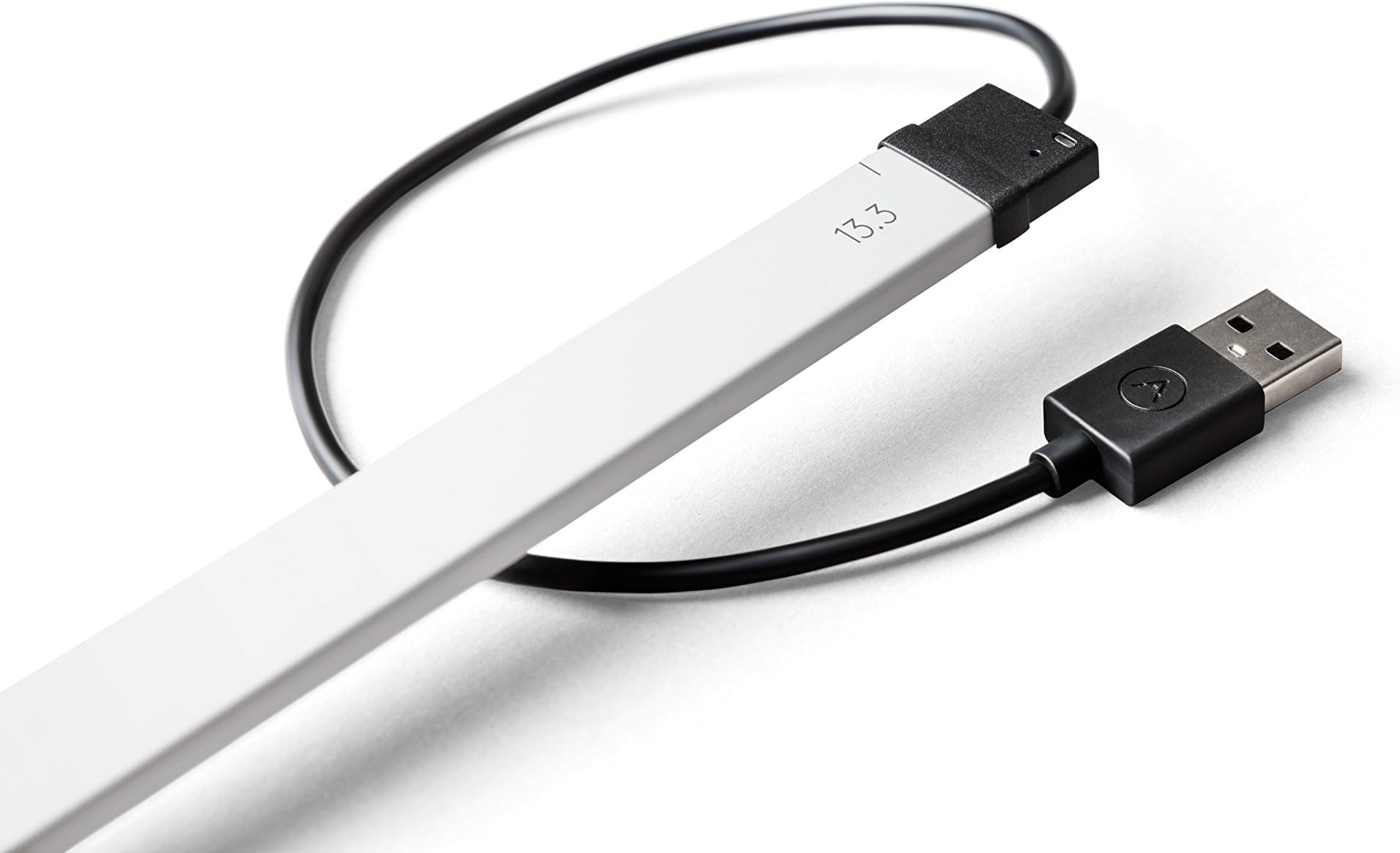





| ASIN | B072PCZZJZ |
| Best Sellers Rank | #849 in Computer Touch Pads #9,476 in Computer Monitor Accessories |
| Brand | AirBar by Neonode |
| Brand Name | AirBar by Neonode |
| Cable Type | USB |
| Color | Silver |
| Compatible Devices | MacBook Air 13.3" |
| Compatible Phone Models | MacBook Air |
| Connectivity Technology | USB |
| Connector Gender | Male-to-Female |
| Connector Type | USB Type A |
| Customer Package Type | FFP |
| Customer Reviews | 3.4 out of 5 stars 100 Reviews |
| Global Trade Identification Number | 00853661007051, 07350000980059 |
| Included Components | AirBar,magnets |
| Indoor Outdoor Usage | Indoor |
| Item Shape | Round |
| Item Type Name | AirBar by Neonode - For 13.3" MacBook Air Notebook, Silver (NNABC2950XU51) |
| Item Weight | 51 Grams |
| Manufacturer | Neonode |
| Maximum Voltage | 5 Volts (DC) |
| Model | NNABC2950XU51 |
| Model Name | AirBar for 13.3" MacBook Air Notebooks |
| Number of Items | 1 |
| Number of Pins | 4 |
| Other Special Features of the Product | Touch Using Any Object |
| Recommended Uses For Product | Enabling touch functionality on non-touch laptops |
| Special Feature | Touch Using Any Object |
| UPC | 853661007051 |
| Unit Count | 1.0 Count |
| Warranty Description | 1 year warranty against manufacturing defects |
L**S
Meets my expectations, now my MacBook Air has a touch screen!
The AirBar arrived today, it is as good as I hoped. It is easy to install, you get the two little magnets positioned on the screen, then you can clip on the AirBar anytime. It works perfectly, I can scroll the screen up and down, point and click on buttons and things, pinch to enlarge or reduce. Because I have an iPad and an iPhone, I used to find myself trying to touch my MacBook screen before remembering that it wasn't touch screen! Well, now it is, and I'm very pleased with it. Such a clever idea. It works on my new MacBook Air, not the Pro. I did look at buying the Pro but there isn't enough value for me. If Apple had added touch screen to the Pro then that would have swayed me, as it is, I love my MacBook Air and with the AirBar it's perfect.
W**P
Works as described
I bought the MacBook Air version of the AirBar about a month ago. Overall it works as described. As others have said depending on what you are trying to click on it can be hard to determine where the mouse cursor is and get clicks exactly where you want them if the target is too small. Mounting was very easy and no real problem with the magnets. I run a very small dock bar at bottom of screen and it is hard to click the icons accurately with the AirBar not getting in the way. Out of the box the single click with one finger access worked without any driver installs. I do have to plug it in to a USB port before booting for it to be recognized. I did have problems with the multi-touch driver install. I run macOS 10.13 beta and the driver install is not fully compatible. The install says it finished successfully but then the driver fails to load properly, but I was able to move a few files around and get multitouch working. Airbar preference pane does not work though. I'm sure once 10.13 is released they will release a more compatible driver. So overall it is working but will have to use it longer to see how much I use it. It is nice to be able to interact with the screen since I am used to my iPad.
B**A
poor resolution, no "mouse up" and "mouse down" implementation
I could see this being useful for a small minority of people, who for some reason cannot use a mouse. For my purposes it is almost useless, because the pointing accuracy is so poor. IN fact, the accuracy is so bad that using e.g. the OS menus poses some risks: if you wanted to "sleep" the computer instead of "shut down" you are taking your chances. On my Mac OS those two commands in a pull down menu are right next to each other, and with using this AirBar, you might get one or the other command issued depending on how slowly and carefully you make your selection. I would estimate the pointing accuracy on screen is not much better than 10mm square. Plus, if you move your finger around, say to drag an object in the OS, or painting in artistic software, the TIME RESOLUTION is also not very good: your drag is registered in perhaps quarter second jumps. I installed the driver/extension for the airbar to get multi-finger gestures functionality. So I could use two finger gestures to e.g. scroll up and down or sideways to read a document easily. That seemed to work reasonably well. However, the resolution is so bad that you can't even use the AirBar to do online browsing, because all other actions - selecting URL links - are so unreliable. Unless you had the screen/browser set to show everything HUGE, which you might do if you had very bad eyesight. Maybe the AirBar could be useful to people with poor eyesight? Aside the poor resolution, another problem affected potential use of the AirBar for artistic work. For example, using it with my photoshop software, photoshop would not detect (or the AirBar would not send) a "mouse up" or "mouse down" signal, making it impossible to draw anything naturally. Every time you lifted up your finger off the screen, and then put it down again in another part of the screen, photoshop would simply connect those two points with your drawing/painted line, as if you had never lifted your drawing tool (i.e. finger) off the artboard (i.e. screen). I suppose one could lift up the finger, and then go to some other command in the interface, but this would seriously slow down any drawing or sketching process. The AirBar was an interesting but expensive experiment, and now it is gathering dust.
P**.
Not really satisfied. The product is an innovative one no doubt
Not really satisfied. The product is an innovative one no doubt, but the touch functionality is not really mature for the Mac. The product is sometimes insensitive to the touch and doesn't end up with the touch where I actually did. Ended up frustrated and the USB connection made my Mac drain battery faster than usual.
J**R
Two Stars
It is a great idea but it only works on the Notebook. Too bad.
M**C
Works Great, Just as Advertised
I had medium expectations for this. After a few minutes of finding out just how to use it, I am amazed. It works seamlessly as a touchscreen, with a few little caveats. It seems to have the least sensitivity/accuracy at the very top of the screen, which makes sense since the bar is located at the bottom and has to react to the top of the screen from a distance. If you are using a browser, move the screen a half inch down from the very top and you will have more accuracy. If you really like your iPad and wanted your MacBook Air to be more like it, this is the answer. Looks very professional also. I think there may be some folks who want it to do more than scroll, select tabs and basic stuff, so maybe this isn't for them. For me, though, it does what it says it will do.
G**.
Imprecise for MacBook Air
I have a 13.3 MacBook Air. It was easy to install. It definitely turned the laptop into a touchscreen, but it isn’t precise. It’s just best used to zoom in/out and to scroll. You can’t “X” things out to close or whatnot, it’s too small. Sometimes, after the laptop went into sleep mode, the touchscreen functionally won’t work when you resume. You’d have to restart the laptop to get it working again. I’ve seen on a review that it’s much more compatible with windows laptop. Overall, I’m ok with it, it’s pretty neat. But I think the imprecision may be a deal breaker for some, considering it’s like 100$
W**N
Worst Product EVER
I have a new Mac Air 13.3 and purchased this item to make my Mac a touch screen. Following the directions I placed the Airbar on the screen and discovered the USB connector is NOT for a thunderbolt port. I plugged it into an adapter and it did not work as promised. After removing the Airbar from my laptop, one of the magnets with adhesive fell off onto my laptop and I was not able to remove it. After using a screen wipe and then lubricant I was able to use a small flat head screw driver to pry it off without gouging my screen or laptop.
Trustpilot
2 weeks ago
1 month ago