🎨 Elevate Your Creativity with Every Stroke!
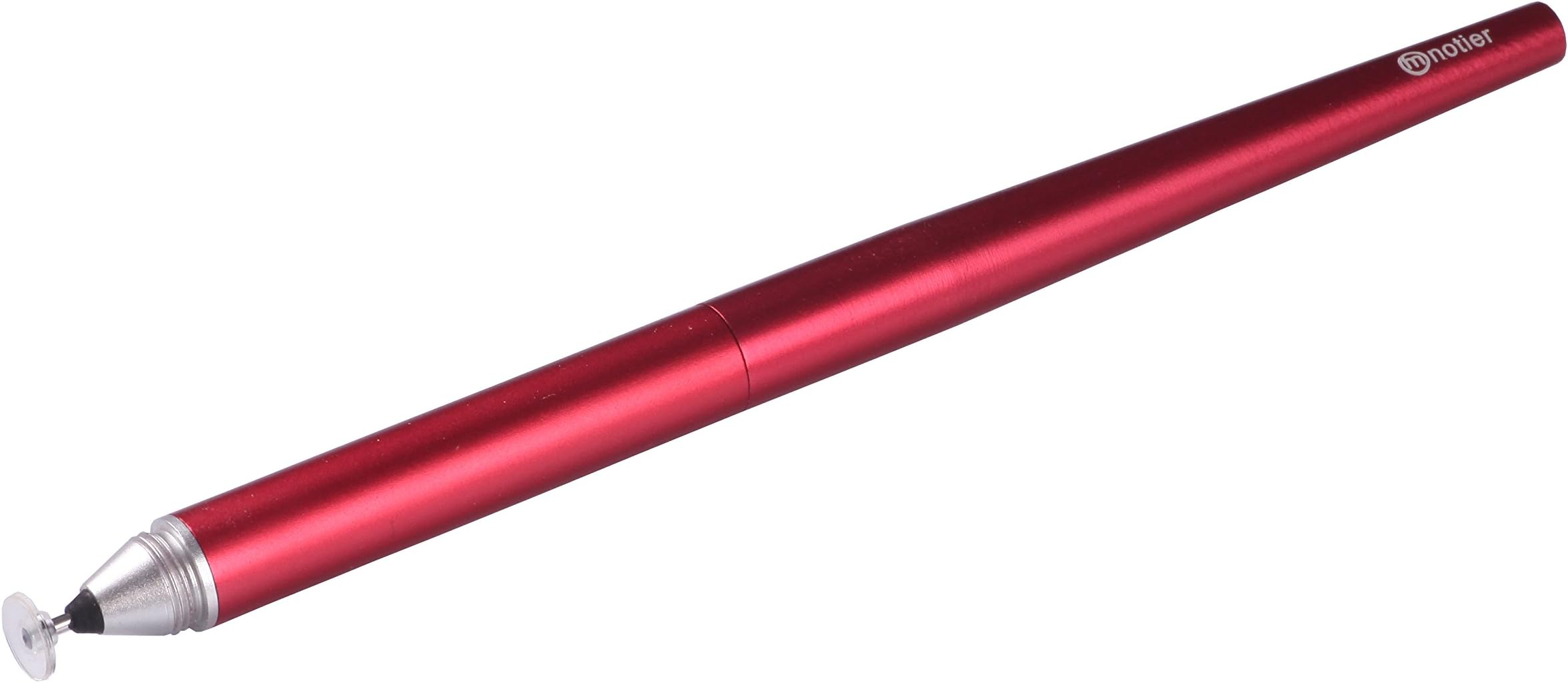
The Musemee Notier V2 is the ultimate precision stylus designed for iPad, iPhone, and other touch screen devices. Featuring replaceable tips, ultra-sensitive technology, and a sleek design, it offers unmatched accuracy and smooth performance for artists and professionals alike.
| ASIN | B00CA66YGQ |
| Brand | Musemee |
| Color | Red |
| Customer Reviews | 4.1 4.1 out of 5 stars (638) |
| Date First Available | November 29, 2012 |
| Is Discontinued By Manufacturer | No |
| Item Dimensions LxWxH | 5.51 x 0.39 x 0.39 inches |
| Item Weight | 0.705 ounces |
| Item model number | MNSTYV2R |
| Manufacturer | Musemee |
| Product Dimensions | 5.51 x 0.39 x 0.39 inches |
A**R
iPad mini 2 note taker-Very Pleased
So I decided to go paperless! I attend weekly discourses and at times I attend conventions where I have to take notes all day long. Then I would have to search through several notebooks later to find something I need to study. So I began my search for a capacitive stylus that would enable me to be COMPLETELY PAPERLESS! So, It does what it says it would do. It took me roughly 3 weeks of reading reviews before I made a decision to go with the Notier. I could not, for the life of me, understand how the reviews for various styli were all over the place... until I finally used this one. It basically comes down to how you write. And being that most ppl write very differently and have different preferences it began to make sense. So, first I will say this is fairly new for me. And if you're looking to feel like you're writing with paper and pen...it's just not going to happen. I realized I had to basically teach myself to write on glass with plastic. ( I will let that sink in). Next, I realized (very quickly might I add) that not all note taking apps are created equally. Penultimate by far felt the most natural. It really felt like there was ink flowing from the plastic tipped disc. However, I decided to use One Note because while there is a half-second lag between strokes, this app offers a lot more features that I needed. I absolutely love the search feature which helps me find notes throughout my notebooks. It was much more user friendly. So I've taken notes at 2 discourses so far, I am heavy handed, I have an iPad mini 2, and I have very long fingers and I must say this is a great quality stylus. I will purchase again as needed. It feels very comfortable and I find myself using it even when I'm not taking notes because it responds much better than any other stylus I've ever used. Overall, try it! For those ready to go paperless, this is definitely a great option.
S**2
Regrettably better than the Jot Pro when using with Zagg Invisibleshield **Update
I compare it to the Jot Pro because I bought the two together and I think the Jot Pro is better made, better weighted, better grip, better disc design, etc. So I REALLY wanted the Jot Pro to work out, but in the end it didn't. The combination of this review and Jot Pro are down below, but for the overview: Notier just worked better on my screen with screen protector. Jot Pro was just always spotty no matter what I did. I think the Notier needs a grip and they need to redesign how the disk sits on the end of the stylus. It is attached with a bungee cord-like material that springs back to a flat position when you take it away from screen. Actually not that bad to write with however I like the ball & socket design of the Jot Pro because it keeps the disc at the correct angle while writing. So if they re-design please use a ball & socket joint to hold disc! Overall I will keep the Notier because it works, plain and simple. You put the stylus to the screen and it draws a line...that is what it is suppose to do...and Jot Pro just couldn't give me that and it makes me mad because I really like the design of the Jot Pro. Rest of original review: I tried and tried and tried to get the Jot Pro to work with my screen protector. I did the tape thing, used some silicone grease, it just does not work out. I purchased the Musemee Notier as well because it was half the price, and the way the disc is designed is completely stupid....but it works! I cannot understand why it keeps a better connection with the screen but it does! I don't know if the disk is bigger, or they have a different material to conduct electricity, but the freakin thing keeps contact with the screen SOO much easier. Makes me mad because I think the Jot Pro is a better product and like I said I tried, tried, tried to get it to work but in the end I just don't think it was meant to be. If the Notier was built with a ball & socket disc like the Jot Pro, then the Notier would be great! It is just annoying that the disc always returns to a flat angle when you take it away from the screen. But when I tried writing with it it is not actually that bad. Good luck to all trying these out and I hope it is not as frustrating for you! Note* also bought the Hand Stylus from their website - going to wait and see what that is like. **Update 21Mar14 - See my other posted reviews for all the different things I've tried through this consumer adventure I've been on here. The Notier is an OK pen but is no longer used, my new set of stylus' is the Jot Pro and Jot Script. Jot script I was really anxious about because of the reviews, but it works really nicely on iPad mini Retina. Don't know if it's because the retina display or maybe the pen has been updated, but works very nice. The Jot Pro also works nicely now with a different screen protector - Spigen Steinhall Ultra Optics, it's no Zagg or glass but it does the job and now I can take notes with it. The Jot Script would have worked fine I think with Zagg, but pulled it off too early in my evaluation process. Jot Pro still was hit or miss with Zagg. For the Hand Stylus....returned immediately. It's got a really soft rubber nubbin on there. From the video I thought it was a 4mm wide hardened rubber. But this tip was really mushy and just was not was I was looking for to be able to do more fine handwriting and note-taking on the iPad.
S**N
A Great, delicate Tool for Any iPad Owner
I received this a day earlier than expected and now it doesn't leave my side! The pen arrived in a package that was very easy to open. Included where two "tips" for the pen. They look like the tip of a ballpoint pen with a plastic disk at the end. Using the pen is incredible! It glides like butter over the screen of my iPad Air. It still glides very smoothly even after adding an Xtremeguard protector, but there is just slightly more friction. I believe this has more to do with the screen protector itself. The pen has a very high end weight, shape, and feel. The all metal construction really compliments the iPad. It would be awesome if future version of this product included a magnet to attach it to the iPad, because this thing rolls, and rolls, and rolls. ( I actually thought I was being haunted when I first got it, because it would move all the time) Like other reviewers have mentioned there is a little noise when using this, but nothing louder than you using your pen on a single piece of paper, and not nearly as loud as typing on a keyboard. My one piece of advice to anybody buying this: THE TIPS ARE FRAGILE! I made the mistake of forgetting to put the "cap" back on and my first tip broke :(, but replacements are inexpensive) Also to the people who say it scratches your screen , I looked into this before buying it appears that if the pen's tip happens to "catch" a fine dust particle, or sand/dirt etc. it can then drag it across the screen resulting in both the pen tip and screen being scratched.. I never really work in dusty environments so this was never an issue.
J**N
Die Bewertung ist nicht ganz korrekt, da ich mit dem Stylus nicht auf meinem Tablet schreiben konnte und deswegen retournierte. Ich habe einen Terra Android Tablet.
U**A
某パズルゲーム用に購入しました。 使用端末はSO-04E(XPERIA A)とXPERIA Z tabletになります どちらも画面保護シートにはHOYAさんのZ'us-Gを使用しているので一般的な画面保護シートよりも分厚いですが感度は良好です!! また、写真の落書きやイラストを描く歳にも使用していますが線が途中で切れたりなどは全くなくとても綺麗に線や絵が書けます٩(๑òωó๑)۶ この商品の前にはsu-penやWacomのbambooも使用しましたがピカイチでこのタッチペンが一番いいですヽ(*'∀`)ノ
G**T
I was worried by the mixed reviews for this pen, but having played with the Adonit Jot Pro and not been impressed, this seemed like the most viable alternative, at a reasonable price. The pen arrived in no time, thanks Musemee UK. It is well crafted in metal, with a light weight, but solid feel. Unscrew the barrel and the pen at first looks too small, but screw the cap onto the other end of the barrel and it feels very comfortable, just like a slim Biro. In use, it felt - well- weird at first. The circular disk that is effectively the nib glides over a tablet surface well enough, but it is attached to the pen by a flexible rubber tube. The connection is fine, but a wobbly tube, at first, seems very strange. Get through that and just write normally and things improve. In only seconds, it felt like I was writing with a normal pen. The 'nib' is very sensitive and gives a fine line, unlike the rubber tipped devices. The pen works well for scribbling memos and doing drawings, the fine ‘nib’ allowing plenty of detail to be drawn. I cannot comment on its longevity as I haven’t been clumsy or abused it. I suspect it will be fine if you treat the pen with care, but there is a spare stylus included so no immediate worry if the original breaks. Just a couple of things to note, but not worth taking a star off for are: 1. Though the pen glides over the tablet screen well enough, there is a large surface area and if there should be any dust or grit on the screen I would be worried about scratches. I highly recommend using a screen protector (in my view, this is essential anyway)/ 2. You cannot buy replacement styli on Amazon or the well-known online auction site. That almost put me off. However, these are available via the Musemee web site and are delivered from Taiwan. They are reasonably priced (around £6 for three, including shipping) and mine arrived only one day after the pen, which was sent from the UK. How’s that for service? So, in summary, a highly recommended pen for a tablet and easily obtainable replacement styli.
J**E
The stylus arrived quickly and well packaged. I got the this product for my surface rt to avoid upgrading to the pro 2 or 3, for writing notes in university. This is a good stylus if you are a slow writer or have limited amount to write, however the faster you have to write and the more you need to write the less effective the stylus becomes, the tablet stops receiving what you are writing or missing chucks of words
X**G
Nexus7 2013で使ってます。 保護フイルムがあると反応が良くない。 そんな時はゴリラガラスを信じて剥がそう。 アプリにもよるけど、かなり改善する。 相性の良いアプリが見つかると、抜群の書き心地になる。 ただ、その時は100円ショップのスタイラスペンでも書けるけど・・・。 ちなみに私はHandriteを使ってます。 試すときは自己責任でヨロシク! 違いは、ペン先が見えるから細かいところまで書けるってとこかな! 見た目はお洒落で良いけど、お値段がちょっと高いね。 そんな訳で☆☆☆にしました。 お洒落でペン先が見えるものが欲しい人には、これがお勧め。 安く上げたい人は100円ショップのがお勧めです。
Trustpilot
3 weeks ago
1 month ago