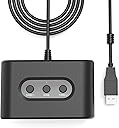
I bought this not knowing whether it would work with my original N64 controller and new Steam Deck, particularly the RetroArch N64 emulator run through EmuDeck. After first plugging it into my Steam Deck dock's USB, with the red light on, only the back button (the A button on the N64 controller) and a couple other random controls worked. I couldn't figure it out until I realized that the red light is intended for Switch per the manual. To get it set for the Steam Deck, hold the “HOME” button on the adapter until the color changes to green, which is the Xinput setting intended for PC use. This does everything you need it to for the main Steam Deck interface: Select (A), back (B), and navigation (Joystick). The tricky part was getting it configured in RetroArch. Because Steam Deck recognizes the 2 inputs both as "Generic X-Box Pad", the N64 controller B button doesn't work right away (on Xbox, the B button is to the right, but on N64, it’s on the left). To get it working, I first made sure the N64 controller was listed first. You can do this by pressing Steam -> Settings -> Controller -> press the select/view button (top left on the steam deck) to "Reorder Controllers." Make sure Generic X-Box Pad is first. (If it still doesn't work in the next step, try switching the controller to the 2nd port on this adapter) Then I fired up the standalone RetroArch emulator and navigated to: Settings -> Input -> Port 1 Controls using a USB mouse also plugged in (although it may also working using the N64 controller). With the “Device Index” set as "Generic X-Box pad," you can select each of the following and press the matching button on the N64 to the reconfigure the buttons. For some reason, I found it necessary to set all of these (even if they are listed correctly), shown as “Auto,” or else they lose their settings when we save them later. D-Pad Up = push the up D-pad button = 11 D-Pad Down = push the down D-pad button = 12 D-Pad Left = push the left D-pad button = 13 D-Pad Right = push the right D-pad button = 14 A Button (C3) = press A button = 0 B Button (C2) = press B button = 1 Start = press Start button = 6 L Shoulder = press L button = 9 R Shoulder = press R button = 10 Z Trigger = press Z button = +4 Control Stick Y (up) = push joystick up = -1 Control Stick Y (down) = push joystick down = +1 Control Stick X (left) = push joystick left = -0 Control Stick X (right) = push joystick right = +0 C Buttons Y (up) = press up yellow C button = -3 C Buttons Y (down) = press down yellow C button = +3 C Buttons X (left) = press left yellow C button = -2 C Buttons X (right) = press right yellow C button = +2 Once complete, select "Save Controller Profile" and you should be good to go. If you use 2 controllers, you'll have to repeat these steps for the other port. It’s been working every time I reconnect the adapter for the last few days. If it ever gives you an issue in RetroArch where you can’t navigate or press any buttons, you can always exit by hitting the Steam button -> Exit Game. Overall, zero complaints so far. This product is working exactly as I need it to!