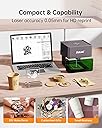
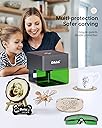
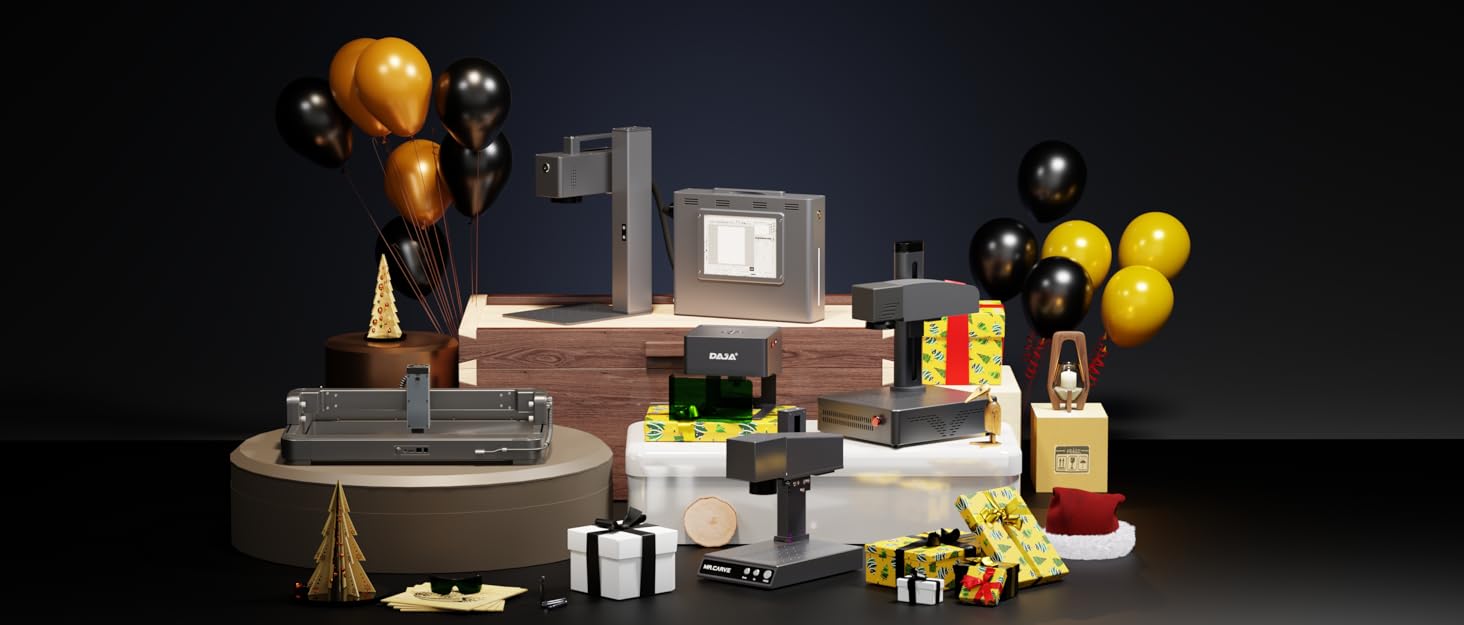
🔥 Elevate your DIY game with the DAJA DJ6 Pro – where precision meets portability!
The DAJA DJ6 Pro Laser Engraver is a compact, 3W laser cutter with an 80x80mm working area, crafted from durable aluminum alloy and ABS. It supports Windows and Android systems, plus offline use, offering four engraving modes to customize your designs on materials like wood, leather, ceramics, and more. Lightweight and stable, it features anti-slip legs, built-in eye protection, and cooling fans for safe, efficient engraving anywhere.


| Brand | MR. CARVE |
| Material | Acrylonitrile Butadiene Styrene, Aluminum |
| Color | Green |
| Product Dimensions | 3.15"L x 3.15"W |
| Style | Minimalist |
| Item Weight | 0.9 Kilograms |
| Operation Mode | Automatic |
| UPC | 768484364222 |
| Manufacturer | DJ |
| Part Number | DJ |
| Item Weight | 1.98 pounds |
| Item model number | DJ |
| Item Package Quantity | 1 |
| Batteries Included? | No |
| Batteries Required? | No |
S**O
Great for small jobs
I have 60 candle holders that I needed to etch to commemorate our wedding. I got this in the hopes it would fill the bill and it's doing a fine job! Positives: Relatively easy to use. Loading pictures, clip art and creating text is straightforward. It's got an excellent function that allows you to preview the edges of where the cutting will be at low power. The focus is manually set when you get the part in place by twisting the laser aperture. The cutting is very precise and provides fine detail. The software comes on a USB stick, or you can download the app if you want to control it with your phone and a Bluetooth connection. Negatives: The manual is poorly translated from Chinese and not much help. There were no setup or assembly instructions, but it's pretty straightforward. The etching is slow, it took about a half an hour to create the art shown in the picture at 70% carving speed. The light shield isn't physically connected that I can see, it just sort of sits there. The cutting area is only about 3.5" x 3.5". That's good for what I need it for, and cutting your name or logo into things like phone cases or tools. It wants 10 minutes of cool down after an hour of use to preserve the Laser life. For small jobs and an everyday around the house etching ability, this is worth the price. Good entry-level laser etcher. Highly recommend.
D**D
DISAPPOINTED Dosent Engrave accurately, No support card included, No Support response
DISAPPOINTED It would not Engrave accurately ... tried multiple times (pictures included) on different sides of the leather since I could not get it to work. There was no support card included as the description says.. I tried contacting via email with no response, tried thru Amazon and no response, and also tried to send a whatsapp message since it was a listed option on the Mr. Carve website. No place to download software on the website. Install instructions are incomplete. You have to install the software and then go into the folders and find the driver exe and install it separately :/ nothing explains that but trail and error at least got us connected to the unit with USB. THe phone app installs and recognizes that unit exists, but then it never connects to engrave a job :/ THe unit is a great price, but it doesn't seem to work. Just in case I order a 2nd unit thinking it was maybe just a bad unit ... but have they same issues with the 2nd unit too ... incomplete instructions, no information on where to place the item you are engraving, no clear idea of the mapping from the software to the output on the unit. OVERALL VERY DISAPPOINTINIG
K**Y
Perfect for playing around!
I would have rated it 4 stars if it cost more, but for what it can do at the price point it exists at, easily 5 stars. I don’t know if I have a secret advantage because my first job ever 20 years ago was working with a diamond tip engraver, but this being laser and obviously different software given the 20 year gap, makes me think it didn’t give me so much of an edge that any beginner couldn’t have just as much success with it. Some notes: - Metal has to be paint coated, like the description says, but if it is, it works great (dog tags pictured) - works great on different types of wood, but I would suggest a couple things: 1) each time you start it up for the first time that day, take a scrap piece of wood, plug in a random word, and run it to engrave the scrap wood to warm it up a bit. 2) Double check that you adjust the laser to get the smallest pinpoint possible - you can’t always tell on the object you actually intend to engrave, so make sure to place the cardboard square they give you, on top of the object you intend to engrave while adjusting the laser. Otherwise you’ll think it doesn’t work right. - The app works great for what this is - my main criticism overall (why I would have dropped it to 4 stars if it was a more expensive unit) is that once you engrave an image, you cannot immediately engrave it again with exactly the same settings and placement. It kicks you back to the beginning. You have one shot to get it right. You CAN tell it to go over the image twice BEFORE you hit “go”, but that is an epic waste of time if not needed, because as others have mentioned, the machine is slow. - I love the feature on the page before you send the final design to the engraver, where you can resize, and with a push if a button the engraver shows the area it will engrave once you hit “go”. - I haven’t done leather yet, but will update when I do! - I was impressed it could write on the side of a pencil with clarity!
H**Y
Impressed, for sure! Great for Beginners, and then some!
I received this little gem 3-days ago, and have been using it practically non-stop (After 'Lessons Learned"... See below.) I've been more than impressed... Quick back-story: This is my first adventure into laser engraving. Having a Video/Multimedia background- and with the wife expanding into other possibilities with graphics for shirts and other items for trade shows... I figured, Why Not? Delivery: I received item on-time, intact, well boxed. The manufacturer packaging is more than enough to keep item safe. Setup: Fairly straight-forward. Instructions were simple enough for practically anyone. (Make sure you get the laser-head on the stand evenly, horizontally. Only needs a nudge to get even.) Software: I initially setup using the Mobile App. Easy enough to install via QR. Connections, however, show twice. NOTE: One must add this as the PRINTER icon, put in code: 0000 (Four Zeros.) It immediately connected via B/T. I dabbled around with it for a first print, and amazingly, was not too shabby for a test (be sure to CENTER and use sizing and area-trace to see where image will be.) The app got old, however, and being versed in graphics, decided to install the Windows software, provided (un-securly enough) on a USB stick. I scanned with anti-virus on off-line workstation (WS), and nothing was detected. So, moved to secondary WS and installed. It is in Chinese... just dabble with it a couple of times, and it will install. (Click far-right buttons.) This software is MUCH more capable. I connected WS via B/T (again, add as the PRINTER option, and "0000" for code. Once you play with it, sizing graphic to whatever you are lasing will come more natural. (Centering being the key- then trace pattern on item, before burning.) Npte: I am still learning, myself. Usage: First- Make sure you have the laser FOCUSED. Then, tests were ok, on wood... anodized metal was another issue... and totally Negative. The Fix? Build-up a platform to move the metal closer to the laser head. I happened to have ordered sticky-back, 4"-square foam for another progect (see pix.) I had to trm all 4 to fit into the space, but this totally solved being able to shoot the metal- and with amazing results! Cons: It's a little slow... those dog tags took 5 minutes... The hat patches- 15-25 Mins. This, of course, depends on the COVERAGE, and what you are printing. Safety: The provided laser shield is mostly worthless... Don't look at the Beam, other than doing the placement test. Also, s some had mentioned, put a box over the unit (being careful notto disturbd the unit and your items.) Leather does not reflect mugh,at all.. metal, however. USE CAUTION and COVER/BLOCK IT. Over all, for the price, DEF a fun item to get one's feet wet! I look forward to seeing DAJA's other items in their line-up, and will consider purchasing should the need warrant. (Likely going to get there...) Have fun and... Don't burn your eyes out, Kids!
K**S
Works !!
I have wanted to offer customized dog breed ornaments on the spot at craft fairs Problem is that all my lasers are too big and require too much to run (chiller, laptop and air compressor). I bought a Daja 3w diode laser. It was a gamble, one that wouldn't break me if it didn't work but I am very happy to say that it does indeed work. The app to run it is actually not too bad. It connects via Bluetooth so no worries if we have spotty cell service. It offers about 2 dozen built in fonts. Positioning is easy as it has a frame feature. The materials list included can be added to and saved for future projects. The laser itself works fine for my needs. I didn't try cutting because I only needed this for ornaments. Here is my 1st project. The ornament and name plaque were cut on my 100W. I should have added 3M double sided tape before cutting. Oh well, live and learn. I can use spray adhesive for now. The name Scout was done with the Daja diode. It took 3:15 to do it which is very slow but having used a diode before, it wasn't unexpected. I don't think people will mind waiting 5 minutes if it means that they can take home a personalized ornament. One thing about the app that is neat is that it offers a graffiti setting. You can draw in the app and it creates a vector of it. Might be something a child can draw and have it engraved on something. I also tried an anodized aluminum dog tag. I own several lasers so am familiar with hoe thry work, if this is your 1st one, just keep in mind that is not very powerful.
J**S
A bit difficult to work with, but so far some OK results
Seems like the laser itself is OK, but the software is terrible. The phone app would never actually start. It kept asking for permissions it already had that I did not want to give it, like location. Why does an engraver app need my location? The PC software is pretty basic, and seem to work OK, but the only way to get my computer to connect was to restart it with the engraver connected. I'll update as I play with it more, but so far I'm not super excited with the overall experience.
H**N
It's ok but has problems
If I could get some basic support from the company I would upgrade my rating. I purchased to just brand wood products I make but decided to make a small table sign for my son's robotics competition. To be fair prints that are smaller work fine. Ones that take up the entire space however print overlap due to the laser sliding into it's own ribbon cable it seems. The first picture shows a successful printed word and the same word in a fuller text but it gets overlapped on the ends. Same thing in the second picture. When you go to ask a question on the sellers page, the ai messaging just tells you to contact Amazon. So without any ability to get customer service I don't know how to fix My observations: Prints on hardwood well Metal printing is non existent Painted metal works somewhat but not great. Printing can take 30-90 minutes for an image Printing is relatively fast if you just print in outline mode Repeat prints of the same image or text is not as easy as hitting a print button again, you have to go through the entire app process of setting up and laying out the image through multiple screens just to print the same image. I have to force stop and clear the cache on the app sometimes to get it to connect. Other times I have to turn off the printer and my Bluetooth then turn them both back on to get a connection. I have not tried the pc software that was included. I considered just getting a more expensive and larger setup but wanted something I could easily put on a shelf when not in use and something that didn't take up much room since I would be only using it to brand wood products. Also wanted something I could set on top of am existing built piece and print which this does. Overall this could do what I want it to do if it was just a little more dependable on printing to the edge. I have done many successful prints.
D**N
Great product
Overall great product and does great Ingraving.. Pros: great Quality ingraving, easy to adjust laser, it won't just fail or end project unless u purposely press stop, app is easy to use and will show u where it will Ingrave before u start it, works on most Material. Cons: kinda sucks at cutting but tbh I don't use it for that anyway so idm, bigger the bigger the image/text u wanna ingrave longer the time but yet again idm.. I kinda just sit back and come back to it In a bit, makes a bit of a smell.. the smell depends on what ur ingraving, u can hear the motor moving the Lazer around so there is a bit of noise but it's not that loud, doesn't work on all Material but it does and most. I would recommend this product and I love it.. it does everything I want and is great for its price.
Trustpilot
1 month ago
3 days ago