We remain fully operational. Our teams are working around the clock to ensure your deliveries continue safely.

DOWNLOAD THE APP


Customer Services
Copyright © 2025 Desertcart Holdings Limited
DOWNLOAD THE APP
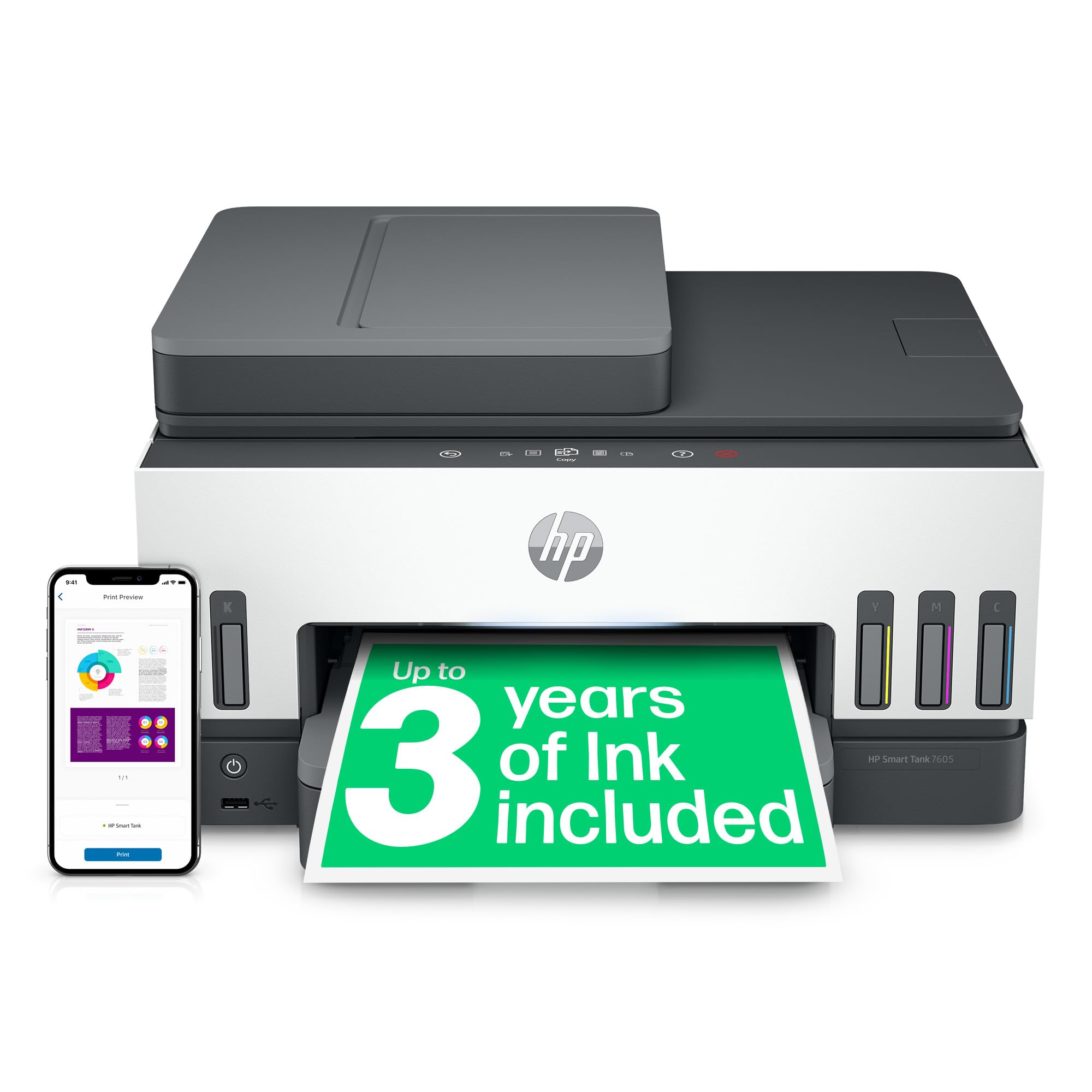
🖨️ Print smart, save big, and stay effortlessly connected!
The HP Smart Tank 7605 is a versatile all-in-one printer designed for busy home environments, offering high-volume, low-cost printing with refillable ink tanks that last up to 3 years. It supports wireless and Ethernet connectivity, automatic duplex printing, and a 35-page automatic document feeder to streamline your workflow. With spill-free ink refills, smart user guidance, and essential security features, it delivers professional-quality color and black-and-white prints while keeping operational costs low.



| ASIN | B09GPQTK7L |
| Are Batteries Included | No |
| Batteries | AA batteries required. |
| Best Sellers Rank | 2,675 in Computers & Accessories ( See Top 100 in Computers & Accessories ) 6 in Ink Tank Printers 2,842 in Climate Pledge Friendly: Shop All |
| Colour depth | 24 |
| Compatible devices | Printer |
| Computer Memory Type | DIMM |
| Connectivity Type | Bluetooth |
| Controller type | Android |
| Customer Reviews | 4.1 4.1 out of 5 stars (1,209) |
| Date First Available | 10 Aug. 2021 |
| Dual-sided printing | Yes |
| EU Spare Part Availability Duration | 10 Years |
| Form Factor | All-in-One |
| Graphics Card Description | Dedicated |
| Graphics Card Ram Size | 8 |
| Graphics RAM Type | 72-Pin EDO SIMM Memory |
| Guaranteed software updates until | unknown |
| Hard Disk Description | HDD, HDD |
| Hard Disk Rotational Speed | 7200 |
| Hard Drive Interface | ATA-4 |
| Hard Drive Size | 80 |
| Hardware Platform | Linux |
| Included components | HP Smart Tank 7605 All-in-One, Print, Copy, Scan, Fax, ADF and Wireless, 35-sheet ADF; Scan to PDF; Two-sided printing |
| Item Weight | 7.7 kg |
| Item model number | 28C02A |
| Lithium Battery Energy Content | 1 Milliampere Hour (mAh) |
| Manufacturer | HP |
| Max copy speed (black and white) | 13 Pages per second |
| Max input sheet capacity | 250 |
| Maximum Memory Supported | 8 GB |
| Maximum Supported Paper Size | A3 |
| Maximum black and white print resolution | 1200 x 1200 dpi |
| Maximum colour print resolution | 4800 x 1200 |
| Maximum copies per run | 250 |
| Memory Technology | DDR3, DDR3, DDR3 |
| Number Of Lithium Ion Cells | 1 |
| Number of Ethernet Ports | 1 |
| Number of Lithium Metal Cells | 1 |
| Number of USB 2.0 Ports | 1 |
| Operating System | Mac OS 10 15 Catalina, Windows 10, Windows 11, Windows 7, macOS 10.14 Mojave |
| Optical Drive Type | BD-R |
| Print media | Paper (plain) |
| Processor Brand | Intel |
| Processor Socket | BGA 413 |
| Processor Speed | 3.4 |
| Processor Type | 5X86 |
| Product dimensions | 3.64D x 4.28W x 2.4H metres |
| Scanner type | Sheetfed |
| Sheet size | A4 Centimetres |
| Standing screen display size | 75 |
| Voltage | 28 Volts |
| Warranty type | Lifetime |
| Wattage | 32 watts |
J**S
Brilliant for Home Use – Just Follow the Setup Carefully!
As an office manager used to large industrial printers, I wasn’t sure what to expect from a home colour printer but I’ve been really impressed with the HP Smart Tank 7605. It's a fantastic choice for home use if you take your time with the setup, which is straightforward if you’re patient and follow the instructions exactly, even down to removing the bits of internal packing cardboard in the right order. I recommend going straight to the HP website once it’s plugged in, as it’ll walk you through linking it to your Wi-Fi and handle most of the installation with helpful prompts. I also downloaded the app, and can also print direct from my iPhone too. Filling the ink is easy — just press the bottles down firmly until they click into place. Installing the print heads takes a bit of care to make sure they’re facing the right way, but again, the instructions guide you through it. Print quality is great, especially for colour and photos. It’s not lightning-fast (don’t expect office-grade speeds!), and it can be a little noisy and clunky, but for home projects, it does the job beautifully. A few tips: Keep it switched on 24/7 — it uses hardly any energy in standby mode, but this helps it stay updated and prevents the print heads and ink from drying out. Print a page once a week if it’s not in regular use, which stops it from drying out too. I bought the optional 3-year warranty for peace of mind — worth it at the sale price. It’s light enough to move around and compact enough to live happily in a corner of my kitchen. Overall, I’m really pleased. It’s a solid, well-designed printer with refillable ink tanks and smart features that make it a great investment for home use. The ink supplied should last for 6,000 pages and original refills are good value for money. UPDATE: It's now June and I've been using this printer a lot, without any issues. However, 2 weeks after I bought it my PC did a big update and whenever I tried to print, my PC said 'rendering error'. After a while, I realised I could still print perfectly from my iPhone, so it wasn't a printer error. I realised that I had installed the HP Smart App on my PC, but my PC had uninstalled the printer. So if you get this error, just install the printer the old fashioned way on your PC and only after doing that, reinstall the HP Smart app. That'll fix it.
C**G
Good quality printer for busy family home
I recently acquired a new printer, selecting this model primarily for its Smart Tank capabilities. The setup process was straightforward, and the printer was operational within approximately 15 minutes. The print quality is excellent, and the printer's speed is notably efficient. I highly recommend this printer for those seeking a new device, and its price point is considered reasonable.
M**D
Over all this Printer is worth buying despite the niggles.
I had read most of the reviews before I purchased this item. It arrived on time and in good condition. I took extra care unpacking the printer from the box. The first thing I noticed was that the instruction book did not match the number on the printer and that the instructions were not in the usual packaging.I took extra care to make certain that I removed all tapes and cardboard around and within the printer. Don’t rush this. After 2 hours I had the printer set up, or so I thought. There are a few annoying things that with a little extra thought could be fixed. I is the annoying Privacy settings notice that prints over the top of your page 1 of your documents. To get rid of it you have to convert anything you want to print to PDF. I purchased this printer to save on ink and paper. Unfortunately re paper you can’t fix to print both sides as once you have printed documents the system reverts back to single pages. Speaking of pages for some reason the printer always goes back to single page print and envelope therefore I have to remember to set the printer to A4 and both sides. Connecting to the router was a tad fiddly and a bit antiquated. My very old HP ENVY Printer was fast at printing two sides/ fax/scan was an absolute dream to operate sadly they don’t make them any more. Any way back to HP smart tank Filling the ink was easy. You will have two regular inks It took me a few minutes to figure out where they went and how to remove the orange safety gadget. It’s a good enough printer but for the price I was expecting a more modern set up. Why did you choose this product over others?: I trust HP Connectivity: Fiddly Good but slower than expected. Fixed settings would be preferred as the constant need to readjust is annoying. Scanning capability: Very good at scanning picture quality very good Printer functionality: A tad old fashioned and fiddley but workable Ink capacity: Excellent Colour quality: Excellent Functionality: Could be improved. Nothing major just needs a more modern approach to settings.
P**W
Failed after a year
Reviewing this after running it for a year at home, printing several times a week. The HP software is OK but pretty slow, scanning takes a long time, the output quality is good - it struggles with blocks of dark colour if there's no contrast (a dark green will come out as black). Biggest problem is the ink supply - airlocks are a known issue apparently, so ink from the tanks doesn't always reach the printhead and then you spend ages cleaning the printheads which may or may not work. At present I can't print black ink - see the pic - hence the 2 stars. Trying to resolve it is not as easy as HP would make you think! EDIT - Reduced to 1* - having replaced the black printhead as HP Support recommended, the printer stopped printing at all. HP Support have told me to buy a new printer and offered to help me pick one.... politely informed them that if they think I'll buy another HP printer they are mistaken!
P**A
Amazon har inte klarat av att leverera produkten trots absolut löfte, trovärdigheten är i botten.
A**B
Adepte de Canon, j'ai acheté cette imprimante pour remplacer une Canon G4511 tombée en panne au bout de 9 mois et non réparable (remboursée par Amazon). Et là, c'est le jour et la nuit. La qualité de finition est largement supérieure à celle de Canon. Au déballage, on se dit "pas d'écran tactile... Dommage !". A l'allumage, on voit le petit écran tactile invisible qui s'allume, très bien réussi. L'installation est un jeu d'enfant si on prend la peine de télécharger le logiciel HP Smart sur Microsoft Store ou Google Play. Tout est expliqué étape par étape avec des illustration. Un enfant de 5 ans pourrait y arriver tout seul. Le remplissage des réservoir est d'un simplicité incroyable, beaucoup plus simple que chez Canon car il suffit de bien insérer les bidons d'encre à la verticale pour qu'il se remplisse tout seul. Des leds éclairent les réservoir pour pouvoir les remplir dans le noir (ça ne sert à rien, mais c'est beau !). Aucun risque de claquer le capot lors de sa fermeture, il est amorti et vient se poser tout doucement sur l'imprimante. Un autre led éclaire la sortie papier de l'imprimante et s'anime lorsqu'elle travaille (ça ne sert toujours à rien, mais c'est très beau !). D'après mes premiers tests, le scan est de très bonne qualité, de même que l'impression qui est particulièrement silencieuse (en tous cas, par rapport à mes précédentes Canon). Le bac à papier est grand (250 pages, soit une demi ramette). Quand on regarde la qualité de fabrication, on n'est pas déçu. La vitre du scanner comporte deux parties : une pour le scan à plat et une autre pour le scan à partir du chargeur de feuilles (35 feuilles, quand même). La finition est tout bonnement irréprochable. L'application est très ergonomique (user friendly, comme on dit quand est braché) et ne nécessite aucune autre installation (contrairement à Canon chez qui il faut télécharger les pilotes, et 2 ou 3 applications plus ou moins utiles). En conclusion, un rapport qualité/prix excellent, la simplicité aussi. Je suis bluffé ! A voir dans le temps. PS : je n'ai pas d'action HP... Ni Canon, d'ailleurs.
D**D
bureau/maison
S**S
Easy to set up. Easy to use. Fabulous. I'm not very good with technology and I had NO problem setting it all up. It is incredibly economical on the ink too. No more 25€ cartridges every 2 months!!! AT LAST!!! I am happy my old printer packed up just so I could buy this one!!!
M**Y
LOVE THIS PRINTER SO EASY TO SET UP, VERY COMPACT SND THE QUALITY OF PRINT IS OUTSTANDING. EXTREMELY GIID VALUE FIR MONEY FOR THE MACHINE AND COST PER COPY IS INCREDIBLE.
Trustpilot
4 days ago
1 week ago