Desertcart purchases this item on your behalf and handles shipping, customs, and support to Iceland.
๐ธ Upgrade your pedalboard gameโbecause your sound deserves the spotlight!
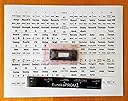
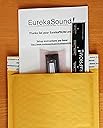
EurekaPROM is a specialized EPROM upgrade for the Behringer FCB1010 foot controller that unlocks five advanced operating modes and pre-configured setups for over 20 popular multi-effects units. It eliminates complex programming by offering plug-and-play functionality, enabling musicians to control multiple effects devices like Kemper, Fractal Audio Axe-FX, and TC Electronic with ease. Designed for professional guitarists and bassists, this firmware upgrade enhances live performance control and workflow efficiency.
| ASIN | B01N6OV53P |
| Additional Features | Keyboard Controller |
| Best Sellers Rank | #74,590 in Musical Instruments ( See Top 100 in Musical Instruments ) #31 in Multieffects Processors |
| Brand | EurekaSound LLC |
| Brand Name | EurekaSound LLC |
| Color | Black |
| Compatible Devices | Behringer FCB1010 |
| Connectivity Technology | USB |
| Connector Type | USB |
| Control Method | Touch |
| Control Type | Foot Controller |
| Customer Reviews | 4.4 out of 5 stars 109 Reviews |
| Hardware Interface | USB |
| Hardware Platform | macOS |
| Human Interface Input | Buttons |
| Included Components | USB Cable |
| Instrument | Guitar or Bass |
| Instrument Key | Any |
| Manufacturer | EurekaSound LLC |
| Manufacturer Part Number | EurekaPROMv3.2 |
| Model Name | EurekaPROM |
| Model Number | EurekaPROM |
| Noise Control | None |
| Platform | Mac |
| Product Style | Custom |
| Special Feature | Keyboard Controller |
| Supported Software | Ableton Live |
| Total USB 2.0 Ports | 1 |
| Total USB Ports | 1 |
| UPC | 045995493246 |
| Unit Count | 1.0 Count |
C**R
If you have an FCB1010 you're not done until you have this EPROM!
Totally exceeded my expectations. The FCB1010 (from Behringer) is a great product at a great price to begin with, but when you add the Eureka firmware it's like lighting the afterburners. My FCB is connected to my Eleven Rack. The Eureka firmware operating in Eleven Rack mode just totally nails this configuration. it does everything I expected, and more. I can't speak to the effectiveness with other effects boxes but there's no reason to expect any less satisfaction than with the Eleven Rack. Caution: If you are not experience with removing and inserting socketed integrated circuits, you should consult with someone who is, and/or procede with extreme caution. Another reviewer said that he had to order a second eprom because the first one was damaged during insertion. It's easy to happen if you're not experienced. it's also very easy to damage the min circuit board or the original firmware eprom in your FCB as you remove the original one. The one coming out has to be very carefully lifted out to avoid bending or breaking pins. start with a proper chip puller if you have one or can borrow one or whatever, or a very small flat blade screw driver. using the screwdriver, put the blade between the bottom of the chip and the frame of the socket at one end of the chip and lever it up just a tiny bit, just so you see it start to move. then switch to the other end and do the same, just a tiny bit of lift. Alternate ends until it is loose. To insert, make sure all the pins on the new chip are straight and in alignment with each other. I also like to straighten the pins so that they are exactly 90 degrees to the body of the chip. It's very typical for the pins to be splayed out a bit off of 90 degrees, kind of like this: / \ (looking at the end of the body) which makes it harder to line them up into the socket holes. To do this, hold the chip so one row of pins lays flat against a hard table top surface. Very gently put a little downward pressure on the body of the chip - do not put any pressure on the other row of pins - and gently rotate the body of the chip to get the row of pins to all bend in just slightly back towards the body. After the first row, you'll have this: | \. Then do the other row, and you'll have this: | | then carefully line up the two rows of pins with the socket making sure all pins engage their corresponding holes. gently press downward to seat the chip. You can rock it in a little bit, by pressing a little on one end, then the other, but only by a little bit. The chip must not become fully seated at one end and still loose at the other. If any pin is not aligned with its hole, it will be bent over and crushed when the chip seats down into the socket. This is probably what happened to the other reviewer.
S**N
Excellent Alternative
The price of a Kemper is already pretty expensive, so spending an extra $500 for the pedalboard was a little beyond my budget. I already owned the Behringer foot controller so this was an incredible solution for me. There really isn't much in terms of included documentation, so make sure you watch the videos before doing ANYTHING. Following the online videos, I was able to set this up with no problems and it acts just like the Kemper pedalboard. One thing to note, and I don't know if this is the EPROM or the Behringer, but even with the volume pedal all the way down, it does not mute the signal. I'm not sure if the pedal is reading the value of 0. Either way, still a great alternative.
J**R
Brought new life and function to my MIDI controller pedal.
I've had a Behringer FCB1010 stashed in a closet for years since I chose not to use it because of the complexity in programming it. That's not to say it's a bad device. On the contrary, there are so many options for use it can be a bit overwhelming, even for someone like me with a decent knowledge of MIDI tech. The Eureka Eprom takes all the effort out of using the controller leaving only the function and control it offers. Brilliant! Very grateful that this product exists and looking forward to using what I had long ago resigned myself to thinking was a bad purchase. To infinity and beyond!!
J**I
Does what it claims.
Does what it claims. It's hard to criticize because I know enough about software development to know the limits of my understanding of EPROM programming. So, while the method to program the footswitches is quite tedious, it reason might be the limitations of the particular chip usable in the FCB 1010. A word of warning. I had to buy two of these. I totally botched the first installation. I blame myself for not working with adequate lighting and tools, but part of the problem is that the pins on the chip are very soft and flexible. If, when inserting it, you do not have it really really correctly aligned then there's a good chance of bending one or (more likely) more pins with even moderate pressure. Once bent they are hard to get straight, and a after few bends and they snap. The 2nd attempt went much better, as I made sure all was aligned before pressing the chip into place.
K**N
Perfect upgrade to my 11
This chip is great! Install a breeze. Go slow watch out , dont bend a leg, programming was quick! If youve never removed a chip before;i use a small flat tipped screwdriver and slowly pry one side then the other and the other side till i can pull the chip up evenly; there are chip removers that do the same thing. installed the new one easily and programming was a breeze. Thanks Ureka! Get ya one.
D**N
Does what it says it will do but...getting there...
For me, it lacked a source of written instructions for setting up the various modes and configuring it to your own multi-effects unit. I have a TC Electronics G Major and I spent a LOT of time figuring out things that were not made clear in the YouTube videos. They are the only source provided for information on the EPROM, besides the Eureka forum. That can be helpful if it addresses your problem. And that depends on what processor you are trying to connect with etc.
M**R
Does NOT solve momentary CC switch problem of default firmware. Still only sends "ON" state, not OFF.
[I'm leaving 5 stars as I don't want to tank the product reviews on this because it' obvious these guys have done a lot of work on it, it apparently works well for some people, and they were cool in handling my refund, but I want to make other people aware of issue before they buy it.] The chip is a great idea, but be warned that if you are buying this to have the FCB finally do a true momentary switch behavior (i.e. you set a CC, and it "switches" from one value when you press and another value when you release, this DOES NOT do that. Momentary mode is the same as with the default FCB. With the Eureka, you set a CC for a switchin PP/programmable mode, set it to momentary, and when you mach the pedal it sends out 127 when you step on it. and then 127 when you step on it, then 127 when you step on it... It never sends a zero, so it's not really a switch... It's like turning on a light that you never can turn off. Huge bummer... :( It's actually LESS flexible than the stock firmware that at least lets you set the CC value that is sent. This only sends 127. I suppose it works great for the built in supported models, but if you're looking to make the FCB really programmable, this doesn't do it.
R**R
Completely voids the midi function of the FCB1010
So I bought this to be able to program my FCB1010 more easily, and I figured that the chip would just add some sound effects/effect pedal type stuff. It wasn't until it arrived and I contacted their support that the chip does not allow the midi functionality of the original device. Meaning that when you install this into your MIDI PEDALBOARD, it completely nullifies the original purpose. It would really be nice if they would mention this on their Amazon or site page. I am very disappointed.
Trustpilot
1 month ago
1 week ago