


Desertcart purchases this item on your behalf and handles shipping, customs, and support to Iceland.
👻 Ghost your display, not your productivity!
The FUERAN HDMI Dummy Plug is a sleek, driver-free display emulator that tricks your system into thinking a monitor is connected. Supporting HDMI 2.0 at 2K resolution and 60Hz refresh rate, it’s perfect for headless setups, remote desktop acceleration, and GPU-intensive tasks like crypto mining or game streaming. Compatible across Windows, macOS, and Linux, this ultra-compact plug-and-play device ensures seamless performance without any hassle.
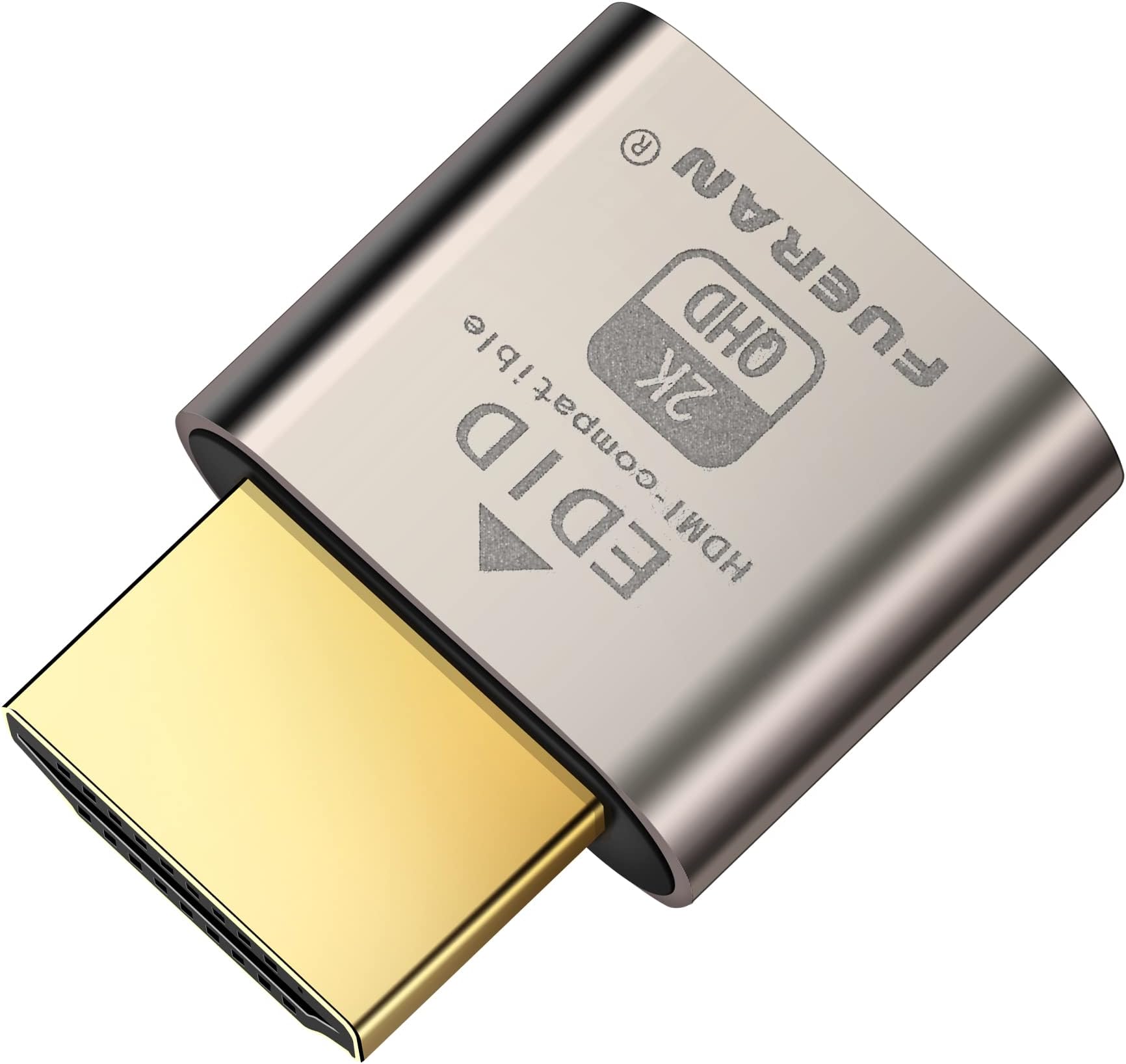


| ASIN | B06XT1Z9TF |
| Best Sellers Rank | #13 in HDMI-to-VGA Adapters |
| Brand | FUERAN |
| Color | HDMI2.0-2K-1P |
| Compatible Devices | Got this for a headless gaming pc accessed via Moonlight,Best dongle to tweak for 4k 120hz HDR Moonlight streaming., PC Windows, Mac Mini OSX, linux,, Works with win11,Works for 120fps Steam Link,, ideal for game streaming, VR,and the use of Mini server with screen sharing,, streaming from main pc to steam deck or ROG Ally,Used for Govee Gaming Lights on a Wacom Cintiq, Compatible Devices Got this for a headless gaming pc accessed via Moonlight,Best dongle to tweak for 4k 120hz HDR Moonlight streaming., PC Windows, Mac Mini OSX, linux,, Works with win11,Works for 120fps Steam Link,, ideal for game streaming, VR,and the use of Mini server with screen sharing,, streaming from main pc to steam deck or ROG Ally,Used for Govee Gaming Lights on a Wacom Cintiq, See more |
| Connector Type | HDMI |
| Customer Reviews | 4.6 out of 5 stars 1,683 Reviews |
| External Testing Certification | Não aplicável |
| Finish | Hdmi |
| Item Dimensions | 0.98 x 0.79 x 0.39 inches |
| Item Weight | 1 g |
| Item dimensions L x W x H | 0.98 x 0.79 x 0.39 inches |
| Manufacturer | FUERAN |
| Mfr Part Number | FUERAN-002 |
| Model Number | FUERAN-002 |
| Number of Items | 1 |
| Number of Ports | 1 |
| Package Quantity | 1 |
| Power Plug Type | No Plug |
| Specific Uses For Product | PC |
| UPC | 738920714119 765470559020 |
| Unit Count | 1 Count |
| Warranty Description | 12 |
| Warranty Type | Limited |
D**B
Worked for me
Worked to enable VNC access to a headless computer.
M**A
Works exactly as described. A must for GPU passthrough
If you’re looking for a dummy display to make GPU passthrough work properly in Linux, especially with a client such as Looking Glass, then this device is pretty much mandatory. It will fit quite well into an HDMI port and is really easy to use since you just need to plug it in and leave it there.
B**W
Invaluable for headless Linux servers
Why in 2026 has Linux not figured out how to run headlessly? Regardless, this works perfectly well to trick the system and boot to Linux without a monitor.
J**R
Who'd a Thunk?
I was trying to setup a headless sever and the speed and screen quality was terrible over vnc (it was fine when a monitor was plugged in). After doing doing some research it turns out that the client / server was using an internal video card model when the system did not detect a "real" connection. I have used loop back plugs to test networks most of my career and thought that there must be an equivalent to provide a dummy load video tests. So I looked and found this. Shut down the system and put the plug in, rebooted, and connected via vnr. The default screen resolution was defaulting to higher then expected, so changed it down (remotely) and now everything works perfectly! Good product at a great price.
S**N
Works like a champ on headless machines!
This is brilliant! I have a headless Windows 10 machine sitting in our datacenter. This is my primary machine that I use on a daily basis. On my 1080p laptop, I am able to use Microsoft RDP to terminal in to the machine and everything is fine. My remote session is viewed at 1080p. However, I HATE HATE HATE using the Microsoft RDP client on my phones or tablet. In the past I would use TeamViewer along with AnyDesk to remote in at 1080p. But ever since removing the monitor, I am only able to get a lower resolution on my remote session via TeamViewer and AnyDesk. This led me to do some research and having found these HDMI plugs for headless machines. These would "trick" or emulate a monitor being connected to your session host so that using remote desktop software will also allow you to view the session at a much higher resolution. I'm glad to say that this little guy works perfectly after a reboot! My AMD graphics card "detected" that a monitor was plugged in. My real test was connecting with TeamViewer and AnyDesk. It works! I am also able to select a much higher resolution than 1080p but I havne't tried this since my monitors are sadly still only 1080p. The only question is how long will this little guy, which undoubtedly is made in China, will last. My computer stays on 24/7 so this guy won't get any rest at all.
J**S
Does not work with USB 3 Type-C Adapter
Emulator works fine with native HDMI port. It is NOT detected when connected to the Dell AD20 HDMI adapter.
C**S
Cheap way to output custom resolutions
Great way to trick your computer into outputting whatever resolution you need. It can get really hot to the touch when streaming games, but it works well. It's very small, with a good, sturdy build quality. This was well worth its small asking price.
M**9
Keeps my pfSense box from squawking on reboot
Ok this is going to sound completely trivial, but the Asrock motherboard in my homebuilt pfSense box would squawk with 5 beep codes on a reboot because it found no monitor attached - I searched the BIOS to see if this could be disabled, but no luck. This little guy fools the motherboard and stops the beep codes on reboot - trivial I know, but it's one less thing to cause alarm when diagnosing connectivity problems which might include a router reboot as part of the investigation - nothing like hearing those beeps and having that "what's THAT?!" moment when trying to track down issues (which TBH are not very often with pfSense). Now the only sounds are the expected startup beep and the little affirmative bootup tune pfSense plays from the motherboard speaker on successful startup.
I**O
Ottimo per Server senza monitor collegato
Acquistato per connettermi in remoto ad un server senza usare RDP ma tramite un software di controllo remoto. Senza monitor collegato la risoluzione era poco gestibile a causa delle limitazioni di Windows Server, con questo piccolo aggeggio ho risolto. basta collegarlo, riavviare la macchina e TAC, risoluzione come se ci fosse un monitor collegato e posso finalmente lavorare senza scomodare i santi ogni volta, bella invenzione, TOP e funziona!!!!!!
C**R
Works beautifully for GPU passthrough on Proxmox
No issues encountered. GPU detects the device as a monitor and allows LookingGlass, Sunshine and Parsec to work as if a real monitor was connected.
P**B
great gadget
Perfect for remote desktop or team viewer to another computer that doesn't have a monitor connect to it. Will simulate a 1080 monitor.
O**Ş
Güzel çalışıyor.
Bu aparatı uzaktayken evdeki masaüstü pcye monitör kapalıyken de bağlantı kurup oyun oynayabilmek için aldım. Monitör kapalı iken ekran kartı render etmiyor. Bu yüzden sorun çıkıyordu. Adaptörü boş yuvaya takınca monitör kapalı da olsa ekran kartına bağlı bir monitör varmış gibi çalıştığı için sorunum çözüldü. Türkiye’de bu ghost adaptörler yok ama Amazon sayesinde almanyadan sorunsuz ve hızlı biçimde geldi. Teşekkürler.
A**R
Does the job!
Does the job!
Trustpilot
1 month ago
1 week ago