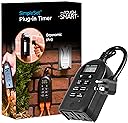
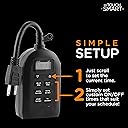
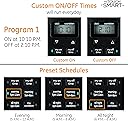
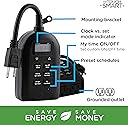
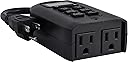
Fantastic timer if you know how to work it. The instructions that come with it are awful. However, I asked Alexa right above the comment section if she would provide the instructions on how to set the clock and how to set the start and stop times. There are no instructions that come with it on how to set the clock. Alexa reviewed comments from reviewers and still could not find a way to set the clock so she provided me with the manufacturers customer service number. After being on hold for about 20 minutes, a young woman came on and explained how to do both those functions in about 30 seconds. I said that is so simple, why don't you provide that in the instruction sheet. She said she would pass it on to the manufacturing team. At any rate, to set the clock, just press the up arrow or down arrow, simple as that. Whenever you stop, that will be the current time making sure that you set it to a.m. or p.m. correctly. To set a start time or a stop time, press the start time button and within three seconds, press the up or down arrows just like in setting the clock. If you don't do it within 3 seconds, all you will be doing is changing the current time setting again. So make sure you're ready to set the exact start and stop time within 3 seconds of pressing and releasing one of those buttons. Some confusion came from the fact that one reviewer said you had to press and hold the start button for 3 seconds to set the current time. This is wildly inaccurate. Again, up and down arrows set the time. Press the start or stop buttons and immediately release and within 3 seconds press the up and down arrows to set the start or stop times. As soon as you have set the time, it will stay in its memory. Depending on when you set the current time, you may have to wait 24 hours for it to properly function with start and stop times. Hope this explanation saves you the trouble I had to go through.