
DOWNLOAD THE APP


Customer Services
Copyright © 2025 Desertcart Holdings Limited
DOWNLOAD THE APP
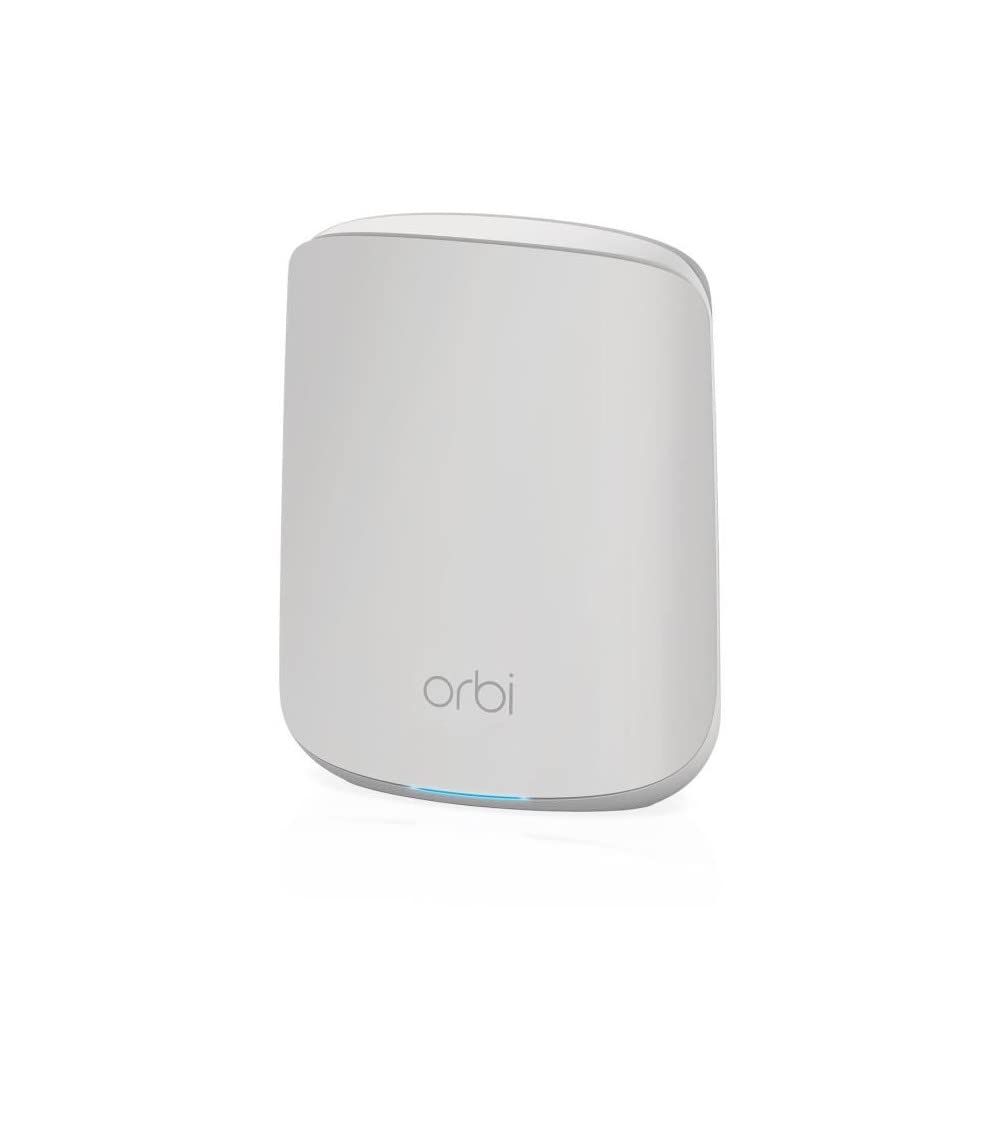


🚀 Elevate your home WiFi game—fast, secure, and everywhere you need it!
The NETGEAR Orbi RBK352 Mesh WiFi System leverages AX1800 WiFi 6 technology to deliver blazing speeds up to 1.8 Gbps and whole-home coverage up to 2,500 sq. ft. Supporting over 30 devices simultaneously, it features 5 Gigabit Ethernet ports and advanced security with NETGEAR Armor. Designed for easy setup via the Orbi app, it ensures seamless streaming, gaming, and connectivity. Note: Satellite extenders must be model-compatible to expand the network.


| ASIN | B08FT6NWZ8 |
| Antenna Location | Gaming, Home |
| Antenna Type | Internal |
| Best Sellers Rank | 8,648 in Computers & Accessories ( See Top 100 in Computers & Accessories ) 30 in Whole Home & Mesh Wi-Fi Systems |
| Box Contents | Orbi Router (RBR350), 1 x Orbi Satellite (RBS350), 1 x 2m Ethernet cable,k 2 x 12V/1.5A power adapters, Quick start guide |
| Brand | NETGEAR |
| Brand Name | NETGEAR |
| Colour | White |
| Compatible Devices | Laptop, Personal Computer, Smart Television, Smartphone, Tablet |
| Compatible devices | Laptop, Personal Computer, Smart Television, Smartphone, Tablet |
| Connectivity Technology | Wi-Fi |
| Control Method | App |
| Controller Type | App Control |
| Coverage | 2,500 sq. ft. |
| Customer Reviews | 4.2 out of 5 stars 3,915 Reviews |
| Data Transfer Rate | 1.8 Gigabits Per Second |
| Frequency | 5 GHz |
| Frequency Band Class | Dual-Band |
| Frequency band class | Dual-Band |
| Global Trade Identification Number | 00606449149951, 10606449151814 |
| Has Internet Connectivity | Yes |
| Has Security Updates | Yes |
| Is Modem Compatible | Yes |
| Item Dimensions L x W x H | 14.5L x 17.8W x 6.1H centimetres |
| Item Type Name | Router |
| Item Weight | 1.2 Kilograms |
| LAN Port Bandwidth | 1000 Mbps |
| Manufacturer | NETGEAR |
| Maximum Upstream Data Transfer Rate | 900 Megabits Per Second |
| Model Name | RBK352 |
| Model Number | RBK352-100EUS |
| Model name | RBK352 |
| Number of Antennas | 3 |
| Number of Ports | 5 |
| Operating System | Linux-based OS |
| Other Special Features of the Product | Mesh Networking, Network Optimization |
| RAM Memory Installed | 512 MB |
| Router Firewall Security Level | True |
| Router Network Type | Mesh |
| Security Protocol | WPA2-PSK |
| Special feature | Mesh Networking, Network Optimization |
| UPC | 606449149951 606449151817 |
| Unit Count | 1.0 count |
| Voltage | 12 Volts |
| Wireless Compability | 802.11a, 802.11ac, 802.11ax, 802.11b, 802.11g |
| Wireless communication standard | 802.11a, 802.11ac, 802.11ax, 802.11b, 802.11g |
C**F
Fast and reliable Wi-Fi 7 with excellent coverage. Easy to setup.
Very easy to setup and works perfectly. I have stable and fast WiFi throughout my house. I purchased this set to replace my earlier Orbi which I had for several years. I am getting the full advertised throughput of my 2.5gig fibre internet connection (using PPPoE) via Ethernet to my PC and 1.5gig+ throughput via Wi-Fi from the router and satellites. Don't let the lack of a dedicated wireless backhaul worry you, it's not really needed with WiFi 7 and MLO which combines the 2.4, 5 and 6 GHz bands intelligently. Don't let any negative reviews put you off. This really is an excellent system.
A**B
I have mixed feelings about this expensive tech - Good for small commercial perhaps?
The dream - is fast, solid, stable WI-FI in every room, with not much messing about during setup, and no need to switch from network to network. You are thinking to yourself "I want to just go up and down stairs, out to the shed, down the garden and in the garage on my WI-FI network. I Just want to connect and not think about it" - Well YES, this product will do that. Its fast, and once its working (read on) its really solid, sometimes my devices choose a weird base point to join, so for example, a printer in my office (next to an access point) has decided to connect to the living room base point which is a long way away ... it works its just odd? Can I change the default base station for a device ? No. I do like the guest network settings, so if you have a cafe, or B&B and you want to use EPOS and "private" devices such as laptops, tablets, Sonos speakers for example, then the private network is perfect. Then you can simply create another "guest" network with a different password and give different access to people. The setup was great - (but there is a down side so read on) - This system uses a wizard to set you up, it works and it took the pain out of it. BUT. a big BUT... If you want to play Jazz with it, like fiddle with settings, or do some pro setup of your network then you are going to be disappointed. It does it one way and that it... It works perfectly (mostly) but it's very restricted. Something that is REALLY GOOD, is the switch handling - So I have a load of devices, like Philips Hue, Smartthings, Hive heating, NAS storage boxes, Sonos devices, and the all need a base station type connections somewhere. With a Cable to a router somewhere. So buy a cheap Netgear (or whatever) un-managed switch like "NETGEAR 8 Port Gigabit Network Switch GS108 £25 on Amazon" and just plug everything in, then connect it to a single Ethernet port on the ORBI base station - and wow wow wow it just all works. If you want to tinker and play jazz (read on) you can't - it works but there is no controls you to touch - that might sound like heaven or hell depending on your skill level ! It is very restricted to "home users" with kids... The safety settings, and internet restrictions are powerful but pointless if you just trust your family or want "normal" internet. I turned on Parental controls by accident, and when I tried to turn it off I managed to lock everyone (including myself) out of the internet. Support gave me nothing useful (using my phone 3g to access) so in the end I did a hardware reset to factory setting and started all over again. Painful day that was.... Not sure I like the Rewards feature of the parental controls - granting "internet time rewards" for good behaviour sound like a house I would not like to grow up in.... but I am old and have no children so I will let you be the judge of this feature. Here is the BIG negative. - Netgear I expected better. - This system is basically only compatible with itself. There are lots and lots of NETGEAR ORBI models and kits, too many to count, and basically they all do the same thing - some faster, some with more concurrent connections, newer models with more whizzy stuff but in principal all doing the same job. EACH SYSTEM IS NOT COMPATIBLE WITH THE OTHER - RBK752, RBK762 base stations and extension points will not work with other Netgear Obi systems - you have to have the exact model from a look up table on Netgears website to extend the system. That has got to be deliberate ! I only found out this when I purchased an extra pair of satellite range extenders which looked identical but were not compatible - I Had to return them. BAD NEWS - I could not buy single or even (at the time) double satellites that were compatible with my existing ORBI system- even though it was pretty new, so after only 9 months, even though nothing was faulty with them at all, I had to but this system again NEW because it was the only way to get my hands on compatible satellites to extend the range. BOOoo Netgear. For a system that is supposed to be fully extendable, and totally "capable" of connecting everything together, that's is job at the end of the day, I fail to see why NETGEAR have chosen to build in incompatibility into their systems with no way to join or extend freely from the range. With the benefit of hind site - I should have just paid a lot less for a mesh network, I don't know how much better this is for the money, but I help a friend set up a DecoAX3000 the other day and it was brilliant, at a quarter of the cost. I don't expect that to last a lifetime but I can buy one every two years for a decade for the price of the ORBI !
D**N
So expensive but so worth it
So, the only reason I've given this product 4 out of 5 stars is because it's so expensive. Apart from that, this device has solved so many problems. I am so happy with it. I have a lot of internet enabled devices in my smart home. My old router wasn't coping. Facetime was breaking up. Devices were losing connections. Streaming services were stop/start/stop/start. Enter Orbi ... You put your old router into modem mode (Consult your ISP for details on this), connect your Orbi to your router (now acting as a modem), and follow the setup procedure in the app. It's actually quite a simple setup procedure. I had it all up and running in no time. Now I'm getting maximum speed from everywhere, including the bathroom. All of my devices are connected, working and responding quickly and reliably. Facetime is high quality, stable and clear. The only issue I've had is with a network drive which sometimes doesn't seem to respond. I'm still investigating that. At one point I tried to get tech support using chat on the app. I got in the queue and then it told me some time later, moving down the queue, that support was not available. So thumbs down for that. The system seems stable. I've only had it 2 days and not really had any problem with it. But, it has only been 2 days, so I've taken a star off for stability just in case. So, in conclusion, my advice is ... take a deep breath, pay the money (As a general piece of advice, I would say never buy anything on credit. Save up for it. Don't get yourself into debt on credit cards, overdrafts etc), get the Orbi and enjoy trouble free WiFi.
L**R
Great product and easy setup
Title: Great start Description: I purchased the Netgear Orbi 770 2-pack to replace a 2 year old Linksys mesh system that just wasn't working correctly anymore. To be honest, I actually tried the Amazon Eero product first as the review I'd read said is was easier to set up with a better app. However, the Eero would not work with my Nokia ONT box for some reason so went back and I replaced it with the Orbi. The Orbi units are a funny shape. They look round from the front but are teardrop shaped tapering off at the back. This meant they only just fit on the shelves where I need them but that's a minor thing. The setup was incredibly easy and everything worked first time. The app is very good and on a par with the Eero one, so the reviews I'd read must have been before this app was released. I also like the fact that there is an advanced setup option if you access the router through a web browser. Overall, the Orbi system has made a good start in the house and the speed increase and stability improvements over my old Linksys system are very noticeable.
R**D
Quality product and quality results backed by quality service
First class product backed by first class customer support. I now have full coverage throughout my home in all areas after years of dropped and slow connections. Looks good, easy to install with the assistance of the instructions, U Tube videos and customer support. Tip - check with your ISP for any settings you may need to change before you start. Once installed ensure you enable IoT WiFi in the WiFi settings to get the best coverage for your smart devices and you are good to go. Lightening fast no dropped connections and no stress.
C**N
Excellent hardware crippled by poor firmware. Lots of tech knowledge needed
I've used the RBK50 AC Orbi router for years and absolutely loved it. Decided to speed up my network as I have lots of wifi connected devices, lots of people using at the same time and thought this might be just what I need. Unfortunately there are a lot of problems. I could write a really long review but I'll try to summarise: 1. Orbi is designed to be plug and play, there are very few settings and anyone with a phone should be able to do it. Technically you can, however its currently broken in the default set up 2. RBK50 supports a feature called DHCP option 61. You need this if you are a Sky customer and want to ditch the sky router. The RBK753 unfortunately does not support this, so if using with Sky you'll need to keep your router or replace with something else (I did and use the Ubiquiti EdgeRouter but it requires a lot of technical knowledge (or excellent google and YouTube skills) 3. Generally the routing is bad. I had my modem effectively act like a bridge, but despite this costing a lot of money it doesn't support any kind of queue management. I was getting horrendous ping spikes when gaming making it impossible to play. Was even worse for Wifi connected devices that also suffered from another issue related to firmware 4. In Access Point mode it works much better, although its an expensive router to put in access point mode. If I'd have known I'd be doing this I'd have bought cheaper wifi access points 5. The current v4 firmware is absolute garbage. The satellites that create the mesh work, regularly reconnect throwing anything you are doing on wifi off. The v3 firmware seems a lot more stable, but Orbi don't allow you to downgrade unless you tweak and edit the html on the page to enable a button. Not really for non-technical people. It will also immediately try to upgrade unless you block this. This is quite challenging although not impossible. Netgear would get a lot more credibility if they just allowed turning off auto update while they sort the mess. On the upside: 1. On v3 firmware wifi seems very stable and crazy fast, very happy with that Summary: I wouldn't recommend this to anyone, if you are more technical get a better system with more configuration. If you need something plug and play that will be reliable, I don't know, but its not this
R**P
Exceeds expectations
Exceeds all expectations Title: Exceeds all expectations Description: From a layman’s viewpoint: A quality product that is simple to set up and deploy. The wi-fi reliable and fast, removing the need for less reliable wi-fi extenders and powerline adaptors. Older and slower legacy devices are supported. This mesh system seems expensive at first sight but wish I had taken this or similar soution much earlier.
F**S
When they work they are great, but when they don't they are a pain.
Initially got these as I wanted to upgrade an aging network that I had and wanted to take advantage of the wifi 7 speeds. Very easy to get setup and working, and the app while a bit limited compared to previous mesh network systems I've used, works well and lets you quickly see the devices connected to you network, as well as change basic settings and see the network status. I started having disconnect issues with one of the satellites. I spoke to netgear support who were very help and over the course of an hour, had me do a number of tests, as well as update the firmware etc. This appeared to correct the issue, so for another month the satellite was working well, until recently it has started to disconnect and loose signal. Some days it does it once, other days it does it 5 times in 1 hour. Will open a new support ticket and see how helpful they are now it's out the 90 day support window. Not sure I would buy these again personally.
Trustpilot
1 month ago
4 days ago