

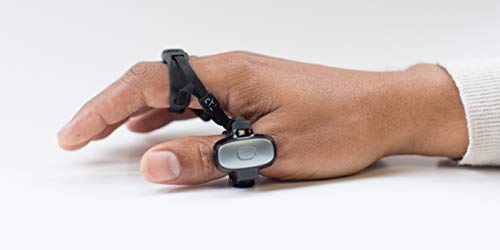


⌨️🖐️ Tap into the future of effortless control — your hands, redefined.
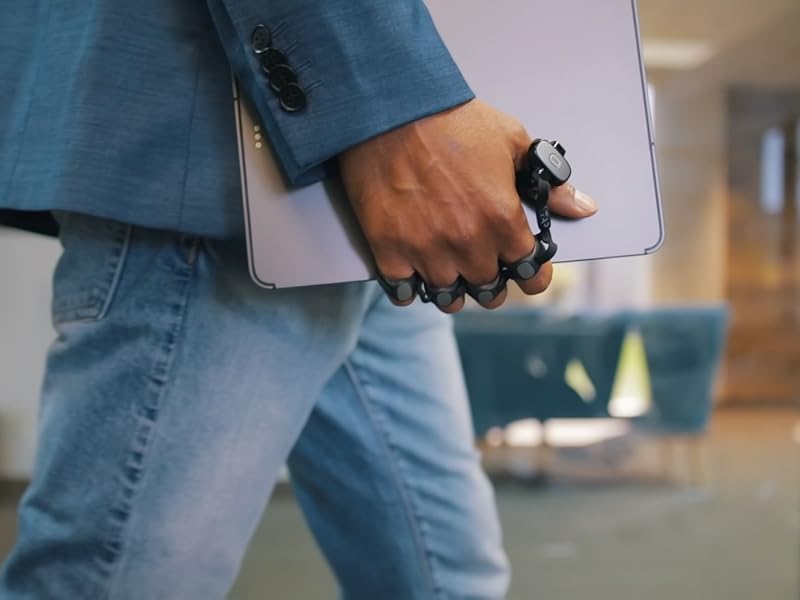
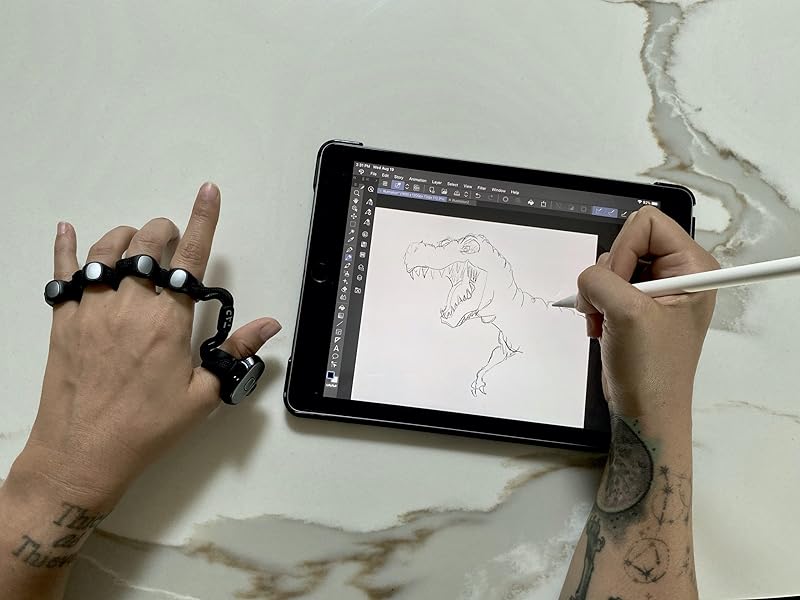
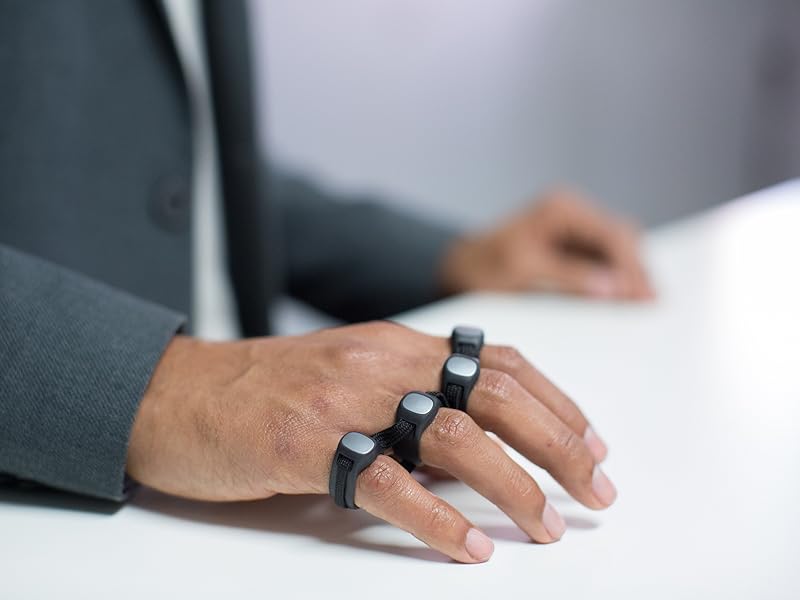
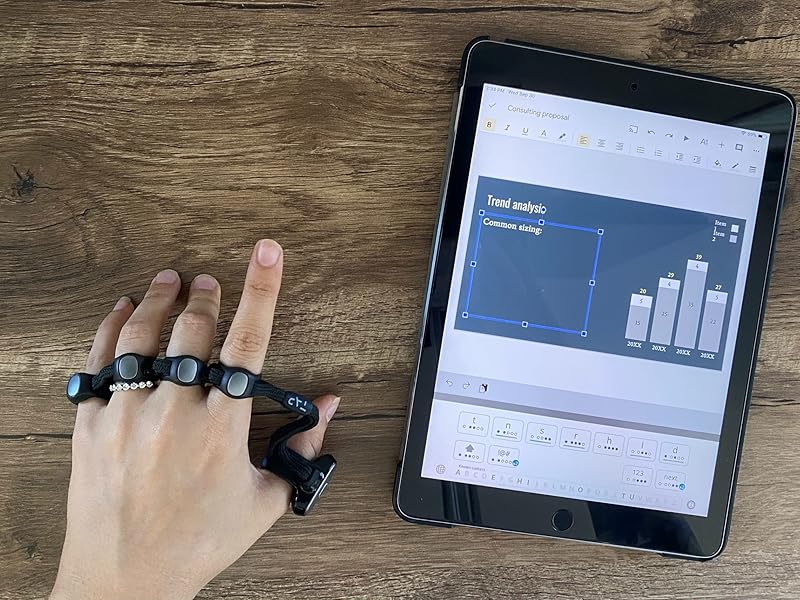
The Tapwithus Tap Strap 2 is a cutting-edge wearable device combining keyboard, mouse, and air gesture controls into one sleek, ambidextrous strap. Compatible with a wide range of devices including VR/AR headsets, smartphones, tablets, PCs, and smart TVs, it enables typing and navigation by tapping on any surface or using intuitive air gestures. Fully customizable via the TapMapper tool and lightweight at 299g, it’s designed for professionals seeking a futuristic, hands-free input solution.





| ASIN | B09C2K7L73 |
| Batteries | 1 Lithium Ion batteries required. (included) |
| Batteries Included | Yes |
| Batteries Required | Yes |
| Best Sellers Rank | #131,326 in Electronics ( See Top 100 in Electronics ) #4,123 in Tablet Accessories |
| Brand | TAPWITHUS |
| Compatible Devices | PC, Projector, Smartphone, Tablet |
| Connector Type | usb |
| Customer Reviews | 3.6 3.6 out of 5 stars (1,017) |
| Date First Available | 7 October 2021 |
| Hand Orientation | Ambidextrous |
| Item Weight | 299 g |
| Item model number | 1 |
| Keyboard Description | Indoor |
| Manufacturer | Tap Systems, Inc. |
| Material | Plastic |
| Model | 1 |
| Mounting Hardware | Tap straps 2 (large) and 2 (small) tap straps |
| Movement Detection Technology | Optical |
| Number of items | 2 |
| Package Dimensions | 19.99 x 11.71 x 6.91 cm; 299 g |
| Power Source | Battery Powered |
| Special Features | Ambidextrous |
K**R
Product is very fantastic, and seller was very cooperative
Although the delivery was delayed, communication from seller was very proper and product is very good.
A**ー
キーボード機能は見ずにマウス機能を目当てで買ったのですがマウスの反応が非常に悪く結局マウスパッドの上くらいでしかまともに反応せずエアマウス機能はジェスチャーの設定が頭悪いとしか言えずクリック操作に手をフリップするのだが当然親指に連動してるマウスポインタも一緒に動く、一応キーボードも使ってみたが中指と人差し指は人体の構造上一緒に動きやすく誤動作を連発する
A**R
I have ordered 2 straps. The first one arrived and worked for the test run so I put it away and charged it. When I pulled it out of the charging case to actually try the device it just vibrates for an extended period of time and only had the thumb tap (all other fingers no longer worked) I contacted the company and they are sending out a replacement. I decided to just order another one because the initial set up felt amazing and I figured why not have 2 in case this situation happens again. Well, immediately out of the box this strap didn’t work and did the same vibration as the first strap. I am currently waiting on the replacement to see if this is just going to be an ongoing thing. I will be sending back this second strap because you can’t depend on this item especially at that price! I will update when I receive my replacement. **UPDATE** The company was very quick to replace the non working Tap strap 2. The replacement they sent has worked beautifully. I have updated to 5 stars mainly because of the company being willing to work with me and exchange the item for a working item. The Tap strap itself gets a 4 star review, because sometimes it doesn’t register when making the exact finger gestures. I am missing some finger and hand functions from being c6/7 quadriplegic so there are actual gestures I’m unable to do, but there are ways to create gestures that work with your abilities. I’d say it’s not really disability friendly. It is extremely fun to learn though. I think there are pros for different people in different situations. I was mainly getting it thinking I could use it with my tablet so I’m not dropping my mouse constantly, but like I said it’s not really disability friendly. It’s more of a physical therapy game at the time and I think it is a great item when working properly. My conclusion is to purchase from the company themselves because all the straps I’ve ordered from here have not functioned properly.
J**Y
I got my TAP Strap 2 in today and started with the tutorials. I was surprised how fast I started to pick up the 'taps'. I worked through the first couple sets quickly, the tutorial/practice allows you to repeat the practice sessions as often as you like. It rates you by 1,2 or 3 stars, based on your aptitude. I repeated the ones I had only 2 stars on and others that I didn't feel comfortable with. Each practice set incorporates some of the letters from the previous one and you 'earn' special characters when you show more proficiency on a set, so you get period, space, comma, and start learning those regularly used characters very quickly. For anyone concerned about the size, I did find in one of the Q&A a tip to fold a dollar bill in half and if your hand width was smaller than the bill to get the small version. I had measured the width and thought I was right at the 3" mark, so I couldn't make up my mind. When I tried the dollar trick, I decided to go with the small size and it's just right. There is room for me to loosen the strap if I need to. I think the large would have been too big. I was having a little trouble with certain letters at first. I think I was holding my fingers too close together. I found that by spreading them out a bit more, for letters like C, I was able to get a clear tap. I am definitely using the shortcuts for v, and j. Can't make up my mind about z LOL. I'm looking forward to continuing the tutorial and at least getting the rest of the alphabet so I can start working on speed. Oh, I started practicing on my computer, then paired my iPad and did the air tutorial. The left click is giving me some trouble, I don't think I'm keeping my hand in the right position. Not sure I'll use the swiping feature much, as I was more interested in the typing without a keyboard for the iPad. So far, 5 stars. I'll try to update my progress.
へ**ん
・PCの電源を入れるびに、手動でブルーtースの接続をやり直さないといけないのがとても不便 ・英語の説明しかない ・入力の精度は低い。Aと入力してるのに、ZやCがでる。 ・カスタム性は極めて低い。F5キーを割り当てられない、(ブラウ座上のキーマップカスタム画面が、F5を押すと更新されるので、割り当てようとしても設定を保存できない。)のような、できそうでできない落とし穴みたいなことが多々起こる。 ・マウスのホイールボタンのクリック、に該当する操作が見当たらない ・マウスのクリック長押しができない(ドラッグはできるが、指を放してもドラッグが解除されないので、”ドラッグーをやめる”を入力する必要がある、これは求めてた感じと違う) ・トリプルタップで電源が落ちる操作を不能にできないんで、自分はそのキーを連打する操作が多いので、勝手に電源が落ちる。電源が落ちたら、再度PCの設定でブルートゥース器機の削除、接続をやり直さないといけない。 ・PC上のユーティリティが欲しいが、ないので、トグル操作をおしてしまったりすると、PCに不慣れな人がNumLockを不用意に押してしまって元に戻せなくなってパニック…のような状況になりやすい。 ゲーミングマウスやコントローラーにありがちなユーティリティドライバは、欲しかった。 ・設定がうまくできてないのか、自分の操作が間違っているのか、判別できない。 ・マウスモードでの、ポインタの速さや加速度を変えられないのがとても不便。 ・上述の内容のうち、実はできますよ、みたいなことが慣れてるひとにならわかるかのもしれないですが、 説明書などが何もないので、自分にはできませんでした。とにかく、使い方がわかりづらいです。 ・日本語で、紙に印刷されたマニュアルを付けてほしいです。
T**E
TLDR: You can type on a keyboard and move a mouse using gestures via sensors only you can't see either of them. Keyboard can make sense if you had one for both hands, otherwise I'm confused. Mouse function is pretty much a gimmick. It's not a hands-free mouse, you still need a surface to use it. You can map gestures via the app supposedly - I havn't tested the app. If you want a wireless mouse option just buy a bluetooth mouse and keyboard combo. A few of those keyboards can fold up nowadays as well. ------------------ My initial idea was to use this alongside a Vufine display so I could use a keyboard and mouse function hands-free. The Tap-Strap overall feels good. It's lightweight and responsive just it takes time to get used to. There is supposedly an application you can download for it. I didn't download it myself but you're supposedly able to remap the functions of the sensors and create shortcuts depending on the task. The mouse system is a thumb sensor you have to move atop a surface to use. Ideally you're supposed to move your hand as if you were holding a mouse. In practice I just don't thing it's a good system. I would have preferred a thumb-controlled ball or something else. I don't really know who this was designed for, to be honest. I guess the gesture control works fine for keyboards. I just feel the system is too bare for what it's aiming to solve.
Trustpilot
1 week ago
5 days ago



