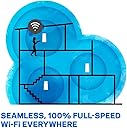
🚀 Elevate your home WiFi game—fast, flawless, and future-ready!
The Linksys Velop Mesh Home WiFi System delivers tri-band speeds up to 2.2 Gbps and covers up to 6,000 sq ft with a 3-node mesh network. Supporting 60+ devices simultaneously, it uses MU-MIMO and Intelligent Mesh technology for seamless, lag-free connectivity. Setup is streamlined via the Linksys App, offering remote management and robust security features including parental controls and Apple HomeKit support. Ideal for large homes or offices, it ensures reliable WiFi with easy expandability and a 3.5-year warranty.
| ASIN | B01N2NLNEH |
| Antenna Location | Gaming, Home |
| Antenna Type | Internal |
| Best Sellers Rank | #129,060 in Electronics ( See Top 100 in Electronics ) #381 in Whole Home & Mesh Wi-Fi Systems |
| Brand | Linksys |
| Built-In Media | Ethernet cable (x1), Linksys Velop (x3), Power adapter (x3), Printed Documentation, Quick Start Guide |
| Color | White |
| Compatible Devices | Personal Computer |
| Connectivity Protocol | ethernet, wi-fi |
| Connectivity Range | 6000 Square Feet |
| Connectivity Technology | Wireless |
| Control Method | App |
| Controller Type | Apple HomeKit, iOS |
| Coverage | 6,000 square feet |
| Customer Reviews | 4.1 out of 5 stars 2,448 Reviews |
| Data Transfer Rate | 2200 Megabits Per Second |
| Frequency | 2.4 GHz |
| Frequency Band Class | Tri-Band |
| Global Trade Identification Number | 00745883728244, 00745883728428, 04260184666874 |
| Has Internet Connectivity | Yes |
| Has Security Updates | Yes |
| Is Modem Compatible | Yes |
| Item Dimensions L x W x H | 3.1"L x 7.3"W x 9.3"H |
| Item Type Name | Linksys WHW0303 Velop Wireless Whole Home Wi-Fi AC6600 Tri-band Mesh System |
| Item Weight | 2.5 Kilograms |
| LAN Port Bandwidth | Gigabit Ethernet |
| Manufacturer | Linksys |
| Maximum Upstream Data Transfer Rate | 1100 Megabits Per Second |
| Mfr Part Number | WHW0303 |
| Model Name | WHW0301 |
| Model Number | WHW0303 |
| Number of Antennas | 6 |
| Number of Ports | 6 |
| Operating System | Android,Ios |
| Other Special Features of the Product | Guest Mode, WPS |
| RAM Memory Installed | 512 MB |
| Router Network Type | Mesh Network |
| Security Protocol | WPA2 |
| Smart Home Compatibility | Smart Home Compatible |
| Special Feature | Guest Mode , WPS |
| UPC | 745883728244 745883837274 745883728466 745883728435 745883728428 |
| Unit Count | 3.0 Count |
| Voltage | 240 Volts |
| Warranty Description | 3.5 year manufacturer |
| Wireless Communication Standard | 2.4 GHz Radio Frequency , 5 GHz Radio Frequency , 802.11b/n/ac, 802.11bgn |
| Wireless Compability | 2.4 GHz Radio Frequency, 5 GHz Radio Frequency, 802.11b/n/ac, 802.11bgn |
T**Y
Relatively Easy Setup Yields Strong Wi-Fi throught the house
The Linksys Velop Tri-band Mesh Network System, P/N AC6600, is a relatively uncomplicated system to set up IF you understand a little about or have previously set up basic home wi-fi networking. I don't know how easy it is for those who have no prior experience setting up a wi-fi. It may be as easy or it may not, depending on your technical acumen and how well you read up beforehand and prepare for the installation. I cannot comment since I've been fooling around with home wi-fi ever since it was mass-marketed in the late 1990s. The packaging is crisp and very well done. You open the Linksys box easily due to a magnetic flap (no tape or seals to cut), and you see three Velop wi-fi routers, and a quick install card on the left, under which are three power supplies, one for each router, and one ethernet cable for the "home" router. Note - any one of the three Velop routers can be chosen and installed as the "home" unit when you begin the installation. NOTE - BEFORE you begin the actual installation, get a notepad and pencil or whatever you want to use to take down some vital information. Turn each of the three Velop routers over and you will find five (5) unique numbers on labels on the bottom. The print (font) is microscopic so if your eyes aren't great, get a magnifying glass and be under a good bright desk lamp. I strongly suggest that at this time you choose which router is going in each of your three home locations. So for mine, I had "Office" (which is in my basement), "Living Room", and "2nd Floor". I stuck a temporary lable on the side of each router. Your names will probably be different. Leave 5 lines under each router designation on your notepad. Under each of your chosen router names, record the following numbers from its bottom labels: Name_____, Password_____, Recovery Key____, Serial No.______, and MAC (address)________. The Name and Password on the labels are from the factory and only temporary and will not be used once you have developed your unique router names (I used the room name), your wi-fi home network name and password during the installation of the first router. But the label names & passwords may be needed in the future so don't lose your notes. You will find the MAC address versus router name handy to know once your system is running so you can tell which router is which and what devices are connected to it. I had read in advance of how to transition from my existing Apple Time Capsule/Airport Wi-Fi network to the new Linksys network. My previous Wi-Fi using the Apple Time Capsule router included a separate Arris cable modem that I was using to connect to my Comcast broadband cable internet service. The modem was not changed for this new system, it works just fine. Just connect the modem ethernet output to the first Velop router (either one of the two bottom ethernet ports on the Velop). But if you're not familiar with your existing network, fear not! Just follow the installation app instructions that you will be using - see my next paragraph. - and you should do fine. Linksys requires you to install their Velop app on your smartphone in order to install the system. You DON'T use your pc. The app is available on Apple's App Store and I assume from elsewhere if you're not an Apple user as I am. The app is free and installs easily. Once it installs, start following it's step-by-step instructions. I found it handy to pre-read the instructions from the Linksys website (using my laptop browser) before downloading the smartphone app and beginning the actual installation. It's just a suggestion. Also, if you've turned off your old wi-fi router, using the smartphone app is handy because that can communicate with Linksys via your cellular connection until your first Velop router (and its wi-fi signal) is up and running. The app requires you to establish a username and password which becomes your Admin credentials for modifying or customizing the Linksys settings if you want to use features other than the standard default settings. I won't go into those details because it's well-covered in many websites online if you search on "how to setup Linksys velop mesh wi-fi system". So once I started the linksys app and connected the first Velop router to my modem, it took about 10-15 minutes for that to recognize the internet signal from my modem and indicate it was ready (a light on the top goes to purple when its ready to install, and when all is done it turns solid blue). I followed the sequential instructions on the smartphone app; at one point I had to register for the Linksys Cloud account (needed for some optional features) and you have to have a home network name (SSID) and a password ready to type in. PS - CREATE YOUR NEW NETWORK NAME (SSID) AND NEW NETWORK PASSWORD BEFORE YOU START** SO YOU DON'T GET CONFUSED DURING THE PROCEDURE - HAVE THEM WRITTEN DOWN IN FRONT OF YOU. **I used a free website called Random Strong Passwords to generate a very strong 16 character password for my network since i live in a neighborhood where houses are on 1/8 acre lots and relatively close to each other. Everyone sees everyone else's SSIDs (I can see about 8 other people's SSID's inside my house) so its best to name my wi-fi network using nothing that gives away that it's my network and a password that no one other than NSA with their supercomputer can crack. After the first router setup was complete, the next two were so easy it was ridiculous. I simply took the second Velop router to the first floor, plugged it, waited until the light on the top turned purple, then followed the prompts on the smartphone app to "Add another node". It went much faster and easier now that the network had been created by the first router. Just had to name it "Living Room". That was easy. The third Velop router went on the second floor, again, setup for the added router was fast. Named that one "2nd Floor". Easy peasy. Coming back down to the basement, I could see that my new Velop mesh network was up and running fine, and we have strong wi-fi (5/5 or 4/5) throughout our house. All that remained was to go around and re-program every device that connects to wi-fi with the new SSID and new password. Two smart TV's, one home stereo, a security camera, one smart thermostat, two Apple TV boxes, 3 laptops, 2 wi-fi printers, four iPads, and two more iPhones. After entering the 16 digit password so many times, I was grateful this only needs doing once or (hopefully) *very* seldom. Whew! Everything works! MUCH better signal & speed than before when I had only a single router. Today is 3 days after installation and the system has remained rock solid with no dropouts. I'm impressed.
A**R
What it is...and what it is not
Okay, so there are a mixed bag of reviews on the Linksys Velop. I was a pretty early adopter of the technology. My Apple Time Capsule (which was great in that it just plain worked and NEVER needed maintenance) had just died and I was hard pressed to find a solution that would replace it since Apple had long ago declared the death of the Time Capsule anyway. I had just moved into a larger house too, which meant whatever solution I chose had to have great wireless distance. I settled on the Linksys Velop Tri-Band and bought a three unit set. Setup was SO EASY. Then I hooked up all my wireless devices (I have a few...AKA 30+ devices). This is where the Linksys fails to impress. Speeds are average but far from great and when you have a lot of wireless devices attached, all hogging the 2.4 and 5 GHz wireless, things slow down or stop working altogether. I finally figured out that where I had my Linksys Velop devices (one in my office, one in the living room and one in the Master Bedroom) and they provided excellent wireless coverage, if too many wireless devices are attached, they slow to a crawl. I was rebooting the Linksys Velops constantly and it only temporarily fixed the problems. It was like all wireless routers I had used in the past (except for that Apple Time Capsule!). Then I wised up and purchased switches for each of my Linksys Velop. I know what many of you are probably thinking at this point. Wait a second...he bought a fancy wireless mesh solution and then added on wired switches?!?! Why yes...that is exactly what I did. The office has a larger switch attached since there are more devices in the office. And the living room and master bedroom have a smaller, 8 port switch, which only manages connectivity for my TV, Tivo and any miscellaneous devices. If you take some of the wireless load off your network (even if they are still running through the shared wireless band that the Linksys Velop uses to establish the wireless mesh) the Linksys Velop performs very well. It never needs a reboot anymore and much like my old Apple Time Capsule it just plain works. Maybe asking you to spend money on a fancy wireless mesh solution AND physical switches to offload some of your traffic is asking a lot, and you would be right...it is...but if you do, the Linksys Velop is a pretty decent solution to cover a lot of square footage. Love: Reliability, ease of setup and ZERO maintenance (other the occassional firmware upgrade) Don't Love: You can't attach a lot of high traffic wireless to the Velop without it locking up. Don't even THINK about wirelessly backing up a machine over a home network using the Linksys Velop (a feature that my Apple Time Capsule never even blinked at). If you're going to send a constant string of a large amount of data over the Linksys Velop, it will lock up.
D**N
Beats Orbi, Deco, and Dual-Band Velop
This Linksys Velop Tri-band wireless router is the best mesh system I've tried -- over Orbi, Deco, and the weaker Velop dual-band -- even though it is less than perfect. It combines a low-profile appearance with the ability to cover a relatively large area with a stable connection. The trick is node placement, and you might not be able to place them where you want. The "helpful" diagrams show placement on three floors, all near the center of the home, but if you, like me, have your cable modem at one end of the house, that messes up that design. Still, I'm able to cover the whole of my large home, including a patio and deck, even if the signal isn't always as strong as I'd like. Network speeds drop considerably if the nodes are at the edge of good coverage or as you get farther away from a node. The good news is that, for a price, you can expand your system by purchasing additional nodes that are a breeze to add on using the smartphone app. To set this system up, you'll need to register for an account at Linksys and download the smartphone/tablet app. Because each node is identical, you take any one out of the box to connect to, using the included ethernet cable, your cable modem, and then you follow the set-up wizard on the app. If possible, you will want to set up all three nodes in this first session since doing so removes some steps; it's not difficult to add them later, just a little more inconvenient. I found the most difficult part of the set-up process was to figure out where to place the nodes. If I placed one on each floor, my family room TV did not get a strong enough signal to stream seamlessly. I ended up placing two nodes on the main floor at opposite ends of the house and one on the second floor, more in the middle of the house. Although this configuration ended up covering most of the house, certain areas had a weaker signal, in part because Velop decides itself whether a device should be on the 2.4 GHz or 5 GHz radio (5 GHz doesn't travel as far before it loses signal strength) but also because of distance. Ideally, for homes in the 5000-6000 (or more) square feet range including finished basement area, an additional one or two tri-band nodes would improve the speed and reach of this system. If you have a home in the 4000 square foot range, including basement and outdoor areas, one set of three will likely be enough. I love that the nodes are unobtrusive and relatively easy to place. At 7 1/4" high with a 2.5" square base, they can fit even on a small flat surface as long as there aren't any obstructions. When I had the Orbi, the units were too big/visible and not necessarily easy to place because of their size. The main node achieves the maximum speed I pay for from my cable provider, but further out, speeds drop. For instance, until I added a dual-band node (more on that later) to my home office, my computer speed was considerably less than the main unit because the second-floor node is located in the room above it, plus that node is probably on the edge of signal coverage. (It still glows solid blue, indicating a good connection.) My computer, thanks to the dual-band node, now connects at full speed as long as that node stays connected to the mesh. I also like that you can add nodes, either another tri-band or a less expensive dual-band. I don't recommend the dual-band, however, even though that's what I'm now using, because its range and stability are not as good as the tri-band's, probably because the smaller size means smaller antennae. It took me hours to connect the dual-band nodes, and they sometimes drop off the mesh without warning. The tri-band nodes have never failed except in the case of internet interruption. To add, you just go to the Linksys app => Velop Administration => Add New Product => Add Node. The Velop system use either kind of node as expansion units. I like the Velop Tri-Band over the Orbi because it's smaller and nicer to look at, even if their coverage and stability are comparable. I like it over the Deco and the Velop Dual-Band because those two both need many more units to cover the same area because of weaker antennae and/or signal strength, and they both lack the stability of the Tri-Band. I just wish that the Velop Tri-Band's network speed didn't drop so significantly when the nodes are placed in a way that ensures they will cover a large home. That last is to be expected, of course; however, I had hoped that the stated 6000 sq. ft. coverage would be more robust. -- Debbie Lee Wesselmann
S**R
Great mesh coverage of my 6k sq foot home - Installation was a breeze!
I have a collection of expensive, useless modems. I have a 6,000 sq ft home and have had trouble keeping all my tech connected all the time. I used to have three modems each providing coverage to my three floors. But the whole thing was ugly (lots of wires and antennas), and required the use of three different logins. This would have been ok, but I have maybe 20 devices that access the network (several computers, Alexa devices, smart plugs, TVs, printers, phones, etc.), and I was constantly having problems with some of the devices being dropped from one of the networks. In fact, it seemed that at least twice a week, I had to reboot one of the modems to get the network working again. I tried port replicators and wifi extenders and found noticeable slowing and even worse device dropping. I had put off getting the VELOP system because of some reviews that claimed poor coverage or speeds. But fate intervened when my $400 Asus AC5300 modem just up and died. I purchased the velop, and got it the very next day thanks to Amazon's awesome next day delivery. Installation was a snap - I downloaded the app on my phone, and just followed the directions, first installing the base, then each satellite in sequence. The whole thing took less than 30 minutes. The best part was the instant coverage of the mesh network. It blanketed my home in a single wireless network. The phone app provides status of my network, and allows me to quickly see which devices are covered. My ring cameras work now without delay, both inside and outside the house, and all the wiring and cabling and ugliness of three mult-antenna'd modems are gone. Instead, I have three unobtrusive white pillars that are rougly the size of a can of tennis balls, that sit quietly and just work like they should. I wish I had done this upgrade a year ago! Follow-up: I have not experienced a single problem with the system in over two weeks of ownership. My neighborhood has had several power outtages in that time, and each time the power comes back on, the system resets and reconnects automatically. I couldn't be happier. Also, some have written that the system does not have WPS (the automatic button that you push on a modem to connect other WPS devices to your network). Turns out the WPS feature is in the phone app, and you don't need to go hunting for the little button. This is engineering done right!
P**M
Overpriced and Under-performs
After spending a year and a half so far with this system, I am extremely disappointed and wish I could get some money back to put towards a better system. Being a tech savvy, performance minded person I had high expectations for this system. I went with Linksys due to experience with their routers previously. I also have gigabit service from my ISP; while I knew I wouldn't get close to those speeds wirelessly; I was still struggling to get close to the speed that I was getting out of my modem. The Good: -mesh network seemed to function well, was able to get good signal strength inside and outside my house. The Bad: -Extremely expensive compared to other systems out there that perform better. -Setting up the device and getting it connected to the internet was extremely difficult and resulted in numerous calls into tech support; resulted in messing around with cloning the MAC address, RMAing one of the nodes, and having to wait for a firmware release. At the time I chalked it up to being new; however, had I known how things were going to progress I would have returned the system right then and there. -Nodes would random disconnect and wouldn't automatically reconnect -Occasionally after power outages, the primary node would reset to factory defaults and I would have to re-setup the whole network again. -Very temperamental with connections; if internet were to go out and come back the node would have to be reset several times before it would recognize there was internet again and obtain a WAN IP. -Both wired and wireless speeds were less than desirable (even when everything was running at the 802.11ac standard.) -Streaming was also less than desirable, anything that was less than 1080p was fine; but as soon as there was streaming at or above 1080p it would buffer repeatedly and other traffic on the network would come to a halt. -Gaming was less than desirable; with the lack of good QoS control. Perhaps the biggest turn-off from this system is the management. Installation and management pretty much has to be done from a mobile phone. the techs told me how to backdoor my way in through a computer; but even then sometimes the settings wouldn't save or I wouldn't be able to access certain settings. The management system is also extremely basic with VERY LIMITED control over the devices connected, QoS (device prioritization was a joke; should not only be able to configure which computers get priority, but also which traffic), security/firewall settings (read: NONE), not easy to set up port-forwarding, or really use the interface in general. Other routers have FAR BETTER interfaces and control. In the IoT age, routers like this should offer a lot more control over devices, traffic prioritization, and especially security. This router would probably work fine for the very casual user who does limited streaming and doesn't have a lot of devices. I am going with another brand and another option for my home network needs.
M**A
Easy set up and reliable use
We tried two 'mesh' systems. The Orbi and the Velop. Both are tri-band and recent models. The Orbi was our first purchase several months ago. Reviews claimed it was fast, but others stated that the Orbi systems had problems with software updates that rendered them slow. Both proved true for us. The Orbi was very fast on first boot, but after 2-3 days it always dropped speed down to less than half. Internet simply would not work. Reset always fixed, but every other day we had to do this. Ours was past their three month warranty and would require an expensive call to their support line. I studied reviews and decided this was likely a software problem and got tired of rebooting. I also decided that another replacement Orbi system was unlikely to solve my problems. Returns were not possible at this point. Instead, we spent a lot of money (again) to buy the Linksys Velop system (everything was bought from Amazon). Currently, this is the system Apple Stores sell. Not the Orbi. The Velop sets up like the old (discontinued) Apple base stations. Very easy. Very Apple-like. I understand why Apple promotes these. The Velop has worked flawlessly for two weeks now. Full Internet speed at the main hub, and at all three hubs to all computers attached. Speedtest is used for testing. Although I did not exhaust all options for the Orbi system, my conclusion (and suggestion) is that the Velop is the better system. It is reliable, easy, and manageable. I like the web interface that allows me to check my internet speeds at home even when away from home (Orbi did not allow me to do this, or at least it was not easy to figure out). I'm quite impressed with the Velop system. It is strange now that I am not rebooting my system every other day. I had gotten used to that with the Orbi, and if you do your research you will find many other Orbi owners doing the same. The Velop simply works.
M**T
Excellent 4000 sqft House Mesh Router - Highly Recommend
I received 4 of the Linksys Velop nodes from Amazon via Prime 3 days ago. I am replacing 4 Apple AirPort Extreme Routers in 4000ft home. The package arrived with no signs of damage. I ordered the 3 pack as well as a single. Setup was very simple /straight forward utilizing the Linksys app on an iPhone 8. Theoretically I do not need 4 nodes for a 4000ft home but it is two story with too many walls to have fewer. I started with the set of 3 nodes with two on either end of my home on the first floor and 1 on the top floor. Ended up adding the 3rd node at the bottom of the stairs on the first floor which places it approximately in the middle of the first 2 nodes and the 4th on the second floor. In this configuration with our wall placement the Linksys Velop mesh router is excellent. It definitely exceeds the performance in terms of speed and reliability of or previous Apple Airport Extreme setup. Have not clocked it but have no problems with my wife, my kids, and myself all steaming video, Playing music on sonos and still able to surf the web with no lag. I researched reviews around the internet extensively before purchasing and the deciding factor was based on quality and reliability as my wife and I both rely on fast dependable home internet access for our work. The only negatives are there is not an outdoor node for a Velop yet and I do miss the visual representation of the network with the Apple airport app but these are minor and neither are significant enough to change my five star rating. It’s expensive but well worth the investment. I would purchase this again without hesitation and I highly recommend this product if you are planning to purchase a mesh router system.
B**L
Not the Best Bang for the Buck but Attractive Design
I bought 6 of the Velop Tri-Band from Amazon during 2018 Black Friday thought give it a try. Before that I was running Asus aimesh with ac5300 and couple of ac68u for some time. Asus router's signal was strong and provided decent throughput. But I like the zigbee potential that's built into the Velop Tri-Band mesh despite it's unclear if Linksys will ever enable it. Not sure it's common to all mesh wifi, but Velop needs a lot of node to have the equivalent signal strength and coverage as in my case I ended up using all 6 of it to get rid of dead spot. I knew 3 nodes may not be enough but I expected 4 would cut it. Yet I found myself kept adding more to the mesh. While I was at it, I also grabbed a deal from Staples for 2 dual band Velop mini mesh node, the ac1300, but ended up returning it as its backhaul throughput is too low while wifi signal is as strong as the tri-band, so other than interference it does no good. Velop setup is relatively simple aided with its mobile app. A web admin interface is also available. Though it uses cloud the network and admin can be independent of internet. This is important as most of mesh wifi system won't operate without cloud or internet. The node connection topology is also random, seems largely a result of the sequence you turning on/off each node. But it does seem trying to optimize itself from time to time, you can also manually start the channel finder from the mobile app. Most complaints found on web seemed related to the initial setup while Velop nodes haven't yet been optimized. My experience says no less than 30 - 120 minutes usually is needed to let the nodes have peace with each other everytime you move the nodes around, unless you manually start that "channel finder" which could take 10 minutes or more each time. Probably because Velop is sold in Apple store and backed by Apple, it carries a premium marketing image. Its size and design are definitely among the best of mesh wifi systems. However performance wise it's no better or worst than the most of other wifi mesh products. For the same money there are better choices, but Velop has some potential that is yet to be seen, depending on Foxcomm the new owner of Linksys to decide what to do with it. Comparing to Netgear's Orbi mesh or traditional wifi router, it's worth noting Velop tri-band is at best the equivalent of other low priced mesh system which are sufficient for most of home use, TV streaming, mobile devices, IoT and web browsing. But not designed to sustain NAS file transfer or Xbox gaming type of intensive network activities. Copying files between computer and pull a sysinfo.cgi debug page from the node will cause it reboot itself. Sometimes too many devices joining and burst network demand will choke the mesh and left with certain node throughput grand to a halt, from 150mbps dwindled to single digit mbps until you reboot or re-scan channel. I've seen this all the time with different topology and setup. Velop customer service would not be able to fix this. It looks like its a hardware constraint when most nodes are directly connected to the main node, which appears to be under powered and becomes a bottleneck. The problem is Linksys never claimed any limitation or provided means to control maximally how many nodes should be connected to a single node. The topology is completely random when power on or in power interruption. In my case the most stable and robust topology seems to be only 3 nodes connected directly to the main node, while others connected in daisy chain. In general, Velop seems to be very sensitive to the location and distance of each node, and the experience can be drastically different from time to time depending on the luck of each power on. With some patient the mesh can come out running solid, but don't expect any help from Linksys or anyone else. There is minimum guideline or built-in information disclosure for what's going on. The idea is adorable, like Apple, you won't need know too much itself would "just works". Yet Velop is pretty far from that as far as I've experienced. In my opinion, Velop sits somewhere between Google wifi and Netgear Orbi. It's performance is better than google but less than Orbi. It provides almost the same amount of configuration ability as Orbi, e.g. Bridge mode, local admin etc., but offer mush less information than both Google and Orbi, e.g. what devices are connected, graphical topology etc. Ironically, with the least information available, Velop is hardest mesh to set up right. Not just to connect and running which is as easy as anyone else, but to achieve the most stable network and topology, Velop is much harder than Google or Orbi. But once it's done it can work pretty well. But I guess that's true for any wifi system, they all must operate minimally web in lab before out on market. I'd say if you want something turn it on and forget it, take google. If you need gaming, lots of smart home IoT, NAS etc., take Orbi or old school routers. For enchanted by attractive outfit with average performance, Velop beats everyone else.
A**T
Best Smart Mesh WiFi
This product is just really best Home WiFi mesh product. efficient, smart and reliable. Though before I was skeptical in buying them, as I saw some negative reviews, and the cost was considerably higher. however, I wanted to take chance to evaluate myself, and now I so happy I have done so. Yes, the product App was a bit dodgy at the setup for the first time, and had to reboot, and then use other device, which is strange for linksys, Same App work smooth with Linksys WRT AP I already have. However, once the Velops got the setup done, and place them at the right places, it has given me the best reliable connection on WiFi at home. no Matter how strong the signal is, still I got decent connection, with speedtest results tops the link from the ISP. The app has limited things to present to end-user, from advanced settings, like enable or disable the 5GHz WiFi. but honestly for the first time I didn't as the Velop designed to take care of it, and make reliable connection. comparing with other products that may have much on GUI for End-user, but less reliable and cheap hardware. To summarize I am Network Engineer with 15 years of experience. have been using Linksys WiFi products over the past 7 Years, they are a bit pricy compared with other products, but I have never regretted once the investment that I made. always worth it, peace of mind for me, and family especially with Covid-19 and online schooling....etc
A**O
Eficiencia.
Hasta el momento llevo 1 mes con producto y me tiene encantado, la verdad es que había investigado varias marcas y protocolos para saber si realmente valdría la pena dar el salto de mi módem tradicional (el que viene con el Internet que pago) y efectivamente hay muchísima información sobre el Wifi-mesh así que estaba entre este sistema y el utilizado por google. Al final opté por este debido a las recomendaciones que leí en diversas páginas web. El sistema de nodos que compré me tiene siempre la máxima cantidad de MB en todos los dispositivos de la casa (aunque el ancho de banda no es mucho 60 MB approx) incluso aunque coloqué un nodo bastante lejos de los otros (está a 2 muros de concreto separado y hay una cocina en medio) pero ahora siempre tengo ese mínimo para todos los nodos y mi pin para los videojuegos tuvo igual una mayor eficiencia, no tengo retardos de conexión, fue muy fácil de instalar y su aplicación es muy sencilla de entender, aunque me gustaría que los servicios plus que ofrecen vinieran incluidos con la compra del dispositivo. Conforme vaya pasando el tiempo iré actualizando mi comentario para ver si el rendimiento sigue igual de bien. 05/04/2021
D**J
Great investment
Awesome device connects well in all parts of the house itself.... would recommend to get it if the house is huge✌️👌
M**Y
ممتاز
ممتاز
S**A
Excellent product!
Extremely easy to setup and works great with a very easy to use app!
Trustpilot
3 weeks ago
1 day ago