Buy anything from 5,000+ international stores. One checkout price. No surprise fees. Join 2M+ shoppers on Desertcart.
Desertcart purchases this item on your behalf and handles shipping, customs, and support to Iceland.
โ๏ธ Cool your rig, not your vibe โ ultra-slim power for the sleekest builds!
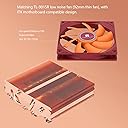
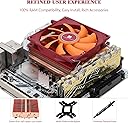
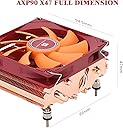
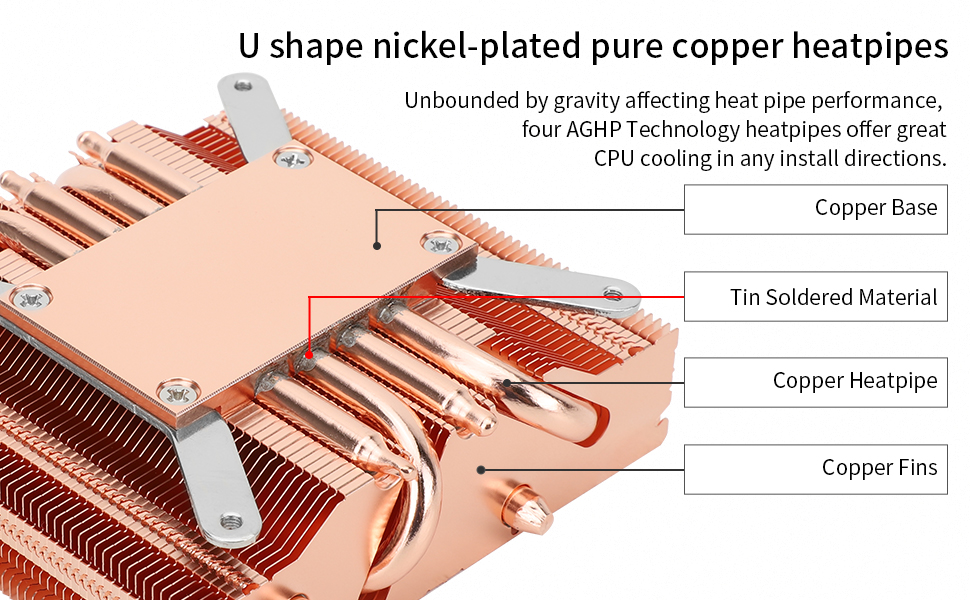
The AXP90-X47 Full Cooper Low Profile CPU Cooler is a premium 47mm tall cooling solution featuring a 92mm slim PWM fan and 4ร6mm heatpipes with AGHP technology. Designed for compact ITX systems, it supports a wide range of Intel and AMD sockets while maintaining whisper-quiet operation at 22.4dBA. Its all-metal construction and backplate fastener ensure durability and easy installation, making it the go-to cooler for professionals seeking efficient, space-saving thermal management.


| ASIN | B09CGXBL8L |
| Air Flow Capacity | 42.58 Cubic Feet Per Minute |
| Best Sellers Rank | #14 in Computer CPU Cooling Fans |
| Brand | Thermalright |
| Brand Name | Thermalright |
| Compatible Devices | Desktop |
| Cooling Method | Air |
| Customer Reviews | 4.3 out of 5 stars 472 Reviews |
| Item Dimensions L x W x H | 3.74"L x 1.85"W x 3.72"H |
| Item Weight | 1.54 Pounds |
| Manufacturer | Thermalright |
| Material Type | Copper, Metal, Plastic, Silicone |
| Maximum Rotational Speed | 2700 RPM |
| Model | AXP-90 X47 FULL Cooper |
| Noise Level | 22.4 Decibels |
| Number of Items | 1 |
| Part Number | AXP |
| Power Connector Type | 4-Pin |
| Product Dimensions | 3.74"L x 1.85"W x 3.72"H |
| UPC | 742346951690 |
| Unit Count | 1.0 Count |
| Voltage | 12 Volts |
| Wattage | 3.6 watts |
M**B
Thermalright AXP90
This Low Profile CPU cooler is good for keeping relatively low wattage CPUs cool. I have it installed on P8H77-i ASUS motherboard with an Intel Xeon e3-1230v2 CPU (69W TDP according to Intel). I think the max temp that I saw was 74ยฐC while gaming. It's not too loud either. The installation is not for a first time builder. Now, installing this cooler is an experience. I believe it is referred to as a reverse install. The standoffs are to be installed to the heatsink which *should* extend through the metal backplate. You then hand tighten the fasteners. Make sure you check the edge of the motherboard for flexing. If your motherboard is flexing, the fasteners are too tight. Overall, it's a good low profile 90mm CPU cooler for a low power, small form factor (SFF) build. Follow the installation instructions and be mindful of how tight you tighten the fasteners, it'll be satisfying to know you didn't bork your motherboard when it boots and isn't overheating.
T**3
Great low profile cooler
This is a nice cooler...it is in a inwin b1 on a 5700G built around the ASRock b450 itx fatality...my main complaint with noctua similar but more popular offering is the direction it vents, it pushes air out left and right vs up and down so basically airflow is cut off by the memory and IO area ..this one from thermalright is exactly opposite it vents out the top and bottom(with convection mostly top) so this little problem as basically gone, the mounting mechanism defenetly isn't noctuas famously easy to use one but it's effective and considering I'm not going to be taking the cooler off twice a week it's fine and iv defently seen worse on soposedly high end cooling solutions so I have no complaints...if I were to pick a single thing to hone in on with this brand it's the smorgusborg for varients they offer, 36mm copper(black or gray) 43mm aluminum copper or black copper, 53mm in all versions mentioned above, all difrent weights...ya it's a bit much for your average consumer...but that being sead I was able to find 2 that I liked that would not only maximize the height in my specific case wile leaving enough of a gap to pull in air but I also had a choice of color so there is that...but I think to drive my point home here I ended up buying 2 one all black that is soposed to be coated copper and one that is just all copper becase aperently even tho they are the same under the coating they are showing in the description as difrent weight and wattage so we will see about that once I receive the secound all shiny copper heavy one lol...overall I like them they are not over engenered just to make a basic mistake like push the air in a direction that on every itx motherboard made in the last 10years has many large tall things called ram modules RIGHT there basically eliminating any benefits of your product being heavy dense and well built lol...good job thermalright you didn't forget the basics ----------- Update I just received the full copper revision of this model and yes it is infact noticeably heavier...I will defently be swapping out the all black one for this one and pairing it with the noctua slim 92mm fan from a nh-l9a and probebly artic MX 4 compound and doing some before and after testings on all the difreces...I'm not realy shur why this model is heavier than the black one as the black one is soposed to be full copper aswell just painted with a thermaly conductive paint and also nickel plated but we are going to find out what the results are of the difrences after testing...I want to be clear I like the all black model and the fans on these are ok, I will not be returning whichever one I don't use for this build long term I just want to make shur I am pairing the best possible solution with this 5700G to get the best possible cooling performance so I don't have to worry about my CPU temps in this airflow anemic case that is the inwin b1...lol I will likely just copy and paist this review for the copper one so there is a bit more feedback for both models becase as of right now there is very little user feedback on these and that a shame as they both have the same benefits over the noctua LP coolers that being they blow air up and are not blocked off by the memory or IO area(cooler or integrated sheald) but all the info in this review is still relevant for the copper one especial this part lol
A**S
Worked for ASROCK DeskMeet B660, LGA1700 socket for audio player PC
Thermalright AXP-90 X47 Full Copper CPU heatpipe type heatsink on an ASROCK DeskMeet B660: It just fit. It is quiet. The power supply fan has a louder whirr. At about 6 ft the combined noise added to ambient (55db) was only about 1db as measured by an instrument (not a phone) and most was from the PS fan. The DeskMeet 500W power supply fits over it with air flow from the outside, through the power supply and to the heatsink fan. A motherboard power cable seemed to need to go on top or close to one side of the heatsink and just had room for the wires. I didn't try orientation or even looking at the heatsink geometry to see if orientation matters. The two fan headers just had enough room to plug in a case fan and CPU fan. Other motherboards will have a different arrangement, of course. Used an i9-13900 65W CPU. Being for audio the CPU load is minimal. Wanted to see if more cores improve sound quality over an 8 core 16 thread PC with the same Win11 Pro OS - still evaluating. Sounds great regardless. Turned Turbo Boost off which took the edge off making it sound more relaxed (base speed 2GHz). Even with Turbo Boost enabled and as an audio player no real heat is produced so this unit keeps up fine. So, for more severe applications this review won't help with regard to CPU temperature but the heatsink has to be less than 54mm and this is around 32 to fit in a DeskMeet B660. Good low-profile heatsink.
M**S
There's a better way to install on AM4
It seemed like a neat little cooler at first glance. About the ideal size for a low-midrange CPU like the Ryzen 5500 I'm giving my spouse. However, I really, really, **really** did not like the "floating" mounting installation that occurs when you use the included backplane; the rubber washers don't make contact with anything and you can very easily damage components by over torquing the nuts, which is very easy to do considering that such a light, small cooler doesn't need much pressure at all to stay stably mounted. The instructions (poorly translated and laid out) mentioned being able to use the original AM4 backplane, which is only possible because the thread diameter of the included mounting standoff screws are so narrow that they can actually relatively freely slide through the holes of the OEM AM4 backplane **if you're careful about inserting the threads so that they don't chafe and damage each other.** This careful use of the OEM backplane is definitely worth it though because it means that the rubber washers make contact with the standoffs on the backplane; this contact allows the even distribution of force and the easing of tension across the installation. I then finger-tightened the nuts until I was confident nothing would shift but neither that nothing would be anywhere near being damaged. I inspected it very carefully to make sure solid contact was being made, and it was. I think this might even be the intended method of installation honestly as it's just so much less suspicious and worrisome. I think the AM4 functionality on the included backplane is probably more if you lost your OEM one, got a used motherboard that didn't come with one, or have some kind of mechanical interference that makes it too large to use in comparison to the flatter/more narrow included one. Anyways yeah, definitely go OEM if you can, particularly if you're not experienced with installing CPU coolers and are worried you could damage something. Just make sure to carefully insert the threads as evenly as possible into the OEM holes and you'll be golden. But it'd be much, much better to damage some screws on a ~$20 cooler than bork a $250+ X3D CPU or a $200+ ITX motherboard, if it came down to that, trust me.
M**C
Fits in a SFF 7060
Weird use case but maybe it'll help someone else. I run a homelab with a Dell 7060 SFF. It runs a p2000 with a PCI extender so the lid is always off. This is important because if your gonna have the lid on you'll need to cut a hole & install a vent where the cooler exhausts. Anyway, I added a bunch of cams to Frigate, temps went up even with CPU idling around 10%-20% so I bought this. Went in easy enough, I did have to grind out the OEM standoffs from the case for the OEM cooler though. Brought temps down, makes no noise, looks cool.
D**D
A dice roll if you get a used one or not
I run a small PC repair and custom build company on the side and occasionally source parts from Amazon. Out of the 20 or so Thermalright products I've ordered this year, this is the second time I've received one with zero packaging/foam to protect the cooler and it having been clearly used before. See pic. Thermal paste all over the heatsink, and the cold plate is all scratched up as well. What's more is I now have to disappoint a customer who has to wait another couple of days for a replacement, which hopefully hasn't also been used. Unacceptable, especially now knowing this is not a one-off. I love these great value and high performing coolers, but I am not okay with this kind of quality control. Thermalright, do better.
N**H
better than stock AMD cooler
Noticeably quieter and cooler (around 5C different) than the AMD wraith cooler I had been using. It's nothing crazy, but it feels like great value for this price point and form factor. If you have budget for an extra $30, probably it's best to get a noctua product. If you have extra space, probably it's best to get a cooler with a larger heatsink
T**O
The little full copper cpu cooler that could!
Crazy to think that a cpu cooler this small and this inexpensive can manage to cool latest generation cpus. I was skeptical, but Iโm a believer now! Full copper is truly capable. If youโve got to air cool your cpu in an sff case, this is the go to cpu cooler. Swapping out the oem fan with a 92mm noctua slim yields a better sound profile, but ultimately, I donโt think itโs worth the cost to upgrade sound vs fan speed over the thermalright fan. This effectively cools my 7800x3d, which is already an efficient chip, and at gaming loads it hovers around 75c in a dan a4-h2o and fractal terra, but Iโve since adjusted its negative curve to -24 for all cores, yielding better temps down to 65-70c. Donโt be discouraged when you open the packing and see that the soldering on the base plate is imperfect, apparently thatโs normal and within spec of quality. The mounting system could be redesigned so itโs simpler, but I managed to figure it out with little to no instructions on how to do it, ie. use the intel screws so that you could use the oem am5 backplate.
R**Y
AM4 Motherboard bender !!!
I too had to use pliers to remove one of the hex nut, just like other user. It comes with poorly designed back plate and stanoff for AM4 motherboard. Also 4x standoff with rubber rings are not touching the motherboard as a stopper.That's why when you tighten the backplate screws AM4 motherboard bends with it. ( Some users also reported the exact same problem ). I might return the product.
G**.
Excelente
Muy buen producto
J**E
Empty box, used
The cooler was missing and the thermal paste was fully used, empty in the box.
L**H
Great performance for a low profile cooler
Bought this for the fractal terra case alongside the ryzen 5700x, under full load it can keep it under 80c
S**N
Worked like a charm, 15C temp improvement at stock settings
Significant improvement in temperatures over the stock cooler. 14C on both idle and Full Load temps with stock "standard" fan profile.
Trustpilot
1 month ago
3 weeks ago