


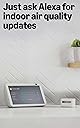


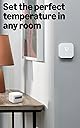
Amazon Smart Air Quality Monitor – Know your air, Works with Alexa
Product ID: 375038872
📶Wi-Fi + BLE 4.2 connectivity
🌡️5 key air & comfort metrics
🔴🟢Color-coded LED air quality alerts
Buy anything from 5,000+ international stores. One checkout price. No surprise fees. Join 2M+ shoppers on Desertcart.
Desertcart purchases this item on your behalf and handles shipping, customs, and support to Iceland.
🌬️ Breathe Brilliantly, Live Smartly.
The Smart Air Quality Monitor is a compact, eco-conscious device that tracks five critical indoor air factors—PM2.5, VOCs, CO, humidity, and temperature—with high accuracy. Featuring Wi-Fi and Bluetooth connectivity, it integrates seamlessly with Alexa-enabled devices to provide real-time alerts, voice-controlled automation, and personalized comfort management. Its auto-calibration and self-cleaning ensure reliable performance, making it an essential tool for health-conscious professionals aiming to optimize their living and working environments.
| Dimensions | 65x65x45mm (WxLxH) |
| Weight | 120 grams without cable or adapter |
| Material | Post-consumer recycled thermoplastic resin with a nitrile rubber base |
| Calibration | Auto calibration and self cleaning at startup and routine intervals |
| Status Indicator | Multicolor LED status indicator |
| Network Connectivity | 2.4GHz Wi-Fi and BLE 4.2 |
| Included in the Box | Smart Air Quality Monitor, Micro-USB cable, power adapter and Quick Start Guide |
| Power Supply | Input: 100-240V 50/60Hz AC Output: 5.0V 1A (5W) |
| Warranty and Service | One year limited manufacturer's device warranty via advanced replacement model. Use of Amazon Smart Air Quality Monitor is subject to the terms found here. |
| Support | Click here to get help using and troubleshooting common issues with Amazon Smart Air Quality Monitor. To see questions and answers from other Amazon customers, click here to visit the Amazon Digital and Device Forum. |
| Compatibility | Compatible with all Echo Family Devices and Alexa App version 2021.16 and later |
| Operating Condition | Temperature: 0°C to 40°C Humidity: 0% to 80% Location: Indoor Use Only |
| Range | Temperature: 15 °C to 30 °C Humidity: 30% to 70% RH VOC: 0 - 500 points PM 2.5: 0 - 500 µg/m³ CO: 0 ppm to 70 ppm |
| Accuracy | Temperature: ±1.0 °C Humidity: ±10% at 25 °C VOC: ±10 points or ±10% points, whichever is larger, max over product lifetime PM 2.5: ±20 µg/m³ or ±20%, whichever is larger, max over product lifetime CO: ±5 ppm or ±30%, whichever is larger, max over product lifetime |
J**R
Using to monitoring indoor midwest air quality for sinuses and allergies
The Air Quality Monitor (AQM) market is horrible for consumers. I settled on the Amazon branded AQM as it was affordable, it seemed relatively decent in regard to what it can monitor, and of course it works with Alexa so there is some added convenience. I should mention that I do not overly rely on digital assistants, I don't really have a smart home but I do have a few devices that have Alexa. I also did some research (mostly on YouTube)on AQM's and most of the affordable options, especially on Amazon, were inaccurate and manipulative. During the fall and winter months in the mid-west something strange happens to the air (there are also a ton of farms within a 10 mile radius of where I reside). It's nice to have more localized idea of what's going on with the air quality. The Amazon AQM does not give many details but it gives you some valuable insight and that's what I want as I do have some troubles with sinuses and allergies. I've only been using it for a few days now and I plan on getting a few more of these AQM's as it has been picking up some air quality anomalies. I'll admit that when these were first released I thought they were gimmicky and another way for Amazon to make money but I kept hearing great things about these little units so I decided to get one to try it out. As for how accurate it is, I really have no idea so I'm trusting Amazon and the unit. The temp and humidity levels seems to be spot on though as it is spot on with my analog and digital weather stations. I would recommend this unit but you have to have Alexa so you can set it up and get updates. If you don't use Alexa, I believe by default it will alert you with light color changes (green, yellow, and red) as to the current air quality. It does not have any other capabilities other than monitoring temp, humidity, particulate matter, CO, and VOC's and then it gives you a air quality measurement based on those five readings.
J**H
A compact air quality monitor
Ordered the device and had it the next day. I ordered this device to get a handle on our indoor air quality. The motivator of this purchase is the current wildfire pollution effecting many areas of the country and knowing the impact of the winter heating season on air quality. The measured parameters are perfect for this assessment. Carbon monoxide (CO) in particular is a dangerous. As stated by the product description, this device is no substitute for a CO monitor/alarm. What I find interesting is the error some make in not understanding the difference between CO2 carbon dioxide and CO carbon monoxide. CO2 is not a life threatening gas, but CO is! CO2 is produced by the human body as a end product of body metabolism whereas CO is an end product of combustion. Bottom line, elevated CO can kill you within a matter of hours based on how it arrests the carrying capacity of oxygen in the blood. Every home should have a CO alarm! The other misunderstanding is about radon. You measure for it once in your home, if it is high, you install a system to eliminate it. Done. This little device is just what you need to make sure the air you breathe is safe, no more, no less. Newer homes that are built tight for heating and cooling efficiency need a ventilation system to introduce fresh air and eliminate stale air utilizing filtration. An older home such as ours (built 1956) tends to allow air infiltration so there is an element of air exchange at the expense of efficiency. Either way, an air quality monitor such as this device can give you peace of mind. Installation took less than 10 minutes having multiple Alexa devices. Got my 1st report and a green light on the monitor within minutes. I really like the report on the Alexa app and Echo Show. I can access it from my phone as well. Nicely done Amazon. Recommended. Update: 8-2-23 Had this for a few days, very impressed with the overall sensitivity of the monitoring. Examples; 1) was sanding a piece of furniture in the basement one level below the monitor. Within minutes the monitor displayed a yellow light and the monitor readings indicated a moderate elevation in the pm, particulates. This resolved back to a green light, good air quality level, within an hour after I stopped sanding. 2) had our home cleaning service in to do a complete deep cleaning, within minutes of their use of cleaning products (strong smell), the monitor went from yellow to red indicated a high level VOC’s in the air. This too reversed within several hours after the home cleaning was completed. If anything this demonstrates that knowing about changes in air quality in the home can be valuable to help with selection of safer home products and better control of hobbies or habits that create environmental dusts. For me and my health this is a valuable tool to manage home air quality. Update: 8/8/23 Spouse used denatured alcohol in the basement to clean wood table surface. Within minutes of using the chemical, the monitor responded with elevated VOC’s. I noticed the red light on the monitor an hour after use and checked the parameters from the Alexa app. The air quality was poor! VOC’s were in the 90’s. Opened windows on the 1st floor and basement. Within 20 minutes the poor air quality began to reverse. VOC’s were now in the 30’s with moderate air quality and a yellow light. Next time no use of denatured alcohol in the house. Final update/comment 08/20/2023 Overall, very pleased with this device. I’ve read other comments and find some that (I believe) have unrealistic expectations. This is a simple air quality monitor not a laboratory grade instrument. There are established ranges of accuracy but for what you pay this thing is great. As far as it’s integration with Alexa, I find it easy to use, gives me a quick account of air quality, and provides historical information. Graphics are good when using my phone or iPad. If you have concerns about indoor air quality and you use Alexa devices, I don’t see how you can go wrong. Highly recommended.
B**E
It really works well AND allows for triggering routines.
It works very well and is insanely easy to set up. So far as I've been able to find, it's the only sensor that can trigger a routine based on temperature (or other environmental factors) without involving IFTTT or a Zigby device with a hub. Yes, it's more expensive than most but it just WORKS and that makes me happy. I use this to trigger the fan speeds on my window AC. Above a certain temp it kicks it into high. Below, it kicks it to low. The ECO setting on most window AC units, including mine, rely on the temperature sensor that is right up against the unit. I've found there is generally a 3-4 degree difference between that and the actual room temperature. This means that it often doesn't work properly for me. I tried a few other sensors and discovered that while they worked and showed up in Alexa, you couldn't actually DO anything with them except get Alexa to tell you the interior temperature. This device solved that problem. Now for the bad stuff. First, the light. I was happy to see that you can turn it off. I was unhappy to find that even if it's off, if the temperature, humidity, CO2 level, etc., gets too high it turns on a red light you CAN'T turn off. It's very bright and very annoying. I mean, yay for looking out for me but maybe the alarm on my phone is better suited as a warning...? The red light is just annoying. Next we have the Alexa integration. Like I said before, it sets up super easy and that's awesome. But after a bit I noticed a few things that started to annoy me. Once working, you have to constantly find the icon/button for the device. You cannot add it to favorites or anything like that. Once you're in it gives you a number that is an overall air quality score. Cool. However, the icon/button also has this score so it feels repetitive. It would be great if you could select which number you want the icon to show so you don't need to open it to find the temperature or whatever is most important to you. That brings me to another point. You HAVE to use the Alexa app. There's no widget or anything. Now, I realize that I wanted it to work with Alexa and I'm glad it's so seamless but the Alexa app is kinda clunky and a PITA if all you want is to know what the temperature in the room is. Sure, I could just ask Alexa but then I have to turn the volume up or something in order to hear it, assuming it understands what I ask for and doesn't try to play me "Temperature" by Sean Paul for the billionth time... and if you have your volume up, leads to loud music suddenly and a whole bunch of attempts to get it to shut up, etc.. So yeah, it'd be nice if I could just look at the Echo Show screen (you think they'd find a way to use it) or at my phone quickly since it doesn't have a screen on the device. For me, the worst thing is that you can't turn any of it off or tell what information it may be collecting and to whom it may be sending it. There's no information readily available about it. Now, maybe that's because it doesn't actually collect anything but it's be nice if they would just say that. As to the turning parts off, I'm a smoker so every time I smoke a cigarette, it lets me know that my Particulate Matter score is getting bad. After a while I feel like it's just mothering me. Yes, you can turn off the notifications but that turns off ALL the notifications. See the problem? There's also the issue of does it know how much I smoke? Is it keeping track? Who might get that information? Can it tell what the individual particulates or VOCs are?! (Volatile Organic Compounds-glues, pesticides, fruits, scented candles, cleaning supplies, paints, etc.) This lack of information and/or transparency is either a serious oversight or purposeful obfuscation. To be clear, I'm not that paranoid but I know people who are and it feels like something Amazon should get out in front of before someone does it first. Honestly, if Amazon knows what I'm doing, the worst I think will happen is I'll get more ads for snack cakes and other junk food. I'm going to keep using this and hope they make some changes. To be fair, this is a pretty new device so I'm sure they'll be looking at making some updates to it. And it really DOES work very well. Most importantly, you can trigger routines based on the temperature, humidity, CO2, PM and VOC information without having to become an expert in home automation.
H**U
Accurate Monitor With One Important Quirk
This little air quality monitor works great and gives me real peace of mind. It updates quickly, pairs easily with Alexa, and gives a clear breakdown of what’s happening in the room. I use it in my home to keep an eye on overall air quality, and it’s been very reliable. Performance & Accuracy The readings for particulates, VOCs, and humidity all respond fast. When cooking, cleaning, or opening the garage door, the monitor reacts almost instantly. It’s helpful to see exactly what’s causing changes in the air instead of guessing. Important Note About Sensitivity One thing to be aware of: any aerosol spray will set this thing off immediately. Freeze sprays, air fresheners, disinfectant sprays — anything that releases particles into the air will spike the VOC reading. It’s not a flaw, just the sensor doing its job, but it’s worth knowing so you don’t think something is wrong with your air quality. Daily Use The device is small, quiet, and easy to place anywhere. The Alexa integration is smooth, and the app makes it simple to track trends over time. It’s a great “set it and forget it” monitor that still gives you useful data when you need it. Pros - Very responsive and accurate readings - Easy setup and clean design - Works seamlessly with Alexa - Great for monitoring VOCs, particulates, and humidity - Provides real peace of mind Cons - Extremely sensitive to aerosols (freeze spray, air scents, etc.) - Can trigger alerts during normal household activities if sprays are used nearby Who This Is For Anyone who wants a simple, reliable way to monitor indoor air quality. Great for homes with kids, pets, allergies, or sensitive electronics. Just keep it away from areas where you regularly use aerosol products. Final Verdict A great little monitor that does exactly what it promises. It gives me peace of mind and reacts quickly to changes in the air — just be aware that any aerosol spray will set it off instantly.
R**E
Flawed but usefull
The device works OK overall. The VOC (Volatile Organic Compounds) measurement is highly sensitive, and it causes the IAQ (Indoor Air Quality) index to drop down into single digits when you're eating. Since that has no bearing on how healthy the air quality is, it doesn't seem it should factor that much. Toast knocks it down to 20 for a solid hour every day. Also, the display of weekly IAQ scores is not simply not correct. The 'Day' button shows the daily average as above 90 every day. The 'Week' button shows each day having a daily average below 20. In other words it's showing the 𝗱𝗮𝗶𝗹𝘆 𝗹𝗼𝘄 IAQ scores for each day of the week instead of the 𝗱𝗮𝗶𝗹𝘆 𝗮𝘃𝗲𝗿𝗮𝗴𝗲 IAQ scores. That is a bug. There is no way to report this problem to anyone that I've found. This was the only way I thought it might get through to the engineers in charge.
A**G
Nice product
Nice product especially when you connect it to the Alexa ecosystem and get notifications on the air quality. Easy to install and easy to understand. The only thing you should be aware that if you use humidifier it may recognize it as a dust.
R**0
A waste of money, but a bigger waste of time
I suppose that I shouldn't be surprised by how bad this device is, but in this day and age one expects so much more of consumer devices. Still, Amazon always manages to plumb the depths of software quality for its end users. I say this as both an inveterate Amazon customer (the shopping web site is ugly and brain-dead in many ways, but I live with it), and as a developer who uses Amazon Web Services (their user interfaces are absolutely terrible, but the underlying services are a life saver, and I do all my computing on AWS). I'm a little weirded out by the criticisms of others complaining about things like the USB connector. My complaints with this offering have nothing to do with the hardware. You plug it in and (putting aside minor gripes about the labeling of the button) it works, and unless you move it a lot and break the cable you should never care about the connector. I'm prepared to stipulate that the hardware works pretty much according to specification. What I'm offended by is the software, which renders the whole thing effectively useless. It's way worse than even the quick and dirty one-off apps I write for my own use. That Amazon would release this would be shocking for any other vendor, but Amazon's end-user experience is universally terrible, so I suppose that I shouldn't be surprised. Without going into a multi-page review (and diatribe) about the Air Quality Monitor, I'll make just a few observations, but suffice it to say that this is a frustrating piece of junk. A device that works but is effectively unusable doesn't really work in any reasonable sense. It's as if you buy a car but the driver's seat is facing backwards. Yes, you can drive it, but it's so painful, slow and inconvenient to do so that you would quickly give up on it. First off, Why on earth does this have to live inside the Alexa app? Why do I have to install some gigantic piece of bloatware just to access an air quality monitor? I understand that there may be some internal technical reason why they want to bind all Alexa API-using devices into a common platform, or perhaps Amazon thinks that they can suck/sucker me into buying into the grander Alexa vision now that I've installed the Alexa app, but all this actually does is convince me that I'll never, ever get any sort of Alexa device. The data recorded by the monitor, what I think of as "My" data (but doubtless I signed ownership of it away in the EULA) all all sitting up somewhere in Amazon land, but I can't access it from a browser. Why not? It's not as if I want to access my air quality monitor from a bus stop and so it absolutely must be a mobile app. This is a passive device. I can't use it to turn on my heating. I'm much more likely to want to use it for post-hoc data processing. OK, here are a few comments and problems with reasonable-seeming use cases: * I'd like to be able to track my indoor temperature so as to understand my heating bills and look for anomalies (the same applies to any other metric supported, of course). I fire up the Alexa app (Grrrrr: see above), and select the AQM device (why do I have to keep doing this if I only have one Alexa-compliant device). There's no tabulation of the data, so I have to look at the graph at the bottom of the screen. This has three levels of granularity: Hour, Day, and Week (no Month or Year). I want to look back over a few weeks, so I have to page back through the weeks one-by-one. There's no date range selector as you'd expect for any normal app. Each time I hit the "Previous" button it takes about five seconds to display each successive week. It does this as a bar chart. OK, so I spend (waste) a couple of minutes stepping back in time and see a bright red bar a few months back (let's say three months = 12 weeks/clicks for the sake of argument). Hmmm, that looks like a problem, so I click on the bar to drill into it. Right? Wrong - doesn't work. O, I'm frustrated by this annoying oversight, but I click on the "Day" button to change the granularity of the display, but OH NO, the display teleports me back to the current day. I now have to click the "Previous" button to get to the day in question (again), but now I have to go through seven times as many clicks, each at the cost of another five seconds. I dread to think what might happen if I then wanted to see the hour-granularity data. Yes, I'd have to click 24 * 7 * 12 = times to get back to the hour I care about. Yes, that's a total of 2.8 HOURS of mindless clicking. * Just to add insult to injury from the above, I rest the edge of my hand on the screen (I'm left-handed and my Android tablet is sitting beside me on the desk as I type this - it happens a lot) and it interprets that as my clicking on the "Home button". This doesn't take me to the Home of the AQM app, it blows me right out to the root of the Alexa app. Well, there go my all my hours of clicking. Sigh. * In frustration from all of the above clicking around, I decide that I might just as well give up on the crappy UI, download a spreadsheet of the data and process it myself. Oops, there's no download button. What???? * OK, so there's no spreadsheet export/download button, so I'll google around and look for an API to access the data. Nooooooo! There appears to be no such API. * Sigh, now I'm really sick of this. I'll try and hack it by sniffing the network traffic and see if I can reverse-engineer things and do it the hard way, so I configure my Android device to use a debugging proxy (Charles, in my case), but I then find that Android (and thereby the Alexa app) won't accept the SSL certificate from the proxy, so it refuses to let me do it. * So, now I have no way to access MY data other than to use the Alexa app's UI. I'll try to do the best I can. I look at the temperature graph, which like all of the graphs is an anemic graph with super-thin columns (why?). There's a horizontal line showing the average temperature, but no labels on the Y axis, so you don't get any real sense of what's going on. You look a little closer and think "What's the zero on the Y axis? What do the bars actually mean?" It turns out that you can click on the bars to see the actual data value for any given bar, but the difference in heights is tiny. A quick screen shot and measuring the graph in Photoshop shows that (at least in my case) the "Average" line is 200 pixels up from the bottom of the bars. A little arithmetic reveals that the Y-axis zero is actually set to zero degrees Fahrenheit. Think about that for a minute. This is an INDOOR air quality monitor, but you'd have to have 32 degrees of frost indoors to get a zero-height bar. Differences of a degree or two (say, 68F vs. 70F) make a huge difference to one's level of comfort, but a difference of one degree amounts to only 3.5 pixels. This graph is effectively useless. * The average (mean) of a statistic isn't necessarily a useful statistical measure of what's going on. With air quality you care about the ability of your heating system to regulate your home's temperature consistently and accurately. For measures of pollutants you care about consistently high values (if varying) and major anomalies, so the fact that you can't get the raw data out, or display max/min/SD data on the graphs, make it all even less useful. * The "Week" granularity graph is not defined as the last seven days of data, it's defined as the data since the most recent Monday. Thus, you only get all the data you might want to see on Sunday. Why don't you get to see the last seven days? Why can't you just specify an arbitrary date window as you can on pretty much any other app? OK, enough whining on my part. The hardware for this device is (as far as I can tell) completely reasonable, but the software makes the hardware inaccessible. I was so offended by this that I decided to spend an amount of my time that would have bought this product many times over to try to warn others away from getting it. If you only want to see today's numbers then it's merely slow and annoying, and maybe worth 2.5 stars. If you want to do anything else then it's simply worthless, and the star rating model doesn't go low enough. P.S. As I navigated to the Amazon web site to enter this review I was faced with an ad for this very monitor in the banner ad carousel. Way to go, Amazon, advertising things to me that I've already been dumb enough to buy. It has a little logo graphic saying "Works with Alexa". It should say "Doesn't work without Alexa," or better yet, "Doesn't really work even with Alexa."
J**E
Smart Air Monitor – Accurate and Easy to Use
I set up the Amazon Smart Air Quality Monitor recently, and it’s been working better than expected. Setup was quick and straightforward—the unit connected to Alexa right away, and the app guided me step by step. It’s small enough to fit anywhere, runs quietly, and doesn’t draw much attention, but it gives a lot of useful information about indoor air. Monitoring and Accuracy The device tracks five important factors: particulate matter (PM2.5), volatile organic compounds (VOCs), carbon monoxide, humidity, and temperature. Having all of these in one place makes it easy to get a complete picture of air quality indoors. The front LED gives a quick color-coded indicator, and the Alexa app shows a detailed air quality score with a breakdown of each factor. Readings have been consistent and accurate, and the built-in temperature sensor also helps with comfort since it integrates with the Amazon Smart Thermostat. Alexa Integration and Notifications The Alexa integration is where it really shines. I can ask Alexa on my Echo devices about air quality at any time or check the readings on my phone. Notifications are clear and immediate—if the monitor detects poor air quality, Alexa announces it on Echo devices, and I also get a phone alert. With Routines, the monitor can automatically trigger other smart devices. For example, if the air quality score drops, Alexa can turn on an air purifier, dehumidifier, or fan without me doing anything. That automation has made the system more functional and hands-off. Ease of Use Day-to-day, it’s simple. The color LED shows the current air quality at a glance, while the app gives more detailed insight. The compact design makes it easy to place anywhere, whether in the living room, bedroom, or office. I don’t have to check it constantly since the notifications and routines handle most of the work automatically. Overall Experience This monitor is practical, reliable, and well thought out. It provides peace of mind knowing what’s in the air, and the automation with Alexa makes it much more than just a monitor—it actively helps maintain better indoor conditions. Between the accuracy, easy setup, helpful notifications, and ability to link with other devices, it’s a 5-star product that’s a strong value for the price.
D**K
Excellent Alexa Smart Home Air Monitor for Multi-Floor Homes and Renovation Tracking
I spent over 3 weeks researching air quality monitors because I specifically wanted a well-established North American smart home ecosystem device that could do more than just measure temperature and humidity. Long-term smart home compatibility, Alexa integration, and overall ecosystem reliability were important factors for me before making a purchase. Our main goal was to monitor the air quality before and after a home renovation across our basement, 1st floor, and 2nd floor. I also wanted something that could eventually help us make smarter thermostat and automation decisions through Alexa routines. Right out of the box, the packaging honestly reminded me of opening an Apple product. Everything felt clean, organized, and surprisingly premium for this category. Setup was also much easier than expected. As soon as I opened the Alexa app, both devices were automatically detected almost immediately, which gave a very strong first impression. One thing that genuinely surprised me after installation was how different the readings were between floors, especially in the basement after renovation. I originally assumed the temperature and humidity levels throughout the house would be fairly similar, but the monitors quickly showed noticeable differences between areas. That alone made the purchase feel worthwhile because it gave us much better visibility into what was actually happening inside the home. For Canadian users, one helpful thing to know is that the Celsius/Fahrenheit setting is controlled globally inside the main Alexa app settings rather than inside the individual device settings. It took me a little while to figure that out at first. Once changed, all connected devices automatically followed the same Celsius configuration, which was actually very convenient afterward. What I also like is the long-term smart home potential. Beyond simply checking temperature and humidity, this opens the door for future Alexa automations and routines based on air quality or temperature changes. This product makes the most sense for people already invested in Alexa or those wanting a more connected and reliable smart home monitoring setup. If you only need a very basic thermometer or humidity sensor and do not care about ecosystem integration or automation possibilities, there are definitely cheaper options available. Overall, I think this is a very solid purchase for homeowners, renovation monitoring, or anyone wanting better visibility into different environmental conditions throughout their house. The setup experience, smart home integration, packaging quality, and additional measurements make it feel much more premium than a basic sensor.
Trustpilot
1 month ago
2 weeks ago