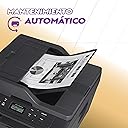
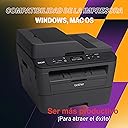
🚀 Print smarter, faster, and worry-free with Brother DCPL2540DW!
The Brother DCPL2540DW is a compact monochrome laser printer designed for busy professionals who demand speed and reliability. Offering up to 30 pages per minute, automatic duplex printing, and versatile wireless or USB connectivity, it supports high-volume printing with a 250-sheet adjustable tray. Integrated with desertcart Dash Replenishment, it ensures you never run out of toner, making it a smart, efficient choice for modern offices.


| ASIN | B00MFG57ZK |
| Additional Printer functions | All In One |
| Best Sellers Rank | #151,723 in Office Products ( See Top 100 in Office Products ) #203 in Laser Computer Printers |
| Compatible Devices | Laptops, PC, Smartphones |
| Control Method | Voice |
| Controller Type | Amazon Alexa, Vera |
| Customer Reviews | 4.4 4.4 out of 5 stars (5,963) |
| Date First Available | August 1, 2014 |
| Dual-sided printing | Yes |
| Duplex | Automatic |
| Global Trade Identification Number | 00012502638858 |
| Hardware Interface | USB 2.0 |
| Included Components | Duplex Unit, Phone Support |
| Ink Color | black |
| Is Discontinued By Manufacturer | No |
| Item Weight | 24.5 pounds |
| Item model number | DCPL2540DW |
| Manufacturer | Brother Printer |
| Max Input Sheet Capacity | 250 |
| Max copy resolution black-white | 3000 dpi |
| Maximum Black and White Print Resolution | 3000 dpi |
| Maximum Color Print Resolution | 3000 dpi |
| Maximum Media Size | 8.5 x 14 inch |
| Model Series | Monochrome Laser Printer |
| Number of Trays | 1 |
| Number of USB 2 Ports | 1 |
| Output sheet capacity | 250 |
| Power Consumption | 510 Watts |
| Print media | Envelopes, Paper (plain) |
| Printer Ink Type | toner |
| Product Dimensions | 15.7 x 16.1 x 12.5 inches |
| Scanner Type | Sheetfed |
| Sheet Size | 12.5 |
| Supported Media Sizes | Legal (8.5 x 14 inches), Letter (8.5 x 11 inches) |
| Total USB Ports | 1 |
| UPC | 012502638858 |
| Warranty Type | Limited Warranty |
| Wattage | 510 watts |
O**R
Great machine that can print shipping labels.
I've had the printer for about four months at this point, so I figured that was long enough to write a fairly honest review (though I'll certainly update in the future as I have more experience with the printer). I'll start by saying that I love this printer so far. I've really had no negative experiences with it that would cause me to regret the purchase. If you're in the market for a laser printer, you'll be happy with this product. Ink consumption: As stated, I've had the printer for about 4 months, and with the "starter cartridge" supplied, I have about 1/3 ink left, which I feel is pretty good considering the amount I print. I've printed quite a few full images with the printer which uses a lot more ink than just text, so I consider that one reason the ink has gotten down to the 1/3 mark already. I also use "full quality" for most print jobs, though there is a "toner saver" feature if you want to really squeeze all the print jobs out you can. Quality: text is perfect, I have no issues. Image quality is decent for a laser printer, but I'd warn against buying this one if you need it primary for image printing. You'll be better off with a color printer. But, if you need to print out the occasional graph or something, it's not too shabby. But let's be honest, you don't buy a laser printer for great "photo quality" prints. This sucker is speedy. I don't time it, but usually by time I walk into the other room (My printer is in a different room than my computer), the print jobs are already done and waiting. The scanner works as hoped. The copier works perfectly. Really, nothing awful to report here. There is a small learning curve when using the automatic document feeder. If I remember correctly, it's only used when making copies, and not for scans. I may be wrong about that though. The wireless setup was a snap. I connected it, and then I just leave the printer "always on." It goes into "sleep mode" when idle, and wakes up for print jobs. I'm not certain, but I think this is actually better for electrical conservation in the long run, as startups and shutdowns use more electricity, generally speaking. This also ensures you don't have to wait very long for the printer to warm up. (Please let me know if I've got this wrong, or if it's bad to leave the machine on, but I think it's okay). One side note, since this was the biggest concern I had when purchasing the machine: You CAN print multiple shipping label sheets from the normal document feeder. The machine will prompt you to use the front facing feeder, where you have to feed in one sheet at a time, but it doesn't force you to do so. I usually just choose "widest thickness" for paper type, and then choose "labels" when printing. I've done up to about 6 sheets at a time, though I would warn against too many, as the hotter the machine gets, the more likely it is a sticker might peel from the label sheet and gum up the works. To be clear, this is not suggested by the retailer, and might even void the warranty if you were to have an issue, but so far, I've had no problems. Overall, this was a great value. The printer is going strong after 4 months of medium use, with most features being used.
I**W
Solid, time-tested performance
I bought one of these in 2014 and another in 2016. Both are still going strong. Easy to print, scan, copy, and cheap to use even when using Brother cartridges. Joining a wireless network by network name involves slightly tedious button-pushing input, but I appreciate the machine's solid performance and the ease of setting it up in a new network. This is a true workhorse. I did finally have to replace an important part on one of them (maybe a print roller?) but it was a job I could do myself! Both printers have lasted longer than many marriages.
K**I
Great Printing, Best Bang For The Buck!
I got this printer to replace my 2 year old Epson Inket printer. I was tired of replacing the ink on the inkjet printer really often and the price per print ratio was horrible. After seeing a lot of positive reviews on Amazon about this, I decided to order this. The packaging it came in was simple packaging. The quick setup guide was right on the top and helped me quickly get the printer setup. The setup was the easiest I have ever seen on any printer. I am a techy guy and have setup a lots of printers in my life, but none were this easy. All I had to do was remove the packaging tapes, insert the toner, plug it in, and that is it. My computer does not have a CD ROM (I don't a lot of new laptops do) so I went straight to Brother's website and downloaded the drivers. While it was downloading I went to setup and connected to my wifi network (unlike another reviewer who said he could not connect to wifi directly from the printer, I was able to). Even though typing the password took a while since it doesnt have a keypad, it was worth it since its a one time process. Then I installed the drivers on the computer which was surprisingly easy and straightforward. Then I downloaded the Brother iPrint app for my Android phone as well. I tried printing and scanning from both computer and phone and everything worked seamlessly. Next thing I did was setup Google Cloud Print so I could print from anywhere, not just my local network. To do this, the instructions are a little unclear, but the Cloud Print Guide located here should help you out : https://www.google.com/webhp?sourceid=chrome-instant&ion=1&espv=2&ie=UTF-8#safe=off&q=brother%20cloud%20print Once I got the Cloud Print setup, I tried that too and everything just worked. I had issues printing a PDF file on the first try, but I am guessing it might have been because of my network. It just started working all of a sudden. The print quality was excellent. The contrast was great and the print quality was ages ahead of my inkjet. The scanner was surprisingly a lot better than I thought it would be. The images were crisp and it was really fast as well. Printing and scanning were really fast and felt like a bullet compared to my old inkjet. Being able to scan directly to my phone was handy, I was able to scan and share my hard copy photos on social media within minutes, never thought it would be that easy. One of the best features were push to computer. When you setup the drivers on your computer, it asks you if you want to enable the push to computer feature. If you enable that, printing the scan button on your printer will scan the document and store it on your Pictures folder, without any other interaction. The paper tray is big and cant fit a lot of paper, I dont know exactly how many but it's a lot. The automatic 35 page scanner feeder works wonders as well. The built in double sided printing feature was a pleasant surprise, and worked well and fast. So far I have been really satisfied with the printer. I would highly recommend it for Home / Small business usage.
N**E
Considering I bought this while it was on sale, I can say it was definitely a steal. It was shipped straight in the manufacturer's box, which is very well padded and arrived without a scratch. Unboxing was a breeze. The machine and the Laser cartridge each have a clearly identifiable plastic orange strip to remove. Snapping the Laser cartridge into the drum and then inserting the drum (with the cartridge) into the machine is painless. Be sure to push the drum in firmly, as there's a small amount of extra wiggle room that may not be apparent. If you are going to connect your machine to the network via Wi-Fi, here is my experience. The machine supports 802.11b/g/n; note that 802.11n is 2.4 Ghz band only (no 5 Ghz). Do not start by pressing the "WiFi" button on the control panel, as this puts the machine into an endless state of trying to connect with default settings. Instead, go to Menu > Network > WLAN > Setup Wizard. The machine will scan for available SSIDs. The last item in the list allows to enter an SSID manually, and as my router does not broadcast its SSID, I chose this option. Unfortunately after painfully entering the SSID one character at a time using up/down keys, the machine asked for a WEP passphrase without offering WPA2 as an option. Fearing the worst (no support for WPA2?), I temporarily set my router broadcast its SSID. Selecting the SSID from the scanned list correctly asked for the WPA2 phrase and connected without issue. I used DHCP, but of course the options are there to manually set the gateway, static IP, subnet, etc. Warning: do not disable the Wired ethernet setting! There appears to be a bug that prevents the Wi-Fi from working properly if the Wired interface is disabled. I had to do a full network reset on the machine to restore. As a user of primarily Apple devices, I found it to be completely unnecessary to install any Brother software (either from CD or via download). OS X and iOS both work out-of-the-box via the AirPrint functionality the machine provides. The machine is automatically detected on the network - no need to go hunting for it. The printer works flawlessly, including double-sided printing. The scanner works great using the built-in OS X utility. Support includes use of the document feeder, DPI settings, detection of multiple items on the flatbed (perfect for scanning in old photos 4 at a time to separate output files), and output in various formats (TIFF, JPEG and PDF, among others). Scanning to PDF from the document feeder generates a single PDF document containing all pages. Android is mildly annoying as the operating system does not come with built-in AirPrint functionality. It took me a good 20 minutes to figure out how to set the printer up to use Google Cloud Print. Hint: you need to access the Web Based Management webpage of the machine. Once configured, install the "Cloud Print" app from Google onto the android device, and you are good to go! I did a quick check within Windows for the purpose of this review. While the printer and scanner appear to be available and useable without installing any additional software, I did note at least the lack of support for double-sided printing. Windows users are therefore likely advised to install the Brother software to ensure all features are available to use. I performed a firmware update for the machine, which completed successfully. The machine was shipped to me with version 'K', which was upgraded to version 'L' by the update. Check the download section on Brother's website or the firmware section of the Web Based Management tool for the ability to upgrade the firmware. As a smaller consumer model, this machine is only missing one useful feature: easy scanning and copying of double-sided documents. You cannot place a document that has print on both sides in the document feeder and instantly make scans or copies, as this model does not come with the technology required to automatically flip a document on the scanner flatbed. Do not be mistaken, you can in fact make copies of double-sided documents. It is just a matter of convenience as it is necessary to place the document on the flatbed to scan the first side, after which you flip the document over yourself to scan the other side. If you anticipate needing to make double-sided copies frequently, you may want to invest in a model with "Duplex Capabilities" that includes scan and copy. If I am not mistaken, this means purchasing an MFC model. All in all, this is great machine! I have not experienced a single issue thus far. While initial Wi-Fi setup could be made a bit easier (why doesn't pressing the "WiFi" button simply launch the Setup Wizard?), once you get configuration out of the way, everything works as flawlessly as you would expect. Great product if you are looking for a Black and White Laser printer and copier, with a colour scanner.
C**N
Impresora muy sólida y confiable, fácil de instalar en celular y lap. Buena marca la Brother. Me salió en $3,200, algo así, y ya llevo más de 1 año con esta impresora.
L**O
Rápida e economica
O**I
حقيقي المنتج ممتاز و سعره مناسب جدا مقارنه بأسعار ماركات تانية جودة الصورة حلوه و سرعة الطباعة كويسه أستخدمه سهل إمكانيتها كويسه جدا و تستحمل شغل الحباره بتكفى طباعةعدد أوراق كتير من غير أى تقليل فى جودة الطباعة ارشحها بشده
C**S
Muito boa, está funcionando a todo vapor
Trustpilot
1 week ago
2 weeks ago