We remain fully operational. Our teams are working around the clock to ensure your deliveries continue safely.

DOWNLOAD THE APP


Customer Services
Copyright © 2025 Desertcart Holdings Limited
DOWNLOAD THE APP
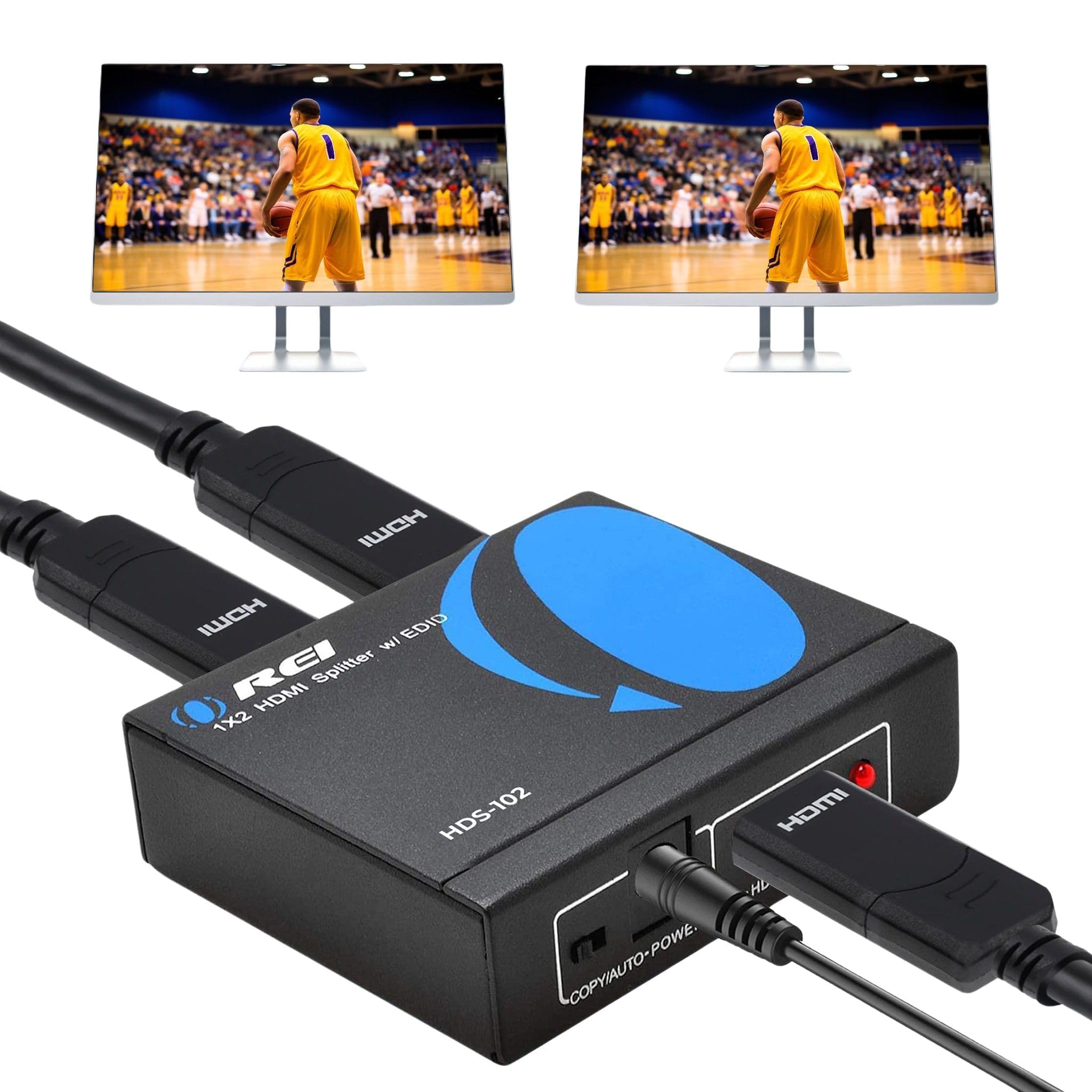
🚀 Double Your Display, Double Your Impact!
The OREI HDMI Splitter 1 in 2 out duplicates a single HDMI input into two identical outputs supporting resolutions up to Ultra HD 4K @ 30Hz, Full HD 1080p, and 3D. Designed with a durable metal enclosure and low power consumption, it offers plug-and-play ease with included international adapters. Perfect for gamers and media enthusiasts looking to mirror content across multiple screens without compromising quality.


| ASIN | B00F5R9TNM |
| Brand | OREI |
| Cable Type | HDMI |
| Color | black |
| Compatible Devices | Gaming Console, Television |
| Connector Type | HDMI |
| Connector Type Used on Cable | HDMI |
| Customer Reviews | 4.3 out of 5 stars 7,926 Reviews |
| Global Trade Identification Number | 00850031132764 |
| Item Weight | 8.5 Ounces |
| Manufacturer | Orei Products |
| Manufacturer Contact Information | [email protected] |
| Number of Ports | 2 |
| Packer Contact Information | [email protected] |
| UPC | 850031132764 |
| Unit Count | 1.0 Count |
| Warranty Description | 1 year warranty |
C**T
Solid Option
The OREI SplitExtend works well for creating a true extended display across two monitors, not just mirroring. Setup was straightforward, and the signal quality is clear with no lag or flicker. It’s a great solution if your laptop or PC has limited HDMI outputs. Just make sure your system supports the extended‑display function, since that’s key to getting the most out of it. Overall, a reliable and affordable way to expand your workspace.
D**T
Works perfectly right out of the box
What a fantastic little unit this is. I ran HDMI cables through my walls 10 years ago and one of the connectors got damaged. I spent $40 buying a testing kit and replacement connector that I then spent at least two and a half hours wiring up and screaming at the 20 tiny little wires. After all that I discovered that the cable length would not handle 4K video at 60 hz. I wish I knew about this device before wasting all of that time and effort. This thing is literally plug and play and could not have been easier getting 4K video at 60 hz from my main receiver to another bedroom about 60 ft away. The transmitter and receiver are both all metal, nice and heavy, and have a high quality feel to them. I love the fact that you only need to plug in a power transformer on the transmitter end and the receiver gets its power over ethernet. It's dead simple and works perfectly. I'm not using the infrared repeater function but that would be very handy if you needed to control your equipment using an infrared remote control in a different room. This is the best money I spent all year. Highly recommended.
S**R
WITH SIMPLE STEPS IT WILL WORK WITH FIRE CUBES
My old and dumb and cheap splitters worked fine with Fire Cube. I have seen many complaints on many different splitters. This splitter works just fine provided the second TV is not plugged into the splitter until the Fire Cube is configured and up and working on the first TV. If the cube needs to be rebooted the 2nd TV must be disconnected. If both are connected, both TV's will be corrupted. This may not be a problem in all cases. I am mixing a Samsung QLED with an older Hanspree TV around the corner to the kitchen. While not a smart TV, has HDMI ports but no ethernet port.
C**E
No Need to Donwload the Driver
Great product. Only took away one star because everywhere on the box and manual it says you need to download a driver. Maybe you do for something special, but I only need it for a third monitor and it works perfectly alright. Not sure why they're so adamant about you downloading it-seems sketch.
H**B
it does not work with a Cube PC Computer
I purchased the OREI after trying two other HDMI 1 to 2 expanders. The first one connected to my cube, running windows 10, via the HDMI port and the second was tried using the USB C port. The first two behaved identically. Yes I had video but the mouse was screwed up. The problem was that the mouse would not shift between the two monitors unless you moved it left on monitor 1 and then found it on the right side of monitor 2. As my wife said this set up was driving her crazy I researched the OREI. The video was well done and I had high expectations but alas, NO JOY. It behaved just as the other two, much less expensive boxes, did. I then downloaded the drivers that were referenced on the video....I thought surely this is the problem..... Again "no Joy". I could make it work if I powered on the cube and then connected the OREI with one monitor (a DELL) , then connected the second monitor (a Samsung) to the orei..... not the way it should have worked but the mouse behaved well..... then the next problem surfaced.... the Samsung monitor was fuzzy..... the dell monitor was perfect (crisp, bright) and if you did a reboot, the old mouse problem would come back. Oh yes changing the ports that fed the monitors on the OREI did not help.... the dell remained crisp and bright while the Samsung got fuzzy regardless of which monitor setting I used with windows or which port on the OREI I used... If I only used the Samsung monitor on the cube, without the OREI, all was perfect ...bright crisp and very easy to read.. the same with the dell..... both monitors behaved as what I would expect. In addition, the cube would not start a program on the desk top. The mouse would move to the icon but nothing worked if you single or double clicked on any program located anyplace. Now I am not planning to return it, but really think I should as it was a failure from the beginning, but I have given away the other 2 expanders and really need a way to work with 2 monitors. I have resigned myself to simply using it with the limitations noted above. Perhaps this works OK with a Mac (I have not tried it with my Macbook Air) but if that is the case then the description need to be clear on that point. I purchased it because I had a desktop cube and wanted to run two monitors .... Therefor, I can not recommend it as any kind of a useful solution..... thus the 1 star rating I will try their tech support line as a very last resort ..... but I have very low expectations as this type of device should be a plug and play and unless there is some magic software that will make it work, then it is close to worthless.... as a true dual monitor interface that sort-of works it does fine. But I would never buy it again nor would I recommend it.
A**G
Yes! It Works!
Worked like a charm. After discovering that my new monitors weren't daisy chain compatible, this was my next option for extending my screens. Downloaded the driver and then it was just plug in and go. Easy.
M**R
This is THE MOST Badass product on the market
This product works and is simple and easy to use Don't buy other things just get this and you will be so happy that you will want to buy me a beer
M**D
Works great
I had to connect my receiver and my DVD player to my TV and I only had one output port to spare. I had another switch before, but I believe it was 2.0 HDMI and I was getting very strange mismatches with my inputs to the TV. After using this, everything worked great. Didn't need to use the USB power cable in this case.
Trustpilot
3 weeks ago
2 months ago