Buy anything from 5,000+ international stores. One checkout price. No surprise fees. Join 2M+ shoppers on Desertcart.
Desertcart purchases this item on your behalf and handles shipping, customs, and support to Iceland.
๐ Elevate your home network to warp speed and total coverageโbecause buffering is so last decade.
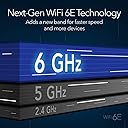
The NETGEAR Orbi RBKE963 is a premium quad-band WiFi 6E mesh system delivering up to 10.8 Gbps speeds and coverage up to 9,000 sq. ft. It supports 200 devices simultaneously, features a dedicated 10 Gigabit Ethernet port, and includes advanced security with automatic updates. Designed for demanding smart homes and professional environments, it ensures seamless streaming, gaming, and remote work with future-ready technology.


| ASIN | B09D8THD92 |
| Antenna Location | Gaming |
| Best Sellers Rank | #26,558 in Computers & Accessories ( See Top 100 in Computers & Accessories ) #354 in Whole Home & Mesh Wi-Fi Systems |
| Brand | NETGEAR |
| Built-In Media | One (1) 2m Ethernet cable, One (1) Orbi WiFi 6E Router (RBRE960), Quick start guide, Three (3) 19V/3.16A power adapters, Two (2) Orbi WiFi 6E Satellite (RBSE960) |
| Color | White |
| Compatible Devices | Gaming Console, Smart Television, Smartphone, Tablet |
| Connectivity Protocol | Ethernet, Wi-Fi |
| Connectivity Range | 9000 Square Feet |
| Connectivity Technology | Ethernet, Wi-Fi |
| Control Method | App |
| Controller Type | Alexa/Google Assistant |
| Coverage | 9,000 sq. ft. |
| Customer Reviews | 4.1 out of 5 stars 652 Reviews |
| Data Transfer Rate | 10 Gigabits Per Second |
| Frequency | 2.4 GHz |
| Frequency Band Class | Quad-Band |
| Has Internet Connectivity | Yes |
| Has Security Updates | Yes |
| Is Electric | Yes |
| Is Modem Compatible | No |
| Item Dimensions L x W x H | 7.5"L x 3"W x 11"H |
| Item Type Name | Wireless Router |
| Item Weight | 3 Pounds |
| LAN Port Bandwidth | 10 Gigabit Ethernet |
| Manufacturer | Netgear |
| Maximum Upstream Data Transfer Rate | 1250 Megabits Per Second |
| Mfr Part Number | RBKE963-100NAS |
| Model Name | RBKE963-100NAS |
| Model Number | RBKE963-100NAS |
| Number of Ports | 6 |
| Operating System | NETGEAR OS |
| Other Special Features of the Product | Internet Security |
| Security Protocol | AES (128-bit), WPA-PSK |
| Special Feature | Internet Security |
| UPC | 606449158038 |
| Unit Count | 3.0 Count |
| Voltage | 19 Volts (DC) |
| Warranty Description | 1 year warranty |
| Wi-Fi Generation | Wi-Fi 6E |
| Wireless Communication Standard | 802.11ac, 802.11ax |
| Wireless Compability | 802.11ac, 802.11ax |
J**H
Highly Satisfied: Went from ~100mb/s using Vlop to 600+mb/s using Orbi 6E
My wife and I both work from home most days and while the system is very expensive, it is a significant improvement and worth every penny! Backrgound As a base, I have a 1GB/s cable connection and had a Linksys Vlop mesh Router + 2 satellite nodes in a 2 story city home built in 2003. Using the Vlop I experienced disconnects and very slow speeds daily; sometimes speeds went as as low as 15mb/s. Standing right next to the router node (in basement), I would get ~600mb/s, but speeds reduced to around 100mb/s anywhere else in the house. Using the Orbi and with the mesh satellites in the same locations, my speeds were consistently 600+mb/s anywhere in the house and 800+mb/s when near the router node. After a couple of weeks of use, zero network disruptions. Outdoor security cameras: Using the Vlop, I could view live feeds on my security cameras, but the quality and loading speeds weren't great due to less than optimal wifi connections. After switching to the Orbi, there was an immediate and noticeable improvement to and connection shows as 100% signal strength to all devices. Cost: The Vlop cost was ~$350 ($3.50 per 1mb/s) and at full price of the Orbi was $1600 ($2.67 per 1mb/s). So while very expensive, if high performance is the end goal the Orbi was cheaper in my scenario. Setup: Replacing the Vlop was quite simple and the Orbi setup made the switch easy. With the exception of a Reolink wifi camera, all of the devices connected automatically to the Orbi system. Speed Tests: In a side-by-side comparison, I ran a speed test while connected to a Vlop node (~10 ft away) and my speeds were peaking at 96 mb/s. Running the same test on the Orbi in the exact same location was 754 mb/s. Features: The Orbi app offers a lot of great features. I am currently on the free trial (an actual free trial, with no credit card required), which I found to be very useful. I haven't checked into the subscription fee once the trial expires, but if it's reasonable it is something I plan to set up for the long term. Final Thoughts: I would definitely recommend this setup for anyone experiencing speeds that are much slower than the advertised service provider. In a single story home, it is is quite possible to go with the single satellite option.
S**G
big improvement over my old household wireless
I replaced two separate wireless networks in my home because neither individually supported enough connections, but struggled to keep them running in the daisy chain I had configured. Both supposedly "worked" that way, but it was a constant battle to keep them working. Then, the last time my network went down, the Velop reset itself to factory settings, and I was going to have to start over. After hours of painful configuration, I went looking for a single mesh system that would support all my devices. Set up was dead easy - literally ten minutes, and most of that was waiting for equipment to come back up. The set up instructions and software were straightforward and simple, and worked the first time. Unlike my previous systems, it found its own satellites and configured them without my having to do a thing except to plug them in where I wanted them to live. In just a few minutes, my entire 3500 sq ft house was completely covered. Connecting devices was also straightforward. Even my legacy devices connected right up, at the right speed. No buffering on my TV streaming, no dead spots, and this thing is screaming fast even with all my crypto gear connected and hogging bandwidth. Even my finicky Helium hot spot came right up, connected, and went back to work. Roku, Ring, a dozen Alexa devices, five laptops, three crypto servers, 3 TVs, everything connected up. The worst thing that happened was that my Ring doorbell battery was very low and had to be charged back up before I could connect it. Several older smart devices running lights came right up and work too. I do think this is a pricey option, and most people really don't need this much horsepower in their homes, but my smart home and crypto operation need the speed and bandwidth, it won't need to be replaced any time soon with available 6E, and it was worth every dime. Love it, highly recommend.
E**8
Updated Review Take Caution Before you spend all the money
10/23/2022 Update The issues continue with the Orbi 960's. We still have 5 gig service, but the Orbi is only reporting 3.7gigs, all the way down to 3.2 gigs, during its direct speedtests between the gateway and itself. Where did those 1.3 or more gigs go that the gateway is confirmed to be receiving from its speedtest? we will probably never know. My ASUS Tufz590 motherboard is a 2.5gig board with a 6e WiFi card and as close to perfect setup as one could ask for. We showed a ONE time download of 1.3 gigs. Anytime after that the system reports the exact same download/upload speeds as any other device in the house. At multiple points in the day we have to disconnect our devices individually because of slow download issues. Once reattached to the WiFi the issues abate, for a while. Here's the bottom line for us. We receive the EXACT same download/upload speeds as our old Linksys MX53's. Nothing is better or faster, but in fact it is the opposite. Everything is buggy, and in need of some sort of our attention. Orbi's customer service and support is hot garbage. They cannot understand you, nor you they. I can describe in perfect English what I am experiencing and the person on the phone reflects something completely differently back to me. Unfortunately I do not speak Hindi. It is beyond infuriating. I have removed the two star down to a one star. Buyers beware, you have been warned.... *begin intial review after 10 days of usage We have AT&T 5gig fiber service (yes we have devices that use that can handle it) our gateway is a Nokia BGW320-5 series. We purchased the Orbi RBRE960 because of their future upgradability "upgrading" from our MX53s from Linksys (an awesome system). We also have devices that are able to run on the 6ghz frequency. Once setup we realized we actually needed a satellite to get the "horsepower" needed to run our detached office. So, we purchased an RBSE960. We then turned on the 6ghz channel (this is "off" unless you turn it on yourself inside the web interface, not the app). Doing this immediately started causing our gateway to crash. We had AT&T diagnose their hardware all the way back to their area office and ended up realizing there is a hardware/software mismatch between the RBRE960 and the BGW320-5 series gateways. If we turn off the 6ghz channel the system is bedrock stable. Turn the 6ghz channel back on and boom within minutes the gateway starts crashing. *notes* the gateway is setup to be a pass-through gateway, and the WiFi transmitters are all turned off. We have CAT8 cables (that have been verified and tested to be working perfectly). All hardware is running on the most up to date firmware, and no physical issues have identified by other company's tech support. So, before anybody responds with setup questions we have beat that dead horse way too many times... Attempting to work with Netgear's tech support is an exercise in futility and incompetence. We have had five support tickets opened (Netgear has closed them without our consent) regarding this issue. They just cannot seem to get it together and get us the help we need. We have yet to be upgraded past their front line (poorly trained and unable to understand English well personnel). They keep you on the phone on hold and go ask somebody else that probably knows exactly what the issue, but they refuse categorically to upgrade our service ticket to a senior advisor. We finally just gave up and are running the system with the 6ghz channel turned off. Lastly, the amount of data loss between the RBRE960 router and gateway is astonishing. The gateway has a 5 gig port. The RBRE960 has a 10gig port. We have a short run (3ft) of CAT8 cable going from the 5gig port on the gateway to the 10gig port on the RBRE960. When we run speedtests to the gateway we are actually scoring above 5gig of up and down. However, between the gateway and the RBRE960 we only see 3.7gigs down and about 3.4gigs up. This is a loss of 1.3gigs just between the RBRE960 and the gateway (BGW320-5) via a CAT8 cable ( for those of you who don't know a CAT8 cable running 5gigs is barely a brisk walk ). So, if the gigs are getting to the gateway then why are they not getting to the RBRE960? Well, nobody can tell us... Please consider, in depth, prior to making this sizeable investment the issues we are going through. If we had to do this over again we would not make the investment. We are past the return window and are now stuck with hardware that just does not work like it is marketed. We have communicated the issues, at length, to both AT&T and Netgear with both companies blaming one another. There are several threads inside the AT&T customer forum with the exact same issue(s). Again, we have just acquiesced to the situation in the hopes someday Netgear/At&T will get the issue fixed, but until then we are only able to enjoy about 2/3 of what this system is supposed to deliver. Netgear, you simply must provide better tech support...
M**S
Insanely fast, crazy expensive
I bought this to replace a Google mesh system that I bought to replace Ubiquity mesh system. The Ubiquity system wasn't bad but in a 2 level double brick house, we needed 7 satellites to get an average signal across the house. The Google Nest mesh system had the same result except its interface is so dumbed down that you can't do anything like port forwarding or VPN. The biggest difference with the Orbi system is that it is about the only domestic grade mesh system available that has wired backhaul. This means that you can plug each satellite into your hard wired network so it isn't trying to contact the router via wireless. In our new house which is 3 levels with a concrete floor between 2 of the levels having wired backhaul means that there is 100% signal strength across the whole house. Wired backhaul also means that data going back through the router isn't using any wireless bandwidth. It also means on a large property you could run a network cable underground out to a shed or outbuilding and plug in a satellite and then you have full wireless strength even though you may be well away from your main router. In mesh systems without backhaul I found that for far away areas the satellite would have to daisy chain back to the main router which created a massive drop off in speed and reliability. Setup was a breeze and the speed is amazing, I'm easily getting 520mbps wirelessly across the house. It has a great feature where you can have all your smart home devices on a separate wireless network which is good security-wise. I bought an additional satellite to go outside in a weatherproof box so now with 1 router and 3 satellites I have 100% signal strength across our 10,000ft2 block and 3 level house. It's what wireless was always promised to be but never delivered until now. The phone app is very good and it has a great feature where you can see and control your network even when you are out of the house. The web interface to the router is good and allows a lot of control over permissions and data usage by device and user on the network so you can say prioritize your apple TV device so no matter what others are doing on your network you don't get caching when you are trying to watch a 4k movie. My only gripe is Netgear only offers 90 days of technical support unless you pay monthly for support. I would agree if it is novice support on network setup but when it is due to a firmware update that has dozens of reports on their chat pages of having issues I don't think you should have to pay to get a simple answer as to whether the firmware upgrade should be rolled back to solve a particular problem. Especially when you have paid thousands to buy the mesh system. The backhaul is 2.5gbe which is unbelievably fast so if you plug your PC into one of the 4 data points provided on each satellite and you are using backhaul you can have file transfer rates of 250Mbps across your network (as long as if you are using a switch the switch must be at least 2.5gbe). I put in a 10GBe switch and now our home network and wireless is comparable to enterprise-level fast. Netgear do offer an Armor subscription that you can then install on your computer and then the router and the software offer a very high level of malware and intrusion protection. However, I found that it was so intrusive that it blocked a lot of legitimate programs and operations so I uninstalled it. It is crazy expensive for a home wireless setup but in all fairness, it is so much better than everything else I've tried, the wired backhaul alone is worth the price of entry.
J**N
Incredibly fast and a surprisingly simple conversion for my complex smart home network
Easy to set up especially if you keep the SSID, password, and security of your old router. Automatically connected to over 90 smartphone devices overnight. Speed is amazing and setup app was super simple. There are advanced capabilities you can setup using a browser connection to the router. Additionally there are several real advances โhiddenโ web pages to give network engineering level information to you to help with satellite placement and device connectivity. It is such a massive upgrade for me replacing a 12 year old router. I reserved the whole day to get my smart home operational. I started the replacement last evening. This morning every smart home device had connected and operational. Wow it was an amazingly simple upgrade for a complex smart home network. Highly recommend. I got a refurbished unit for considerably less.
K**R
Performance to the max, but expected from a $1400 mesh system. Plus, I have some ideas!
I have no regrets and hopefully this system preforms for many years, and, "future proof" may be an over-used term but it's basically another word for a hope and a prayer. My system I think is pretty normal; the one thing that may stand out is I ran Cat-8 for the one wired backhaul, overkill yes, but maybe in place for the next generation router/mesh network system. The other satellite I had to use the wireless backhaul as it was out in a sunroom beyond any wall access or cable pulling (it did have 110v in-wall however that I took advantage of, in pic you'll see no wires and that looks really nice). This brings me to my only negative... these satellites are NOT "self healing" meaning their connection back to the main router unit doesn't always reconnect automatically. If you trip the breaker that (in my case, the Sunroom), you're Ship out of luck, it won't self heal or remake the connection. You will manually have to repair the connection by re-paring both the router and the satellite.... Now, if you lose power all at once (like a local power outage), when power is restored, all the units {usually} will come back on in the blinking white mode and make communication and re-establish the connection. Hopefully a firmware update can fix the issue of losing 1 (or both) satellites and get them to self heal and reconnect on their own. My 2 cents for a future update (other than the self healing connections mentioned above)... is to have the LED connection lights optionally on (all the time) by a user settings. Being the constant Blue indicator LED; meaning a connection between nodes is successful and being upheld... this would be nice to see full time. Then, you could tell when you've lost a satellite and it's not communicating with the router. You can see this ONLY if you have the app up or the Internet access portal actively displaying, but, in real life, how often will you or do you have this actively displayed? This would be minimal on the power consumption and as mentioned could be triggered on or off (full time) as per your user setting.... plus that blue light looks really cool when on for the 2 minutes initially it's on. For the router, if it loses a incoming modem signal, it constantly displays a magneta color. THIS is very HANDY and USEFUL!. So, 5 Stars with some wiggle room for improvement :) Anyways, the good outweighs the bad by a landslide. You won't be disappointed in the RBKE960's performance or aesthetics/looks. --------------my system as pictured in order------------ Satellite in Sunroom w wireless backhaul, power fed in-wall and hidden :-) Satellite in isolated 2 car garage w 100' Cat-8 wired backhaul. Main Router unit in Studio, I use the window curtain as a cable "masking" lol.
V**M
STELLAR performance yet at a highly premium price point
SUPER fast, but is it worth the insane price? This will be my third Orbi system. I had the original, then the Pro (which was hamstrung by 2021's requirement to pay monthly for a service to get full support out of it), and now this one. In our home we cannot easily run cable so the dedicated backhaul has always been a highlight for me vs. other mesh systems. Even with our Orbi Pro we weren't getting that great of performance. We have AT&T Gigabit Fiber, and we'd never get more than 200-300 Mbps on any device. Our desktops (and a few devices) are wired to the satellites and the dedicated backhaul should have been sufficient to give us better than that level of performance in our ranch style house. We decided to move from the Pro to this even though the cost was super high. Awfully expensive compared to anything else in its class. Yet we both typically work from home and need stability and speed for all of our devices and computers. We thought we'd give this new 6E system a try and if it weren't better, we'd return it. (I was almost hoping it wouldn't be better to avoid this price point!) Well... it IS better. Insanely better. WOW! I have my AT&T Fiber Modem in IP Passthrough mode (I hate their interface) so that we can use the Orbi as the router. We are consistently getting 700-950 Mbps down and 700-over 1000 Mbps up on computers wired to the satellites (NOT wired to the router, using the dedicated backhaul). Absolutely amazing. Phones and tablets on Wi-Fi to the system are getting 400-600 Mbps. Modern laptops on Wi-Fi are getting 500-700 Mbps. Pings are in the 5-7ms range. That's the fastest I've seen with any router / access point setup I've done with this fiber connection unless I'm hard wired directly to the modem (which will typically get me over 1 Gbps both directions). The bottom line is that this thing is solid and fast! Now we've only had it for a few days. Time will tell how it holds up. Is it worth the money? It depends. If you have a 500+ Mbps WAN (Internet) connection and really need the fastest connection and can't go wired, then yes. Lots of streaming meetings, games, TV, all at the same time... totally worth it to save your sanity. Otherwise, I don't think it is. You can get something good (even other Orbi systems) for 1/3 the price. But if stability and speed are paramount for you and you have a limit on being able to go wired, then this thing just might be worth it for you.
A**R
Upgraded from Orbi AC3000- How to set it up
I replaced my older Orbi AC3000 with 3 satellites with this model. My home is 3 stories with about 8000 sqft and I needed range about 75' outside to run my smart TV. The old Orbi worked ok inside, but outside I lagged on the TV and air playing music was hit or miss. Whhe I saw the price (over 900) of this newer model (they are offering a WiFi7 also for twice as much and I did not see the need) and the fact it only came with 2 satellites, I was thinking - no way this will work better than my system. I do have some older WiFi devices- pool equipment and Rainbird for irrigation - and I was concerned this new stuff would not connect. It does- flawlessly. The system will come with everything you need. You must have a cable modem (internet provider) or fiber box to hook into. Before I took my old Orbi offline, I did a speed test at the Orbi router and all throughout my home. My Xfinity modem has 900mb/sec. The old Orbi showed 650 coming in. My setup- I unpacked the Orbi and 2 sats, opened my Orbi app (if you do not have the App, download it and set up a free account). I clicked on the 3 bars on the top left and clicked "setup new Orbi system" At that point, it walks you thru in very easy steps what to do and when. It takes about 10 minutes. Hint: to make your transition easier Once the new Orbi is online - rename the router in the App to the same as your old router and change the password to the old one as well. Everything will connect automatically Next, the App walks you thru how to place your 2 satellites and plug them in. Takes about 5-10 minutes to finish setup. I did move my satellites around to get the range I wanted. To do this, just unplug the satellite and move it - plug it in, and wait about 5 minutes for it to come back online. I would move them, test the WiFi speed to my device (just search device speed test and use any of those for free) until I got fast speed everywhere. My router in on the middle floor and I put a satellite on each of the other floors. Speed test - Old Orbi / New Orbi Speed at Router - 650 / 900 Speed at outside TV - 24 / 250 Speed in EVERY room and Every floor - avg 150 with a few dead spots / avg 300 - no dead spots I am very satisfied with the new system. Every old and new device runs flawlessly.
M**.
Wow, Orbi did it
Previous house network setup: I had been using dual Netgear R7000 due to its signal strength. One was next to the ISP router and the other was in the 2nd floor connected using powerline. I had 200mbit connection. From my working room, using alpha usb wireless and then wifi-6 motherboard built in, I was getting around 150mbit from the ground floor Netgear. Family were connecting to the 2nd floor Netgear which provided 50mbit (due to the powerline). I upgraded my connection to 500mbit, but I was not getting the full bandwidth with the setup mentioned above. My working room improved to 250-300mbit and that was it. So, I started looking around for other solutions, talked to friends and so on. I landed on this product and started reading the reviews. I would have got it right away but its price was a stopper. New network setup: After about a month, I decided to go for it. Once I got it, I installed the main unit next to the ISP router. I used Orbi application which was easy to use. Once finished, I tested the speed and it was 500mbit. I went to the 2nd floor and tested my phone and PC speed. Both were under 250 mbit. I was a bit worried that this might not work. I went ahead and paired the 2nd unit with the main one, which took few minutes. Installed the 2nd unit in the 2nd floor where the R7000 was. I waited few minutes for it to boot and to connect with the main unit. I tested the phone and PC speed and BOOM, 500mbit. My PC is behind 1 wall but within half meter from the 2nd Orbi. Kids rooms were getting 300-400 mbit (with closed doors). I am amazed and surprised that this product met my expectation. Pros: The package came with variety of power head plugins (US, EU, UK). This product is to deliver bandwidth and it is stable. Orbi application is nice despite some negative reviews about it. Cons: The product will handle 1 brick wall but 2 or more will have major effect on the signal quality. It is still limited to the wifi range. Maybe one day the wifi range will extend significantly. The price is still too high even though the product gave me what I want. How the unit stands is worrying. If you tough it by accident, it will wobble and might fall down. I wish Netgear designed the base of the unit much better.
S**S
This item ships with 110-120V power supplies
This item was promoted as a Ramadan special in the UAE. Item arrived with 110-120V power adapters only, unusable here. I suggest removing this from UAE site as you are without a refund for 4 to 6 weeks
E**O
ORBI MESH WiFi
Excelente producto; cumple con la descripcion del mismo
Trustpilot
3 weeks ago
2 days ago