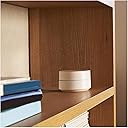
Desertcart purchases this item on your behalf and handles shipping, customs, and support to Iceland.
🚀 Elevate your home WiFi game—stay connected everywhere, effortlessly!
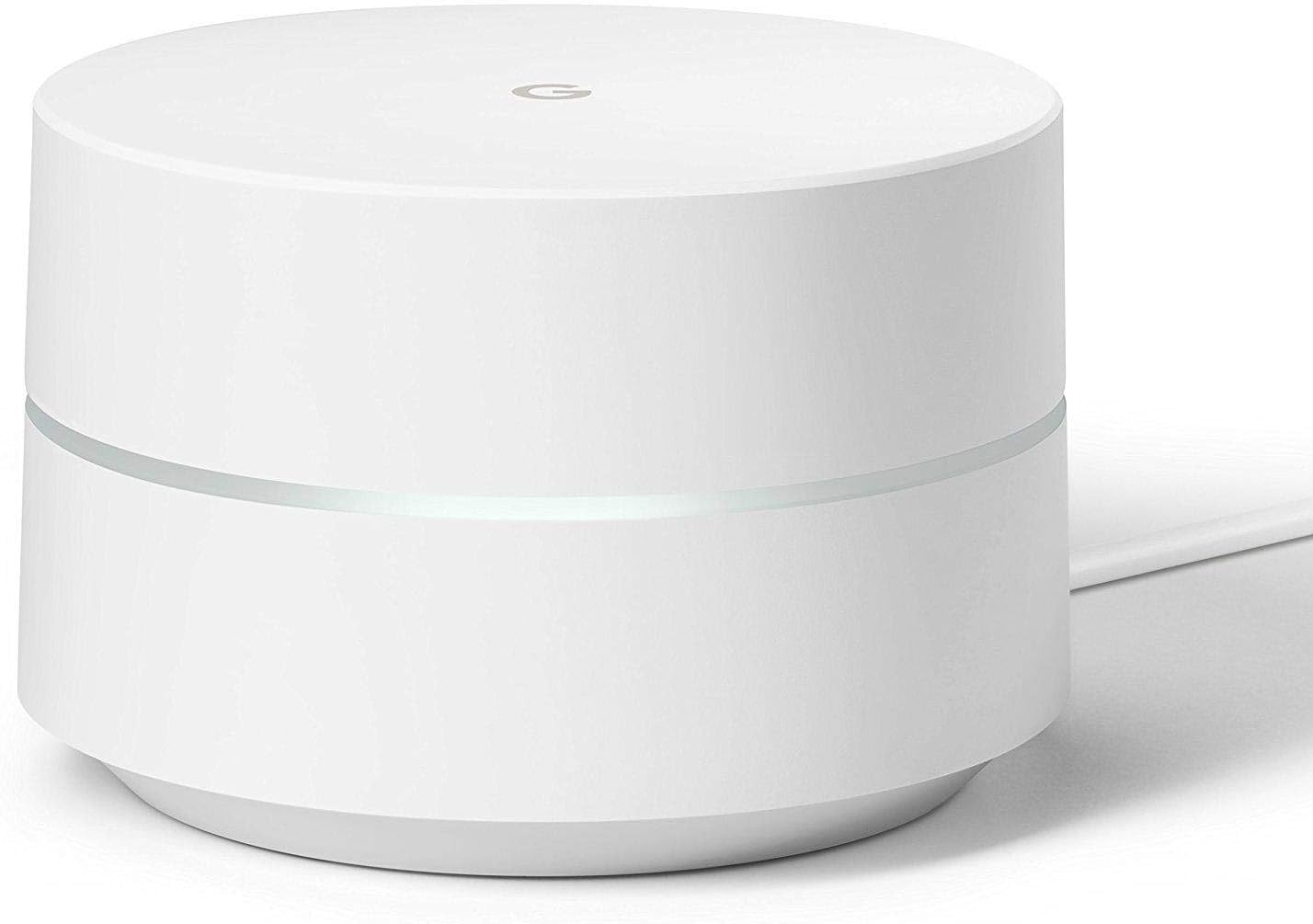
The Google WiFi System (1-Pack) replaces your traditional router with a powerful mesh WiFi point delivering up to 1200 Mbps speeds and coverage of 1500 sq.ft. Its smart Network Assist technology ensures optimal connection by selecting the best channel and band automatically. Controlled via a user-friendly app, it allows easy setup, device prioritization, and parental controls. Designed for seamless whole-home coverage, it supports expansion with additional units and comes with WPA3 security, 24/7 Google support, and a 1-year warranty.
| Antenna Location | Home |
| Antenna Type | Internal |
| Asin | B01MDJ0HVG |
| Best Sellers Rank | #1,313 in Computers & Accessories (See Top 100 in Computers & Accessories) #40 in Whole Home & Mesh Wi-Fi Systems |
| Brand | |
| Built In Media | 1 6.5 ft Ethernet cable, 1 Wifi point, 1 power adapter, Quick start guide |
| Color | white |
| Compatible Devices | Personal Computer |
| Connectivity Protocol | Wi-Fi |
| Connectivity Range | 1500 square_feet |
| Connectivity Technology | Wi-Fi |
| Control Method | App |
| Controller Type | Google Assistant |
| Coverage | 1500 square feet |
| Customer Reviews | 4.6 4.6 out of 5 stars (7,008) 4.6 out of 5 stars |
| Data Transfer Rate | 1200 megabytes_per_second |
| Frequency | 5 GHz |
| Frequency Band Class | Dual-Band |
| Global Trade Identification Number | 00842776100610, 00842776106704 |
| Item Dimensions L X W X H | 4.17"L x 4.17"W x 2.7"H |
| Item Weight | 11.84 ounces |
| Lan Port Bandwidth | 1000 megabits_per_second |
| Manufacturer | |
| Maximum Upstream Data Transfer Rate | 1200 megabits_per_second |
| Mfr Part Number | NLS-1304-25 |
| Model Name | NLS-1304-25 |
| Model Number | NLS-1304-25 |
| Number Of Antennas | 2 |
| Number Of Ports | 3 |
| Operating System | Linux-based (possible customized version) |
| Other Special Features Of The Product | WIFi Protected,Seamless |
| Ram Memory Installed | 512 MB |
| Router Network Type | wireless mesh |
| Security Protocol | WPA3 |
| Unit Count | 1 Count |
| Upc | 811571018970 842776106704 842776100610 842776100764 |
| Voltage | 240 volts |
| Wi Fi Generation | Wi-Fi 5 |
| Wireless Compability | 2.4 GHz Radio Frequency, 5 GHz Radio Frequency, 802.11a/b/g/n/ac |
User
Best Router on the Market!
The Google Wifi router is simply amazing! Not only is the design esthetically elegant, the good folks at Google have also made the device intuitively and highly functional. Set up through the Google Wifi app was a breeze and in my case a complete god send since my 2017 MacBook Pro has an essentially nonfunctional ethernet connection despite having purchased a compatible ethernet to usb-c adapter. I repeatedly received the dreaded “self induced IP address and will not connect to the internet” message and wasted hours speaking to various tech reps at Apple and my ISP. It turns out that not being able to establish a connection to the internet with the use of ethernet is apparently a pervasive problem for all newer model macs for which Apple (and its associated forums) has no real solution. This would thus prevent most folks who need a new traditional router from ever being able to install one.Luckily Google Wifi is one of the only devices out there that doesn’t require a hardwire/ethernet connection in order to set up! After following the simple prompts through the Google Wifi app, my set up was complete after just a few minutes. I immediately noticed that my internet was blazing fast which was confirmed when I completed a speed test. I was getting over 70mbps on downloads despite paying for only 60mbps through Comcast which we all know provides notoriously awful service. Google Wifi also easily recognized all of my devices (iphone, iPad, MacBook, Samsung TV, wireless printer) as soon as they were connected to my Wifi network. The connection has remained extremely fast and consistent without any dead spots or dropped connections. The coverage area has also been true to form as I only purchased a one pack router for my roughly 1200sq ft apartment. However with the beauty of the Google Wifi mesh system, those who have larger or multilevel homes will undoubtedly be able to set up full wireless coverage throughout their home with the use of multiple points.I enthusiastically recommend this product for anyone looking to replace a traditional router and has basic wireless needs. The only people who seem to be dissatisfied with Google Wifi are techies who create complicated networks and require a high level of customization which this product does not offer.
User
So impressed i added two more and,..
I already started refurbishing our network with a Google OnHub unit about a year and a half back. The OnHub was essentially version 1.0, this mesh version 2.0 so to speak. I loved how easy the OnHub was to setup. How it does updates automatically without you ever knowing it. The device scans for congestion on channels and again without you knowing it chooses the best one available. Topping off the list is that I completely forget about it. I mean not once have I had a single problem, not a one.So when I my network needs grew I decided to purchase two of these ‘hockey puck’ style google Wi-Fi mesh units. Other than appearance under the hood they are essentially the same as my OnHub. All the good things I mentioned apply to these as well. Mine arrived in packaged in very nice white boxes. First thing you see is the device. Under that you’ll find the power adapter & usb c style cable. Also a nice flat Ethernet cable. NOTE you have to setup using either an android or iPhone device you cannot do this from a pc yet.I already had the app so no need to download it. I went into that app, from the left side swipe out. From there select to ‘setup Wi-Fi point.’ I found it easier to just connect each in close proximity to the first unit and then moved them out where needed after. So after you’ve clicked your way through the steps, if memory serves it is maybe four clicks? But the important thing is it goes by quickly under five minutes for each. Most of that time comes at the very end of the process when the devices does its first update so you have the newest firmware/software.So once they are setup I placed them where I wanted. For our situation I placed the primary access point in the same room as the modem. The second unit I then placed at one end of the house and the other at the opposite end with the primary in the middle. My Wi-Fi speed rocketed up everywhere! No matter the location I get my full bandwidth give or take few mb’s. You can also use each as a wired access point, FYI that won’t stop it from working as Wi-Fi too, making use of the included cable. In my case I found doing so gave me about a 5-10% boost over Wi-Fi speed pushing me a little over the bandwidth I am supposed to get from my ISP. Caveat here I also have a newer 32x8 docsis 3.0 modem which likely helps out.So in our household with anywhere from 24-36 connected devices the improvement across the board is very noticeable. Confirming my impressions using both the google Wi-Fi app and a couple speed test apps. FYI even someone not technically inclined will find the google Wi-Fi app not only incredibly useful but kind of fun to dig in and play around with. I noticed too while using the speed test apps that in one part of our home a unit found channel one to be best and was using that while at the other end nearer our neighbors, that unit went with channel 8. Same network so devices work flawlessly no matter location but in using different channels across our house both the downstream & upstream bandwidth rates just really impressed me.For additional information there are a bunch of YouTube vids online though you’ll need to dig through the pointless unboxing ones and find the genuinely helpful reviews and setups. So all said this mesh system from google is the single most exciting tech I’ve gotten my hands on since being able to go from 56K dial-up to genuine high speed. The system from hardware, firmware, app, accessories, and presentation couldn’t be better. But then to be completely free of bugs? Zero defects of any kind after nearly two years (based on initial google OnHub purchase). Without any reservations I can recommend this to anyone no matter the situation. Maybe some gamers with high end rig setups or those who want more control over certain business settings might prefer other mesh systems but for 99.9% of folks out there just get this you won’t regret it.*If for any reason you need more than one wired ethernet connection you can pick up an unmanaged switch here on Amazon for 10-$15.
User
Excellent coverage for a 2 story 1850 sq ft house
I have been using a Belkin N Router for last few years. It worked as expected and had good coverage for the entire house (two story 1850 sq. ft). Recently it has been giving me problems like having to manually reboot it once or twice a month and connectivity problems with the main network when someone connected to the guest network.Google wifi system is the wifi router for the new age which can be extended to cover a bigger range by adding additional routers to the mesh network. The spec mention one router covers around 1550 sq ft of space. I was mulling over whether to buy just one router or the value pack consisting of three routers.For my 1850 sq ft house, one might fall short (with official spec to cover around 1500 sq ft), but three could be an overkill. I decided to try just one and add one more if needed.Turns, out, one is just enough for my needs.Here is my initial experience:SetupSetup was a breeze. No clunky software to install on your desktop for the setup. You have to connect the router to the power out let and the modem, download iOS/Android app on your phone and just follow the steps. "It just works".Features I love I was not getting in my Belkin router1. I don't have to worry about creating multiple networks with multiple bandwidths (2.4 GHz and 5GHz etc). I have to just set up the main network and the guest network and the router automatically switches between 2.4 GHz and 5 GHz to optimize the network experience.2. I can go to any corner of the house with my phone and check the internet and network performance. I have found I get exactly the same internet speed (around 29 mbps) as my Internet service provider give me throughout my house. The wireless network gives me 250 mbps to 270 mbps throughout the house. The router is installed downstairs in the main office room and I got around 260 mbps even upstairs in my master bedroom, but your mileage may vary depending on the house layout and the construction materials used etc.3. I can easily see the list of all the connected devices on the app and the network activity on all the devices. I can also pause the access to any device any time, a very handy feature specially to ration the kids' internet access. I can also create groups of devices for easier control.4. I can manage my network even when away from the house as it is associated with my Google Account.What I missIt has only two connection ports. One goes to the modem, which leaves only one free port. I had to connect it to my VoIP phone and was not left with any port foe wired connection to my desktop. I would prefer to use wired connection to my desktop as it sitting right next to the router, but i can't as i have no free port left. I wish it had moreSummaryI'll update my experience after some time. I am hoping I won't have to reboot this device periodically as i had to do with my older Belkin router. So far, so good. Looks like One router is enough for my needs within the house , but I may have to add additional routers for better access in my backyard, which I have not tested yet.I highly recommend this product. I would recommend looking at the value pack of three routers if you need cover a larger area.
User
Google wifi is the real deal!
I went from an awesome Ubee Gateway to Google wifi and to be honest it solved all my issues. I started to get wifi connectivity issues and Xbox and PS4 controller disconnects with my Ubee that lasted me a good 5 years. I started looking around and Google wifi mesh sold me! The unit was easy to install and ever since I have had absolutely zero disconnects, buffering, controller or wifi issues! The app is great and being able to adjust settings and get updates via the app comes in handy. I keep seeing reviews downing the fact that Google wifi controls which device goes to 5ghz to 2.4ghz and I think that's one of the best features! It seamless connects or reconnects your devices from 2.4 to 5ghz depending on a lot of factors including traffic and range. The wifi coverage is absolutely amazing and I only bought 1 puck! I can get coverage everywhere in my house and outside the house and garage with zero issues. I'm just blown away with how good this small wifi router is. I was hesitant getting this system because wifi 6 is coming later this year. The more I thought about it, the devices that support wifi 6 will be years away , so by the time wifi 6 is huge it will probably be time to go to the next rendition of Google wifi with wifi 6. Literally the only device I have that supports wifi 6 is my brand new Galaxy S10. So waiting on wifi 6 is no problem at all. In conclusion I have to say that I really have no cons for this system. Its is beautifully made and looks great anywhere u put it! They have mounts and many options on Amazon for wall mounts etc. Google wifi is a great option for homes less than1500sq ft and beyond! The range is unreal and the quality is absolutely amazing! Very impressive system! I bought another puck and didn't even need it! One puck covers 1500sqft easily! I like having the option of extending my wifi so I'm gonna keep the 2nd puck. If u are on the fence about Google wifi dont be! It's the best bang for your buck!
User
2nd time's the charm!
Update - replacement unit arrived today and was set up in less than 15 minutes! Very simple instructions to follow on your phone. I turned off the wifi on the old router named the network the same as it was before so we didn't have to mess with our devices that were already on the network. Plugged the old router into the LAN port so I could keep my hardwired connections. Didn't have to change anything on the router, it just works! Kids get better reception in their rooms than before, so I might not even need a second one upstairs. I'm withholding the 5th star for the defective unit, but otherwise it seems to be a really solid product.----Old review----I'm upgrading my single WiFi router to a mesh network to get better coverage in the garage and bedrooms. Only bought one unit to start to see how it goes. I Read a bunch of reviews and decided on the Google WiFi system. Decent price, supposed to be super simple to set up and trouble-free to use. Unfortunately I got a dud and spent almost 3 hours fighting with it without success. Spent an hour with Google Customer Support and was unable to get it working, so I'm returning it. If the replacement works as advertised, I'll come back and update this review. Basically it wouldn't reset or go into "waiting for setup" mode. Didn't behave like the setup or basic troubleshooting instructions said it should: blinking (not pulsing) blue light for 30 minutes instead of 10-15 seconds, solid blue light for 30 minutes instead of 5-10 minutes, setup on the app couldn't connect to the unit, setup wifi network only appeared twice but never successfully connected in the app. Really frustrating.That said, the packaging is really slick! It comes in a paper box that's built like a cigar box. Thick, solid walls and a hinged lid with a satin white finish. It's nice enough to use as a keepsake/knickknack container and should last a long time in that role. The only plastic in the container is a vacuum-formed piece that holds the unit in position and is clearly labeled with a recycling symbol/number. That's refreshing to see in the US since most domestic products don't bother with it. The rest of the packaging is card stock with the same white satin finish. There was a plastic shrink wrap on the outside and that's not easily recyclable where I live, but that's the only packaging that isn't easily recycled. Kudos to the package designer!Beyond that, I can only evaluate the physical and aesthetic side. It's small and unobtrusive, feels solid in the hand. It's also heavier than my current modem or router--both of which struggle to stay upright with their cables attached--so it shouldn't get pulled off the edge just by the weight of them. The RGB LED is bright and well diffused through the lens. The USB-C power connector seems like an odd choice, but does have the benefit of being simple to replace or swap out if you need something shorter or longer. There's only one LAN port on it, but you can connect a switch/hub/router to that if you need more hard line connections in one location. I've got two PCs and a printer connected to my router so I'll be re-purposing it as a switch--assuming the replacement works.
User
Set up in less than 10 minutes - works flawlessly! Faster than FIOS wifi router!
While I'm technically proficient, I appreciate ease of use. Google wifi couldn't have been easier to set up: plug in power, connect Google-provided cable to modem/router, download app, connection up and running! I'm not concerned with advanced technical features that some have noted as deficiencies. My needs are basic: internet, streaming video, etc., on 4 Roku devices, 3+ phones, 2 laptops, and a tablet.Our house is roughly 3,000 sqft, 2 stories, built in the late 90s with a relatively open floor plan. I bought 2 Google wifi devices instead of the 3-pack. 1 device is upstairs next to the FIOS router and the other is downstairs, almost directly below the 1st. For our house, 2 devices provide ample coverage. I've tested the farthest corners of the house and my lowest speed test yielded 56 Mbps download and 48 Mbps upload on a 150/150 Frontier FIOS internet connection. Wireless test near Google wifi are well over 100/100. I used Ookla for speed testing.My one concern was the ability to plug Google wifi into the FIOS modem/router. Some reviews have discussed the need to bridge in order to plug into an existing router vs. plugging into a standalone modem. I had no trouble just plugging Google wifi into an available port on the router. I've even left the FIOS wifi turned on - no conflicts. I did this because I don't have a computer that has an ethernet jack. In the event that the Google devices fail, I still want to be able to connect to the internet. If I disable the wifi on the FIOS router, I wouldn't have a way to connect to the router to turn it back on. Probably overkill, but since both networks co-exist and speed tests are yielding great results, I don't see a need to disable the FIOS wifi.Bottom line: everything worked perfectly with incredibly easy setup. Price point was also best of all options.
User
Great 5 star Router for form and function
My Apple Extreme router (probably 7 years old) seems to be intermittent in its ability to maintain a signal and would drop out. I narrowed my search to a new router, looking at either Google Wifi or the Synology RT 2600 Router, based primarily on the topology of our house (a mesh solution seemed safer than a single router solution) and customer/CNET ratings garnished for both products. Our 4B/2.5B house is 1800 Sq feet spread out over 3 stories-- I needed great access on the top floor where we have the Samsung 8500 TV, Apple TV, and Blue Ray player as well as an iMac and iPad Pro and 2 bedrooms. The Harmony hub controlled lights and locks and Amazon Echo on the 2nd and 3rd floor can function at a much slower access speed. My expectations on speed, aesthetics, and setup have been met. I bought a 5 port gigabyte LAN switch from a TP-link to expand the single LAN port on the Google Wifi unit and accommodate direct connections to the Samsung 8500 TV, Samsung Blue Ray player, and Apple TV, avoiding the issue of canabilizing the wifi signal. The result is that there is a 225 Mbyte signal in the master bedroom, and 50-80 Mbyte signal in the other areas of the house with a single router. The only glitch was the Skybell doorbell failed to work. Evidently Skybell does not play on Google Wifi, owing to its WPA security standard and its inability to play on a 5 Ghz network. I got things working, however, by recycling the old Apple Router and plugging it into a second Comcast Ethernet port. In the future, there is the option to add a 2nd Google Wifi router (or even a 2nd generation Google Home) if speed is a requirement or there is the need for additional ports downstairs to directly connect other devices. I configured a primary network and guest network in under 5 minutes. It does everything our household needs without much fuss or relative cost.
User
Stellar Router — but connected to mothership
# Pros## Pretty, and Pretty PowerfulI got a single unit because my apartment isn’t that big, but I’ve had problems with other types of routers; they seemed to have difficulty getting through the walls in my brick building. I also wanted something that didn’t look like a traditional router—they typically are eye-sores. The Google WiFi router fits the bill for both items.##ModularI also wanted something that could handle a bigger space if I moved. This seems like the perfect solution. In the past Wifi extenders have been complicated to use and rarely worked as advertised. Although I can’t attest to how his system performs, it appears to be simple to set up with the phone app at any time.## SetupSet up was very easy, if you get their phone app for iOS or Android. I was done in 5 minutes.## Guest WiFiI really like that I can stipulate which IoT devices guests can interface with via the network. I’m sure other systems have this, but were too complicated to set up for me to consider.## AppWell made app lets me change settings like passwords, guest accounts, and the LED light brightness. I also like that I may see what’s going on anywhere I am. There is a family setting that lets you cut off internet for members of your family.## Actual tech supportKnowing I can message or talk to someone if something goes wrong is a huge plus. Haven’t needed to call, so I can’t comment on the quality of service.# Con (and subjective thoughts)## Privacy ParanoiaI feel ambivalent about linking the router with my Google account. This seems to require a Google account. So, if you don’t have a Google account, then that might add an extra layer of complexity and time. Also, despite the app assuring me everything collected is done so anonymously, I struggle to believe an ad business like Google, which lives off of what it collects on its users, can be completely trusted on this front. Paranoia—probably. I don’t intend to do anything illegal or embarrassing on my network, so fine I guess. But, total privacy and security is an illusion, especially if you buy something like this from the king of data collection. So just realize what could go wrong, even if Google vows to keep everything safe. I’m sure someone who actually read the terms in full could school me on this topic. In that case a brief summary would be appreciated. In any case, I wish Google could explain to me more plainly what it intends to collect; otherwise, I’m sure a lot of us will assume less than benign activity.
User
Excelente roteador
Excelente produto, mantém a rede estável e distribui a sua disponibilidade de velocidade de acordo com a necessidade dos dispositivos conectados
User
Vollkommen überzeugt.
Ich bin mit dem Artikel von der ersten Minute an sehr zufrieden.Es klappt alles und wir haben endlich ein stabiles WLAN Netz in unserer 100 qm Wohnung. Dabei reicht bei unserer Situation ein Gerät völlig aus.
User
Fast and simple to set up.
I had an OnHub by TP-Link on the 2nd floor hardwired to a Rogers modem in the basement. I plugged in the Google WiFi on the main floor at the other end of the house. Went to the app and added it as a mesh point. It set everything up automatically. My speeds are now great everywhere, including the backyard. I can’t believe how simple and effective this is. Meshing wirelessly did not lower speeds. The unit is small, elegant and you can control the brightness of the light. This may be the best wireless networking product I have ever bought. We have gigabit networking within the house and from the isp. For the first time our devices feel really fast throughout the house.
User
good
good
User
China port. Not Singapore plug. Very slow wifi
Super slow wifi. And I needed another adapter as it's a china plug.
Trustpilot
1 month ago
4 days ago