

❄️ Illuminate your performance, silence your rivals.
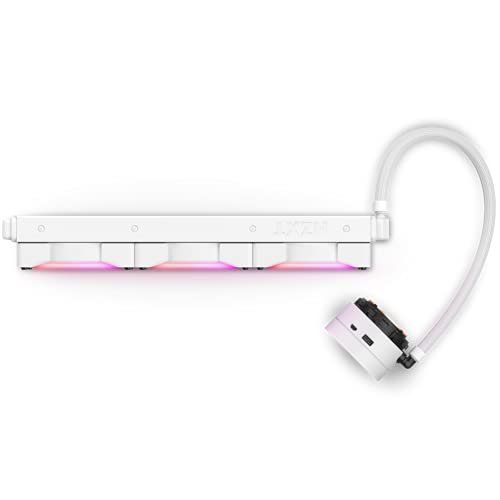
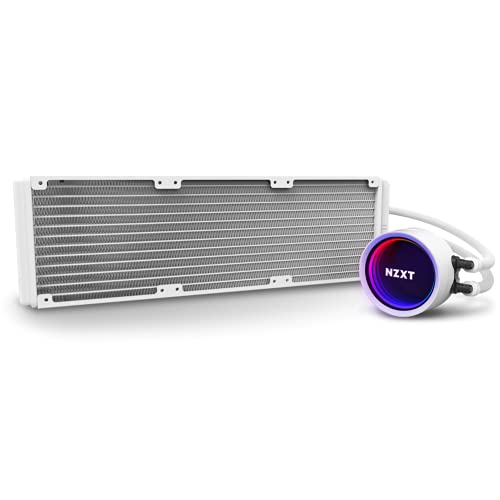
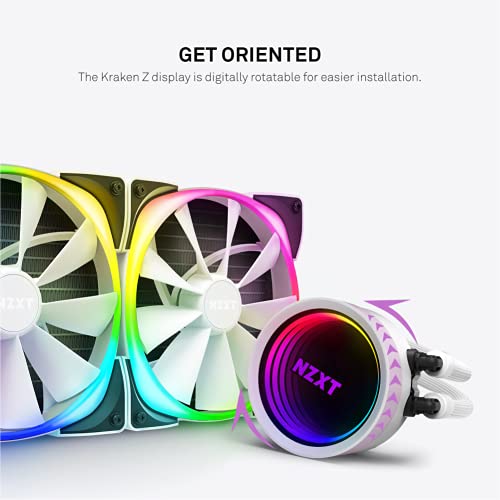
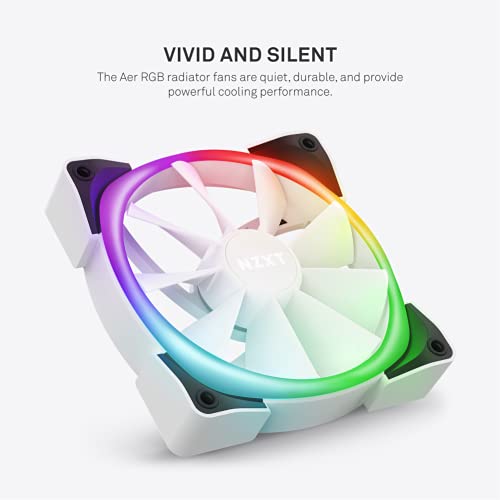
The NZXT Kraken X73 RGB is a premium 360mm all-in-one liquid CPU cooler featuring three Aer RGB V2 fans with fluid dynamic bearings for silent, efficient cooling. Its redesigned rotating infinity mirror cap is 10% larger for vivid RGB effects visible from any angle. Powered by CAM V4 software, it offers precise control over cooling performance and lighting. Durable nylon mesh tubing and flexible pump orientation simplify installation and enhance longevity, making it a top-tier choice for millennial pros seeking both style and substance in their PC builds.


| ASIN | B09CW9NC51 |
| Best Sellers Rank | #2,026 in Water Cooling Systems |
| Brand | NZXT |
| Compatible Devices | Radiator |
| Cooling Method | Water |
| Date First Available | August 17, 2021 |
| Item Weight | 4.86 pounds |
| Item model number | RL-KRX73-RW |
| Manufacturer | NZXT |
| Material | Nylon, Rubber |
| Maximum Rotational Speed | 1800 RPM |
| Noise Level | 33 Decibels |
| Number of Items | 1 |
| Power Connector Type | 3-Pin |
| Product Dimensions | 9.84"L x 5.91"W x 7.48"H |
| UPC | 815671016195 |
| Voltage | 12 Volts |
| Wattage | 3.6 watts |
E**P
Works great. Easy Install. Low temps at full load.
Installed the X73 in about 20 minutes. The biggest issue i had with this AIO was the RGB fans. I wanted to have them pull air through the radiator into the case but in order to do that they had to be backwards and you couldnt see the RGB. I decided to go push/pull and put them on the backside so they will not go to waste and you can slightly still see the RGB. Waiting for my 3 set of Phanteks to put on the front for them to pull thru the radiator. If you plan on having them pull thru the radiator, just go the non RGB version to save 20-30$. Besides that, this thing has great and easy customizability and my temps dont exceed 55c on my 5600x going thru multi core on Cinebench R23. Highly recommended for first time builders and anyone who wants to be a little flashy. CAM software is pretty good just avoid the overclocking software.
G**O
the best AIO
excellent water cooling system, reliable, latest pump from Asotel, long warranty, good build, beautiful display, cool thing that allows you to flexibly adjust the display and fan pattern. I really like that it works quietly even under load. It is enough to cool any processor, a large set of fasteners is included
J**H
Best COOLER!
Best part of the pc Iv bought! No noise, keeps my oc cool, my temp low and looks so cool !
F**M
Cooling
The cooler overall is pretty good but doesn’t cool as much as my Coolermaster 240 RGB. My CPU runs about 5 to 10 c higher. The one thing I found pretty cool was the fact you do not need and RGB header for lighting because it works off of your USB 2.0 connection. The only problem is if you don’t have an extra one you need to buy that in addition to the cooler. Overall I would recommend the product as pretty solid but doesn’t cool as well as I would have liked.
E**C
Great product
Love this cooler. Cpu Temps idle between 26-28 degrees Celsius. When gaming it's usually around 50 degrees Celsius. So far have no issues. Every look amazing an works perfectly.
T**L
Didn’t receive the proper standoffs
I preordered a Hyte case, so I ordered this Aio for it. I got it renewed from Amazon and didn’t check the contents until i received the case. While installing the aio i watched a tutorial on how to do it. It was then i realized i didn’t receive the proper standoffs. First, they aren’t the proper height for the brackets it comes with and second, they have a thin side and a thick side. The thick side doesn’t go into the back brackets nor the knob you use to tighten down the aio, which makes it completely unusable. It’s past the date of return and Amazon isn’t gonna help, so all in all cool aio but just don’t buy renewed. Am going to NZXT to buy proper standoffs
A**R
Be Careful
I bought this liquid cooler for my son for his birthday. He loved it, so I bought one for myself. Installation was a breeze.....however, when it came time to peel off the protective plastic that covers the pump head LCD, it peeled off half the outer layer off the LCD and ruined the display. I got a replacement from Amazon and installed the new cooler and this time I peeled the protective plastic off slowly....but it left a sticky residue on the pump head LCD. It took me another 20 minutes or so of cleaning off the LCD with a non ammonia cleaner and a microfiber cloth. Not sure what they use to adhere the protective plastic to the LCD but it can ruin the the screen. Overall, love the cooler, it performs well and is quiet!
M**O
Overkill but I love it.
I didn’t really need one for cooling my CPU. I just bought it because it looked awesome. NZXT CAM must be installed to program fans and colors. Bit of a hassle to install but if you’re building your own PC you probably new that already.
G**O
Covers 1 ram slot
趣**歳
CPUはRyzen5800x3dを使用してます。 グリスは事前にクーラーについているものは拭き取り別のものを使用してます。 ファンの設定によりますがブラウザで動画を見ている程度は40〜50度程度、ゲーム時など負荷をかけても70〜80度程度で安定して動いてくれてます。 おそらくファンをもう少し動かせば冷えると思います。 簡易水冷は2度目の使用ですが取り付けは非常に簡単でした。 見た目や、制御用のソフトも使い勝手がよいです。 水温まで出るのもグッド! ただ、マザーボード側のソフトと水冷制御のソフトではCPUの温度がだいぶ違うのが気になりますが、冷えてるので良しとします。 初期動作時のみカリカリと音が鳴ってましたがポンプを100%で数分動かせば静かになりました。 簡易水冷もたくさん種類がありますが、見た目、制御ソフト、冷却性、全て満足してます。
R**T
This is a lovely AIO and my top choice in terms of looks (and a close tie for performance). The white variant is particularly nice and the radiator isn't too thick that it won't fit in some cases like the Corsair 5000x (the Arctic 360mm AIO doesn't fit). My only complaint is that I was sent an older model that didn't come with the LGA1700 bracket which is rather annoying. I've reached out to NZXT to acquire an LGA1700 bracket for my intel 13th gen CPU.
H**Y
I upgraded from a x63 to the x73 as I recently got a bigger case (h710i). I mounted the radiator and fans on top of my case to exhaust the air out. I used the mounting bracket which came with my case to install the radiator and fans. The mounting bracket was put in between the radiator and fans and then I put the screws in to hold everything in place. You can also screw the fans directly onto the radiator if you want. Then you just need to mount the fans into your case. I would suggest at this stage to connect the IN & OUT daisy chain cables. I made the mistake of installing into my case first then found it too hard to connect the cables so had to take eveyting back out to connect the cables. You have to connect the IN cable to your first fan and then the OUT into second and so forth. The first fan needs to be connected directly to your controller unless you already have RGB fans then it's just a case of daist chaining them all together. I have an intel CPU so I didn't need to change the bracket on the pump. If you have AMD all you need to do is swap it for the correct bracket. Before you mount the pump you need to connect the correct backplate to the back of your motherboard. Then you mount the pump to the CPU and motherboard. The pump comes with thermal paste pre applied however I used my own. Next step is to connect the fans to your motherboard. In my case I have the nzxt controller so I just connected the fans to the splitters connected to the controller. The other option is to connect the cable supplied to the motherboard and then connect the fans to the fan splitters. If you do this then I don't think you can control the RGB lights as they need to go through the controller. Final step is to connect the cables from the pump. The breakaway cable has 3 ends. One is connected to my PUMP header on my motherboard, the other to a spare SATA cable coming from my PSU and the other is just left hanging as I had to use for it. The second cable connected to the pump is the usb one which is also connected to a spare USB header on you motherboard. Once everything was connected I turned pc on to make sure everyting was working then installed the CAM software. The software is intuitive and easy to use. The fan led can by addressed individually however I just went with one colour. There is also RGB lighting on the pump which can also be changed. The temps on idle are between 30-33 degrees. Whilst gaming it's nornally 40-50 degrees however on certain CPU demanding games it does go higher. Stress testing on Aida 64 the temps were between 65-70 degrees. Temps will vary depending on what CPU you have so my results will likely be different to yours. Overall very happy with this product, easy to install, decent temps and RGB fans give the case a nice look. Highly recommended
お**な
最新のプラケットがなかった為、その旨をメールをしたのは18時55分。返事が19時41分に来た。出荷手配済み。佐川急便で明日到着指定との事。 PCケースも同様に補修品を申請したら、次の日に部品が届きました。 HZXTの製品どうこうよりも、サポートが素晴らしすぎた。 なので正規店で購入を絶対にお勧めします。Amazon販売発送です。これ重要。
Trustpilot
3 weeks ago
1 month ago



