We remain fully operational. Our teams are working around the clock to ensure your deliveries continue safely.

DOWNLOAD THE APP


Customer Services
Copyright © 2025 Desertcart Holdings Limited
DOWNLOAD THE APP


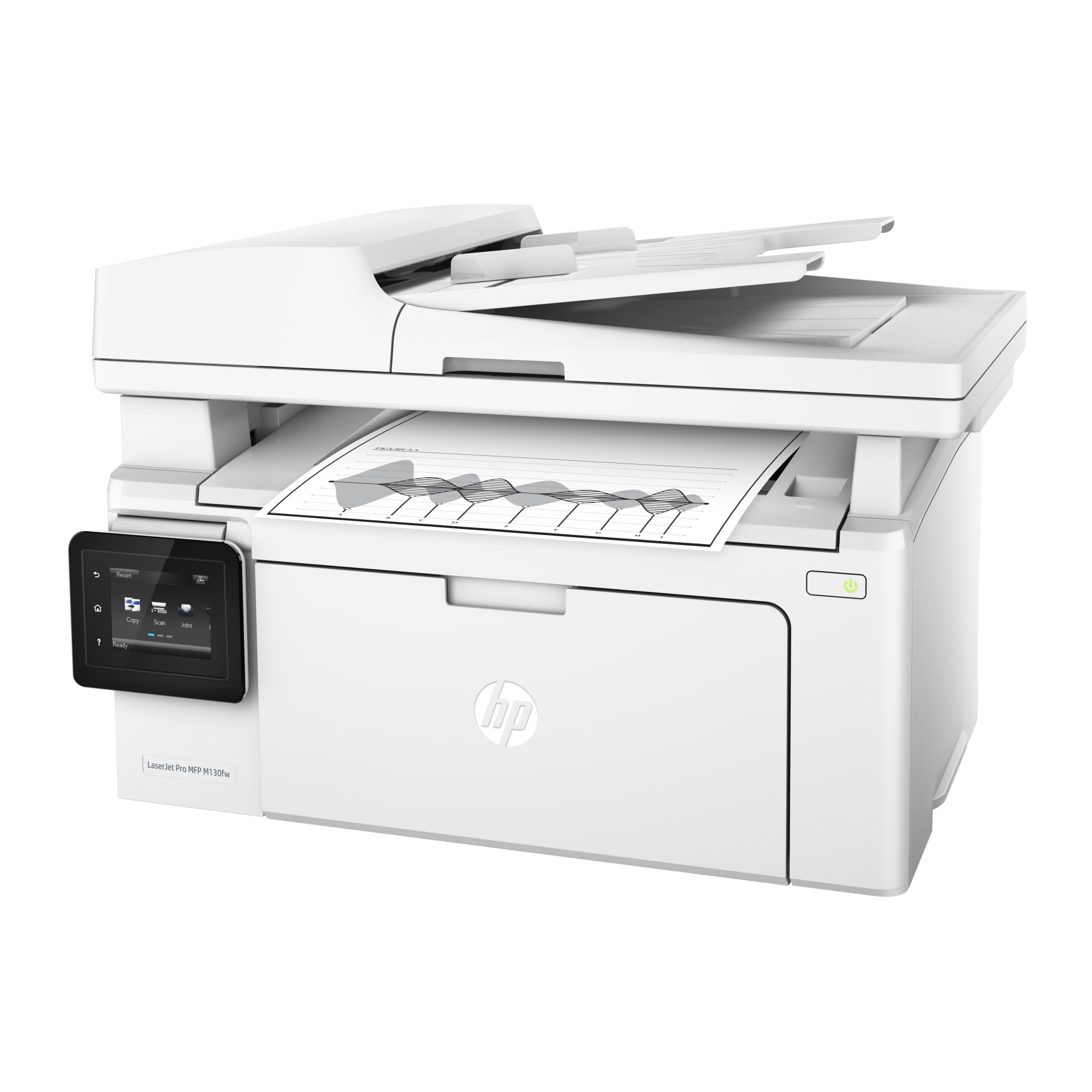

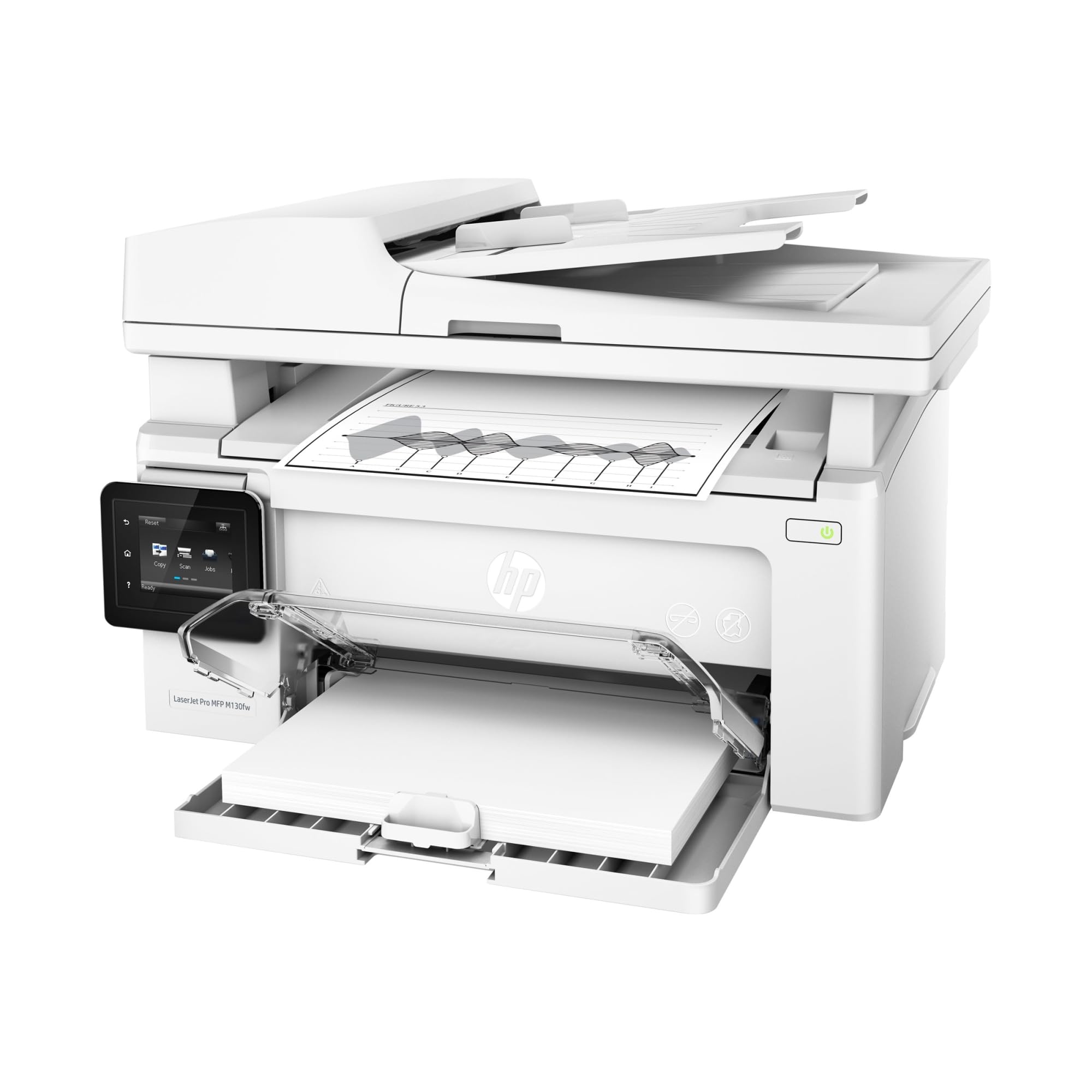
🖨️ Elevate your workspace with speed, smarts, and seamless wireless printing.
The HP LaserJet Pro M130fw is a compact, monochrome all-in-one laser printer designed for home and small business use. It delivers fast printing at 23 ppm, supports wireless and mobile printing via HP ePrint, AirPrint, and Wireless Direct, and features a 4.3" color touchscreen plus Alexa voice control. With multifunction capabilities including scanning, copying, and faxing, plus a monthly duty cycle of 1,500 pages, it combines professional performance with energy-efficient operation.


| ASIN | B01LBWELFK |
| Additional Printer Functions | Copy, Fax, Scan |
| B&W Pages per Minute | 22 ppm |
| Best Sellers Rank | #184,204 in Office Products ( See Top 100 in Office Products ) #252 in Laser Computer Printers |
| Brand | HP |
| Built-In Media | HP Black LaserJet Toner Cartridge ~700 pages, HP LaserJet Imaging Drum ~12,000 pages, HP LaserJet Pro MFP M130fw, Printer documentation and software on CD-ROM |
| Color | Light Gray |
| Color Pages per Minute | 23 |
| Compatible Devices | Laptops, PC, Smartphones |
| Connectivity Technology | USB |
| Control Method | Voice |
| Controller Type | Amazon Alexa |
| Customer Reviews | 4.3 out of 5 stars 981 Reviews |
| Display Type | LCD |
| Dual-sided printing | Yes |
| Duplex | Manual |
| Global Trade Identification Number | 00725184117305 |
| Hardware Interface | USB |
| Ink Color | Black |
| Item Dimensions D x W x H | 11.34"D x 16.66"W x 11"H |
| Item Type Name | LaserJet Pro M130fw (G3Q60A) |
| Item Weight | 16.76 Pounds |
| Manufacturer | HP |
| Maximum Copies Per Run | 100 |
| Maximum Copy Resolution Black and White | 1200 dpi |
| Maximum Copy Resolution Color | 600 dpi |
| Maximum Copy Speed Black and White | 22 ppm |
| Maximum Media Size | 8.5 x 14 inch |
| Maximum Print Resolution Black and White | 600 dpi |
| Maximum Sheet Capacity | 150 |
| Maximum print Resolution Color | 1200 dpi |
| Model Name | M130fw |
| Model Number | M130fw |
| Model Series | HP LaserJet Pro |
| Number of Drivers | 1 |
| Number of Ethernet Ports | 1 |
| Number of Licenses | 1 |
| Number of Trays | 1 |
| Other Special Features of the Product | Network-Ready |
| Output sheet capacity | 100 |
| Paper Size | 3 x 5 to 8.5 x 14 |
| Power Consumption | 255 Watts |
| Print media | Card stock, Envelopes, Glossy photo paper, Labels, Paper (plain) |
| Printer Connectivity Type | USB |
| Printer Output Type | Monochrome |
| Printer Type | Laser |
| Printing Technology | Laser |
| Processor Count | 1 |
| Resolution | 600 x 1200 |
| Scanner Type | Sheetfed |
| Special Feature | Network-Ready |
| Specific Uses For Product | Home, small to medium business |
| Total USB 2.0 Ports | 1 |
| Total Usb Ports | 1 |
| UPC | 725184117305 |
| Unit Count | 1.0 Count |
| Warranty Description | ONE-YEAR LIMITED HARDWARE WARRANTY |
| Warranty Type | Limited Warranty |
| Wattage | 225 watts |
N**N
meets our printing and scanning needs; weaknesses reported by others no a problem
This printer/scanner just arrived and I'll update this review as necessary. The printer meets our needs. We rarely need color printing, and so opted for the much cheaper to operate B&W laser. Setup required about 2 hours. The instructions were adequate, but one had to carefully think through steps. The printer works well with our home network, and by direct wi-fi connect. We were pleasantly surprised that it had a feature that allowed us to remotely email a print job to the printer. At first I was dismayed by the apparent poor scanning resolution of 300 DPI, but that is only when using the automatic document feeder (ADF). If one changes the setting to Flatbed, and placing one document at a time, the scan resolution is up to 1200 DPI in color. The scanning software did once fail to reopen after closing. Others have reported this. To remedy, I opened the computer Task Manager, found the scanning software running, and killed it, and then was able to reopen. We have this printer on our home wireless network, and we have not observed any slowing of the wireless network reported by others. We have a Netgear Nighthawk router. We have enabled remote printing by email directly to the printer, and it works perfectly. This is a very nice feature to provide remote printing. We have not observed any problem, as reported by others when the printer goes to sleep. Even after days, once a remote job is sent by email, it wakes up and prints immediately. I'll update as I discover more.
R**T
robust multi-function capabilities in a compact form factor
Of the printers that I hands on tested, for it's price class, this printer had the best build quality by a pronounced margin. The unit is very well designed, offering robust multi-function capabilities in a compact form factor. I did nearly all configuration after initial installation using the web server UI and found it to be effective, comprehensive, and responsive. The touchscreen is well sized, intuitive, and an effective tool for controlling the printer. The HP Smart app is very useful and convenient, and also well designed. So glad to have upgraded to a Pro class printer offering full range networking and user control. It scans to local NAS, email/cloud, and mobile devices effortlessly after initial setup and configuration.
D**B
This is an adequate but not great multifunction printer.
This multi-function device is good value for the money. It was easy to set up for basic use. The printing quality is adequate. It scans & copies adequately. I have not tried the fax function. It is relatively small and moderately quiet. I would recommend this product. It does have some serious problems. The touch screen in front is hard to get to & use. Everything HP does with notices and instructions is in very small font and/or very light font. The screen is difficult to read. The choices are too small for easy use. The printed material with the device is also in very light print. The screen for scanning is tiny & the choices are hard to read. There is no excuse for these deficiencies. While the basic set-up was easy, more sophisticated set-up was very difficult. I never could make the scan to folder function work. The tools for working with the device were difficult to access. The HP website also has very light font and is hard to read. I previously had the P1606 printer and the 5520 scanner, both from HP. These were more expensive and definitely better. Finally, you need to buy #17A cartridges and also #19A drum rollers. This is extra overhead. I do not know if there is a better product for the money. If I had to do it over, I would get the M132, M227, or M148 printer.
A**N
small footprint, quick printing, does what it needs to do
I bought this printer for light home printing and document scanning. It has a very small footprint for a laser printer. It's relatively attractive in white, only ~12" deep, and has adequate printing and scanning abilities. It replaced an AIO brother inkvestment printer and this printer is actually smaller than the inkjet. I had no problems connecting immediately to my mesh network and it's held connection so far (only a day). I didn't use the enclosed driver CD, but rather installed the printer drivers through Win10 after connecting to WiFi on the printer. I then installed the HP smart app through windows for the other functions. Took about 5 minutes. 1st page printing is much faster than my inkjet (~3-4 sec), with quality that is fine for documents. Document feeder accepted a 20 page test run without problems. This is a fine monochrome AIO laser printer for my light needs.
K**1
Easy to use and great printer.
I don't usually write a review of the products that I purchase from Amazon 4 months ago, but I'm so please with this HP printer. In the past, I've had problems with several other brand inkjet printers. Problems in changing cartridges, running out of ink, and the hassle of cartridges not working because of infrequent use of the printer, caused me to get rid of inkjet printers. This laser printer is so much less complicated. Set-up was easy. The printer toner takes care of my printing needs, and as I've been told, lack of use of the printer the toner will not dry out. Printing jobs and copies come out perfectly clear and very fast. I'm completely satisfied with this printer.
D**A
The setup was pretty straight forward and no complaints in that department
The setup was pretty straight forward and no complaints in that department.Faxing works nicely. However, I have had this printer for 2 months now. After about a week I noticed printing to it wirelessly became an issue when the printer goes into energy saver mode and puts the wireless NIC into a deep sleep. When that happens all my computer show printer not available. There is no way to turn off the energy saver and HP has nothing in terms of a firmware fix. I have recently read others complaining about the sleep mode but have yet to find a permanent fix. I now just tell anyone in the house to just recycle the power on the printer in advance as a work around. I also have a gripe with the print quality or lack there of. I have been dealing with intermittent smudges on the right edge of the page. I can see that the edge of the drum has a toner build up on it. If I clean it off the drum using a dry q-tip then the problem goes away. Only to return a few pages later. So if your price shopping as I was for a straight up Black and White Laser printer then this is a decently priced printer for all it offers. But now knowing the issues I discovered I would probably have looked for something with better reviews and better build quality and not be fixated on the lowered price. I wish Apple made printers...
C**S
Great Printer
After reading the reviews I was hesitant to purchase this printer. I have had no problems and have had printer for 3 months. Setup went well, I had no issues. I also was able to set up the WIFI printing from my laptop. I use this mostly for work to print documents and the print quality is good, no paper jams and easy to use. I love the size, it does not take up to much space.
A**R
4 out of 4 all broke after return window closed!! BEWARE!
I purchased 3 at the same time for small office use. 1 out of the 3 broke after about a week of use. Something came lose or broke on the inside and everytime you tried to print something it would make loud clicking noise from inside and would end in error. I have returned the broken one and continue to use the other 2 with no issues so far. The all in one is really nice, instead of having a printer and separate scanner on the desk. This opened up a lot of desk space. Print and scanning is faster then the old ones and the office girls like them so far. Will report back here if I have an issue with the other 2. UPDATE 2/7/18 So the other 2 and the 1 I had replaced all broke!! 1 broke on monday and the other 2 including the new replacement broke on thursday, of course the return period for the first 2 ran out on the 31st gonna try and refund the new replacement. I did talk with HP support we tried several different methods including plugging them straight into a wall outlet nothing worked! They said maybe I got a bad batch! Quality control anyone??!?!! Waiting on a call back to try and get refunds. I would not recommend using the printer in an office environment maybe for home use only with little use it might last.... I have lost faith in HP and will find another company for my printers.
Trustpilot
1 month ago
1 day ago