

🎨 Elevate your art with pro-grade precision and color — don’t just create, captivate!
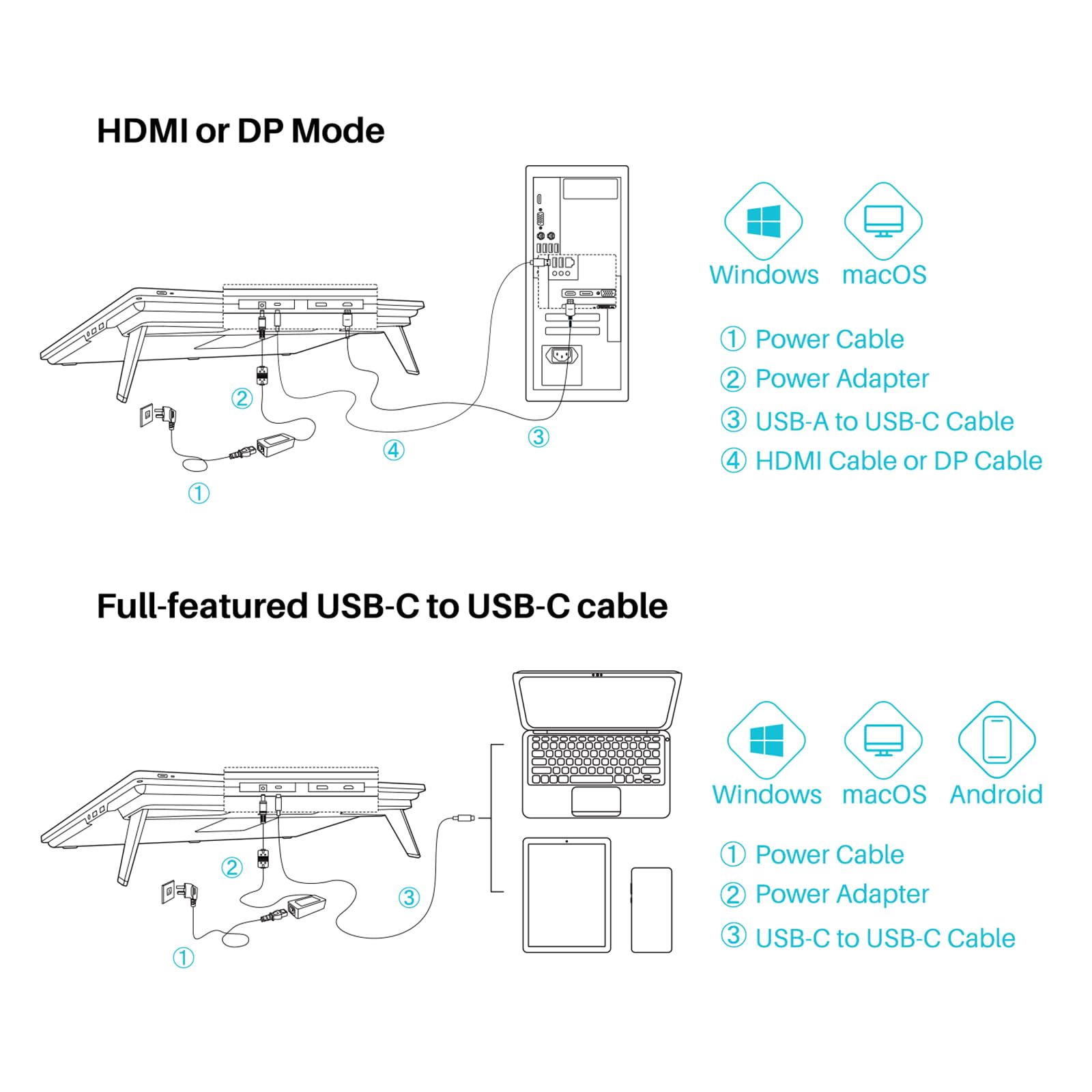
The HUION Kamvas Pro 24 4K is a professional-grade 23.8-inch graphics tablet featuring a 3840x2160 UHD full-laminated anti-glare display with 140% sRGB color gamut and HDR support. It includes a battery-free stylus with 8192 pressure sensitivity levels and a wireless programmable mini keydial, designed to enhance productivity and color accuracy for digital artists. Compatible with Windows, Mac, and select Android devices, it offers multiple connectivity options including HDMI, DisplayPort, and USB-C.










| ASIN | B099555ZBZ |
| Batteries | 1 Lithium Ion batteries required. (included) |
| Best Sellers Rank | #70 in Computer Graphics Tablets |
| Customer Reviews | 4.3 4.3 out of 5 stars (2,223) |
| Date First Available | July 30, 2021 |
| Item Weight | 13.67 pounds |
| Item model number | GT2401 |
| Manufacturer | ShenZhen Huion Animation Technology Co., LTD |
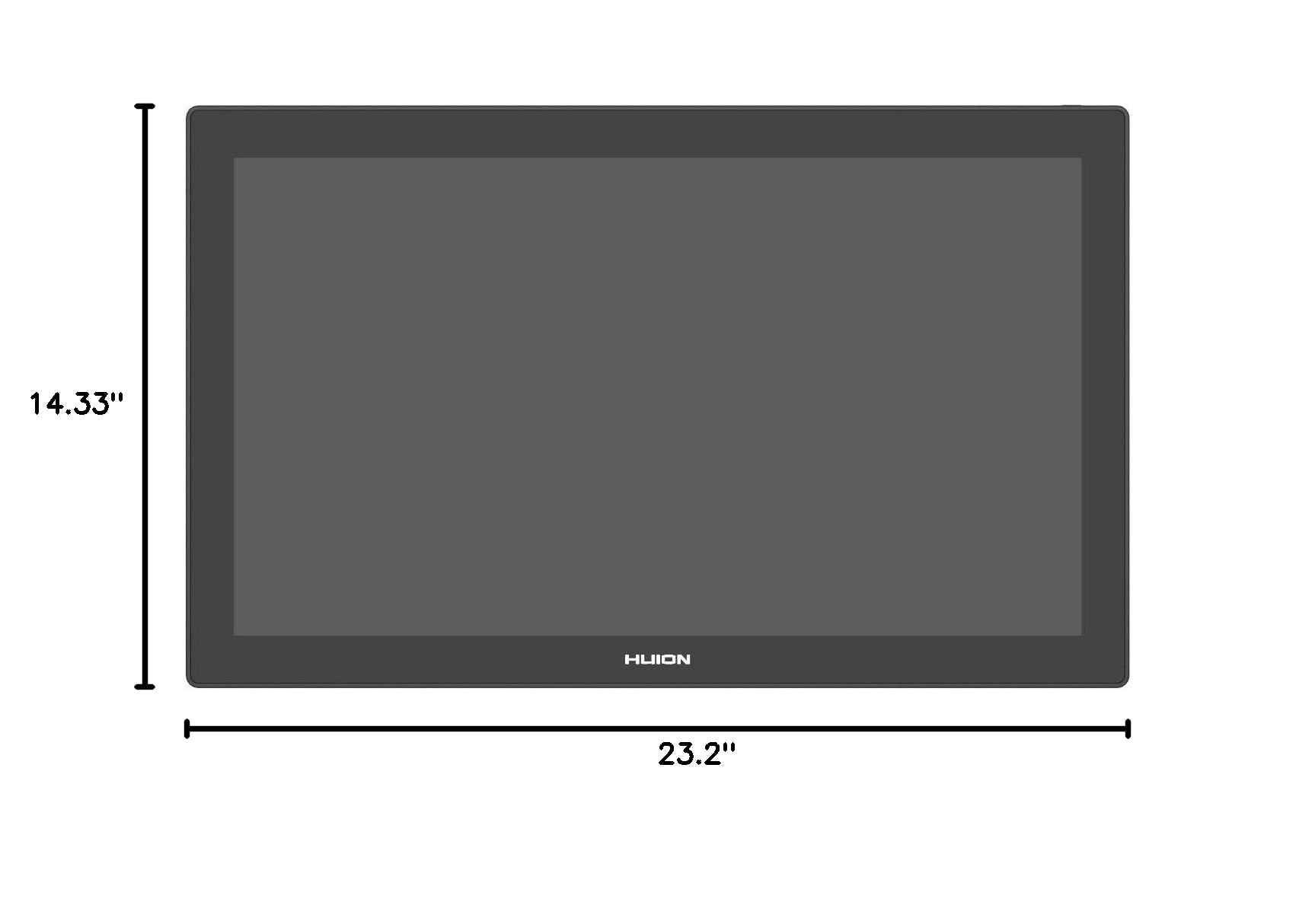
| Product Dimensions | 23.2 x 14.33 x 0.89 inches |
B**H
Great Product at a much lower cost.
Huion KAMVAS GT-221 Pro HD Drawing Monitor Pen Display with 10 Press Keys and 8192 Pressure Sensitivity - 22.1 Inch I used to love sketching and painting back in high school but I let my art go as I got older. But my love of comic books and anime never went away, so I decided that I should get back into it. I've always liked watching youtube video's of digital art speed painting and comic book line art and kept seeing people using pen displays and thought it would be a great way to start re-learning to draw. Being a tech fan, I started researching graphics pen display's and kept seeing Wacom displays but I don't have that kind of money. lol I had a chance to try an Apple Ipad Pro 12.9 inch and while it was very nice to draw on, I wasn't happy being semi locked in to apple software and the difficulties in basic file transfers to my Windows 10 PC really bugged me so I returned it. I then tried the latest Microsoft Surface Pro and that was very nice. Almost perfect but the screen was a bit to small for Photoshop. So I figured I'd go for a larger Pen Display that I could use with my main computer. I saw a lot of good review on youtube for the Huion GT 191 and the Huion GT-221 Pro and while it was a bit more expansive than I was wanting to spend, I'm very glad I got it. So far it's been almost the perfect solution for what I wanted. Zero issue's with driver installation and performance has been great. I use the GT-221 mainly with Photoshop CC and Clip Studio Paint and I'm loving the pressure sensitivity and the feel of the pen is also very good. I will say that the hotkey buttons on the side are handy but to be honest I don't use them as much as I thought I would. I probably should have gone for the lower cost GT-191 that doesn't have the buttons but either way it's a great device. I'm really enjoying relearning sketching and while I still have a long way to go with my comic art it's nice to know I have a good device to work with. The only con for the GT-221 I can find is that I wish it was a 2k or maybe even a 4k display. But even as a 1080p display the colors and clarity are still very good. It's really nice to see other companies giving Wacom a run for the money in this area of technology. Keep up the good work Hion.
A**R
A quality product with great value
I recently bought this to replace my Cintiq 12WX, so keep that in mind as you read this review. I do not have much experience with the larger Cintiq model but I did use my 12WX for about 6 years. I've also used the Intuos models and Wacom AES pens on 2 in 1 devices. I've been using this device for about 3-4 weeks. When looking to replace my 12WX, I was interested in checking out alternative products to Wacom's Cintiq. I also wanted a larger sized tablet without digging too deep into my bank account. I eventually settled on Huion out of the competitors like XP-Pen, Yiyinova, Monoprice and Ugee. Huion seemed to be making the biggest push as a serious competitor to Wacom. I settled on this model since it seemed to be Huion's best offering. Negatives -While it is a significant step up from my 12WX, the display on the Kamvas GT-221 is short of being a high quality display. I do a lot of painting so in order to know what colors I'm actually using, I have to check it against my calibrated monitor every so often. I had to this with my 12WX so its not really a big deal for me, but it might be for you. -No tilt capabilities. I was little apprehensive about going in without tilt sensitivity but after some rough math, I figured only about 12-15% of my brushes used tilt sensitivity. I've often adjusted settings on brushes to get the strokes and textures I need so if you have some experience adjusting or making your own brushes, you should be able to overcome this minor hurdle. I would like to see Huion put out tilt sensitive devices in the future, but at this point, it really isnt too bad. Positives Pretty much everything else! -This Kamvas works really well for what I need it for. I've tested in Photoshop, Clip Studio/Manga Studio and Illustrator and have had zero issues with any of the programs. I'll update this review if I happen to run into issues with other programs but these are the main ones I use. -Programmable side buttons on the display -The build quality is very good. Everything feels sturdy and nothing feels cheap. -The stand is very solid. I will likely put my Kamvas on a monitor arm so I can draw standing up like I could previously (I've changed my entire workstation set up since deciding to upgrade) -Two pens are included. I charged one pen and have yet to have to charge it again. I think I've seen some reviews mention the pens as needing to charge as negative but it is a total nonissue. -The glove included is pretty nice, I hadnt used these digital drawing sort of half gloves before but they ease the side of your palm against the display so you can long uninterrupted strokes Overall, the Kamvas has worked well with everything I need it to. It has increased my work efficiency and eased eye strain. While some of these positives may come from upgrading from an older and smaller Cintiq, I cannot imagine the comparable Cintiq model would be doing a much better job. There are some minor downsides in comparison, a better screen would be great and tilt sensitivity would be nice to have, but the Kamvas is definitely worth your consideration if you are looking for this type of device.
A**.
Se rayó al poco rato PEEEERO NO SE MALOGRA, por si a alguien más le pasa, lo q se raya es la mica mate q tiene no la pantalla, así q se va a seguir gastando y se puede reemplazar en la store de huion. Pa que no se espanten. Me atendieron rápido y todo, y de momento pues estoy feliz con el display después de un susto por la primera rajadura q le salió, no pasa nada y no interrumpe la visión ni el dibujar. Eso sí limpien las puntas y cambienlas para q no pase tan seguido. update, ni teniendo cuidado se deja de rayar eso es para que estes gastando en lamina una y otra vez, el pen las puntas no vienen lisas y rayan la pantalla y es MOLESTO
J**G
The product arrived in an obviously damaged box, and after trying to get it to work - the screen was broken and the display would not turn on (even though Windows recognized it as both a display and the pen input was working).
M**G
The color of the display is dull
D**Z
Fiyatına göre gayet iyi bir ürün..
H**R
As soon as I received the product, the seller got in contact with me and asked if there were any issues. Excellent customer service and product was in excellent condition and as described! Would recommend buying from them again :D
Trustpilot
2 weeks ago
2 months ago



