Buy anything from 5,000+ international stores. One checkout price. No surprise fees. Join 2M+ shoppers on Desertcart.
Desertcart purchases this item on your behalf and handles shipping, customs, and support to Iceland.
🎮 Capture Every Moment, Stream Like a Pro!
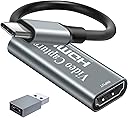
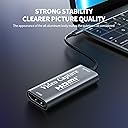
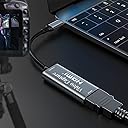
The Papeaso HU-03C Video Capture Card delivers crisp 1080p video at 60fps with ultra-low latency via USB-C connectivity. Compatible across Windows, Mac, Linux, and Android, it supports a wide range of devices including gaming consoles and cameras. Its plug-and-play design ensures hassle-free streaming and recording, making it an essential tool for professional-grade live broadcasts and content creation.


| ASIN | B091NX27S8 |
| AV Output | HDMI, USB-C |
| Antenna Location | Video Recording |
| Best Sellers Rank | #8 in Internal TV Tuner & Video Capture Cards |
| Brand | Papeaso |
| Built-In Media | Installation Guide |
| Compatible Devices | Camera, Gaming Console, Laptop, Personal Computer |
| Customer Reviews | 4.3 out of 5 stars 2,341 Reviews |
| Hardware Interface | HDMI, USB Type C |
| Manufacturer | Papeaso |
| Mfr Part Number | HU-03C |
| Minimum System Requirements | Windows, Linux, Mac OS |
| Model Name | HU-03C |
| Model Number | HU-03C |
| Operating System | Windows, Linux, Mac Os |
| Other Special Features of the Product | USB-C Connectivity |
| Platform | Windows |
| Recommended Uses For Product | Video Recording |
| UPC | 734065846210 |
| Unit Count | 1.0 Count |
| Video Capture Resolution | 1080p |
| Warranty Description | 2 years warranty |
J**.
9 stars if I could! Don't hesitate! Amazing CS!
I bought this to use with Hyperion or HyperHDR. It works great with both and is a great component for DIY ambient light system for your TV. I have it attached to a Raspberry Pi using the software above and other components, and it is $300+ less than a Hue kit. It was basically on for 2 months straight (active even with standby on my roku) and one day the Pi still recognized it as a device but there was no signal. The item temperature felt like a million degrees so I imagine the heat did something. Lesson learned about leaving it active. I have read a lot of the negative reviews saying the item stopped after a couple months, there was no company contact information or warranty. Usually for something under $20 I would just eat the cost and move on but wanted to see if the complaints were true. I will tell you most of that is not true and completely false. The only truth was, the contact information is not included with the product. I contacted the seller through Amazon (ask seller question about product), provided order information and told them about what happened. They offered either an order refund or replacement. I chose replacement and they sent a replacement using next day (1-2 day) shipping. This was almost 3 months after purchase. I received the new item the next day, plugged it in and my system was back to working status like expected. Use common sense and a little effort before leaving a negative review and spreading false information. While the product did have issues eventually, they 100% did what I (and anyone) should expect from a company. I would give them 10 stars but they absolutely should include contact information and/or warranty information with the product... And yes there is some spelling issues on the back of the product box (teh instead of the) but that doesn't take away from the quality of the product.. especially because of the price. Functionality wise, it captures at 1920x1080 60fps and also captures HDR and SD frames without issue for me.
A**R
Great Inexpensive USB Video Capture Device!
Sweet gravy biscuits, it actually works! I’ve got a history of failing miserably to get USB video capture devices working. A lot of them don’t work in macOS, only work with PAL (vs NTSC) signals, whatever. It’s been a rough time, and I wasn’t expecting anything different from this but the price was worth a shot, so I figured I’d give it a try. I was very pleasantly surprised! I used an HDMI splitter to split the video and audio signals from my gaming PC, ran one HDMI connection to the monitor and another to my capture device. Once that was done, it was a simple task of opening QuickTime Player in macOS (though you can use any software that can capture video from a source like a webcam and mic), selecting “New Movie Recording”, and then specifying “USB3.0 Capture” as my camera and microphone inputs. Everything just works, even when plugged into an adapter (my 2012 MacBook Pro does not have USB-C ports so I had to use a USB-C to USB-A dongle which worked just fine). There is no noticeable lag, the frame rate is excellent (QuickTime records at 60fps, but in theory other software could do higher fps if you’re outputting higher fps), and the audio sounds great. Highly recommended if you’ve got video to capture and that video outputs an HDMI signal (I mean, you could also use a converter to go from Composite or D-SUB or whatever to HDMI, so the options really are extensive). Has paid for itself several times over already!
K**R
Works 100% with MacOS, Linux not so much...
Highly recommended for MacOS users, but not so much for Linux. I've tried this HDMI capture device with two different Macbook pro laptops, a Mid-2014 and a Mid-2019. Using this capture device with qiuickTime Player the setup experience was use the drop down menu to select USB audio/video input device, select quality level, and you are good to go. The High Quality mode is more than good enough for capturing 1080i video. The image resolution is excellent, fluid image motion, and low/no dropped frames. The USB3->USB-C adapter is needed for the newer Mabooks, and the usability and image quality with the 2019 Macbook is equally impressive. Unfortunately, this device does not work well with Linux. I've tried this on a modern MX-Linux distro on two different systems with OBS, the go-to software for YouTubers. This device "does work" but there are obvious dropped frames with video capture. I did try the latest 26.3 OBS, which supports GPU acceleration. After several HOURS of trying different options recommended by various YouTube OBS tutorials, I could not get good video capture from an HDMI source. I cannot recommend item this for Linux-only users.
A**R
Awesome tool! Essential item, especially at this price!
I have to admit. I was very skeptical about this item's performance, initially... especially, considering how inexpensive it is. After receiving it I was blown away by how immediately intuitive, easy and effective it is. After installing the Meta Quest HDMI link app directly in my Metaquest 3S headset, all you do is attach this device to the other end of the HDMI cable that is running from your device (in my case, a PS5...) and plug the USB-C end of the device into your Metaquest unit... and that's literally, it. Your Metaquest unit should immediately recognize the signal. In my opinion, this item is a must have. Just make sure that before you plug the adaptor into your headset that you change your HDCP settings on a PS5, otherwise your headset will just display a black screen. If you want to change your HDCP settings on your PS5, just go to: Settings > System > HDMI and then toggle the "Enable HDCP" option to turn it on or off. When you are done using your headset with you PS5, just turn HDCP back on, otherwise you won't be able to view any streaming networks on your PS5. Again, this is a fantastic buy and I cant recommend it enough. My only criticism of this item is that it doesn't offer you a way to charge your headset while you use it. If you can find an item that's exactly similar to this but has that feature, I would definitely recommend it. Otherwise, charge your headset up nice and good and you'll be good to go for a few hours.
T**.
Works well enough for PowerPoint and basic video capture. Plays well with Vmix
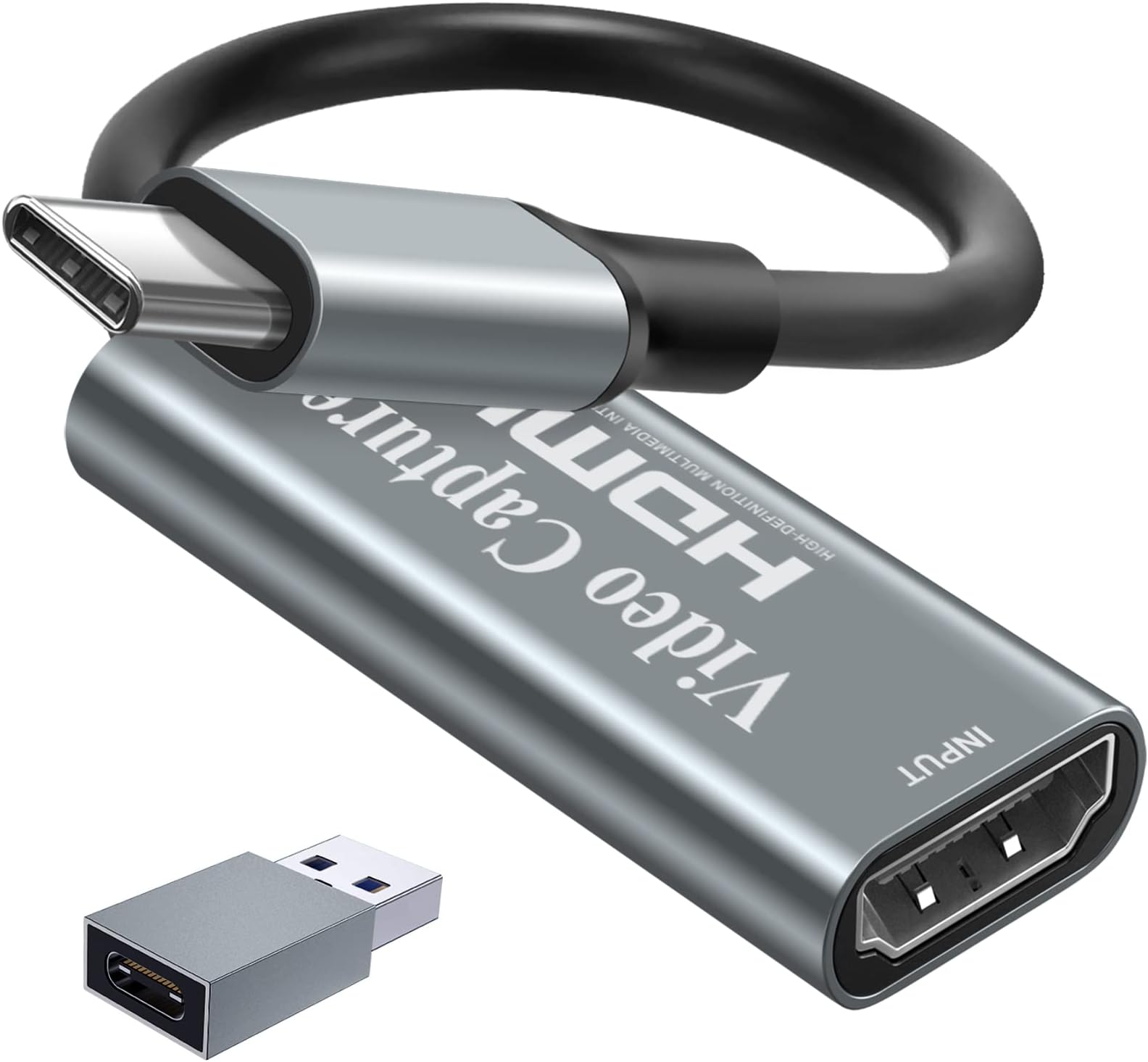
Good quality for the price, no complaints. Was using an AverMedia capture card to capture PowerPoint and HD video from our projection computer into our Streaming computer for church worship. Upgraded computers, and there were no drivers for AverMedia card on Win 11. Bought this as a cheap trial card to get us back up. Plugged it in and Vmix picked it up as a video source. No driver needed. Quality seems very good. I don't have info on frame delay, but it seems minimal. It has less delay than some of our cameras. Delay is maybe the same as an NDI input. The included pics are comparisons between the original file and a capture from Vmix on the receiving end. In both pics the Vmix capture is on top and the original is on bottom. Video seems smooth at HD 30fps, have not tried at higher resolutions. Also this is with the original HDMI running through a HDMI splitter/extender which might be lowering the quality some. I would purchase another one if I had the need.
K**.
Works with Ubuntu. For the price it's really fine, but for me the framerate is low
This worked right away when I plugged it into my linux machine. I tried 1080p resolution and it looked fine. However there was about a half second lag between the signal input and the capture on my laptop; and the framerate was not high. I get *maybe* 8 fps. This is with an 11th gen Intel CPU and full USB 3.2 and plenty of RAM, and Intel graphics. I was halfway hoping for more frame rate, but for the price and compatibility it still seems like a win to me.
T**B
Great for Nintendo Switch to Mac
I never leave reviews, good or bad, but I couldn’t find the exact review I was looking for before purchasing so I’m going to post mine just in case that one person is looking for the same reason. I have a switch and the newest Mac. I wanted to start a cozy gaming set up but to save some coins, was hoping I could use my Mac as a display. I did my research and found this bad boy! Many were saying a video capture device is not the best, but they must’ve been using a much bigger gaming device because it works PERFECTLY for a switch to Mac and what I need it to do. I plugged it in to test it by playing Dreamlight Valley and Hogwartz, and the picture quality honestly looks the same as it does on the hand held (TO ME). You can’t expect too much since you’re using two different brand devices together, it gets the job done. I had to YouTube how to pull up the actual video on the Mac (listed below just in case you’re struggling too), and after that it was good to go! Buy this if you’re trying to use it for the same reason as I did. You don’t need to download a software or anything for Mac. You won’t regret it! Steps on how to pull up video for MacOS: •Open QuickTime Player •Click File in upper left corner •Click New Recording •Click menu next to recording button once app opens •Change options to the USB connection for both video and audio (audio probably won’t work, mine didn’t, not sure why.. but not a big deal because I play with Bluetooth headphones anyway. If you care, you may need to google how to get sound from the Mac speakers while connected to video capture device) •Expand Screen and you’re good to go!
T**S
Bit flimsy, but it's cheap, right?
I bought this for my camera to make it into a webcam. It does the job great for zoom. I've also tried hooking up my Xbox to OBS with it, and that works fantastic too. You plug in your HDMI output into the chunkier end, and plug in the USB-C end to your PC and the device shows up as a Webcam. It's Plug and Play for Zoom or Teams or Discord, pretty much effortless to set up in OBS as well with slightly more tinkering. I was expecting drivers or some kind of funky trick, but nope, it just bipped up in the webcam select menu! I feel like the cable will bend once too many times and break after a bit, but I mean it's pretty affordable compared to other options, and it seems to be pretty reliable for me for now. Depending on your camera, I'd research to find out if you need a dummy battery jig, or other kinds of equipment. Mine doesn't work while charging with Micro-USB. China wins again.
A**.
Problème avec l'appli
Dommage que l'application ne pas terrible
M**E
Easy installiert
Einfach zu installieren und hat bisher in jeder Möglichkeit 1a funktioniert. Nutzen es, um PS5 auf PC OBS zu bringen und haben auch andere Konsolen und Mobile Geräte gecaptured, funktioniert auch mit digitalen Kameras
P**T
works great
works a treat, use it on my ipad i connect my ps5 to it.
J**B
Fait parfaitement le travail pour mon Oculus Quest et ma Xbox.
J’utilise cette carte de capture pour brancher ma Xbox sur mon Oculus Quest et ça fonctionne nickel. Le branchement est rapide, reconnu tout de suite par l’ordinateur, et la qualité d’image est fluide sans latence visible. Le format compact est pratique pour l’emporter facilement et la compatibilité avec OBS permet de tout configurer rapidement. Seul petit point à améliorer, le son peut parfois avoir un léger décalage selon le logiciel utilisé, mais un simple redémarrage règle le problème. En résumé, un bon produit, efficace et abordable pour capturer ou diffuser sans prise de tête.
B**E
Unit works well.
Good value mid range product.
Trustpilot
3 days ago
2 weeks ago