Desert Online General Trading LLC
Dubai, United Arab Emirates
Desert Online General Trading LLC
Dubai, United Arab Emirates


🚀 Elevate Your Connectivity Game!
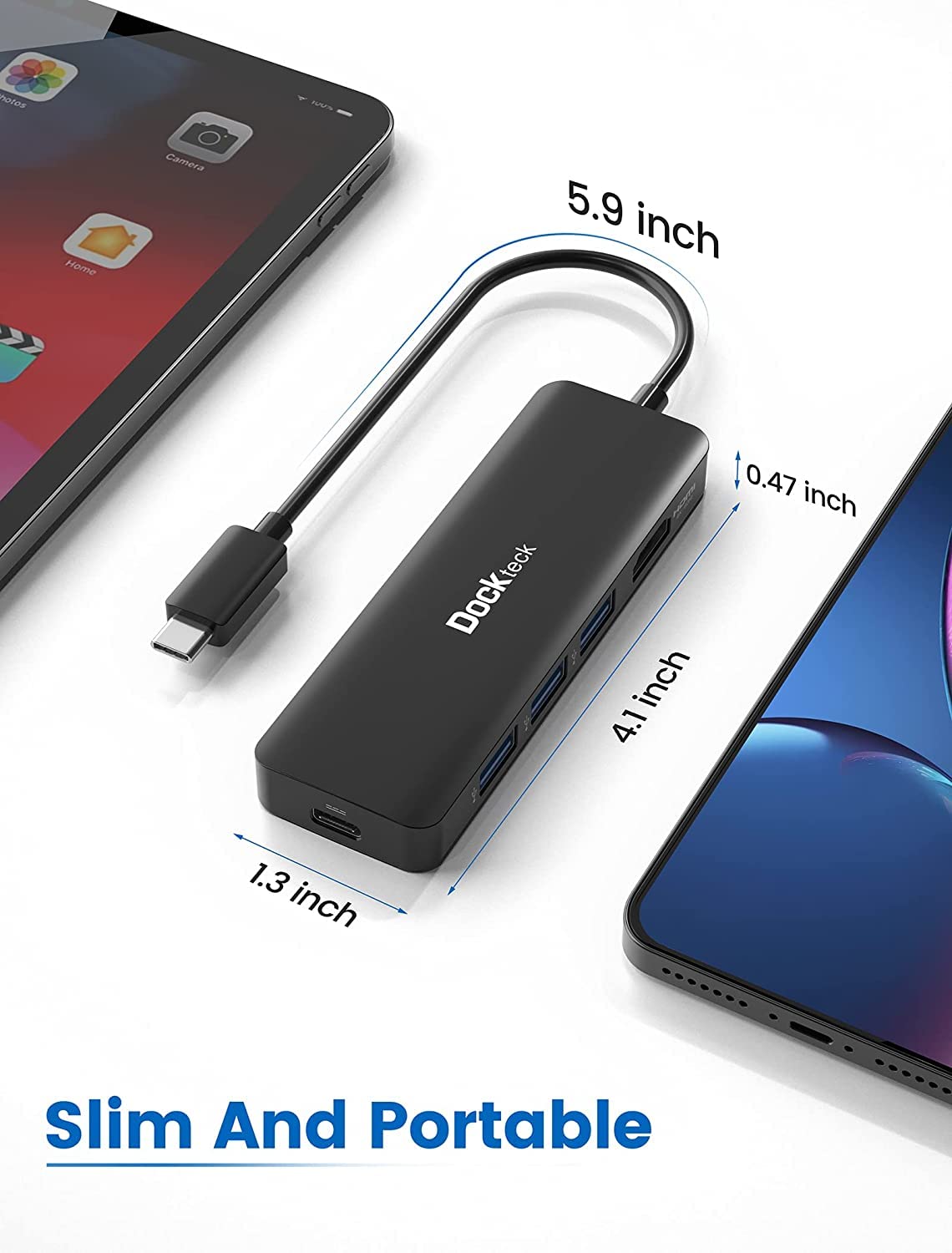
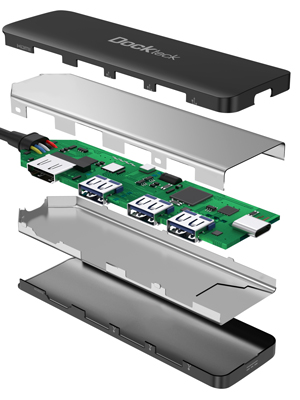
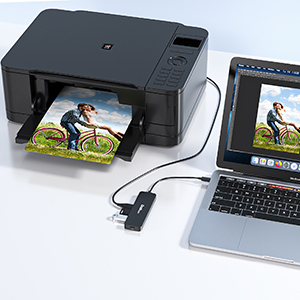
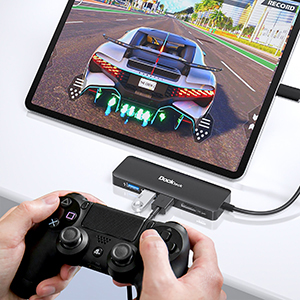
The Dockteck USB-C Multiport Adapter is a versatile 5-in-1 hub that includes 4K HDMI output, 100W Power Delivery, and 3 USB 3.0 ports, designed to enhance productivity for devices like MacBook Pro/Air M1 2020, iPad Pro 2021, and Surface Pro. Its compact design ensures portability, while the plug-and-play functionality makes it user-friendly.




S**.
Steam Deck Use Review
UPDATE:So 5 months later and I have this thing velcroed on top of a stand by itself. Was the first dock I made/put together and aside from the initial first time setup, it has been perfect. Its definitely beat my JSAUX (2nd released ver) and the Official Dock both have had quite a few problems. Yes, I own 3 docks in 3 in different rooms. This one has performed the best, im not sure why.--‐----------Bought this for docking the Steam Deck and it works great, but not without a few flaws (Steam Deck issues not the dock itself).On first try blank screen, so I booted to desktop mode and it worked there, then I set my TV as the main monitor and had the deck screen set to off.Booted back SteamOS / Game Mode and it has worked perfect as far as external goes.I did have some external controller issues a week later (possibly a steam update did something). This also affected the on deck controls as well (steam button not working).Setting my external controller (8bitdo in Pro controller mode) to ZERO aka first controller and it works great.This may seem like a lot but it wasnt bad at all, these are expected to happen with unofficial docks.Also all the USB ports work flawlessly.And do not forget to set your TV to game mode to reduce latency issues.Lastly, TV compatibility may differ for each user.Im using a Roku 65" 4K TV.Model is C102x.Hope this helps someone out there til the official deck comes in!This is an excellent alternative for now.Still waiting for my JSAUX dock to come in, but they are super backed up with orders, and as of this review date expect to wait 20+ days to a month if you plan to go down that route.
K**.
This is what I needed
My Microsoft Pro is thin, and this provides the additional connection ports I need
E**E
Does Exactly What I Need it to Do
I have a 2020 Macbook Air with an M1 chip (in space gray if anybody cares).I deal with a lot of quality-sensitive images, so having a monitor that works with 4K was imperative for me, and a 60 Hz refresh rate would be easier on the eyes with that quality. You can imagine my shock when I realized that most adapters with HDMI do not allow for 60 Hz on my model of laptop, even though it's a 3 year old model that I bought in April of last year, which would mean most of them (if not all) wouldn't work on models older than mine. This was the only adapter I could find that actually supports 60 Hz on 4K quality for this model laptop. The description is correct for this product.Since it has a cord and does not plug in directly to the laptop like some others do, I do recommend either velcroing it to the side of your desk or to the lid of your laptop to prevent the wires from fraying or kinking. I have broken a few of these types of adapters just leaving them loose. However, I have been able to use my external monitor at a 60 Hz refresh rate and have other things plugged into it without any issues. If your laptop is of the same specs as mine or newer, you will not have any problems with running 60 Hz on your external monitor. I've had mine for a few months now and it still works as if I bought it yesterday.
B**P
Reliable and as advertised
It is always a relief to find a good port replicator in a sea of bad ones. This one has been reliable. No cut off or flickering issues with Power Delivery, HDMI, or USB. Can handle high resolution and refresh rates over the HDMI. Runs a bit warm but does not overheat.The USB ports are close together, so oversized connectors might be an issue. There are also different charging conditions for each USB-A port. It would be nice for those conditions to be printed on the unit itself; There is a sicker with the conditions that I kept on the replicator for reference.
F**O
Impeccable Thunderbolt hub at excellent price
This is one of the finest quality Thunderbolt hubs on Amazon *and* the price is excellent.If you don't know why this item costs $40+ while others that are seemingly identical (if not bigger/better) cost $12, you need help with figuring out what you actually need.Thunderbolt is equivalent or superior to USB 3.2 depending on the context. This is a *Thunderbolt* hub and is at the same performance level of others on Amazon selling for $80+. The metal casing is sleek and very slim.
J**Y
Works as intended.
I bought this for my steam deck and realize now that I wished I got one with an ethernet adapter just to have as an option. But this dock works great. It delivers the power it's supposed to. Keep in mind this is only a dock. It doesn't come with a power cord. So I use the power cord for my steam deck and the deck doesn't have any issues. The deck will complain if it gets anything lower than it's rated wattage. The adapter itself has a little bit of heft to it so I don't recommend attaching it to a handheld or portable device you mainly plan to use it for.The package comes with the hub that has a 5" attached cable and a little carrying bag for it. With one 40k 60hz hdmi port, three USB type-A ports(for peripherals) and one USB type-C port(for power).Works great. I recommend.
A**N
Works great with my Z-Fold 3
I got the docking hub to use at work with my Samsung Z-Fold 3. I set up an extra 1080p monitor, this dock, and a bluetooth keyboard and mouse. The dock works as expected with Samsung Dex, and I am now able to use my phone like a desktop while I am working. Samsung Dex has its own little quirks, but I am liking this setup so far.The only negative I have seen is that it doesn't seem to pass through all of the available charging power from the USB charger I have. I am using a "super fast charging" capable charger plugged into the dock, but when I plug my phone into the dock I only get "fast charging". Not a big deal, since it sits there plugged in most of the day anyway.
O**L
Doesn't work for Macbook with M1 Pro
Despite being advertised for M1 Macbooks, it doesn't work properly. I had no problems with the display and charging capabilities, but the USB ports are not recognized and it makes this useless.I didn't want to return it and contacted their support team to see if they could come up with a solution, stating with evidence that it worked properly on Windows, but not on Mac OS. They dismissed it stating that it was not a problem with the device since it worked on Windows, and so it was not their problem.Bad customer service... don't bother.
P**A
Great product
Writing after +/- half year of using. Great product, working amazing with my steam deck.
S**L
Einfach und gut
Funktioniert tadellos
C**K
Bonne qualité
Fonctionne à merveille sur mon écran de 189 cmCoupler à mon Steam deck je peux jouer aisément sur grand écran. Je le recommande vivement
A**O
Muy buena calidad
Lo compré para usar un segundo monitor por el usb-c y HDMI que tiene, y la verdad que va muy muy bien.Además ya de paso lo aprovecho para conectar el resto de periféricos por USB.
V**R
Does what it’s supposed to do
Got this over the more popular and cheaper brand because the colour matches that of my MacBook. Easy to set up and get to work right away.
Trustpilot
3 weeks ago
2 weeks ago