๐ Glow up your reading game โ because your next favorite book deserves the perfect spotlight!
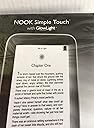
The Barnes & Noble Nook Simple Touch features a 6-inch E-Ink display with revolutionary GlowLight technology for comfortable nighttime reading. With 2GB of storage and WiFi connectivity, it supports easy access to Barnes & Nobleโs bookstore and public library e-books. Lightweight and equipped with both touchscreen and physical page-turn buttons, it blends classic reading comfort with modern convenience.
| ASIN | 1400501717 |
| Batteries | 1 Lithium Ion batteries required. |
| Best Sellers Rank | #598,748 in Electronics ( See Top 100 in Electronics ) #675 in eBook Readers |
| Customer Reviews | 3.6 3.6 out of 5 stars (321) |
| Date First Available | May 31, 2012 |
| Is Discontinued By Manufacturer | No |
| Item Weight | 6.9 ounces |
| Item model number | EBKNK1112 |
| Manufacturer | Nook |
| Product Dimensions | 11 x 2 x 13 inches |
A**E
Absolutely Wonderful!!!
I originally bought a refurbished First Edition Nook on here for around $30.00 and then I got this one for myself after setting her up and going through a little learning curve as this was my first e-reader experience. I ADORE IT ! Now, the glowlight is essential if you want to read in bed with a wife or partner and not wake them up with a nightstand lamp...this is PERFECT for that. We have yet to use the Barnes & Noble book purchase options because we use ours entirely for checking out books from the library and it is awesome because my Wife works and if a book she has checked out is late and runs out, all she has to do is plug it in to the PC, log in to the library, and check it out again. Incredibly simple and convenient!. Just one thing to consider, setting up takes a little doing at first whether you plan to buy books from B&N or check out books from a library via the internet. In our case we had to do 3 things: 1) Register the Nook with Barnes and Noble, 2) Install Adobe Digital Editions (ADE), and 3) Go to the local public library (ours is attached to the Clark County Public Library district here in Las Vegas) and open up an account and get a library id/card to be able to log in with from home. ...Once that's in place, all you have to do is plug your nook up to the computer, log into the library, download their e-book, drag it to the nook and read ! Our library's check out time can be anywhere from 3 to 7 days and as long as no one got in behind you to reserve your book, you can just re-check it out. === [Note that these last 2 items are not necessary if you only plan to use B&Noble...and don't forget they often offer free content too, as well as samplers!] ... Now just a few things...the Nook First Edition lets you more dynamically play with fonts whereas this one has preset font size options but that's still quite alright..but > this < one lets you highlight a word and it has a dictionary right there for you ! Well, if you're of the mindset that you don't quite want to give up the tactile experience of a physical book, I'm telling you that you will quickly overcome that. My wife has read thousands of books in her life and was an aspiring Librarian in her youth, but once she started on one of these, you couldn't PRY it out of her hands without serious trouble lemmie tell ya...and I've talked with some of the most resistant Curmudgeons of age 50 and above who tried it and got the same story. Get yourself a Nook. That's my advise. ....time to get back to reading now. I'm working on the classics that I missed in my life and George Orwell's _1984_ awaits ! Be well, Al Nance
L**D
Easy to use. but each one probably has its own fault
This is my first new nook (I had ordered my first ever nook that was used and I enjoyed it for a week till the battery refused to keep a charge, though my seller was kind enough to give me a full refund). So, I'll give my experience with both. Used Nook (Had for a bit more than a week before I returned it. Was originally 4 years old when I purchased it): It came with two faded lines that went across the screen that would be apparent during reading. It wash;t that big of a deal for me since the lines were above the sentences and didn't bother me while reading and seeing how since my device was about four years old, I didn't care too much. Though when the battery couldn't hold a charge I had to send it back. Current New Nook (Have had it for about a week): When I looked at the default factory settings screen to set up my nook, I noticed a small tear on the screen (I thought maybe I was imaging it but when I turned the glow light on, it was apparent [...]) as stated in that link, the tear isn't a problem when the glow light is off and in general isn't that noticeable. After using the nook for about maybe five days, I found another tear on the screen. When I turned the glow light on, the first tear that the device came with didn't spill the light throw it like in the picture in the link. The second tear actually did, but it isn't very often that I used the glow light and I don't think it's worth it to return the item since your next device might have either the same problem or the faded lines across the screen, but if it does bother you during your read, you might wanna take that chance. Protection: I had purchased this silicone skin for my nook and I love it; it makes pressing the page turn buttons a lot easier to press and I love the feel of the case in general.http://www.amazon.com/gp/product/B005J7EOE2/ref=oh_details_o04_s00_i00?ie=UTF8&psc=1 I have also recently purchased this case:http://www.amazon.com/gp/product/B007UXNHRS/ref=oh_details_o01_s00_i00?ie=UTF8&psc=1 Which is decent enough for the price, though I can't fit the nook with the silicone case in there which is a bummer since with this case, it's kinda awkward for me to turn the page with the buttons since I'm so used to the extra width of the silicone case (I know I can just turn the page by swiping the screen, which I do at times, but I enjoy clicking the page turning buttons.)So in general for this case, you get a decent case for the price, but if you want to invest a bit more money for a higher quality case, go right on ahead. I'm only 16 and paid for all of these with my own money so I wanted to save as much as I could (which is why I had originally bought the used nook). Pro's of Nook Simple Touch with Glow Light: -It has a touch screen -The glow light is bright enough to read clearly, yet dim enough to not bother your eyes if you're reading in the dark, unlike my iPad 2 when even at its lowest brightness setting, seems still too bright at night. -I really enjoy that it has page turning buttons as well -The micro SD card slot is why I bought this device to begin with (haven't used it yet, but the general memory on the device is pretty good; I only read fanfiction on this device) -Importing books (fanfiction/e-pub files) is really easy; all you need is Calibre to import it onto your nook [...] and an epub file converter [...] -The device is very light weight -Holds a charge very well if the battery is good Cons: -The battery may not hold a charge; depends on your device in general -May end up with a tear on the screen when glow light is on -May end up with faded lines across screen that you can't get rid of -Device has wifi but no internet browser; it only brings/connects you to the barnes and noble store to purchase and then download their books; the wifi in general is just useless on this device All in all I say give this device a try; it's a lot different compared to the kindle and all the other e-readers on the market. Hopefully this review was helpful;Happy reading!
S**I
Dissatisfied
Cons 1. I wanted this device primarily to read books from the public library. Issue is you have to download the books first to your PC and go through a convoluted DRM approval process to get it onto the NOOK. I called B&N help desk and talked for hours before this was resolved. 2. The Glow light is not uniform, almost feels like LED lights are placed along the edges leaving the center of the screen dull when compared to the edges 3. There was a lot of flickering on the screen 4. The refresh rate is slower than what I was expecting. I know this is not a tablet but it took way too long to refresh. I understand the newer version of Nook, address a number of these problems. However the one they probably dont have a resolution to is having to download books to a PC, since i am trying to un-tether from a PC device.
Trustpilot
3 weeks ago
1 month ago