We remain fully operational. Our teams are working around the clock to ensure your deliveries continue safely.

DOWNLOAD THE APP


Customer Services
Copyright © 2025 Desertcart Holdings Limited
DOWNLOAD THE APP
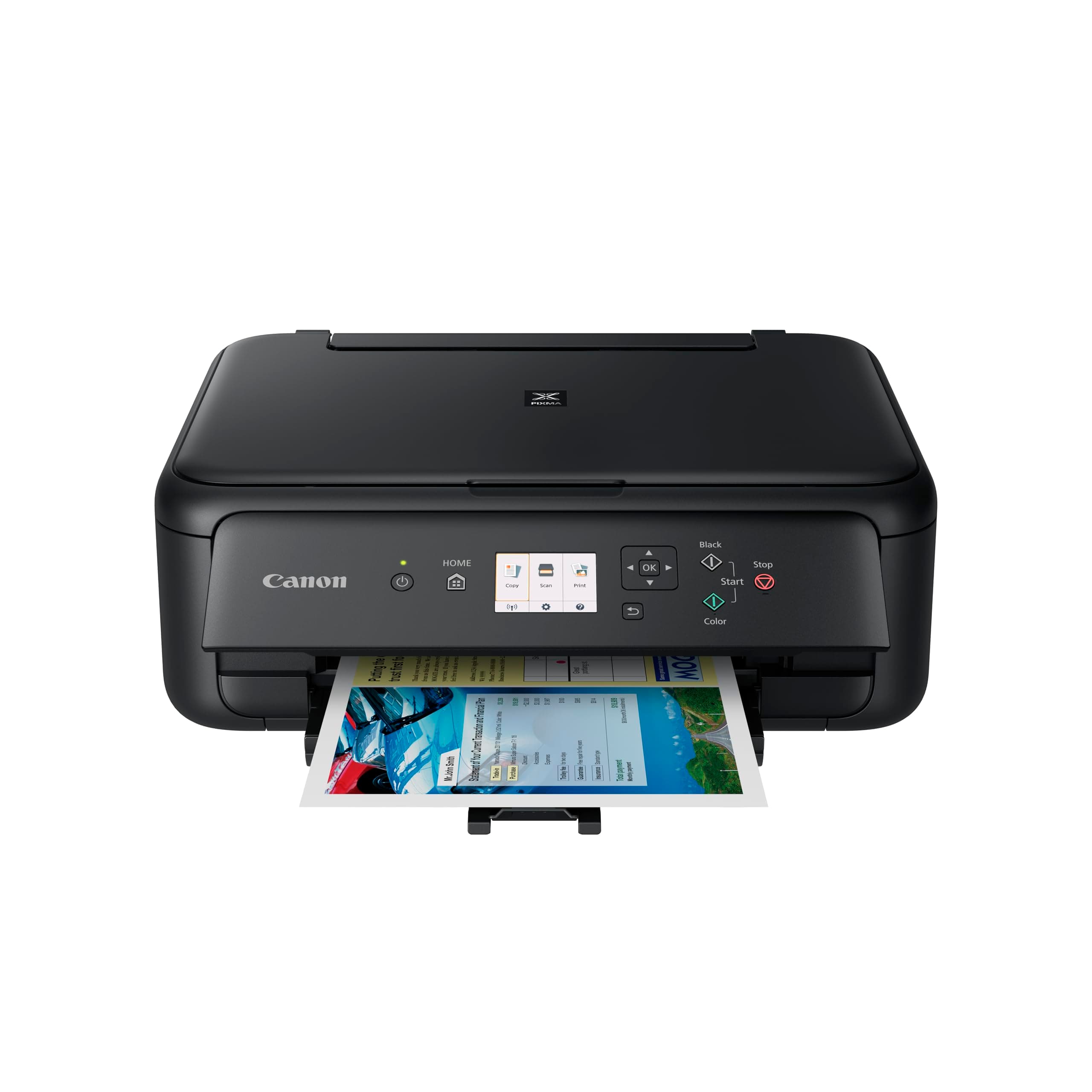



🖨️ Elevate your workspace with smart, stylish printing that keeps you ahead of the curve!
The Canon PIXMA TS5150 is a sleek, all-in-one 3-in-1 printer designed for high-quality color printing, copying, and scanning. Featuring ultra HD 6000x1200 dpi resolution, wireless Bluetooth and Wi-Fi connectivity, and user-friendly controls with a 6.2 cm color screen, it offers seamless integration with smart devices and cloud services. Its compact form factor and eco-conscious auto 2-sided printing make it a perfect fit for modern home offices seeking efficiency and style.
| ASIN | B075CL64RV |
| Are Batteries Included | No |
| Best Sellers Rank | #47,510 in Computers ( See Top 100 in Computers ) #134 in Laser Printers |
| Color | Black |
| Colour depth | 24 bpp |
| Compatible devices | Laptops, Notebooks, PC, Smartphones, Tablets |
| Connectivity Type | Bluetooth, Wi-Fi |
| Controller type | iOS |
| Customer Reviews | 4.2 4.2 out of 5 stars (2,820) |
| Date First Available | 18 September 2017 |
| Dual-sided printing | Yes |
| Form Factor | All-in-One |
| Included components | 1 x Printer |
| Item Weight | 6.5 Kilograms |
| Item model number | 2423B19 |
| Manufacturer | Canon |
| Max copy speed (black & white) | 13 ppm |
| Max input sheet capacity | 100 |
| Maximum Media Size | A4 |
| Maximum black and white print resolution | 6000 x 1200 dpi |
| Maximum color print resolution | 6000x1200 dpi |
| Maximum copies per run | 100 |
| Number of USB 2.0 Ports | 1 |
| Power Source | AC 100-240v, 50/60hz |
| Power consumption | 14 Watts |
| Print media | Paper (plain) |
| Processor Count | 1 |
| Product dimensions | 12.4D x 16.7W x 5.8H centimeters |
| Scanner type | Flatbed |
| Sheet size | 210 x 297 |
K**G
Ok…
Loud and slow
S**O
Ottimo acquisto, poco rumorosa e copie impeccabili
S**H
I had the hp deskjet 3760 and this has been returned as it was a complete nightmare setting up and trust me the scanner is totally rubbish! Anyway the difference with the ts5150 and hp is literally night and day, this printer is superb, got it for £50 (just £10 more than the deskjet) and the set up was simplicity itself if you follow these instructions... Set up the printer as per the instructions and stop when you get to the "connecting your printer" section. Now using the screen on the printer, use arrow key and navigate to the WiFi icon (bottom left) press OK and it will ask you for wireless lan, click on this, then it will give you a WAP set up option or "set up manually", press on "set up manually", it will then search for available routers, my router appeared instantly (this never happened with the hp), tap on your router and a little keyboard will appear, navigate round this with the arrow keys and press OK for each character, this takes a little time but believe me it's worth it! Once you're password is entered (with correct upper and lower case letters) press on OK. That's it! Instantly connected, from opening the box to up and running took me 15 minutes! The app you need is "canon print" app, not the print /selfy blah blah blah. Open the canon print app, tap add printer (and because you are already connected to the router) your ts5150 will appear, click on this and wait for it to set up. That's all there is to it, this advice was borrowed from another review on here, many thanks to you sir.
R**.
Perfekt!
C**N
La rapidez en la entrega
M**I
Modèle britannique livré avec un cordon à trois broches, pas de cordon français ! L’imprimante fonctionne correctement avec un cordon que j’ai dû acheter en urgence.
Trustpilot
1 week ago
3 weeks ago