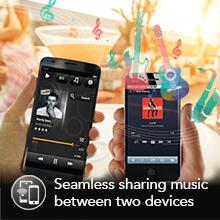
๐ง Elevate your ride & home soundโwireless audiophile freedom, no compromises.
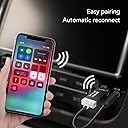
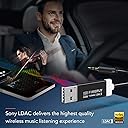
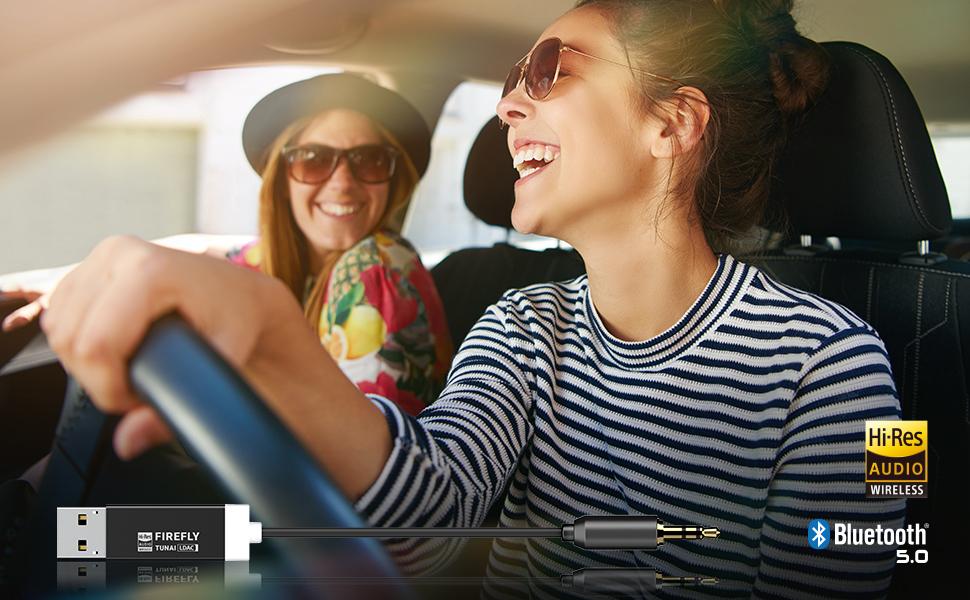
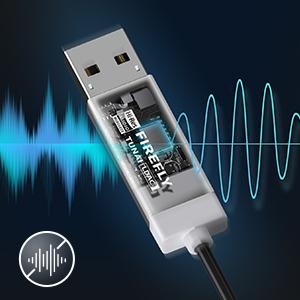
The TUNAI Firefly LDAC is a sleek Bluetooth 5.0 receiver that transforms any car or home stereo into a wireless HiFi audio powerhouse. Featuring Cirrus Logicโs 127dB SNR DAC and LDAC codec streaming up to 990 kbps, it delivers superior sound quality without lag or distortion. It powers directly from USBโno charging neededโand auto-connects to two devices simultaneously. With a built-in ground loop isolator and customizable EQ via the TUNAI Connect App, itโs the ultimate upgrade for audiophiles craving seamless, premium wireless audio.


| ASIN | B01HDO66NK |
| Additional Features | Bluetooth 5 . 0,Bluetooth Receiver |
| Audio Input | 3.5mm AUX |
| Audio Output Mode | [INFERRED] Supports SBC, AAC, and LDAC encoding |
| Audio Output Type | bluetooth, usb |
| Best Sellers Rank | #95 in Bluetooth Car Kits |
| Bluetooth support? | Yes |
| Brand | TUNAI |
| Compatibility Options | Smartphone, Tablet |
| Compatible Devices | Smartphone, Tablet |
| Compatible with Vehicle Type | [Most Vehicle Types] |
| Connectivity Technology | Auxiliary , Bluetooth, USB |
| Connector Type Used on Cable | Auxiliary |
| Control Method | App |
| Control Type | pairing_and_configuration |
| Customer Reviews | 4.3 out of 5 stars 6,143 Reviews |
| Hardware Interface | Bluetooth, Bluetooth 5, USB |
| Human Interface Input | Buttons |
| Includes Remote | No |
| Installation Type | Plug In |
| Item Dimensions L x W x H | 6.3"L x 0.51"W x 0.2"H |
| Item Weight | 11 Grams |
| Manufacturer | TUNAI CREATIVE INC. |
| Model Name | LDAC Bluetooth 5.0 |
| Number of Channels | 2 |
| Number of Ports | 2 |
| Power Source | Corded Electric |
| Product Dimensions | 6.3"L x 0.51"W x 0.2"H |
| Rechargeable Battery Included | No |
| Special Feature | Bluetooth 5 . 0 , Bluetooth Receiver |
| Supported Application | Various audio streaming applications on smartphones and tablets |
| Supported Media Type | Audio |
| Supported Standards | Bluetooth 5.0, SBC, AAC, LDAC |
| Unit Count | 1 Count |
| Voltage | 5 Volts |
| Warranty Description | One year |
| Wireless Compability | Bluetooth |
S**Y
Perfect BT audio solution for Fiat 500 and similar
FIREFLY SHOULD BE STANDARD ISSUE WITH EVERY FIAT 500. I love when a product works right and as hoped. A small pet peeve of mine, since buying my Fiat 500 (which I otherwise love), has been the inability to connect media via Bluetooth... Until now! Well hidden in the glovebox, it works flawlessly, like BT is supposed to work with every new car. This should be standard equipment with every Fiat 500 and similar stereos that allow BT connection for phone calls but not media (music, gps, etc.). Be aware that this product derives all is power from the usb port and does not hold a charge at all. Other products have a rechargable battery and an on/off switch, in my case requiring opening the glovebox each time to turn the little unit on, very annoying and not very "oem"-like. Setup took literally seconds, a complete no brainer. The Firefly turns on/off with the ignition and automatically connects. It ONLY uses the media protocal, my car only connects to the phone protocal, so they start up and work simultaneously. You don't have to do anything, just start the car and both are connected. Make phone calls through the car like normal, play music or gps (Google) map directions like normal, everything comes through the stereo controls like the car and BT integration are meant to work. The previous unit I mentioned above was less money, but had wires and the need to switch it on/off was unnecessarily annoying. The Firefly is sleek, discreet and works with the cars BT exactly the way it should. All this wouldn't mean anything if the sound quality suffered. But I couldn't be more pleased, I think the sound quality is exceptional, highs are high and lows are low the way they should be. I do not have any of the distortion or electrical humming that I've read in other reviews. But it is critical that the 3.5mm Jack is fully inserted into the input or this is a common problem with every stereo system. This review written by a very ordinary person, that paid full price for the product but was very satisfied. Hope this review helps fellow Fiat 500 owners.
T**N
Works Awesome
This Bluetooth receiver is awesome. I've had it for over 3 weeks and here is what I think so far... Pros - great audio quality - no lag - connects fast and turns on every time I start the car - decent price Cons - has disconnected randomly once or twice - crackling nose when the music was quiet (a ground loop isolator fixed this) - calls doesn't work, have to use speaker phone (not a big deal to me) - the biggest con is that the app isn't available for Android 14, so I can't update the firmware (although I haven't had issues other than connectivity once in a while) Overall works great, sounds great, and is a great alternative to a new head unit.
J**M
Small. Powerful. Stereo sound. Flawless function. Easy to install, set-up and use
My car is a few years old and although it does allow a connection to my cell phone via Bluetooth for voice calls, I cannot connect my cell via Bluetooth for other audio (e.g. Pandora, Spotify, YouTube etc.) With a USB port and an AUX port located immediately next to one another in my car's armrest, by simply plugging in one end of the tiny device into each port and pairing the device to my cell for audio I can play music from any music app on my phone and the audio from YouTube videos, for example, through my car's sound system. It easily fits in the very confined space in my car's armrest. Once the device is paired with your car's Bluetooth, all you have to do is enable Bluetooth on your phone, make sure the device is "connected" and you're done. In my BMW, the device continues to play music even after you turn off your car. (I'm not sure how it will work in other vehicles.) I've been using the device regularly for many months without any issues. Relatively inexpensive and absolutely worth every penny I paid. NOTA BENE: Although it may be obvious, the device does NOT require a battery to operate. Although you will need a spare USB port for power for the device to function, this feature dispenses with the need to constantly replace or recharge batteries, a huge convenience in longer road trips.
I**E
Android app is individual download, due to problem with playstore.
TL:DR the android app is not linked on playstore, but a message to their outdated Facebook account returned the app link for download. Now the ground loop is isolated and sounds much better. Lengthy review: device works easily by inserting into a usb-a port, and connecting the aux jack. There's no battery, so it's powered all the time in your USB doesn't sleep. The device works without the Andriod app, but has a ground loop noise. I found that the ground isolation feature is turned off by default. I could not find the app in the playstore, though it is in the Apple appstore. I don't have an IPhone, so no joy. I eventually did reach out to Tunai via their Facebook page. I was not expecting much since their most recent post was in 2020. I got a return message from the 5 hours later, which included an explanation of the issues with indexing on the playstore. Also included in the reply was a link to the andriod app on Google drive. It is a large file and was not scanned for viruses by default, so I took a chance and downloaded it. I scanned it with 3 antivirus and malware softwares. No viruses, trojans, or malicious software detected... excellent! I installed the app, only took half a minute easy app install, but subsequent pairing was a chore. I have not had any issues with signal in the Bluetooth 5 or Bluetooth low energy profiles. Sound quality is good, I am not an audiophile and have some high frequency hearing loss, but the Walmart Bluetooth transmitter was killing me with its static. Fm modulators have big challenges with all the radio stations in my area. A direct connection is very nice, but I don't have a usbc to 3.5mm adapter. Audio clarity is much improved. I was going to return until I messaged them and got the android app. Tunai needs to add a link to the app on their web page. I have read of many returns because of this.
J**R
Just what I needed for my Mini
I bought this to use with a 2013 John Cooper Works Mini Cooper (2 door hard top) paired with an iPhone 8. It works perfectly. I am not at all tech savvy so I needed something that wasnโt complicated to install. I read a ton of reviews on the available options and this seemed to be the easiest and best quality. The reviews were correct: this is very simple to install. All I had to do was plug both parts into their sockets. Thatโs it. Hereโs the exact sequence I used to make it work: 1. Plug each end of the device into the proper socket. In the Mini, they are side by side, but the package does include an extension if you need it. 2. Open Settings on the iPhone and go to Bluetooth. โTUNAI Fireflyโ automatically appears in the list of found items. Select that. 3. Change the mode on the stereo to AUX. This took me a minute to figure out and itโs key to the whole operation. 4. Hit play on the phone. Thatโs it. Itโs super easy. If I can do it (and in just a couple of minutes without reading the instructions), anyone can. The sound quality is great- the same as the stereo by itself. I am perfectly happy with the quality and especially the price. The original adapter for the 2013 Mini actually plugged into the phone. It has been discontinued, but when available, it was a few hundred dollars. The quality was so-so. This TUVAI Firefly is just a fraction of the cost, Bluetooth, and has better sound quality. I highly recommend it.
E**L
Returning BOTH the Tunai Firefly LDAC & Tunai Firefly CHAT LDAC because neither of them..
I am returning BOTH the Tunai Firefly LDAC and the Tunai Firefly CHAT LDAC because neither of them connect with high quality sound consistently. The email i sent to Tunai: I have purchased both versions of this LDAC Tunai Firefly [because i could NOT get the CHAT model to work right first]. I am having the same problem with both of them. The problem is WORSE with the Tunai Firefly LDAC. I purchased both the Tunai Firefly CHAT LDAC, and the Tunai Firefly LDAC through Amazon.com. The first one i bought was the Tunai Firefly Chat LDAC model. Right out of the box, when i plugged the device into my car and paired the device to my phone's Bluetooth, it connected and started playing music. The PROBLEM is this, the audio stream sounded like ALL of the BASS is removed. Then after installing the Tunai app from the google play store, i was able to get it to connect only randomly with full quality sound. But then the next time i would connect it would go back to the bad quality sound. I could NOT get this Tunai Firefly Chat LDAC to ALWAYS connect with the full quality sound. It would ALWAYS automatically re-connect and play music every time i walked up to my car, but the audio connection MOST OFTEN connected with the sound quality sounding like it was a "phone call" quality. Like NO under 400Hz seemed to be coming thru. And on my phone, when i adjust any frequencies below 400Hz by boosting or cutting those low frequencies, there was NO change in the audio. The Tunai Firefly LDAC as NOT connecting in whatever mode or manner necessary to send full spectrum sound to the car's AUX port every time it connects. Most of the time it connects with no bass, but occasionally, after fiddling around with turning phone BECKY TRIPP off and back on, or opening the app and changing a setting, or un/replugging the tunai it will occasionally connect with full quality sound. It's maddening. It's NOT the phone as this phone behaves properly with about 12 other USB audio devices, and it's not the car's AUX port, because other devices plugged into it's AUX port sound fine EVERY time. Since i purchased this device for MUSIC only, and since it sounded like it was connecting with phone call sounding quality, i thought maybe i could solve the problem by returning the Tunai Firefly Chat LDAC, and buying the Tunai Firefly LDAC [music only one]. So i also bought the Tunai Firefly LDAC unit. I thought, that since this model was designed for music only (no phone calls), maybe it wouldn't have the same problem. But it's WORSE. The Tunai Firefly LDAC, when i plugged it into the USB port in my car, then bluetooth paired it to my phone, started playing music with full quality, and full bass on it's very first connection. But, EVERY time it has connected after the first time, it only connects with NO BASS. What's the heck problem???!!! I am ready to return BOTH of these. I am also ready to warn my friends about how these Tunai Firefly LDAC devices don't connect with good sound. I should not have to fight/experiment with these devices to get them to work correctly. It's UNSAFE DRIVING with a device where the drover has to always experiment with the device to get it to work correctly. It should connect with good sound EVERY TIME it connects -- not just once in a while. Tell me how i can fix it so that it will ONLY connect with the HIGH QUALITY sound with FULL BASS. I cannot seem to find a regular pattern for how to get these to work consistently correctly EVERY time. I've wasted a few hours of my life trying to figure out how to get them to connect correctly. I've tried connecting with the various different connection quality settings, and other settings in the app. DO NOT BUY THESE!!
E**Y
Still working well after a year of use.
I've been using this for over a year. In short, it's great! Excellent sound quality. My phone connects nearly immediately after I turn my car on, and my phone doesn't stay connected when I turn the car off (because unlike some competitors, the Firefly doesn't have a battery). It also has no switches or buttons to mess with--something I don't want or need. This is literally the perfect fit for my use case. It has also proven to be reasonably durable since it has lasted for at least a year of use so far. I use it with... - A 160W USB C Car Charger, Baseus Type C Car Charger . The three ports of this car charger are used for: -- (USB A 30W) This Tunai Firefly -- (USB C 100W) An OhSnap! Snap Charge (To wirelessly charge my phone. There are newer versions of this like the Qi2, but I'm using an original Snap Charge.) -- (USB C 30W) A USB C to lighting charge cable for my passenger's older iPhone. Other info about my step, if you're trying to replicate it: - Car: Honda Element - OhSnap! Snap Car Mount (To hold my phone so I can have it serve as my GPS & music player.) - OhSnap! Grip on the back of my phone. (For a secure connection to the Snap Car.) A word of warning: I tried using the Tunai Firefly with an Anker Compact Fast Car Charger 3 Ports 67W BUT when devices were plugged in the other ports (the USB C ones) the USB A port would not provide enough power to turn on the Firefly. I usually love Anker products, but in this case the Anker charger just wasn't the right tool for the job. If you're like me and want to power 3 USB devices with your car charger, the BaseUS version is a better fit for that use case.
S**N
Perfect little Bluetooth receiver for older stereos.
I bought this for my 2010 Chrysler whose Bluetooth stereo allowed a phone connection but wouldn't stream music. The front of my stereo has a USB port directly above a standard 3.5mm AUX port (you know, the kind that Apple doesn't like any more) so this was a perfect fit. The adapter turns on automatically when I unlock the door and turns off when I set the car alarm, which is perfect. The pairing process was painless; after plugging it in, I went to my iPhone's Bluetooth settings and it saw the adapter immediately. I tapped on it to connect and in seconds it was working. I really like the fact that there's no battery required for this. When I started looking for a solution I resigned myself to an adapter that I'd have to periodically recharge, but when I saw this battery-free one I couldn't try it out fast enough. I'm still giving this five stars despite three very minor shortcomings. 1. Every once in awhile (maybe once a week) the phone can't make the connection to the adapter. I haven't been able to figure out the pattern as to why/when this happens. Every so often I'll get in the car and start to drive only to discover that the phone and adapter aren't talking to each other. Unplugging the adapter and then plugging it back in solves the problem; once the adapter has restarted the phone immediately sees it and starts streaming through it. 2. The light on the back of the adapter is white and is always on when in use. This can be very distracting when driving at night. I solved this problem with a bit of PlastiDip on the lighted end of the adapter. I covered the entire end except for a small bit that faces away from the driver's seat so it's no longer an issue. 3. When the connection is made between phone and adapter, there's a "clunk" that's heard through the stereo as the adapter comes online (like when you'd plug a speaker into a live feed). A simple resistor inside the adapter could have solved this, or perhaps even some clever programming. It's also worth repeating: This is a music streaming device ONLY. It will NOT stream your phone calls, nor will it stream your Google Maps announcements for reasons I don't quite understand. I would definitely buy this again.
ู**ู
๐
๐
M**G
Must Have For Non-Bluetooth Cars!
This was my first purchase after I picked up a used 2013 BMW. It was super easy to install and works seamlessly to allow me to stream music in my car. All you need to do is plug it in, download the app, pair it, and away you go! It automatically pairs to my phone when I start my car, so there is no need to manually pair each time I want to use it. The audio quality is fantastic, I don't notice any difference between it and when I plug directly into the AUX or listen to the radio. I am extremely satisfied with my purchase and recommend it to anyone who wants to add Bluetooth streaming capabilities to their vehicle.
D**N
Sound Quality is great.
Everything is good. Only critique i got is that when the UI for the app can be abit buggy. Not a big deal as its still really simple. Sound quality is great. Multi device bluetooth works fantastic. Chances are if you're buying this device you'll figure it out easy pz. Good build quality. You can turn of the LED's which i have I used mine to turn a set of logitech speakers into bluetooth speakers. Now i can play to my speakers through my laptop, phone and google nest mini. The latency is little to none; you have to REALLY focus to see its less than 10ms for sure. Better than most bluetooth headsets. You can watch dialogue with no problem. I will recommend this device. :D not often do you come across devices which work basically perfectly hence why im leaving this review.
S**G
Connects great with Porsche PCM 3.0 and Android
Porsche 997.2 using Android. Did my research beforehand, so knew what I was getting. Can't believe I was living without this for so long. Bluetooth enables Waze, Spotify to connect onto car speakers. Car phone still integrates as usual with speakers, and stops music when call comes in. Perfect. Only complaint is that sometimes, the car phone bluetooth doesn't always automatically connect when using the Tunai. Easily fixed by doing a manual connection, but aside from that, works perfectly. Saved $3k by not getting a new head unit.
A**N
Fantastic piece of equipment
Audio clarity is perfect, zero background sound or static even without using their specific app and the static-elimination features that comes with. Connected very quickly and easily and works well, definitely donโt regret the higher cost for what a quality product it is.
Trustpilot
2 months ago
3 weeks ago