๐ Unleash Your Mining Potential!
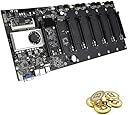
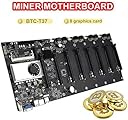
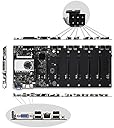
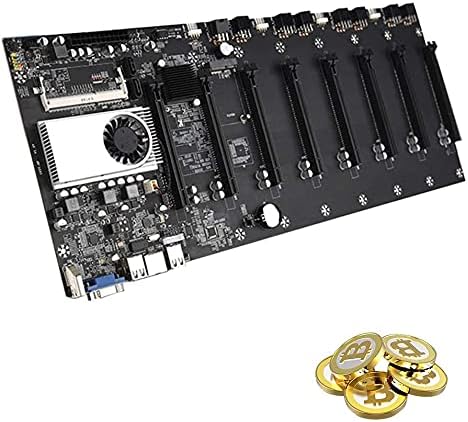
The CREAMIC BTC-37 Mining Motherboard is engineered for optimal mining performance, featuring low power consumption, support for 8 graphics cards, and advanced voltage stabilization. With its quiet operation and versatile expansion options, this motherboard is the perfect choice for serious miners looking to maximize efficiency and output.
| ASIN | B092J315GM |
| Brand | creamic |
| Compatible Devices | Personal Computer |
| Compatible Processors | Intel Celeron |
| Customer Reviews | 4.0 out of 5 stars 195 Reviews |
| Graphics Card Interface | PCI Express |
| Main Power Connector Type | 24-Pin |
| Manufacturer | Wintue |
| Memory Clock Speed | 2666 MHz |
| Memory Slots Available | 1 |
| Memory Storage Capacity | 32 GB |
| Model Number | BTC-37 |
| Number of Ports | 6 |
| Platform | Not Machine Specific |
| RAM Memory Technology | DDR3 |
| System Bus Standard Supported | SATA 2 |
| Total Usb Ports | 6 |
| USB 2.0 | 4 |
B**B
HiveOS
It took us a few hours to get this thing up and running for 8 Sapphire Pulse AMD 6600's (not XT's). Ultimately, NiceHash OS failed to mine due to an issue with this Motherboards BIOS Settings not allowing to fully disable the Integrated Graphics. We were able to turn the integrated graphics off, but for whatever reason Nicehash OS just wouldn't work. Hive OS works great though, booted right up on this motherboard with our gpu's and was very much so plug n play. Motherboard is working good with parts below. Patriot 1.35V 8GB DDR3 1600MHz PC3-12800 CL11 SODIMM Memory PSD38G1600L2S Pystar 1000W Power Supply 80+ Gold Full Modular PSU,ES1000 (Need 2 Orders of This for 8GPU's...) Endlesss 6 Pin to 2 X 8 Pin (6+2) PCIe Adapter Power Cable PCI Express Y - Splitter Cable 9 Inches (6 Pack) A 16gb or larger Flash Drive to install HiveOS on. (You have to enable USB OS Boot option in BIOS.)
M**4
Great product, good customer support
This board is easy to setup and works as expected. Takes much of the headache out of setting up a rig. After ~6 months of use, the fan stopped working. I reached out to customer support and they replaced the entire board at no cost. Excellent customer service!
J**S
Works great. You will need a few more items to get it going. My experience and links below.
My friend an I wanted to start mining Crypto. It's probably not going to be a money making venture for us, but it has been fun learning about it and setting up our first rig. We bought the BTC-37. It took 3-4 weeks to arrive as stated in the listing. Packaging was pretty rudimentary, but it came in one piece. No instructions whatsoever; otherwise I would give it 5 stars for the price alone. I did need to get DDR3 laptop memory for it as well as hook up an HHD I had laying around that had Windows on it. I did not need to activate Windows to get it mining; I just had to download NiceHash and the drivers for the GPUs. I'm currently using a 650W PSU. If I had it to do over again, I would buy a mining specific PSU with enough Watts for 8 GPU's; but mine is working for now. I also had to buy some 8 to 6 + 2 headers to power the GPUs. I got those from Micro Center for $15.00. I'm planning on buying the next set off of Amazon or Newegg. I had an Radeon RX 580 8GB from my old gaming computer, and I picked up an ASUS GTX 1660 Super from Micro Center for $329.00. Right now, it is putting out $2-3 per day with both GPUs running. Both are mining just fine. I'm going to add GPUs as I can afford it. I'm a Dave Ramsey cult member, so no credit cards!!! Below are links to the stuff I used minus the SSD. I already had an HHD laying around. Good luck. Have fun. Life is too short not to! Fans ($33): https://smile.amazon.com/gp/product/B07FLBZ7KD/ref=ppx_yo_dt_b_asin_title_o04_s00?ie=UTF8&psc=1 DDR3 Laptop Memory ($27): https://smile.amazon.com/gp/product/B009WIW9GE/ref=ppx_yo_dt_b_asin_title_o08_s00?ie=UTF8&psc=1 SSD ($29.00) : https://smile.amazon.com/gp/product/B01N6JQS8C/ref=ppx_yo_dt_b_asin_title_o09_s00?ie=UTF8&th=1 Frame ($42): https://smile.amazon.com/MLLIQUEA-Computer-Currency-Accessories-Included/dp/B094YHMWPP/ref=rvi_4/139-3477965-3388611?pd_rd_w=OahWm&pf_rd_p=f5690a4d-f2bb-45d9-9d1b-736fee412437&pf_rd_r=SGDYGBR3VHMPC72JWAB4&pd_rd_r=fce93ad4-014e-4350-a4ab-98b2c6382e2d&pd_rd_wg=9eSwy&pd_rd_i=B094YHMWPP&psc=1 Power Supply ($43, you should get a mining PSU, this one is only 650W): https://smile.amazon.com/Supply-Bronze-Certified-ARESGAME-AGW650/dp/B09C5G1S9X/ref=rvi_3/139-3477965-3388611?pd_rd_w=jcIfa&pf_rd_p=f5690a4d-f2bb-45d9-9d1b-736fee412437&pf_rd_r=80WA0PX5YJX0SN57Z9MY&pd_rd_r=c64bd6ee-bdc8-47ca-8db8-a552e0de997f&pd_rd_wg=yqCJv&pd_rd_i=B09C5G1S9X&psc=1
N**R
Was ready to return but made it work
I couldn't turn it on, used brand new platinum power supply and working ram from my laptop. Watched hours of video but this thing didn't boot. Last resort, i took out CMOS battery out and put it back it. It reset the CMOS and motherboard is working now. Run it under hive os from USB drive. Super quiet, very power efficient. HDMI works well, network works, I plugged WiFi antenna and keyboard, no issues there.
B**.
Slow Slow SLow
I don't mean to leave a bad review but I feel people should be aware of what they would be getting themselves into. Do yourself a favor and invest a little more on a motherboard that has a better CPU because this thing is slow beyond belief. The issue for me isn't that it's slow though, it's the fact that after 2 hours loading windows and attempting to perform simple tasks....Like installing drivers, it would Bluescreen..Over and over again and each time you have to restart is another 30-40 minutes of loading Windows as well as trying to install drivers. After 5 attempts and 4 hours wasted I gave up. The lack in performance that this board gives you makes you not want to do much troubleshooting. I have worked in IT for the last 13 years and I couldn't get this thing to work, So do yourself a favor and just buy a board and low-end CPU with at least 4 cores...that way if you want to troubleshoot any issues you won't be spending 5-6 hours. Great looking board, just wish they would of added a quad core CPU. ...Wouldn't of minded spending extra.
Y**R
Great motherboard, started right up, no issues.
This is indeed a very good deal and it works fine. Just put a stick of DDR3 SODIMM (8 GB should be fine) in it and hook it up to a SSD (I prefer 120GB to keep windows on it). This is plug and play, no instructions really needed. If someone feels that he needs instructions, he may be in the wrong field, just try a different hobby.
D**S
Works As Advertised, Be Sure and Get Memory
Received this in just over 2 weeks even though it was shipped from China. As others mentioned it has absolutely no documentation or "getting started guide" to be found on the net, but this works exactly as advertised for a great price. Runs Windows or Linux just fine and has a familiar American Megatrends BIOS. Description says integrated memory, but you'll need to purchase separately. You can run HiveOS with just this motherboard, a PSU, 1 GPU, memory and a USB stick - can even skip the SSD, keyboard, mouse or monitor for HiveOS making it super cheap to run HiveOS. In other words, this is exactly what you need to create a cost-efficient mining rig.
S**E
Works well, but the defective CPU fan cannot be replaced.
It's been little over a month, and the fan started to rattle very loud. Fear of it failing, overheating, and possibly damaging my RTX3080's, I contacted the seller, and have to return the motherboard to receive a replacement, as the CPU fan is not replaceable. Since the seller is in China, return process will take about a month. So be aware, you will have to pay for the shipping, which will be expensive, and will be without a motherboard for a month. Meanwhile, I ordered another motherboard and CPU, so I won't have a downtime. Far as the motherboard is concerned, it worked well without any issue. This motherboard comes with dual core Celeron CPU, which seems to be sufficient to handle HiveOS with 8 RTX3080's. However, more spacing between the PCIe slot would be helpful. Some NVidia cards are too thick. I had to use risers on every other slot. Also, the screw mounting holes are not standard, and will not align with any of the standard rig frames, so you would need to custom build the frame. Edit 10/31/2021: My second rig also has this motherboard, and its CPU fan started to rattle loud today. I tapped it few times, and the noise went away. Beginning to think it was bad idea to buy a motherboard with CPU and Fan built on.
Trustpilot
3 weeks ago
1 month ago