Desertcart purchases this item on your behalf and handles shipping, customs, and support to Iceland.
⌨️🔋 Stay connected, stay sleek — the keyboard your multitasking life deserves!
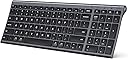
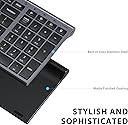
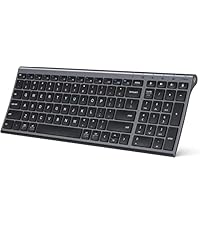
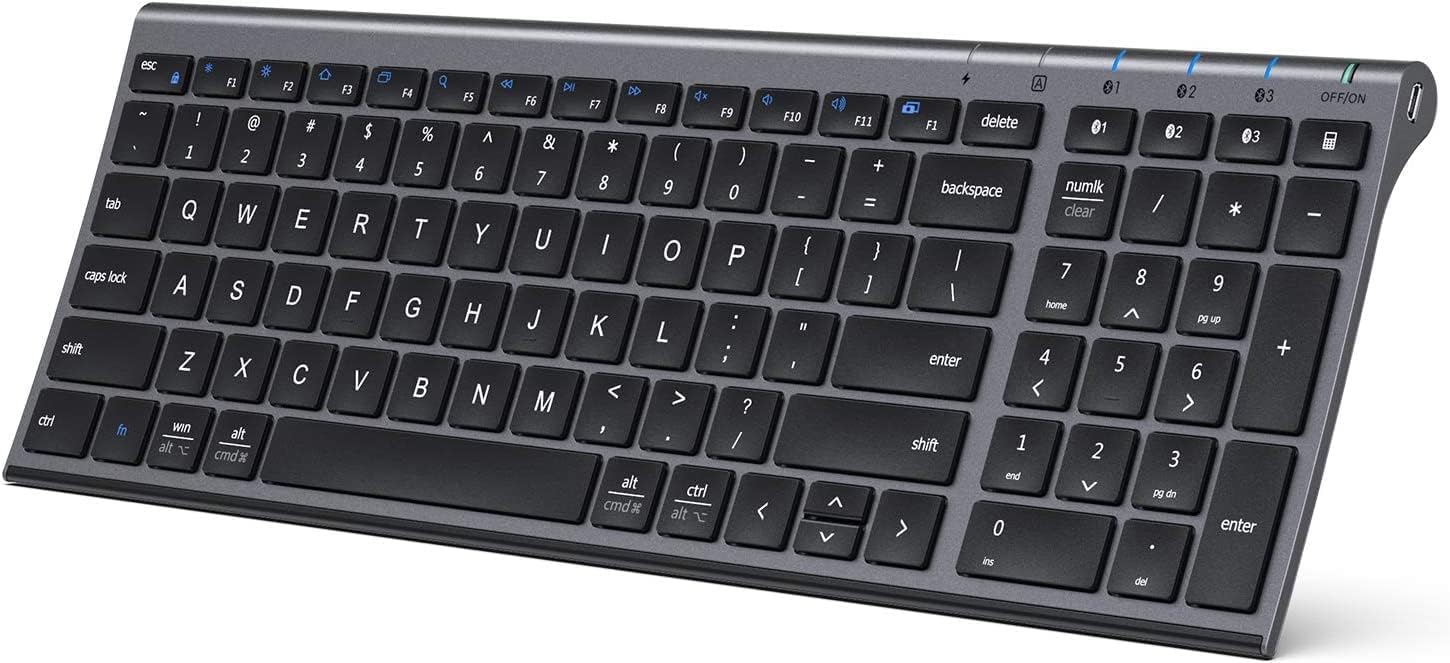
The iClever BK10 is a premium ultra-slim Bluetooth keyboard featuring a durable aluminum and ABS build, quiet scissor-switch keys, and a rechargeable USB-C battery lasting up to 90 days. It supports seamless switching between three paired devices and offers broad compatibility across iOS, Android, Windows, and macOS platforms, making it the ideal accessory for professionals seeking ergonomic comfort and efficient multi-device productivity.


| ASIN | B08LD5LV22 |
| Additional Features | Quiet scissor-switch keys for low-noise, effortless typing; USB-C rechargeable battery supporting up to 90 days of use; three-device Bluetooth switching; cross-system compatibility for Windows, macOS, iPadOS, Android |
| Antenna Location | Home office typing, multi-device workflows, laptop and tablet setups, study and writing, everyday productivity |
| Best Sellers Rank | #82 in Computer Keyboards |
| Brand | iClever |
| Built-In Media | USB Cable |
| Button Quantity | 61 |
| Color | gray black |
| Compatible Devices | Windows laptops and desktops, MacBook and iMac, iPad and iPhone, Android tablets and phones, Chromebooks with Bluetooth Compatible Devices Windows laptops and desktops, MacBook and iMac, iPad and iPhone, Android tablets and phones, Chromebooks with Bluetooth See more |
| Compatible Operating System Family | Android |
| Connectivity Technology | Bluetooth (Bluetooth only) |
| Customer Reviews | 4.2 out of 5 stars 15,076 Reviews |
| Enclosure Material | Acrylonitrile Butadiene Styrene, Aluminum |
| Generation | 1st Generation |
| Hand Orientation | Ambidextrous |
| Item Dimensions L x W x H | 14.41"L x 4.92"W x 0.66"H |
| Item Weight | 320 g |
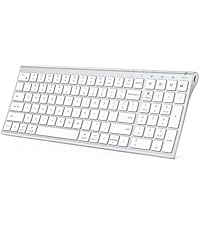
| Keyboard Description | Slim, compact Bluetooth keyboard with chic lavender top and soft white keys, quiet low-profile scissor-switch keys (<50 dB), 3-device pairing with quick-switch buttons, and 99-key US QWERTY layout — perfect for stylish home offices and aesthetic desk setups Keyboard Description Slim, compact Bluetooth keyboard with chic lavender top and soft white keys, quiet low-profile scissor-switch keys (<50 dB), 3-device pairing with quick-switch buttons, and 99-key US QWERTY layout — perfect for stylish home offices and aesthetic desk setups See more |
| Keyboard Layout | QWERTY |
| Manufacturer | iClever |
| Mfr Part Number | BK10 |
| Minimum Required Operating System Version | Android 10.0 |
| Model Number | BK10 |
| Number of Batteries Required | 1 |
| Number of Items | 1 |
| Number of Keys | 3 |
| Number of Sections | 5 |
| Power Source | Battery Powered |
| Recommended Uses For Product | Home office typing, multi-device workflows, laptop and tablet setups, study and writing, everyday productivity Recommended Uses For Product Home office typing, multi-device workflows, laptop and tablet setups, study and writing, everyday productivity See more |
| Series Number | 10 |
| Special Feature | Quiet scissor-switch keys for low-noise, effortless typing; USB-C rechargeable battery supporting up to 90 days of use; three-device Bluetooth switching; cross-system compatibility for Windows, macOS, iPadOS, Android Special Feature Quiet scissor-switch keys for low-noise, effortless typing; USB-C rechargeable battery supporting up to 90 days of use; three-device Bluetooth switching; cross-system compatibility for Windows, macOS, iPadOS, Android See more |
| Style Name | Contemporary |
| Switch Type | scissor-switch |
| Theme | Bluetooth keyboard |
| Unit Count | 1 Count |
| Warranty Description | 12-Months Warranty |
A**L
Budget Pricing With Apple Build Quality
The iClever keyboard looks and feels premium, but more importantly, it functions incredibly well. Recently, while working on a branding design for a client, I was given a late 2018 27” iMac as a gift. It didn’t come with accessories, and syncing my Magic Keyboard between both iMacs wasn’t working well at all. The Apple Magic Keyboard looks nice, but functionally, it isn’t an amazing experience given the price. The iClever Keyboard compares much more favorably to the original battery powered Apple Bluetooth Keyboard which uses traditional batteries, and tends to disconnect itself frequently. The iClever Keyboard not only stays connected to Bluetooth on startup, it can also pair to 3 different Bluetooth sources, then easily switch between the 3 of them. Not only that, it also has a built in battery, which came fully charged, and ran for a total of 9 hours without depleting the battery drastically. It also looks amazing, matching both the iMac, the original battery powered Bluetooth Apple Keyboard, and the Magic Keyboard. Where it also excels is the build quality. It feels sturdy, and it has more of a rubber, non sliding surface than the considerably higher price Magic Keyboard. The front rubber pads prevent my desk from getting scratched, unlike the Magic Keyboard, where the back has nice rubber padding, but the front lip essentially touches my desk, resulting in light scratches on my desk over time. The price is amazing, and the thing that impressed me the most was that none of the quality elements were expected. My initial expectation was tbat it would be a nice looking Apple style keyboard, for a very good price. The only thing I’m not really happy with is the slightly rough texture on the keys, where the Magic Keyboard, as well as the older battery powered Apple Bluetooth Keyboard, both have a much smoother key surface. In my case, that’s not something to dock points for because that’s subjective. With Graphic Design work, outside of frequently used hot keys, the keyboard isn’t really used very often. If someone uses a keyboard more often, I can see how the slightly rough textured keys may be initially offputting. With that being said, the iClever Keyboard is easy to pair. You simply hold down the 1 key with the Bluetooth symbol on it for 5 seconds. It will begin flashing, which allows you to pair it to your Mac or PC. Once you pair it, there’s a menu that opens up on the Mac asking you to hit the key to the right of the shift key on the left, and to the key to the left of the shift key on the right. You’ll then see 3 options, choosing the USA option essentially mimics the traditional Mac keyboard setup. On the keys you’ll clearly see the Windows equavanlant on the top, and the Apple one on the bottom. For example, the “Win” key has the Apple “Alt” key symbol underneath it so that it’s not confusing for Mac or PC users. The only exception to this is the Function key, which doesn’t have the Mac equivalent ‘Opt’ for the Option key underneath the ‘FN’ abbreviation. I’ve found myself pairing the keyboard to both of my iMacs, and just using it instead of the Magic Keyboard, or even the older Apple Bluetooth model at times. The iClever Keyboard is easily a 5 Star product all around. For the price, I didn’t think such a high level of quality would not only be achieved, but vastly exceeded, when all of its additional quality of life features are taken into account. I’m very OCD about presentation, aliviating clutter, and build quality, so that’s not common for me to say about most products. I build PCs as well, and the iClever Keyboard was great as a Windows Keyboard, though in that regard, I generally use the backlit Logitech K830 trackpad Keyboard instead. It’s nice to have the iClever Keyboard as an easy to pair option for when the Logitech is charging though.
G**!
Too clever !!!-Now ?Very Clever!!
Well written posting got me to buy this keyboard, and its good but --- Bluetooth connecting on my Apple did not go smooth ,,had to reconnect ,coax several times to "connect!". Well,,it turns out every time I shut the computer off,,, we have to redo the blue tooth connecting ,,,every time! Its not ergonomic, plain old flat keyboard but --nicely spaced, Sleep mode ,,,,this is why i had to send back,,,when it goes to sleep,,it sleeps!! Waking this keyboard up -- works,, but often its going to have to be restarted and blue tooth connecting 1/2 the time is a problem!! Caps lock --often does not work ,,often at a critical moment in short ,,fairly good keyboard,, but Caps lock problems and sleepy time zzzz's,,,blue tooth needs a dentist ,, rewaking were tooo much ,,,sent back!! ADDENDUM!! ICLEVER - SENT ME ANOTHER MODEL ITS NEW,,,-- IC BK-10 ULTRA SLIM WIRELESS KEYBOARD.. I am typing this review on it right now !! Hot Damn !!!! This one is GOOD!!! FIRST ORDER OF FRUSTRATION WAS NO CAPS LOCK,,,,,THIS one HAS A CAPS lock!!! BIG BLUE LIGHT COMES ON WHERE IT CAN EASILY BE SEEN! YAHOO! SUPER !! ALSO---comes with a COVER OF SILICONE !! We can now drink morning coffee,,,eat ,,,crumbs,coffee, do not get in the keys !! i just switched out keyboards.....this one is low ,,nicer to type on.. that quick!! The numbers are to the right,,,for accounting work,,, nice!Keys are slightly spaced different but you can see i am a senior 81 year old work of --fumbling around ,,not that quick to adapt,,,well,, get one of these GIZMO'S as you can see I am typing fairly quick-... so spacing is good ,,accurate. Has an fn key for Apple systems !! We have several keyboards models this is a quick to adapt winner ,..hold on --stopping -- Back---we also have a Lenovo -Windows..10 this line got typed now on this Lenovo... lets try how quick--- Takes about one minute to transfer between IOS then Windows and back ,each time we have quick keyboard connectors.. bought off Amazon,, look up--- Powered USB HUB Connectors 7 ports w/off -on buttons we can use up to 7 devices off one rear port of computer ports !! Fantastic , and quick connections !! That aside,, top of key board has --escape at top left numbers F1 to F12 & a delete .We can do - a 3 button -control,,Alt,Delete !!!! Finally a key board that allows this in todays market !! Finally !! I just hit the down button bottom --middle right of keyboard, with left and right and up keys. You can scroll when pages are stuck.More is yada yada yada is going to bore everyone,, Get this rascal its cheap,,, very well made ,, mmm in Germany ,,,no wonder its good!! Thanks ICLEVER ,, YOUR SLIM WIRELESS IS RIGHT ON!! NO !! I DO NOT TAKE MONEY FOR--ANY REVIEW,, I MAKE $$$ PLENTY ON MY OWN !! PLAIN OLD FASHIONED TRUTH ,, THANK YOU FOR READING !!
H**N
Amazing keyboard (I don't mean on this price point, but any price point)
I have previously tried a couple of different keyboards before buying this one to use with my work setup at home, but was never quite happy with the experience I had. I'm not a fan of mechanical keyboards, I really like the typing experience of a nice flat keyboard. I have had brief interactions with the apple magic keyboard and I like the typing experience with it, so I was searching for something that will give me a close enough experience that also has the capability to quickly switch between my ipad pro and the macbook. Due to the price point and the second requirement of quickly switching between devices apple magic keyboard was not really for me. After trying a couple of different keyboards, I am pleasantly surprised by this keyboard. This is amazing and very comfortable to use. I'm not a person who uses the number pad much, but I'm sure anybody who uses will enjoy that part of the keyboard too. Let me list down the pros and the things that might have made it even better. Pros: 1. Keys are big, spacious and the key travel is quite nice. 2. If you hate the butterfly switches in the mac keyboard, you would love the way the keys click in this. 3. You can easily switch between multiple devices and works nicely with both MacOS and the iOS. (These are the only OS's I tried this with but doesn't mean it doesn't work with others) 4. Full size keyboard with the number pad and the function keys. 5. Keyboard sits on the desk a little angled which is ergonomically better when using for long typing sessions. 6. Keyboard design is super nice and feels very durable. The only thing I wish it had was backlighting, which would have made it perfect. But honestly for me I don't think that makes a big difference anyway since I don't use this in a dark room. This has the same arrow key design as the macbook keyboard, that doesn't really bother me, but if it bothers somebody this might not be a good fit for them. All in all this is an amazing product at this price point, which I'm really glad that I bought. I would recommend this for anybody who's looking for a bluetooth keyboard for work or for everyday tasks given that they prefer the flat design. You can't go wrong with this at this price point. ** I can't comment on the battery life yet since I have only used this for a day, but I will update the review once I use this for a while.
J**A
Solid Bluetooth Keyboard with Handy Features — A Few Small Drawbacks
I’ve been using this iClever Bluetooth keyboard daily for over a year, and overall it’s been a great upgrade. The design is sleek, the keys are quiet, and I love that it includes a numeric pad — something many wireless keyboards leave out. Pros: • ✅ Multi-device support: Can store up to 3 Bluetooth connections (though only one active at a time). • ✅ Quiet, responsive keys: Comfortable for typing without distracting noise. • ✅ Includes key cover: Silicone protector keeps dust and crumbs out (though mine didn’t survive toddler hands!). • ✅ Good battery life: Lasts 2–4 weeks depending on usage, and charges quickly overnight. • ✅ Stylish design: Silver frame with white keys looks clean and modern. Cons: • ❌ No battery indicator: You don’t get a warning before it dies. • ❌ Can’t use while charging: Requires planning to recharge overnight. • ❌ Connectivity quirks: If kids bang on it or settings reset, you may need to forget and reconnect. • ❌ Cover durability: The included silicone protector tears easily if handled roughly. Overall: This is a reliable Bluetooth keyboard with quiet keys, long battery life, and a handy number pad. It’s not perfect — the lack of a low-battery warning and inability to use while charging are noticeable — but it’s still a solid option for everyday use across multiple devices.
A**R
Price, Form, Function, All the characteristics I wanted/needed - 5-stars all day
1st a little background. I’ve been working in technology since 2001 using a keyboard as a primary interface/tool the entire time daily both in professional and personal life. In that time I’ve used countless keyboards both employer and self-purchased. I’m constantly on the lookout for the next ‘perfect’ fit. And have found some good ones over the years. Since 2013 I’ve been working remotely from home exclusively, and partially for the 2yrs years leading up to that, and therefor using solely devises I supply to myself. In recent years taking on a more leadership position I find myself on many lives calls, additionally, doing some live 3-day training in which my studio-quality microphone that is live most of the time during these sessions. Thus, I’ve found myself leaning more towards the chicklet style keyboards, similar to what you might expect on a laptop just more full-sized. I like them for a few reasons. 1st, they tend to be a bit quieter, and 2nd the low key travel I think feels faster to me, plus less finger movement/travel. So I love that about this keyboard very much. I’m a software architect and do a lot of typing both in coding, general web, and lots of email/messaging, and I simply feel it is more efficient. So this keyboard checks that box for me. The full size while also being compact is another important factor for me. Things like the full-size 10-key number bad but also normal-sized keys such as space, shift, enter, and most importantly the backspace so my fingers can find it’s typical memory muscle locations… and this keyboard checks that box as well. To save layout space they intelligently put the arrow keys under the right shift key instead of between the enter and number pad as most full-size boards do. In the end, this eliminated the typical ‘white-space’ you would find in that area, but also makes it less of a travel to get over to the number pad itself, two things I think are brilliant, and only took me a short time to re-learn the location of the arrow keys by muscle memory. Some keys are smaller than normal but are the ones that are logical to do this to create the space needed, such as the ESC key and the F-keys. With the current virus situation happening, I find myself needed to work in a new more isolated location then my typical at-home location. But I wanted to leave my at-home setup as is, in essence, I needed to create a secondary remote location. In my, in-home setup, I have a typical tower but have 4 24-inch screens that I’ve grown very fond of and used to. I initially tried this new location with just a laptop screen, which works but only for extremely isolated days or for a very short period to continue to be as effective and efficient. My laptop has 1 USB 3.0 Port but does have a USB-C port, and is Bluetooth compatible. Unfortunately, it is very portable with a detachable keyboard and just a 10-inch screen so not great for long periods. So initially I added my 10-inch tablet and leveraged my phone a lot more than normal for things like messaging, which is a galaxy Note 10. Latter using a USB-C docking station sort of set up I added a 27-inch curved screen, and a 23 inch mounted vertically (sizes important for references of the size of the board in the provided picture. Which also gave me a few more USB ports. At this point, the biggest pain point was to use touch on the phone and tablet. Additionally, My USB ports used up for my wireless mouse receiver (also connects to 2 Bluetooth devices), my headset, and my phone, to use Samsung Dex when I can get by with that. So I began my search for a keyboard that would connect to 3 different devices with the tap of a button to switch and over Bluetooth exclusively, while also taking up as little of my limited new space as possible. And that by far is the best feature of this board. I can now use it to interact with all three (laptop, tablet, and phone) quickly with a simple tap of a dedicated key ‘and light’ for each of the devices, and its small footprint is not overpowering my workspace. It’s small size and weight will be perfect in the event I need to be more portable with it in the future. The slight rise in angle seems to be perfect for me as well. I paired them so they match the order of my devices in the setup as you see in the picture under the monitors. It is important to know that sometimes Bluetooth switching does take a second for the device to respond/recognize the input device, but that is not an issue with the keyboard, that has more to do with Bluetooth or the device you are connecting to as I experience the same thing with other similar products made by completely different manufactures at a much higher price. So everything this does, plus the characteristics I mentioned above such as overall and key sizes seemed to be the perfect fit and I took the chance on it, realizing that I could easily return it if needed, but this thing is staying in my arsenal for sure. In fact, in some ways, I wish I had discovered this before purchasing my last board which is my current at-home setup because it cost 5-times what this did and offers the same functionality. I waited to use this thing for 2-3 weeks before writing this review, and as an all-day user, I figured that would be a good amount of time for a fair initial assessment. One of the things that have stood out is battery life. After the initial charge to full I have not plugged this thing in yet and it is still going strong. A handy light on the board tells you when it is fully charged and if the battery is running low ‘a light I have not seen yet’. And when it comes time I’ll simply unplug one of the USB ports I’m not currently using, or don’t need overnight, or even a wall charger if needed real-time, and then it will be good to go for another I don’t know how many WEEKS again. It does have a sleep feature, which after going ideal for a bit you need to ‘wake’ it up, which is great for saving battery life, especially if you forget to slide the perfectly placed top-mounted on/off button to the off position. I’ve gotten in the habit of hitting the space key, or Bluetooth device button I intend to be using to wake it up if it’s been a bit since I touched it and it works perfectly this way. Longevity will be something that only time can tell, which at this point I would not be too upset about, for example, the key labels are stickers, and will likely start to fade out after some time which is no different than 90% of my boards I own that are not etched. But even if this board lasts me for a year, I could get five of them for the price I paid for my last board and get 5yrs out of them with less functionality which I do not expect to get from most boards. So all-in-all considering the combined aspects of price, form, function, and all the characteristics I wanted, I love this board which is why it is getting my 5-star review. I would re-purchase, and likely will again, in a second. I could point out more, and I could compare this to other boards, but nothing else I’ve used combines all these things in one package, and especially not at this price point, so keeping that in mind I suggest giving this one a shot because if you are reading this it’s because you are intentionally not looking at other boards and I can’t imagine any other board offering all this at this price point.
M**T
Too bad, too many issues with bluetooth. Stay away and save yourself headaches!
Most everything about this keyboard is positive. The design, weight, overall feel is great, lots of great features including the ability to pair 3 different devices. My issue, and it is a big one for me, is the inability for the keyboard to keep a connection. It drops connection frequently, like it goes into sleep mode. I have to pound some keys or turn it off and back on again to 'wake' it up. So a little trouble shooting has heightened the disappointment. The little user manual states to keep the KB no more than 8" form the device! What? If my computer is sitting on the bottom shelf of my desk its 14", and it wont work? I move the KB closer to the computer, laying it about 10" and it connected, then dropped within seconds. Moved again, no sitting on the floor with it on my lap, 6" away and it remained connected. Yeah, this is not going to work. The manual also states to keep it 8" away form anything that may cause interference, speakers, cell phones routers, computer power supplies...wait what? In what world does any of this make sense? Again, not going to work for me. One more note in the manual, avoid metal surfaces...my desk is not metal, but I would think many have metal desks, chairs or shelves etc near the KB. Really sad about this, I think these limitations make this KB seriously deficient for every day use. No way could I recommend this to anyone, and I will put my request for return in now. BTW, yes I have several other BT devices that do not have any of these limitations, including my other KB I was trying to replace with this one. 12/29/25 Update. I give up. ZERO support, no help what so ever. I've done everything I could find regarding updating drivers, relocating the KB, reconfiguring the Bluetooth to not sleep etc. Nothing to date works. So I am typing this with my old KB, the Logitech K380...works flawlessly. I just wanted to get a full sized KB with a 10 key. The iC;ever is absolute garbage Chinese company who clearly does not support their sales.
J**N
Best portable keyboard for the price!
AWESOME product! Works perfectly, is very responsive, and the battery life is incredible. I've had this keyboard for almost 2.5 years and have never had issues with it. Once every few MONTHS I plug it in to charge before I leave my office at night, and then I'm good to go for another few months (and yes, I'm using this all the time .. all day, everyday, as my primary keyboard). Love the soft-touch, quiet "scissor" keys instead of the clack-clack-clacking of a traditional keyboard. Excellent product - - I highly recommend for it's functionality, durability, ease of use and how portable it is.
H**N
Keys double type
Keys tend to double type but otherwise this keyboard is fine. I'll be buying a different one soon though because I'm sick of keys double typing.
S**J
Must buy Product if you need additional Keyboard
I bought this product on Aug24. Keys are really smooth, and overall keyboard is really nice. Easy connectivity with the device with no hassle, no noise, buttons works swiftly, connected with any device easily and best of all, iClever support. Why do I need to connect with iClever support when I am saying the keyboard is really good? In May 25 few keys stopped working. I thought this was a dead end, and I need to buy a new keyboard. But when I connect with iClever support, they suggest a diagnostics test. And issued a 100% refund when diagnostics fail. This is the best support process I have ever experienced, and the best is lifetime warranty. As per my view must bought iClever if you need a additional keyboard
K**S
Great to type on and easy to use!
I transcribe for a living so I need a fast, reliable and low-profile keyboard. When I needed a new one (I couldn't do without a numeric keypad any longer) I chose the iClever because I had bought their foldable keyboard previously and, based on that, I thought this one would work, without hassles, and well, straight out of the box. It does and I couldn't be happier. I like that it allows connections with three separate devices and doesn't require a combination of keystrokes to activate the bluetooth connection - press the key for the channel you want and it becomes available to link to. The included User Manual covers everything and is straightforward and easy to read. The keyboard is a pleasure to type on and allows me to reach the typing speed I need because of its low profile and the perfect (for me) spacing of the (flat) keys. Thank you iClever. You've done it again!
N**A
No waste money
Very good product orginal genuine
T**S
Buen producto
Excelente producto solo que que la configuración del teclado viene de usa y se complica si no esta pars México perp relación calidad precio le. Doy un 10
J**N
Clean and compact
I was looking for a keyboard for work that would allow me to lift my laptop onto a stand for height, but I didn't want to have to lean over and keep using the laptop keyboard. I also have limited desk space, so I wanted something lightweight and smaller in size. I use the numpad a lot when working with numbers, so I needed a keyboard that had that included without all the other gaming frills. I also have a colour theme to my room, which meant I was also trying to find a keyboard in white. I'm just a little particular, but honestly, this keyboard met everything that I was looking for. I was worried as some reviews mentioned that it was too flat, but I'm actually quite happy with it. It would've been nice for it to have clips that could allow it to have a tilt to it, but I do find it comfortable. Overall, this keyboard worked out really well for me, and it being affordable (and not over $100) was a big win for me.
Trustpilot
1 week ago
2 weeks ago