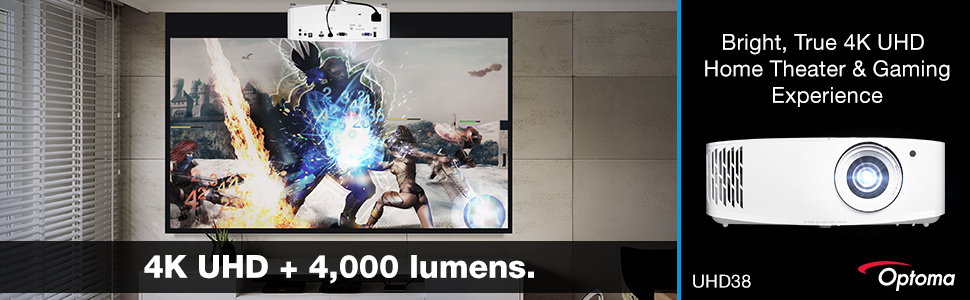
🚀 Elevate your game and binge in breathtaking 4K brilliance — don’t just watch, dominate!
The Optoma UHD38 is a powerhouse 4K UHD projector delivering 4000 lumens of brightness, ultra-low 4.2ms input lag at 1080p, and a 240Hz refresh rate optimized for gaming. Featuring HDR10 & HLG support and UltraDetail technology, it projects vivid, razor-sharp images up to 300 inches. Designed for gamers and cinephiles alike, it offers seamless connectivity, quiet operation, and a long-lasting lamp, making it the ultimate home entertainment upgrade.


| ASIN | B08WTSV4JY |
| Additional Features | Digital Keystone Correction |
| Antenna Location | Gaming, Home Cinema |
| Best Sellers Rank | #408 in Video Projectors |
| Brand | Optoma |
| Brightness | 4,000 Lumen |
| Built-In Media | UHD38 projector, quick start user manual, remote, batteries for remote, power cable |
| Color | black |
| Compatible Devices | Gaming Console, Laptop, Smartphone, Tablet |
| Connectivity Technology | HDMI , USB, VGA |
| Contrast Ratio | 1000000:1 |
| Control Method | Remote |
| Controller Type | Button Control |
| Customer Reviews | 3.8 out of 5 stars 432 Reviews |
| Display Resolution Maximum | 3840 x 2160 Pixels |
| Display Type | DLP |
| Display resolution | 3840 x 2160 |
| Form Factor | Portable |
| Hardware Connectivity | USB, VGA |
| Item Dimensions L x W x H | 12.4"L x 10.6"W x 4.64"H |
| Item Weight | 9.25 Pounds |
| Lamp Wattage | 125 Watts |
| Light Source Operating Life | 15000 Hours |
| Manufacturer | Optoma |
| Maximum Image Size | 300 Inches |
| Maximum Throw Distance | 32 Feet |
| Minimum Image Size | 33 Inches |
| Minimum Throw Distance | 4 Feet |
| Model Name | UHD38 |
| Model Number | UHD38 |
| Mounting Type | Ceiling Mount, Tabletop Mount, Tripod Mount |
| Native Resolution | 3840 x 2160 |
| Picture Quality Enhancement Technology | UltraDetail technology |
| Recommended Uses For Product | Gaming, Home Cinema |
| Special Feature | Digital Keystone Correction |
| UPC | 796435814083 |
| Unit Count | 1.0 Count |
| Vertical Keystone Correction | 80 Inches |
| Video Encoding | MP4 |
| Voltage | 240 Volts |
| Warranty Description | 1 Year limited parts and labor warranty on the projector, 90 days lamp warranty |
| Wattage | 10 watts |
D**S
Same high quality you're used to from Optoma
The picture is bright in 4 PM sun with the shades wide open. Of course the darkest colors look even richer with the shades drawn, but it looks 90% just as nice in a bright room (80% as nice with the most strict eco bulb preserving mode). The resolution is true 4K, and it makes a huge difference when you have high-res content. The refresh rate options are nice for gamers with the latest consoles. For blu-ray, the true black is surprisingly deep. The fan noise is somehow quieter than older 1080p models. The audio sound is reasonably clean and loud. However, the lowest setting isn't as low as I'd like to avoid waking someone in the house. Happy surprises: despite having the same familiar remote, the UI is much easier to use than past models, and it's all more responsive too! No more fussing with the source buttons to recognize HDMI signals -- it works the first time, every time. Having the cable inputs in the back looks cleaner than the many side access units out there. Like most projectors, the mounting holes aren't standard. If you're using an arm or ceiling mount, you'll want an adjustable mount on the smallish end (the three holes are roughly 4.5"/4.5"/5” apart in an irregular triangle, longside facing the back). It's long throw. I have around 100" screen at 12.5 ft. (I have to zoom down to fit my 85" screen, and this causes light bleed past the edges.) The zoom range is narrow, like 1-1.1x, so set it up in your house first and try it on a wall before you seek the correct size screen. (Don't be basic using the naked wall; get a screen. The picture quality deserves a good flat white backdrop for all the gorgeous detail.)
R**S
This si a great projector for the price
Uses: • PS5 gaming • 4K disc film watching • Streaming content How well it does it: • PS5 gaming - fantastic. I don’t let it drop into 120hz 1080p since I like my eye candy, but there is no lag at 4K 60hz. I mostly play solo adventure games like Horizon or tactical-ish battlers like Midnight Suns, but it handles shooters and online games smoothly. • 4K disc-based movies - WOW! There’s a lot of bang for the buck here. Keep it in “Bright” mode for the best results. Bright skies will show the limits with some banding, but the overall picture is gorgeous. I have this in a basement with zoned lighting so I can replicate theater lighting. This really shines in total darkness but with subdued lighting it is still plenty bright. At 128” diagonal and sitting 15 feet back it is insanely immersive. You’ll get a better image from a $10,000 unit, but this has exceeded all my expectations. • Streaming - You’ll see the limits of the material. Apple TV+ looks pretty sharp while Netflix can get a bit janky. Wakanda Forever on Disney+ was mostly okay, until the final battle where the sky was trash. Playing around with other material this is definitely on the source. Darker films look better; the Batman on Max was crisp. Ours gets a couple hours of daily use and seems like it’s built for the long haul. The remote’s not great and it always seems to be on the very edge of perfect focus - it needs a pretty long throw - but these aren’t significant flaws. For a projector in this price range, the UHD38 is top of the class.
A**Z
Image slowly deteriorated then bulb blew
This is my second projector from Optoma, in 2014 I purchased the S316 projector which performed so well for the $309 price point that I when it was time to upgrade I decided to purchase from Optoma again. I purchased the UHD38 to watch movies and eventually play games on. I purchased it on 12/31/2021. Initially there were no major issues with the projector and the image quality was everything that I was expecting. After about 2 months I would notice the occasional color distortion and lines of blocks through the image were highlighted; this issue would come and go and could be reset by reconnecting HDMI link, by April 2022 I had two dead pixels. When my Playstation 5 arrived the projector had issues maintaining connectivity to it via the HDMI port and would constantly disconnect then reconnect which is not ample for gaming. Finally after about 7 months the bulb blew when I was turning the projector off. Now I'm back to using my Optoma S316 which is still operating fine 8 years later. When I attempted to contact customer service by phone I was on hold for about 30 minutes before I left a voicemail with the promise of a return call. The return call never came. So about two weeks after that I searched for the customer service email and I managed to send out an email detailing my problems with the projector. It took thirteen days to get a response by email which included a link to customer support maintenance form. I finally filled out the form today so soon I will see if the projector I spent $1300 on which broke within 7 months is still covered by the warranty. I have no additional recommendations for alternative projectors to purchase at this price point however as it stands right now this project has been rendered unusable with minimal use in a 7 month period, so I do recommend looking elsewhere. I'll update review if projector is repaired by Optoma support and works correctly after fixed, at this point though my expectations are low and I expect that I'm just going to be out the $1300.
S**T
Did not live up to expectations
Looking for an option to upgrade my Epson 6030UB (mfg list $3,999). The 6030UB at the time (2013) was one of the best mid-high-end projectors available. In fact my only real compliant is its brightness (2400 Lumens) which on a 15' screen can be a little dim especially if watching 3D content which halves the perceived brightness. The new Epson LS12000 would have been a clear choice but alas does not have 3D capabilities which should be a showstopper for anyone buying a niche market high-end product which given the flat panel choices today a $5000 projector is. So how did the Optoma UHD38 compare to my nearly 10 year-old Epson? Price Clearly less expensive; at least at time of release. Setup Challenging. No vertical or horizontal shift means you had to have the projector centered and at an exact height or with a certain tilt (quite a bit in my case) to center the image on my screen. Lacking these features and since I couldn't mount it at that "exact" height also meant that I could not "optically" get a square picture requiring digital video keystone correction which the UHD38 does have. However, this arguably will have an effect on the picture quality. The zoom on the UHD38 was also more limited. To fill the 15' screen, I had to max out the zoom and place it further back than my Epson without the zoom maxed. In addition, I found it really difficult to "tune" the picture. See below. Brightness The UHD38 (4000 Lumens rated) did not disappoint. It was significantly brighter than my Epson which although I said was my one compliant for the Epson, it is still a bright projector on its own. 4K vs HD Not a noticeable difference. As a professional in the home theater, sound, and smart home industry, I can tell you 4K is one of the big marketing lies. "BS, the picture looks so much better" many people say. Yes, it looks way better ...but not because of the 4K. The brightness, black levels, contrast, and imaging processing are all way better than most display units of old *and this* is the difference you are seeing. The truth is the physics of the human eye are such that its IMPOSSIBLE for us to see the difference that 4K brings. A top installer for a big electronics company vehemently disagreed, "no lines look jagged at 1080P and straight at 4K, I see this". Of course you're standing RIGHT in front of the screen as withing inches!!!! The point of whether you can see a 4K difference or not is a function of screen size and viewing distance. For most, the screen size will be too small and the viewing distance too far. With my 15' screen at a 17' seated position this was in the range where some 4K differences might start to become noticeable. It was not. Black/Contrast Performance While two different things, I find them very tied together when it comes to perceived picture quality. The UHD38 -at least in my setup- did a pretty poor job of producing black. I tried to take the brightness all the way down and fuzzed with the contrast and mode settings but blacks still came out pretty grey. This is a problem for projectors in general but the UHD38 was significantly worse at it than the Epson. Contrast which has a lot to do with how much picture detail can be displayed did seem better than the Epson as it should considering its much higher spec rating of 1,000,000:1 vs 600,000:1 for the Epson. Unfortunately, the enjoyment of this is all but lost with the massive amount of light leakage from the unit's fan port (so distracting), grey blacks, and poor color accuracy (see below). Color Simply put, in comparison to my Epson, I could not get satisfying color reproduction out of the UHD38. It was always very artificial looking or washed out. Maybe there is some magic setting that would work but if so its not easy to find; I did not. Overvall The Epson 6030UB produced a significantly superior and more enjoyable picture than the UHD38. This conclusion was echoed by everyone I asked to watch the A/B comparisons. It's important to note that my testing was in a light controlled dedicated home theater room. I did not test the UHD38 in a non-light controlled room with windows and ambient light. In a setting like this the UHD38 probably would shine (pun intended) and out-perform the Epson. Also, while the above review might sound bad, this was in comparison to a 3.5-4x (at time of release) more expensive unit. Without this side-by-side comparison, the UHD38 produced a great picture for the price and maybe with some tedious tuning could even be improved.
J**N
Great option for competitive gamers, but otherwise...
Before I start, I purchased a used unit and found out that HDMI 1 port is not working regardless of the input. While HDMI 2 works fine, I'll most likely be returning the unit for a refund. As for the projector itself... Pros: - Bright image - Snappy UI & resolution switch - VERY LOW input lag on enhanced gaming mode (240hz on 1080p was buttery smooth and with 4ms input lag, you can use this projector for online competitive games as well. There are only a handful of projectors that can do this) - Decent image quality Cons: - No built-in OS to run apps. You need a dedicated input source to use it. - Enhanced gaming mode will turn off all the settings for image enhancement including the keystone adjustment. This limits the flexibility of installation as you probably would want to have the projector directly projecting against a wall to avoid keystone adjustments. - The area near the lamp gets pretty hot, and the fan noise is louder than most of the projectors I've used. This won't be an issue if you mount the projector on the ceiling, but if the projector is close to your seating area, you'll hear the fan noise - Onboard speakers are pretty bad. I'd say one of the worst out of all the projectors I've tried. You'd most surely need a dedicated sound system. This is a decent projector, and I wanted to like it enough to keep it as a gaming projector. However, the relatively longer throw distance along with the projector needing to be perpendicular to the wall to make use of the enhanced gaming feature makes it not an ideal choice for someone who lives in a small apartment.
R**B
WOW this is magical and impressive
review with updates over course of 4 years. But basically I love it, and it works out the box, but also has plenty of room to tinker the picture to your liking. Total cost of ownership for it's life has been about $1/day, with 5,200 hours of use on dynamic mode. This is about a third of the advertised life. I would get extended an warranty. Day 1: I opened up the box and plugged it in, just power and hdmi. Aimed it at the wall. It took a few seconds to warm up and then, even in broad daylight with no curtains, on pukey apartment tan/gray/green paint, there was vivid color and bright whites and a perfectly legible 9 foot playstation screen. This just feels magical. I adjusted the keystone to undo the distortion from the angle I had it at, played with the focus and zoom for a few seconds, and started playing some games. Even without extended game mode it was responsive enough to play some resogun, so I turned game mode on (not just the color setting, the low lag) to try it out. The keystone undoes, so my quick setup ran the top of the screen into the ceiling, but it was so smooth, so pretty, so big. Like I feel like a kid and this is magical watching black screens look like wall then in slides a logo or loading screen and then it's a game on my wall. Is it a little washed out in daytime? Yeah, the blacks aren't super deep around noon, but perfectly watchable even if you don't close the curtains, and your eyes adjust better than it can look in a photo to make the blacks look black next to the amazing whites. Is it amazing in the dark? Yes. Even after around 4pm with no curtains, when you don't even need a room light on yet, blacks look deep black next to the brights and everything is rich. Is it magical? Always. Is it good for gaming? Yes. I am very very impressed. Been gaming for decades and I never want to use a tv again, the brightness on this and the size make a rich deep picture with a wow factor even just on an off-color wall with no prep. I bought a sound system in expectation that the built in speaker would suck, but it's about on par with decent tv speakers and serviceable. Great volume actually, I have yet to turn it above 3. I got this to treat myself and holy **** it's amazing. Highly recommend. Just do it. It weighs so much less than a tv and is so magical. Great color and brightness and good for gaming and watching Netflix or whatever. I am so excited to play everything on this I feel like I just bought a second childhood. It has no business looking so good in the daytime. Considerations after a few weeks: use "game" or "hdr sim" in daytime, it blows out the whites but the contrast and brightness is so much better. The dynamic brightness is supposed to give you 15,000 hours of life, that's like 10 years of 4 hours a day, but you can hear the fan speed change, and the brightness ramp up can be noticeable and distracting when brightness changes on screen back and forth: not usually noticeable on games, but on some shows where dialogue cuts back and forth. If you want 240hz and atmos, good luck. You would need the right dual outputs on your pc to go straight to the projector and av receiver, as the projector only has stereo out, and I don't think there is an a receiver or splitter on the market that can do 1080p240hz, best I can get is 1080p120hz or 4k60hz, which is still exceptional. Those considerations said, I still highly recommend this, it's amazing. After a few months: still loving it. I think the only complaint is that on dynamic brightness the whites get crushed a bit on hdr from my PS4, this can probably be solved by switching to the non dynamic bright mode. On hdr in general, the dynamic black ramping will occasionally create banding and white blowout on transitions of dark to bright content too, the response time of the lamp and pixels seem to differ, this could probably be solved in a firmware update. Still highly recommend. It's a 4k60,1080p240hz projector with gaming speed and insanely good brightness and color. Nitpicking aside nothing compares to this. Pair with a surround or Atmos sound system and it's a perfect home theater. 1 year update: still loving it and highly recommend it. I run my PC at 1080p120hz for movies upscaled with svp, and PS5 at 4k60. I stopped using HDR because the picture looks better without it, as it crushes whites and blacks on dynamic brightness mode. Overall the only downside is that around noon the picture is washed out, and you need to either pump the contrast up to about 30, or close the curtains. Best display I've ever used, don't even need game mode it's not laggy. Possibly the best purchase I've ever made. I eventually found the setting that was blowing out the whites in dynamic brightness mode, in the image settings screen scroll, to the second page and there's some trademark sounding color menu like tru color or vibrant color or something, it's basically a second contrast scaler. I still usually leave it on the default setting for the brightness boost for a clearer image with lights on, but if you're doing movie night with the lights off, setting it lower will give you a better reference image, which of course there's an image preset for anyway. 2 year update: one dead pixel, which means it's always bright. Annoying but still pretty easy to ignore. 3 year 9 month update: colors started to get messed up. It fluctuates and can't really be worked around. Like I can still use it, but it's not great I contacted optoma about it and just the parts are like $800, not sure if that includes the actual repair. Final breakdown: So cost of ownership is just under $1/day, which I think is worth it. I've used it a lot and really been pleased with it. But the life has been only 5,200 hours on dynamic mode, not the advertised 15,000. Still, I can't find better specs elsewhere even after 4 years, so I am getting another one, and getting extended warranty to make sure it is good for 3 years again.
A**.
Great projector!
It's a really good projector if you want a huge screen. I get a 190" picture that covers my whole wall from 7' distance, and this is priceless. It also provides a great contrasty HDR. Better than some other DLP projectors I tried, and very close to my 4K HDR DisplayHDR 600 certified 32" screen. It does need some tuning though. I have a yellowish drywall. It's not a dedicated screen, low gain, so my settings are: Brightness: 5, Contrast: 9, Sharpness: 9, Color: 50, HDR/HLG: Auto, HDR Picture Mode: Bright, HDR Strength: 9, Brightness Mode: Bright, BrilliantColor: 10 I also tuned colors a little to negate yellow tint of my 'screen': Color Temperature: D75, Wall Color: Off, Red: -6 13 18, Cyan: 10 0 20, Yellow: -19 3 15, Magenta: 21 0 20. Don't forget to switch on 10 bit on your source too (I have Fire Stick 4K). And if you're on Apple TV switch Chroma to 4:2:2 (makes a huge difference, but you also need an HDMI 2.1 cable) It took me quite some time to figure out those, maybe it helps others. What I like about the picture that it gives you a depth sense. I tried some other brands, picture looked too flat. And even before tuning colors I liked its color reproduction. 5 stars, I really enjoy watching 4K/2160p movies on it. The games look great too, haven't tried Gaming mode, only using 4K/60fps and it's working out even for really hard and fast pacing games like Returnal (using Moonlight streaming over a gigabit ethernet). The cons are: slow menu (not a big deal), bad contrast out of the box, picture little darker than 3,600 Lumens.
J**K
Not for heavy use
These are ok projectors while they last, which they don’t if you use them a lot. I’ve had two of them since dec 2020 and both are expensive paper weights now. TLDR pros: Bright, decent black levels, very fast response time / low input lag / high refresh rates. TLDR cons: Substandard quality control, Pixels die / get stuck easily, hdmi signal drops, mediocre HDR with lots of color banding They seem like a great value proposition and honestly, they kind of are, being on the cheaper end of 4K pixel shifting dpl projectors. But optima is definitely skimping in some areas to keep those cost down. The build quality and lenses are just so so. The hdmi implementation is not great and there are occasional signal drops. Optima seems to know that’s a problem because there is an option in the menu to turn off the looking for signal ui so when a drop happens you just see a black screen for a second. The HRD / image processing / color implementation was particularly skimped on and really not great. There is a lot of color banding and the projectors struggle to produce smooth gradients in a lot of situations. Those are all minor nit picks however. By far the biggest issue is dead / stuck pixels. Optima is using the same DMD imaging chip from TI that all the other manufacturers in this space are using. Optima is however pushing it harder and faster then the rest to get the super low response time and high refresh rates to market to gamers. These projectors are really great to game on. But that DMD chip is just moving too fast and being pushed too hard with sub standard image processing. 3 to 6 to 12 months in, you will get some dead pixels if you use thing a lot. I’ve had it happen on two of these so far. If this is going to be your daily media driver I would recommend spending a little bit more to get something more solid. Or if you have the funds doubling your budget and stepping into the new laser cinibeam projectors from LG.
Trustpilot
1 month ago
1 month ago