We remain fully operational. Our teams are working around the clock to ensure your deliveries continue safely.

DOWNLOAD THE APP


Copyright © 2025 Desertcart Holdings Limited
DOWNLOAD THE APP
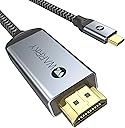
![WARRKY USB C to HDMI Cable [4K@60Hz UHD, HDCP2.2 Support] Type C 3.2 to HDMI 2.0, Thunderbolt 3/4/5 Compatible for iPhone 16/15 Series, MacBook Pro/Air, iPad Mini/Pro/Air, Galaxy S8 to S24, 1M](https://m.media-amazon.com/images/I/71aFFMkiicL._AC_SL3840_.jpg)


Buy anything from 5,000+ international stores. One checkout price. No surprise fees. Join 2M+ shoppers on Desertcart.
Desertcart purchases this item on your behalf and handles shipping, customs, and support to Iceland.
🚀 Elevate your screen game with WARRKY’s ultra-smooth 4K connection!
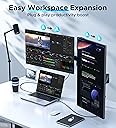
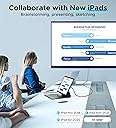
The WARRKY USB C to HDMI Cable delivers flawless 4K UHD video at 60Hz with HDCP 2.2 support, ensuring protected streaming from your latest devices. Compatible with Thunderbolt 3/4/5 and a wide range of smartphones, tablets, and laptops, this 1.8m cable features gold-plated connectors for reliable, high-speed data transfer and plug-and-play ease—perfect for professionals who demand premium visual performance and seamless connectivity.


| ASIN | B099RP92P5 |
| Best Sellers Rank | 497 in HDMI Cables |
| Brand | WARRKY |
| Cable Type | HDMI, USB |
| Colour | Gray |
| Compatible Amazon Tablet Models | Amazon Fire HD 10 11th Generation |
| Compatible Devices | Laptop, Tablet, Smartphone, Samsung Fold Series, A90, S22, S21, S20, S10, S9, Note, Samsung Tab, Surface Book, Surface Go/Go2/Go3, Surface Laptop 3/4/5/SE studio/studio2+, Surface Pro 7/ 7+/ 8/9/X, Dell XPS |
| Compatible Phone Models | iPhone, iPad, Macbook, TV |
| Connectivity Technology | USB |
| Connector Gender | Male-to-Male |
| Connector Type | HDMI, USB Type C |
| Country Of Origin | China |
| Customer Package Type | FFP |
| Customer Reviews | 4.4 4.4 out of 5 stars (5,845) |
| Data Transfer Rate | 10 Gigabits Per Second |
| Frequency | 60 Hz |
| Global Trade Identification Number | 00769326922105 |
| Indoor Outdoor Usage | Indoor |
| Item Shape | Round |
| Manufacturer | WARRKY |
| Manufacturer Part Number | YISU-CH14 |
| Maximum Current | 3982 Amps |
| Maximum Voltage | 12 Volts |
| Model Name | WARRKY-AV-CH14 |
| Model Number | YISU-CH14 |
| Number of Items | 1 |
| Number of Pins | 24 |
| Other Special Features of the Product | Braided |
| Outer Material | Nylon |
| Recommended Uses For Product | Entertainment, Presentation, Learning, Gaming |
| Specification Met | CEC, HDCP |
| UPC | 769326922105 |
| Unit Count | 1.0 count |
N**N
Excellent cable and works as described
Excellent quality. Excellent connection and works really well with both my iPad Pro and my Sony 1V Android phone so compatible with both Android and iOS. The picture quality on my TV was very good and very clear. The 3m length was ample length for my needs. The design of the cable is good as the moulding at each end of the cable seems quite strong.
M**K
Phenomenal piece of tech!
I recently had a prolonged hospital stay and was fortunate to be in a hospital with all private rooms! The TV in the room only had the basic freeview channels but I noticed it also had a HDMI socket, ordered this phenomenal piece of kit and was able to essentially turn my Samsung Galaxy S9 into a mini pc and the touch screen acts as a touch pad similar to a laptop! Managed to watch the entire Dark series (3 seasons) on Netflix plus a load of movies during my stay. This badboy made an otherwise boring stay actually enjoyable (for the most part) and I highly recommend anyone (not just potential patients in a hospital) purchase one. A couple of suggestions for the makers...the wire could maybe be a little big longer, and hopefully the developers find a way to allow your phone to charge while connected (battery at 100% would last on average 6 - 8 hours) There is a good few apps that I didn't try while using but I did notice a couple that wouldn't work...Prime Video, BBC iplayer, but even though I was just using Netflix and Disneyplus I'd still say buy one, you won't regret it! If the developers can get all the popular apps to work then this would be a good replacer for a firestick. Bit of a long post but for ease of use, value for money etc I can't really fault it...10/10, 5 stars
M**C
Good but not compatible with amazon prime video
Will mirror phone (s20) screen as stated but will not work with amazon prime video if you are off line. The screen throws up an error which amazon say cannot be cleared. To be fair this is true of all cables of this type ( i have tried 3). It does however work with Netflix without a problem.
F**O
Money well spent
Good product. I recommend it.
K**M
Work well for Motorola edge 50 ultra!
I did some research for my Motorola edge 50 ultra. Was hard to know which usb c to hdmi cable support my phone. I can confirm is this one now. I had tested with my 4k TV and 1080p projector. They were supporting true maximum pixel, Netflix, Amazon prime video, YouTube , Chrome video. But Motorola edge 50 ultra phone is use the " Smart connect" app. Had different results with the " Smart connect" option . The video size is smaller of my TV/projector when use the mirror mode . But everything working well . TV mode and mobile desktop mode is working full screen of my TV/ projector . But Netflix may not working with TV mode. Just black screen. Will be working with the Desktop mode. The Netflix app will start from black screen. Then waiting a little bit time for get the app starting. Is working no problem after the Netflix running. For Amazon prime video app running smooth in TV mode and desktop mode. But the subtitle will be showing very small in TV mode. In Desktop mode is normal. YouTube also working smooth. But the YouTube menu is smaller. From my results. If you wanna same picture format as your phone . Use the mirror mode. Just TV picture size be little bit smaller. If you need the video full TV screen size. Different app had the best results in different mode. That's my testing 5hrs result. I hope that can help with other Motorola edge 50 ultra user. I also had a little bit test my girlfriend her iPhone 15. Automatic mirror mode when I connected iPhone with TV. But disconnect 2 times. Pull out and put in again then work fine. But couldn't change the volume from iPhone. I had to change the volume from TV only. I don't like iPhone anyway. So, is not a matter for me. I will take this cable with me for holiday. when I can watch my TV show in hotel . I think is very useful.
B**I
Good
Very good quality
G**R
Works for my phone to tv no problem
Works fine
G**Y
Works well for price but not compatible with some adapters
I bought this cable for my MacBook so that I could could connect it to a monitor. If the cable is plugged directly into the laptop then all is well. However, I use the Anker 7 in 2 adapter which used both of my intrinsic USB c ports to provide me with 7 inputs including standard USB ports and 2 USB c ports. I need this adapter to connect other external devices for use when producing music. Unfortunately, when connected through this adapter, this cable doesn’t work. I have checked the ports with other cables and the adapter is not the problem. If you plan to use this cable directly, I recommend but be careful of adapters!
J**O
El producto estaba en buen estado y tiene buena calidad,pero me tocaría el defectuoso,a mí no me funciona .
A**R
Great item. Used it on my recent cruise to watch downloaded movies from my IPad to the cruise ship tv and worked flawlessly, easy to install. Very happy with results.
M**L
Es exactamente como se describe y funciona correctamente en distinto tipo de pantallas y proyectores
A**C
conforme a l'annonce
A**M
I have this app on my iPad Air and a link to watch NEC College Football. My nephew plays in one of those teams. We have been able to watch the games via app on iPhone, iPad and Windows computer, but we want to watch it on the big screen TV. I could do that using a Roku stick, but I do not have one as I have all the channels I could get with Roku available through my cable plan. I got this cable. Well I can open the app and get the picture via iPad Air (brand-new), but no audio. I have a Bluetooth soundbar, but it will not connect my iPad as long it is connected via the HDMI cable, and although in discover mode for other Bluetooth devices, my soundbar never came up. So I thought of my laptop which has a USB-C port, Bluetooth, wi-fi and everything I thought I would need. And here we go, setting the soundbar to Bluetooth from the usual HDMI, plugging the cable in the USB-c port, other end in the last available HDMI port on my TV, and everything I see on my laptop becomes available on my TV. Sound was right there. We will have fun watching the next game that way. So
Trustpilot
1 week ago
2 days ago