We remain fully operational. Our teams are working around the clock to ensure your deliveries continue safely.

DOWNLOAD THE APP


Customer Services
Copyright © 2025 Desertcart Holdings Limited
DOWNLOAD THE APP
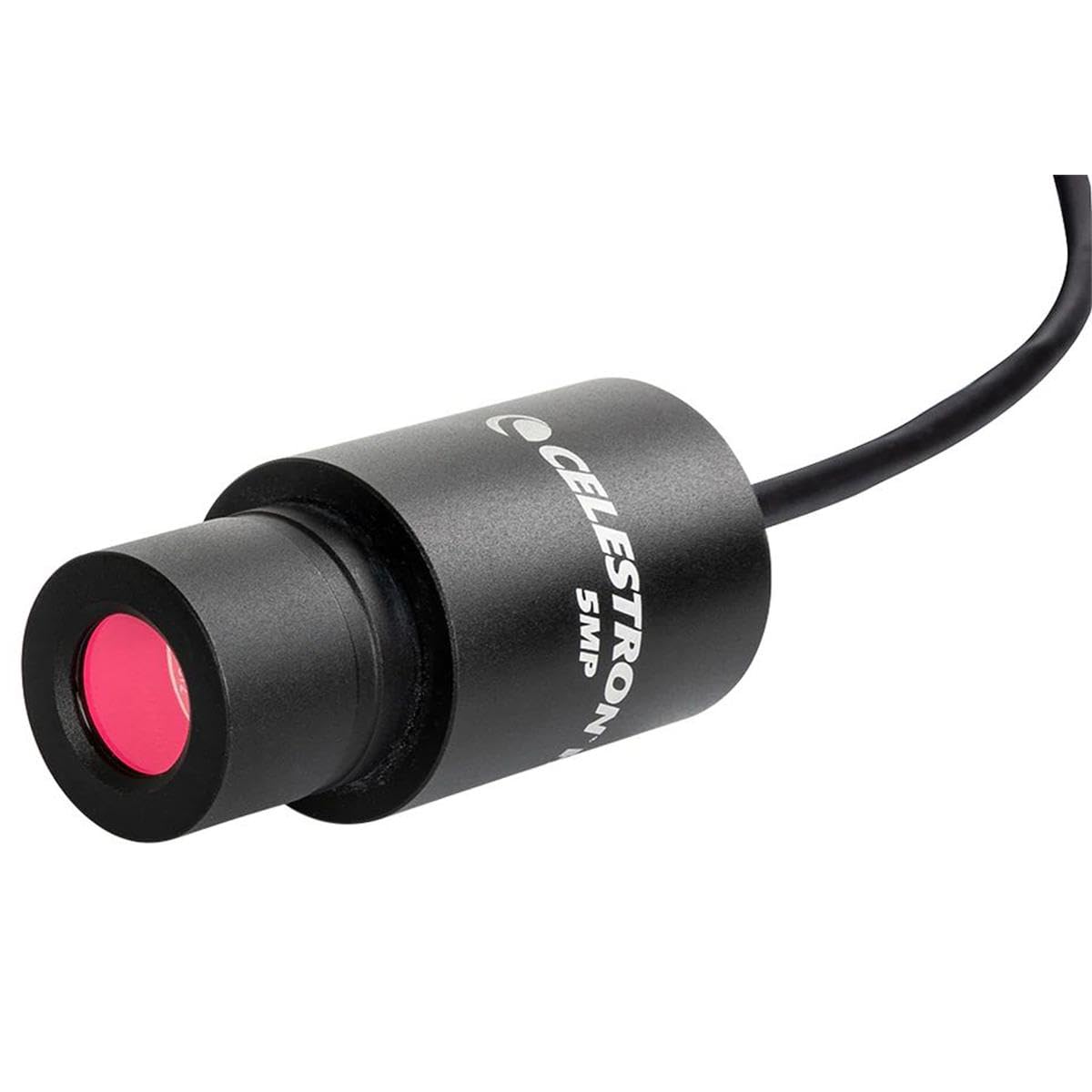
🔬 Upgrade your microscope, upgrade your discoveries!
The Celestron 44422 Digital USB HD Microscope Imager transforms any traditional microscope with 5MP high-resolution imaging and 30fps video capture. Compatible with both Mac and Windows, it connects via USB and fits standard 23mm or 30mm eyepieces. Featuring advanced software for measurement and note-taking, this durable, aluminum-housed device is perfect for classrooms, labs, and hobbyists, backed by a 2-year US warranty and expert support.


| ASIN | B01G7J0688 |
| Best Sellers Rank | #659 in Camera & Photo Products ( See Top 100 in Camera & Photo Products ) #102 in Lab Handheld Digital Microscopes |
| Customer Reviews | 3.9 3.9 out of 5 stars (122) |
| Date First Available | May 20, 2016 |
| Is Discontinued By Manufacturer | No |
| Item Weight | 3.42 ounces |
| Item model number | 44422 |
| Manufacturer | Celestron Acquisition LLC |
| Product Dimensions | 6.5 x 5.87 x 2.25 inches |
A**N
it's a good cam but the software disk it comes with is a nope.
it's a good cam but the software disk it comes with is a nope. i ran this cam with the disk supplied software on one computer and dealt with the low quality images but then switched computers .. and the daggone thing wouldn't connect (a la many of the 1star reviewers). but then i downloaded the appropriate program from the celestron website and instoslammo, cam works and everything is a whole lot better than the program on the supplied disk. if you had the same connection issues and were about to return it, try going to celestron's site.
A**L
Had issues mounting it.
I had issues mounting it, tried a few adapters and seems to work, the pictures turn out ok.
D**H
30X magnification
As some have mentioned, this camera is about 30X magnification where as most standard eyepieces that come with the microscope is 10X, so that may be an issue with some users of this camera, so plan accordingly if you buy this one. After downloading the software from Celestron, the camera is ready, it works well and the image quality is good. Your lowest power objectives will give you larger images than you might expect at first but I don't find that to be an issue. For the money, it is a very nice camera and it gives me a larger picture on my Laptop.
K**E
Not 5MP, it uses software upsampling, raw image is 2mp 960P
1. "The image is too zoomed in!" is because you selected a photo or video resolution of 1920x1080. This is not the native resolution of the camera and it zoom/crops it. Select the 960P resolution and suddenly you can see the same field of view as the oculars. It also significantly improves the picture quality. 2. The sensor maxes out at 1920x1080 (2mp) and is NOT a 5MP sensor. This is the actual resolution as detected by either Mac camera or Windows camera software. You only see the 2560 resolution offered in the Celestron software that comes with it because it is software upsampling the 2mp image. It's not real resolution. 3. the CCD is protected behind a glass IR filter on the end of the camera, but that glass IR filter is not protected by anything. You NEED an end cap when the camera is not in the microscope or you WILL scratch the lens and get dust. It does not come with one. I used a small black felt sack for this purpose. 4. There is absolutely NO manual control over the camera, gain, constrast, brightness, ISO, or shutter speed. The camera is in full auto all the time regardless of software and this can't be over written. You can adjust 'gamma, brightness, contrast' in the celestron software and your OS camera app, but it only adjusts how it appears on your screen, not the actual camera itself. This mean as you change the condenser Fstop, or the brighness of your illuminator, or you move the slide around from light to dark areas, the image is constantly hunting brighter and dimmer, and it often under exposes bright images so if you have a lot of white (like the area around your specimin) instead of white you get a dull grey, dark image. No way to counter act this that I've found. Other than these pit falls, it's basically plug and play with any microscope and you don't need any special drivers to use it. It's detected as a camera by mac or windows, and just works. The camera itself has a 20x magnification factor so if you're using 10x eyepieces, the camera image will be roughly twice as zoomed. With a 4x objective I can still see an entire plant stem cross section in one image, when using it at 960P resolution. At 1080p resolution it's so zoomed in it's almost unusable.
D**N
Don't bother with special software, it's just another camera.
Works great as just another camera with the Microsoft Camera software. There was no need to download the Celestron software (which I have seen complaints about in the other reviews). The images are sharp and clear. Great value.
P**R
The Software Renders Camera Useless
Let's start with the good about this very inexpensive camera. It would probably be sufficient for a child who is a beginner with absolutely no experience nor expectations. It will capture a rough image of part of what you are seeing but the image will be poorly exposed and the white balance will be wildly off. It can, easily enough, capture a rough image. The software is definitely the weak link although the camera itself isn't much better. The first problem with the software is that it is impossible to view the entire image area on the screen. When you open the software, you immediately get a live view from the camera but you are only seeing a tiny portion of that already small imaging area. Changing the settings has absolutely no effect on the display screen. I'm using a 4K monitor so I have plenty of resolution on my display to actually see the entire 5mp image area all at one time but the software doesn't seem to allow this. Not being able to see the entire imaging area in the software is compounded by the fact that because the imaging camera has such a tiny sensor (1/2.5"), at best, you will get a 2x image compared to what you are seeing in the eyepiece. Then, on top of that, your live view in the software is only showing you a tiny portion of that tiny 2x view from the camera. So, then I just accepted the fact that maybe that live view screen is simply for focusing so I focus and I go ahead and capture an image. Snapping an image is a slow, delayed process that requires about 3 seconds in total. Why? It's a rinky dinky tiny image! If I were snapping a 100mp image, I'd expect a bit of a delay but not at such a tiny 5mp resolution. This software is slow, clunky, quirky and provides very little control. The quality of the images are really lousy. The camera tends to blow out/overexpose highlights which really produces terrible images. There are some rudimentary controls in the settings of the software but this does not help. The highlights always seem to remain over-exposed and blown out no matter how much I turn down the brightness. Even when you change the settings to get the images looking a bit better, then next time you open the software, you need to change the settings all over again because the software always reverts to the default settings (which are horrendous). The white balance is always wildly off. My images turn out noisy and yellow... deep, dark yellow. I can manually adjust the white balance setting from its default 6000K down to 2700K but the image has color balance issues that vary across the frame. For instance, the left third of the image is always showing a magenta hue to my photographer's eyes. Resolution... When I did the math calculations for necessary resolution for various objectives when used with this camera, I found that this camera does not have enough resolution when using a 4x objective and it is obvious in the images. When you get up to 10x the image improves but it is still grainy, dull, very "uncrisp", and sporting the exposure and white balance issues mentioned above. There are definitely problems with this cheap camera with its old and tiny sensor but the biggest issue is the software. I cannot get this camera to work with any other software package either which only compounds the problem. If I could use better software, then I could possibly gain more control over the camera rather than being stuck with the crude control in Celestron's software. Unfortunately, I'm stuck with the lousy Celestron software and this software truly renders this camera useless. My current work-around is to use one of my photography cameras rather than using this Celestron HD Imager. It is awkward but the resulting images and video are worlds better than what this Celestron package can produce.
A**R
very disappointed with the very poor safter sales backup I ckearly supplied info on the problems and have never got a resolution from them It seems they couldnt even read my email because they gave responses that were totally irrelevent to the questions I asked. The problem is, not with the camera itself, but with the software which wouldnt install without causing an error. i finally gave up with the seller and threw the camera on the back shelf, probably never to be used :( :( very disappointed
S**O
Ottimo prodotto
G**O
Estos productos ayudaron mucho en el trabajo de laboratorio poniendo la cámara y poder tomar fotos de diferentes muestras.
J**L
Excelente
C**E
Great camera, useful for microscopy demonstrators, hobbyists and experimental biologists. I am running the software CELESTRON DIGITAL IMAGER HD 1.0 on a MAC OSX system (13.5.2) and the camera is put into the eyepiece of a DICA (Durga Instruments, Jalhandar Cantt) compound microscope. Still images are captured as Bmp, jpg and png, but video files appear not to be saved! I have written to CELESTRON, they’ve been prompt with responses but have failed to solve the problem so far. UPDATE finally bought a second hand PC with Win10 and it works! Still and video.
Trustpilot
1 month ago
2 days ago