
DOWNLOAD THE APP


Customer Services
Copyright © 2025 Desertcart Holdings Limited
DOWNLOAD THE APP


🚀 Elevate your home network to pro-level speed and security — don’t get left buffering!
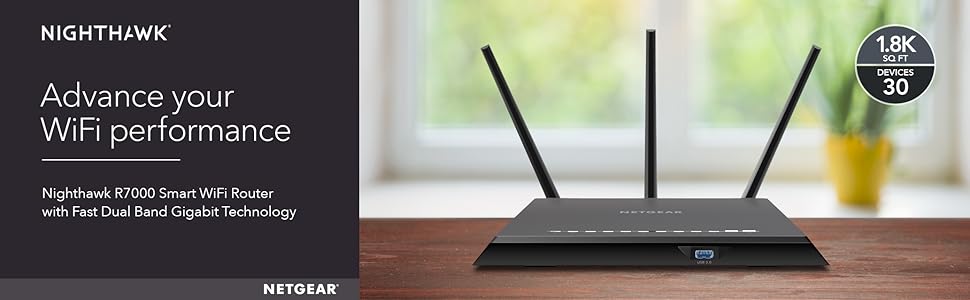
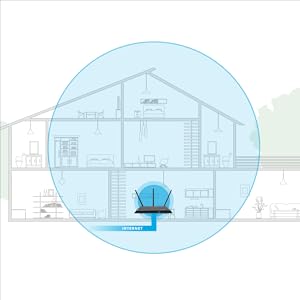
The Netgear R7000 Nighthawk router delivers AC1900 dual-band WiFi with speeds up to 1900 Mbps and coverage up to 1800 sq ft, supporting 30+ devices simultaneously. Equipped with a powerful 1GHz dual-core processor, 3 amplified antennas, Beamforming+, and Dynamic QoS, it ensures fast, reliable connections for streaming, gaming, and smart home devices. Wired connectivity includes 4 gigabit Ethernet ports plus USB 3.0 and 2.0 ports for shared storage and printers. Advanced security features include Netgear Armor cybersecurity powered by BitDefender, WPA2 encryption, guest WiFi, VPN, and smart parental controls. Ideal for professionals seeking a high-performance, secure, and scalable home network solution.




| ASIN | B00F0DD0I6 |
| Batteries | 1 AAA batteries required. |
| Best Sellers Rank | #6,676 in Computers & Accessories ( See Top 100 in Computers & Accessories ) #237 in Computer Routers |
| Brand | NETGEAR |
| Color | Black |
| Customer Reviews | 4.3 4.3 out of 5 stars (21,392) |
| Date First Available | October 1, 2013 |
| Hardware Platform | PC |
| Is Discontinued By Manufacturer | No |
| Item Dimensions LxWxH | 11.22 x 7.26 x 1.97 inches |
| Item Weight | 1.77 pounds |
| Item model number | R7000-100PAS |
| Language | English |
| Manufacturer | Netgear |
| Number of Processors | 2 |
| Number of USB 2.0 Ports | 1 |
| Number of USB 3.0 Ports | 1 |
| Operating System | Microsoft Windows 7, 8, 8.1, Vista, XP, 2000, Mac OS, UNIX, or Linux |
| Product Dimensions | 11.22 x 7.26 x 1.97 inches |
| RAM | 256 MB |
| Series | R7000 |
| Wireless Type | 5.8 GHz Radio Frequency, 802.11a/b/g/n, 802.11ac |
S**.
Perfect Router for using DD-WRT
I purchased this router to replace a old Apple Airport that I have had since 2008 to be able to take advantage of the 802.11ac that my mobile devices and laptop are able to use. I am an IT Pro by day but never got around to replacing the AirPort as it did what it needed to do and did not want to spend the money on something new just yet. However, now that all of my mobile devices and work laptop can use 802.11ac, I decided to go ahead and purchase something to replace it as I wanted to get the most out of my network and because of the 1TB HDD bundle that the Nighthawk included. Background on Network - My home was wired with Cat6 drops in every room of the house by myself and tested to insure connections were solid. The cable modem is a ARRIS SB6121 that I purchased from Amazon to replace a older DOCSIS 2.0 modem that could not longer handle the DL speed from my ISP. Reason for Purchase - After reading many different reviews on Amazon and Newegg on many different routers my choices were the TP-Link Archer C7, Asus RT-N66U, Asus RT-AC68U, and Netgear Nighthawk. I chose the R7000 based on the reviews online, the constant support by two devs on the DD-WRT forums, and because of the 1TB Toshiba HD bundle. Setup/Configuration - I ordered it on Friday (7/3) and received it at my door on Sunday (7/5). It was set up later that night and I began to upload the custom DD-WRT firmware by Kong that I got from the DD-WRT Forums. Once uploaded, the setup was a breeze and after following a few guides from the forums, I had the Wireless setup for 2.4Ghz and 5Ghz with two separate SSIDs for both and optimized for maximum speeds. It got to be to late and I stopped for the night, the next night I got back into performing setup and configuration of the DD-WRT software. I optimized QoS for it as we do streaming and gaming in our household on both LAN and WLAN. I then used a 2GB USB flash drive formatted with ext2 to install YAMon2 which is "Yet Another Monitor". This allows me to see a breakdown on bandwidth usage monthly, daily, and hourly along with overall network and per device on both LAN and WLAN. As my ISP has a Usage meter and I am charged if I go over 350GB of data in a billing period, this gives me an extra way to monitor the usage and make sure I am not going to go over. This USB Drive was plugged into the back USB port of the router as the USB 3.0 is not needed for it. As I had also received a 1TB Toshiba HDD with this purchase, I wanted to have it set up as a NAS for backups and storage for my desktop and laptop computer. This was as easy as plugging the hard drive into the USB 3.0 port on the front of the router and setting up the SAMBA server through the DD-WRT software. Was able to connect to it and transfer data within 15 minutes of plugging it in. There is more to do as far as the DD-WRT firmware is concerned, but for the moment, it is working very well and is doing what I need it to do. I plan on setting up a VPN with this, and the DD-WRT can do that, just have not had the time to set it up yet. Pros - 1. Overall design is very sleek and would look nice out in the open. I have this placed in my networking closet in the middle of my house and heat is not an issue. 2. 802.11ac is fantastic after unlocking more settings using the DD-WRT firmware, have great signal coverage throughout my house and outside. I have a 75Mbps DL from my ISP and after running multiple SpeedTests on both my iPhone 6 and Desktop computer, I average about 78Mbps DL on both devices. I have Beamforming running on the firmware, but have not fully tested it yet, so cannot report on it. 3. Stock firmware looked easy to use if you are just wanting to use it to set up your network, did not mess with it much, but for someone that does not have experience with networking, custom firmware's, and in-depth configuration. The Factory Firmware would work just fine for doing what you need to do. 4. If you purchase this router and want to have some fun with it, there are many guides on how to install DD-WRT onto your router. I had looked at both Tomato by Shibby and the DD-WRT by Kong, I went with the DD-WRT by Kong as it is in constant development and new builds are always being released. Cons - 1. Right now I have not found any major fallback on this router apart from the two Ethernet cables were Cat 5e, but I keep a box of Cat 6 on hand and made a few patch cables for it.
A**N
By far the Best Router so far on Planet Earth
Netgear really churned out an awesome piece of high tech equipment with R7000. Setup: It was supposed to be easy but the blame was not on the router. It took 2 hours for me and Netgear to figure out why a fully configured router was losing internet access. So, the initial setup takes less than 10 minutes if at all. I have to give 5 stars to Netegar. Now the problem I faced - The router is physically placed near the home theater equipment I can connect a lot of devices using hard wire method. One of the devices turned out to be culprit for my connection woes - and that device is Comcast's HD cable box. When connected (either directly to the router or through a Gigabit network switch which in turn connected to the router), the default IP address would change from 192.168.1.1 to 192.168.100.1, thereby causing all devices to lose connection. Netgear and I spent time trying to pinpoint the problem and eliminating one device after the other. We then entered in the browser the auto-modified ip address and it was populating a window showing "Pace Micro Plc" username and password. Anyway, to cut short the story, we removed Comcast box from connecting directly to the router or to the switch and instead connected to the back of another device which has LAN ports. Problem solved. Netgear customer support from Philippines is simply superb. They are patient, pleasant, very courteous, and most importantly, they know their stuff and even if they don't, they will get the answer quickly for you. And when they say, they will call - they surely will. Connectivity: Once the problem mentioned above was resolved, everything else was a breeze. The router interface page is great. I put the primary 5 and 2.1 is hidden mode which is working with all my devices. The guest accounts are visible. The devices are connected without a drop in connection, granted this has only been a day since I fired up the device and more updates will follow in the months to come. At this point, I don't have any AC devices. Only N devices and they all work fine. I have at least several devices connected to it. Signal Strength: Strong signals anywhere in the home. Speeds are very good no matter where I am in the home. I heard that 5 ghz signal weakens the farther the distance and I experienced that problem with my Cisco EA4500 but this one seems to beam the 5 ghz signals to the far end of the world and perhaps other planets too (if the antennas are any bigger). 5 stars here. Thanks to mega-sized antennas. Features: QoS automatically identified my streaming databases on multiple devices and is now configured. No buffering issues in the limited testing I have done. Other standard set of features you would expect in a router are all there. One annoyance is the bright LED lights that a lot of people complained about. I spoke with Netgear and there is no way to disable them. I used, like others, black electrical insulation tape to cover them. So much for spending $200 and taping the damn thing. I am not impressed with it. But, I am not reducing any stars for this and am hoping that Netgear will add this feature in the next firmware. Between Asus and this one, I went with Netgear because it has been in industry building networking products only. Asus on the other hand has its finger in every pie you can possibly imagine so I am not sure that their heart is focused solely on building the best networking products. In addition, I've read that Asus does only downstream internet speed optimization where as R7000 does upstream as well as downstream but if you don't game this might not make a lot of difference I suppose. See this: [...] Footprint: Contrary to a lot of people citing it to be huge and stuff, I don't find it any larger than other standard routers I have seen. Yes, with those lights it can be in your face though. Yes, it is a tad bit bigger than others but I don't care so long as it performs well. Conclusion: I will be adding a couple of laptops the AC network cards and will report the speeds, signal strength and other attributes at that time. For now, I am quite pleased with my investment. Update Nov 2014 With over 12 devices connected so far, the router has had ZERO downtime or dropped connections since the past 11 months. Speeds are consistent and terrific. Need I say more?
L**G
Mi caso antes de comprar el router fue como creo mucho otros, usaban el modem/router que te da el proveedor de internet y el lag en juegos era muy fastidioso o cargar videos o streams tardaba su momento. Tras una investigacion, llegue a la conclusion que el router "stock" de la compañia de internet no daba para mas, decidi que era tiempo de comprar un router mejor. Tras leer varios reviews en internet, me decidi ir por este por lo que ofrecia y no creo haberme equivocado en la decision. Se necesita tener un conocimiento basico de redes para hacer el setup del router, pero no es nada que con una investigacion en google de 10/15 minutos no resuelva. La aplicacion del celular es sencilla y cuenta con muchas de las funciones que necesitas. El interfaz de la computadora es un poco mas complicado pero ofrece muchos ajustes, como la posibilidad de tener una red de invitados, tener QoS y restringir el acceso a otros dispositivos. Tambien tiene control parental pero ese no tuve la oportunidad de probar. El router tiene las dos bandas 2.4 y 5 GHz y junto con el MUMIMO dan una experiencia de internet muy buena. Los streams cargan casi instantaneamente y los juegos rara vez se lagean. Definitivamente una muy buena compra.
O**G
I bought this router 9 years ago, and used it on and off. The hardware was always good - still is - but the software sucks. It did the basics ok, but Netgear kept telling me to use their phone app (which doesn't have the functionality of the webui), to sign up for services like parental control and security (for a subscription fee), some devices dropped wifi connection without being able to re-connect (despite showing a strong signal), and the router would force me to go through a wizard in a pop-up browser windows after a restart, before granting access to the actual interface. In short, the stock firmware has limited functionality, and does its best to funnel you through the netgear site, wizard and app, and to sign you up for add-on services. Bad form! After I buy the product, get out of the way and let me use it. But then I discovered FRESHTOMATO opensource router firmware. It's free, easy to install, and has a clear and easy interface. Now this router is awesome! In fact, the nighthawk r7000 (and r8000) are among the recommended routers for freshtomato. Since I flashed the firmware, the router has a ton of new features including the ability to run multiple VPNs, a long list of DDNS clients, Access Control (limited the amount of time that the kids can be connected to the internet), NAS support, and even a built in torrent app.
R**D
You won't go wrong with this router for signal strength and robust functionality. For the price, however, I was hoping to get a far more reliable router. There are a lot of options in the web UI to control things like QoS (Quality of Service) so you can prioritize certain applications over others. For example, in your household you might have someone playing online multiplayer games, another person watching Netflix, and someone else downloading files in the background. You don't want lag in online multiplayer games, so there are settings to prioritize that traffic and ensure it goes through before others. Netflix can also be somewhat prioritized, but because of buffering it doesn't matter if its traffic takes second place to online gaming. And so on. Great in theory, but when you start enabling these options the router software becomes flaky and the connection is overall unreliable. After trying many combinations, I had to simply disable most of the advanced features so that devices that connect wirelessly aren't constantly dropped from the network. A shame, since I was looking forward to using those features. My next step is to try replacing the firmware with OpenWRT, dd-wrt, Tomato, or maybe even see if I can get OpenBSD running with pf acting as a firewall. This device has some serious hardware in it, and hopefully a third-party firmware will let me get the functionality I had expected out of the box. Or perhaps Netgear will release another firmware update that solves these issues. Regardless, I still give it four stars since it's a solid product as long as you don't try to use many of the advanced features.
J**S
Es una gran opción para mejorar el alcance WiFi de tu casa, además de la seguridad que ofrece así como el monitoreo remoto de tu red. Es una gran compra
O**R
Great performance!
Trustpilot
5 days ago
1 month ago