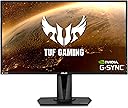


ASUS VG27BQ GAMING BK/1MS/EU//HDMI*2+DP
Product ID: 280328900
Details
- Aspect ratio16:9
- BrandASUS
- ResolutionQHD Wide 1440p
- Screen size27 Inches
- Screen surface descriptionMatte
⚡0.4ms ultra-fast response
🔄165Hz refresh rate
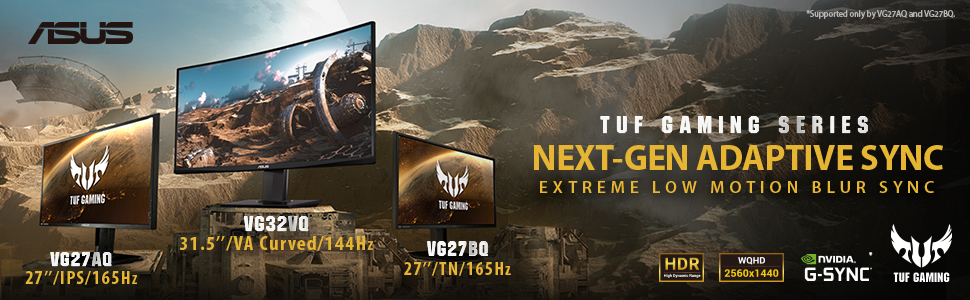
🖥️27” WQHD 2560x1440
🎮 Dominate Every Frame with ASUS VG27BQ – Where Speed Meets Clarity!
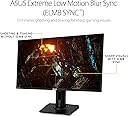
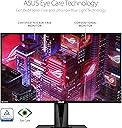
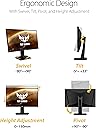
The ASUS VG27BQ is a 27-inch WQHD (2560x1440) IPS gaming monitor featuring an ultra-fast 0.4ms response time and a 165Hz refresh rate. Equipped with Extreme Low Motion Blur (ELMB) Sync technology and ASUS Eye Care features, it delivers smooth, tear-free visuals while minimizing eye fatigue. Its ergonomic stand offers full adjustability, and multiple connectivity options include DisplayPort 1.2 and dual HDMI 2.0 ports, making it a versatile, high-performance display designed for serious gamers and professionals alike.
| ASIN | B07WPFP6S4 |
| Adaptive Sync | G-Sync |
| Additional Features | Trace Free,Flicker free,Swivel,Pivot,Tilt,Height Adjustment |
| Aspect Ratio | 16:9 |
| Aspect ratio | 16:9 |
| Best Sellers Rank | #28,907 in Computers ( See Top 100 in Computers ) #836 in Computer Monitors |
| Brand | ASUS |
| Brightness | 350 |
| Color | Black |
| Color Gamut | 99 |
| Connectivity Technology | USB |
| Contrast Ratio | alto |
| Customer Reviews | 4.5 out of 5 stars 816 Reviews |
| Display Resolution Maximum | 2560 x 1440 |
| Display Technology | LCD, LED |
| Display Type | 32K |
| Global Trade Identification Number | 00192876306451 |
| Hardware Connectivity | DisplayPort, HDMI |
| Has Color Screen | Yes |
| Image contrast ratio | alto |
| Included Components | 1 x DP 2.0, 2 x HDMI V2.0 |
| Item Dimensions D x W x H | 21.1D x 62W x 37.7H centimeters |
| Item Type Name | Asus TUF Gaming VG27BQ 27” Monitor 165Hz 1440P 0.4ms Elmb Sync Eye Care DisplayPort HDMI |
| Item Weight | 5.8 Grams |
| Manufacturer | ASUS |
| Model Name | TUF Gaming VG27BQ |
| Model Number | VG27BQ |
| Mounting Type | Wall Mount |
| Native Resolution | 2560x1440 |
| Number of Component Outputs | 3 |
| Picture Quality Enhancement Technology | Extreme Low Motion Blur (ELMB) image quality enhancement technology |
| Power Consumption | 65 Watts |
| Refresh Rate | 165 Hz |
| Resolution | QHD Wide 1440p |
| Response Time | 0.4 Milliseconds |
| Screen Finish | Matte |
| Screen Size | 27 Inches |
| Screen size | 27 Inches |
| Screen surface description | Matte |
| Shape | Rectangular |
| Specific Uses For Product | Gaming |
| Total Number of HDMI Ports | 2 |
| UPC | 192876306451 |
| Viewing Angle | 170 Degrees |
E**O
Increible!
Tenia miedo que al ser un panel TN los colores se vieran mal y vaya sorpresa que me lleve, nisiquiera parece un panel TN tengo alado un monitor 4k y no le queda debiendo nada, lo unico seria el poquito sangrado que ocacionan ciertas imagenes pero son muy pocas,la verdad lo recomiendo!
B**D
IF YOU ARE TIRED OF THE 1ms GTG LIE THAT IS IPS SCREENS GET THIS
I was running a DELL 2721DFG but just felt like no matter what I did the display was slow, even with overdrive cranked to max, with all the overshoot that caused the display seemed just slow, with artifacts and ghosting. I had always found TN panels to be faster, so with that in mind I grabbed a VG27BQ and I am so happy I did. My experience is on a system with a 5800X, and RTX 3080 running at 2100mhz, playing only Destiny 2, que the jokes about D2 players playing nothing else. Don't throw facts at me as if they are insults! Pros: Much faster than my Nano IPS screen based 2721DGF I was using. Zero ghosting save for insanely quick motions that were just a blur on the DELL If you track a single object as you pan that object stays clear as day. Its honestly amazing to see. MUCH better black levels then IPS can display- REAL SRGB mode that I use most of the time After a calibration with iDisplay Pro the colors are not bad. ELMB Sync works really well, there is some double imaging and a slight dark train on quick moving object or when panning fast, but overall clarity is amazing. I only play Destiny 2, but at least in D2 it works without issue with my framerate between 170 to 140, I could see it having issues below that frame rate though. ELMB Sync does, as others have said, kill the brightness of the screen. If you game in a room were you can turn down the lights its not issue, but if you share a room that is kept bright you might have a problem with it. Lots of options in the menu. I run the overdrive with ELMB sync off at 60, which is the stock setting. With ELMB sync on it uses some form of variable overdrive that works well. G-SYNC works great, without the issues that my 2721DGF had that required disabling and re enabling to fix. Cons: Colors are not as nice as my IPS screen was, but WAY better then my 5 year old Acer TN panel was. Viewing angles are bad compared to IPS, but if you are just gaming they with never effect you as you have to be quite a bit off angle to see them. My first monitor shipped to me had a single bad pixel on the VERY edge of the screen and it only showed when gaming with fast dark to light transitions. I returned it for a replacement that had zero bad pixels of any type. So keep that in mind and do a dead pixel check and use the screen during your return window. I really think the 1ms GTG that IPS screens show on box is so far form how they normally run that it's just a lie at this point. This screen has true 1ms GTG, and 0.4ms in a best-case scenario. I even thing the way a IPS screen shows in testing is better than how they run when being gamed on. Keep in mind I am extremely sensitive to frame rate drops, but if you were in the place, I was a curious what a modern TN is like, I say pick a VG27BQ up, if you hate it, you can return it, but I have feeling you will love it like I do. Edit: I have noticed some G-Sync oddness where I need to disable G-Sync, restart and re-enable it or I get some screen tearing. Also reminder to go into Nvidia control center and set V-sync to Fast!
H**E
Awesome
Very good 1440p monitor for gaming, it is fast and you can easily overclock, but only over DisplayPort. HDMI on this guy you cannot overclock. Settings and preferences are ok. It works well with Xbox One X and does 120hz 1440p since the game is enhanced to it. This guy is not ready for next-gen, there is no HDMI 2.1 for 4k 120fps. ELMB makes difference in my eyes and worth it. Sound Quality is ok since the MG28UQ for instance is a little louder and better to my ears. 0.5 ms makes difference on FPS games as well. I see no mistakes at all if you target it right according to your game. Cheers
S**A
Excelente calidad
Muy bien empacando .
M**C
Great monitor
Requires a pretty good graphic card to take advantage of the 144hz on 1440p monitor, but when you can do it, it's very very nice. Picture is clear, and the monitor feels pretty tough and heavy.
Trustpilot
1 month ago
1 month ago