
DOWNLOAD THE APP


Customer Support

Desert Online General Trading LLC
Warehouse # 7, 4th Street, Umm Ramool, Dubai, 30183, Dubai
DOWNLOAD THE APP
Customer Support
Desert Online General Trading LLC
Warehouse # 7, 4th Street, Umm Ramool, Dubai, 30183, Dubai


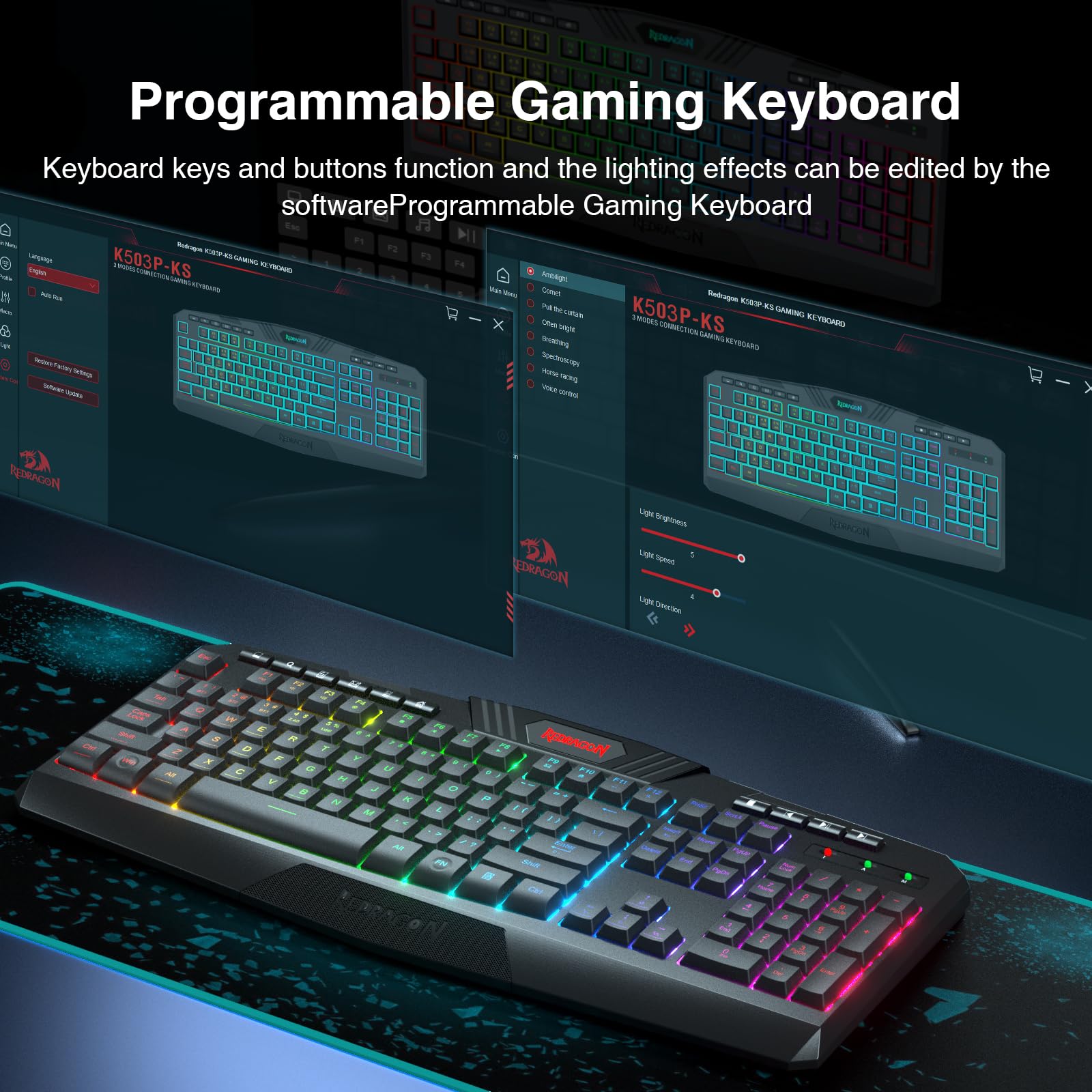


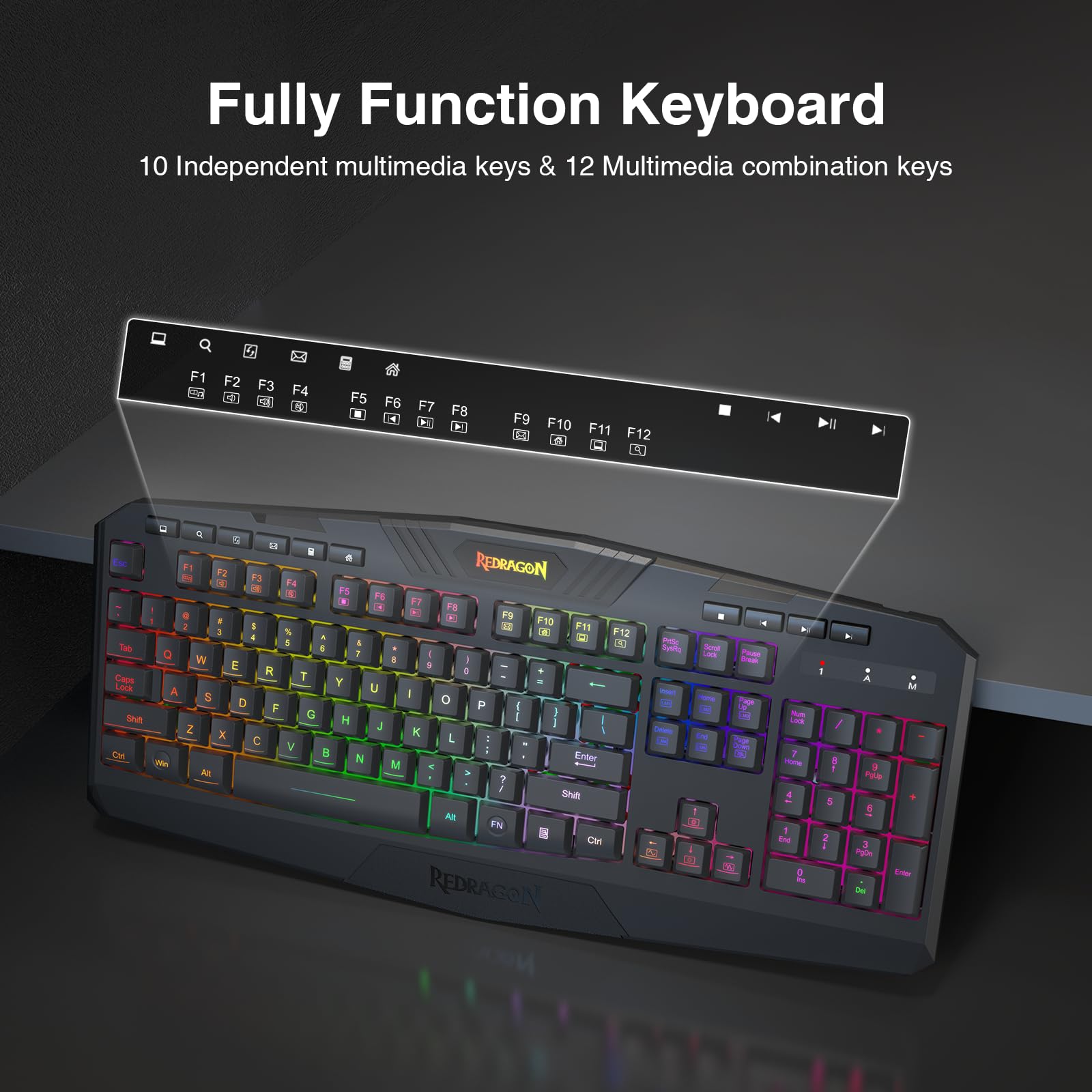


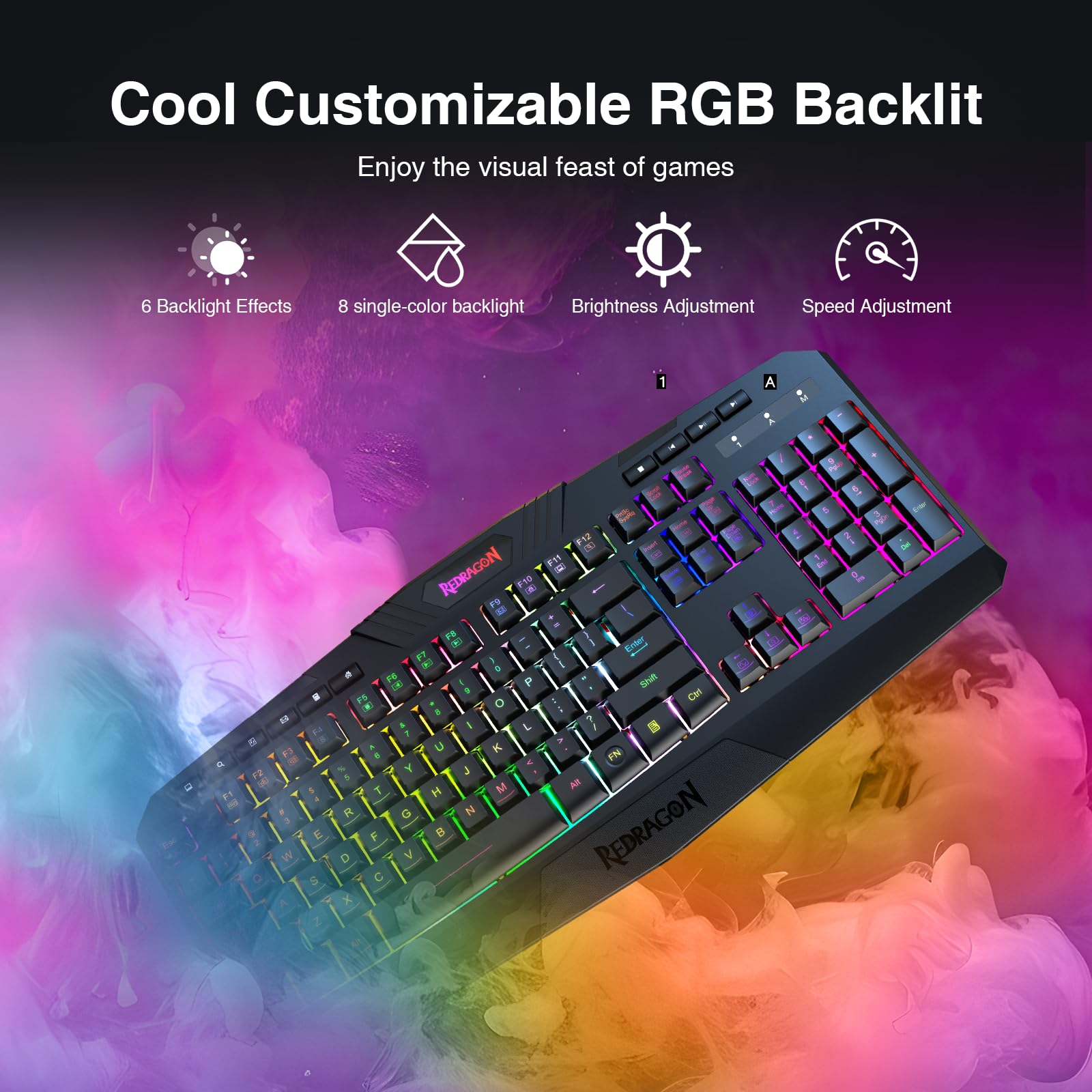


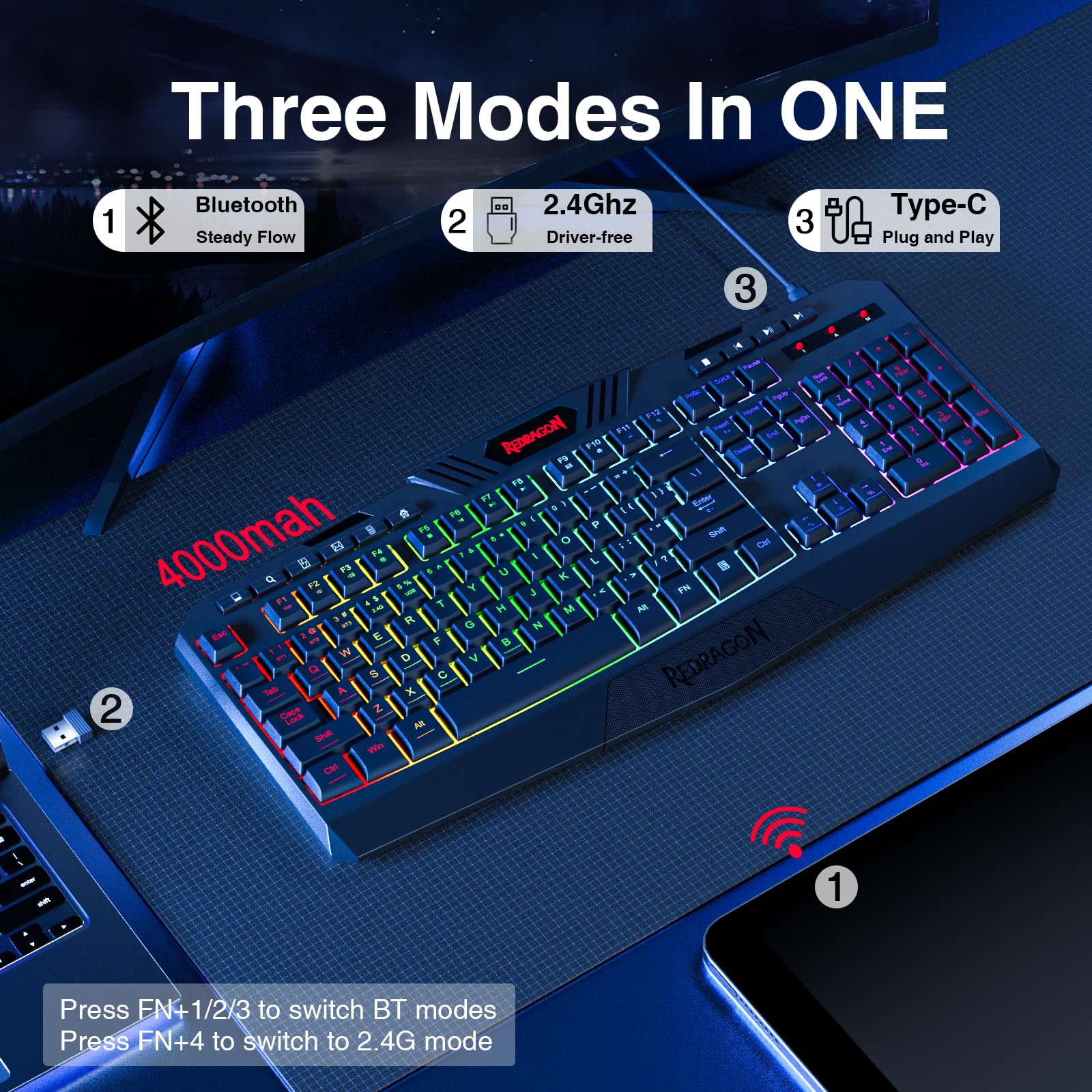
🎮 Elevate your desk game with RGB power and tri-mode freedom!
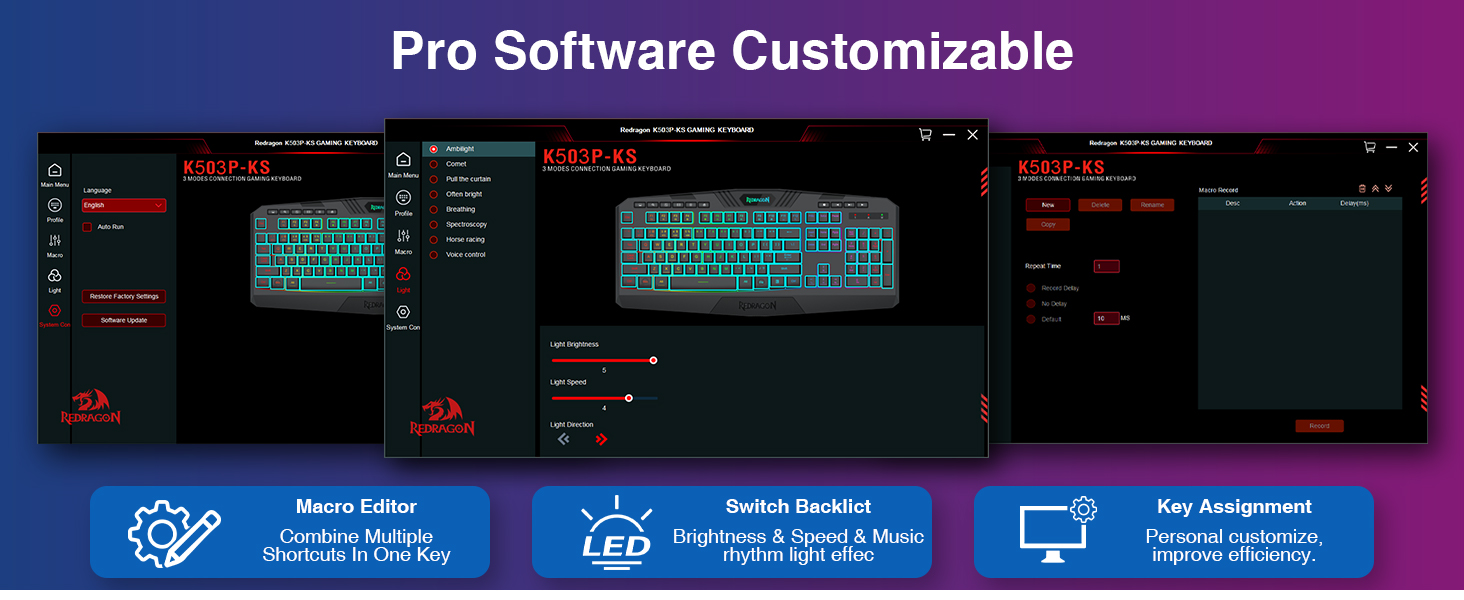
The Redragon K503 is a versatile wireless gaming keyboard featuring tri-mode connectivity (Bluetooth, 2.4G wireless, USB wired), a robust 4000mAh battery with up to 300 hours of use, and fully programmable RGB backlighting with 6 modes. Designed for both gamers and professionals, it offers silent membrane keys with 25-key anti-ghosting, dedicated multimedia controls, ergonomic wrist rest, and splash resistance, ensuring comfort and durability across Windows and Mac devices.
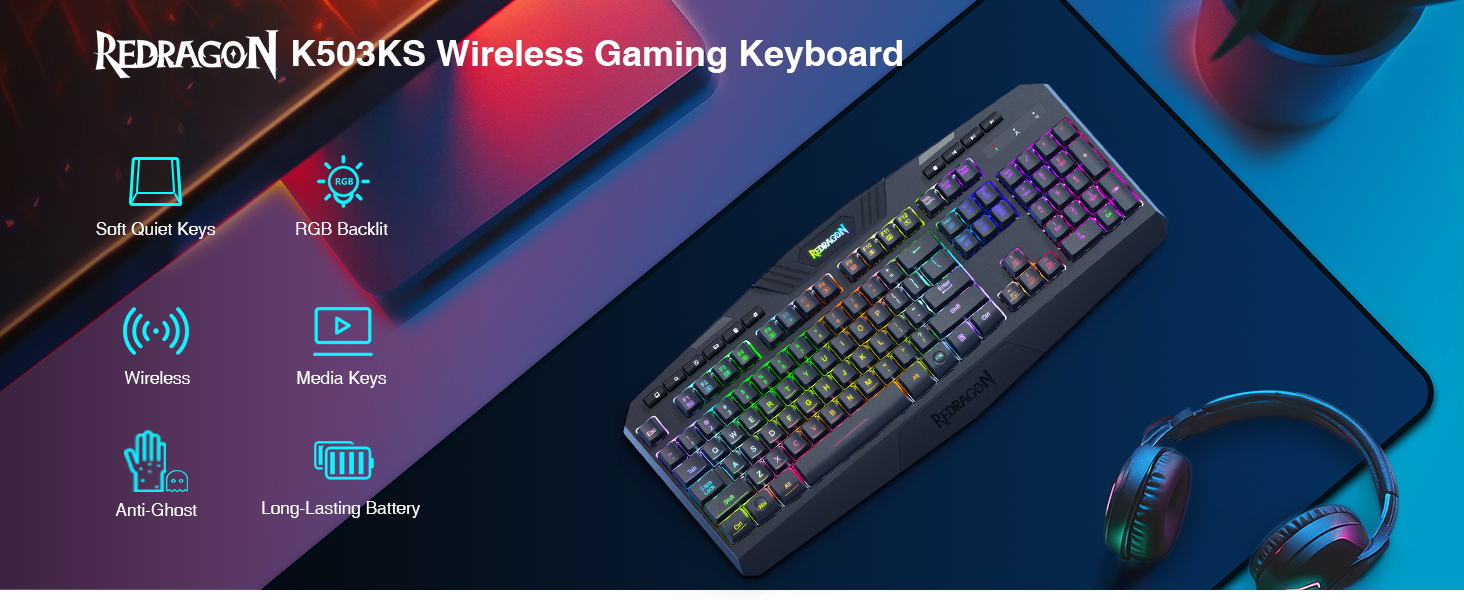


| Keyboard Layout | QWERTY |
| Hand Orientation | Ambidextrous |
| Button Quantity | 114 |
| Water Resistance Level | Water Resistant |
| Number of Sections | 3 |
| Is Electric | Yes |
| Keyboard Backlighting Color Support | RGB |
| Power Source | Battery Powered |
| Compatible Devices | Computer/Laptop |
| Connectivity Technology | USB, USB-C |
| Special Features | RGB Backlighting |
| Number of Keys | 114 |
| Style | K503KS |
| Theme | gaming |
| Color | Black |
| Material | Acrylonitrile Butadiene Styrene |
| Item Dimensions L x W x H | 17.5"L x 7.9"W x 1.18"H |
S**R
A steal for the price
This is a very good full keyboard, with inverted T arrow navigation keys, numeric keypad, home/end/pgup/pgdown/delete/insert grouping, and 12 function keys. It's also backlit with a good variety of lighting modes. So far I'm really happy with it. Could it be better? Sure; it lacks a wrist rest, ergonomic layout like a Microsoft Natural, and doesn't have dedicated media control keys (although this last point isn't a big deal for me since this keyboard is for use with a computer that won't be used for multimedia). However, keyboards are a very personal thing and a big deal these days, so here are some more details to help you understand this keyboard's features. Weight: It's not as heavy as the dedicated gaming mechanical keyboards that seem popular now with gamers and programmers. But it's not flimsy either. Light enough to not be much hassle if you're going to be traveling with it. Key feel: This keyboard is not one of the loud clicky ones. It does feel more tactile than a typical membrane keyboard, and the keys have a nice travel when you press them, but the click sound is very soft. These are regular-style keys, not chicklet keys. Lighting: I wasn't too worried about have top RGB features, but sometimes if it's darker in the room I do like some backlighting. This keyboard is a nice compromise between keyboards that have only white backlight, and keyboards that have a full software control app that let you customize everything. There is no software with this keyboard, it has several modes all configured using the function keys. Here are the lighting modes: - Lighting off/on - Neon mode: multiple colors light up three static zones on the keyboard. There are a few combinations you can select. The colors stay the same in the zones and don't change. - Spectrum mode: 7 colors rotate and fill the entire keyboard continuously. So it'll be lit red, then fade into purple, then blue, then green, etc. - Static mode: You cycle through and pick the color you want of the 7 supported colors, and it will stay lit continuously with just that one color. There are brightness and breathing effects that you can configure for each of the modes. I only use static mode, but gamers might like the other ones. I saw more expensive boards that only did spectrum or only had one color. Key visibility: The keys are not painted so they're a little hard to read in poor lighting if you don't use the backlight. However, I did like that the symbol keys had the correct placement for lower/upper case characters. I have seen many expensive keyboards from Razer, Corsair, Alienware, etc., that often invert the upper/lower case labeling for symbol keys and number keys. If you're an experienced typist, you'll work around that, but it bugs me when I see it. I found out later that this is an intentional design decision so that the more commonly used lower case symbol is more visible when backlit (the lighting doesn't cover the entire key and ends up emphasizing whatever character is in the upper case position). But you won't have to worry about that with the ReDragon. Key layout: After looking at the huge variety of keyboards on Amazon, you'll notice that some smaller keyboards don't have the numeric keypad or the six-key navigation group. Or that some have that ANSI style keyboard with the bigger Enter key but then put the slash key somewhere else. Or some that have compressed distance between keys or even smaller keys to make it more compact. This keyboard has an ISO keyboard layout with 104 full-sized keys. The key spacing is about a quarter-inch, which is similar to other full-size keyboards I've used. For the price, I think this is a great peripheral. Longevity would be my only concern, and I'll update this review later if I run across any issues.
A**R
Best Keyboard at this Price Point
One of the best keyboards I've had at this price range. I bought this keyboard six months ago and it has held up incredibly. The keycaps haven't faded in the slightest, and they're super easy to remove and put back for cleaning. A little loud, but not unbearable. Super responsive, I have no issues playing games like OSU which has been a problem for numerous other keyboards I bought before I found this one. This keyboard is lightweight, but it has rubber stops on the bottom that keep it from shifting around on your desk too much. All in all, this would be my top pick, and it also has the option to shut the LED glow off, which I appreciate greatly!
R**0
Very good keyboard for a budget gamer don’t judge on lighting alone.
Very nice gaming keyboard for the price. If you are starting out gaming or a budget hound this is a decent affordable keyboard. Yes the lighting is kind of a pain FN home button for color FN insert for effects . Notably this keyboard is pretty silent / no mech clicking and the buttons are as raised as any mechanical keyboard but not considered by other reviewers as a true mech keyboard. Near perfect response for fps games like COD, this is a wireless keyboard with good response. Only downside is it’s a full keyboard so the buttons are a little smaller than other keyboards and it takes up a lot of space, bulky . I have purchase this brand in the past and have no issues. Quality is a little questionable, material seems to be a little flimsy , time will tell. If you more concerned about cool lighting or a true mechanical spend more money. If you are starting out or need a full keyboard for play and work it is a very good option for the price.
H**6
WHERE HAVE YOU BEEN ALL OF MY LIYIIIFE
I am EXTREMELY EXTREMELY picky about my pc peripherals. The touch, tactile feel, sense of separation of states, and even shape play such a major role with how I feel connected to my pc. I've owned a lot of keyboards over the years. Some mesh membrane, others mechanical. Nothing really 'fit' so I just put up with 'good enough' But my god, THIS FREAKING KEYBOARD is perhaps the single most perfect keyboard in all existence and it's $15... It's build quality feels higher than some of the $60 and $100 keyboards I've had from other brands. I had one issue where the RGB cut off, but port cycling fixed it. The keyfeel is amazing. High initial force, very low sustained force required to hold the key down. I'd guess these are 60-70g actuation force keys, but probably 30g bottom out force. Fantasmical. Going back to the hyperx keyboard I had been using just felt like I was typing on applesauce. This feels like I'm playing with one of those ADHD fidget toys and I love it. It looks good too I guess, I never really cared about that. Just a normal rectangle with no stupid cheap flare. I may consider upgrading to the wireless.
A**R
Good bang for the buck
Having built a new pc with rgb lighting, i was interested in purchasing a rgb keyboard to go along with the build. I didnt want to spend a large sum of money, as i invested in the pc build. After looking at several keyboards, i decided to pull the trigger on this model. The ability to switch colors from solid to a breathing mode appealed to me, along the with the price. After receiving the keyboard and hooking it up, i gave it a try. I was pleased with the look and feel of the keys and the shades of color that i could display.the keys have a nice soft tactile sound along with a nice spring back feeling. key sounds are not to loud, maybe like cherry blue switches with a nice spring back feeling. ive had it for several weeks now, and overall im happy with the price paid. I only have 2 complaints with this keyboard, and its just me being picky. 1) i wish the keys illuminated brighter. some colors are just to dark to use, either in a dark room or with a table lamp.. 2) i kinda wish it had more lighting options, the description says 15 total with so many color and so many modes, but ive only counted 11. so maybe its a typo on the product description. again, overall for the price, its a good keyboard.
T**T
Bought 2 of these keyboards. Both stopped working 5-6 weeks after purchase.
When I purchased the first Redragon K509 keyboard, I also purchased a Redragon S107 keyboard and mouse combo at the same time. The keyboard in that S107 combo looks identical to this K509 keyboard. It even has the exact same instructions, looks identical, and behaves exactly the same. This K509 keyboard appeared to be a good value. I felt the quality was good for the price. The LED's were not fixed colors (which is good), and the LED's could be set in many colors, in "breathing mode" and constant brightness. However, when set to constant brightness, the lights dim a significant amount. I could live with that. I would give this K509 model a fairly high rating, but after 6 weeks, the first keyboard stopped working. Windows would no longer recognize the device. I tried plugging it into different USB ports, but that made no difference. I tried using the keyboard on 2 other PC's, and they had the same trouble recognizing the device. I figured I just had bad luck, and ordered a second, exact same keyboard. After 5 weeks, this second keyboard started having the exact same trouble. Windows would no longer recognize the device. It couldn't even tell it was a keyboard. Again, I tried this keyboard different USB ports and on two other PC's. It would not work no matter which port or PC I plugged it into. Other devices, including other keyboards, work on each of the USB ports I tried on the 3 different PC's. I also have a Redragon S107 Keyboard that is part of the Redragon S107 Keyboard/Mouse combo. That keyboard still works great, and looks and behaves identical to the K509, except for the label underneath the keyboard. The S107 keyboard (not this KB) works just fine on all 3 PC's, and I still use it without trouble, to this day. I have contacted the manufacturer and attempted to get support for this product, multiple times, and they said that it was a problem with the USB port, and to plug into another port. I had tried this, as well as trying the keyboard on multiple USB ports on two other PC's. The manufacturer would not admit that the problem was with the keyboard. I was given instructions how to remove the unrecognized device in the Windows "Device Manager", and let windows recognize the device again. This had no effect. After the problems began, each time I plug in the keyboard, it would light up for a few seconds, the PC would make the typical "USB device attached" sound, then the light would turn off. Two or three seconds later, it would light up, PC makes the sound again, and lights turn off. It would repeat this for various number of times, before the keyboard would eventually have the lights stay ON, and look as if it was working, but none of the keys would respond. When I check Windows 10 "Device Manager", I would see the keyboard listed as "Unknown USB Device (Device Descriptor Request Failed)" The Device Status read as, "Windows has stopped this device because it has reported problems. (Code 43) A request for the USB device descriptor failed." I like this keyboard. I would purchase another, but I worry that there may be a design or manufacturing flaw, causing an increased chance of the device failing to be recognized by the PC. I have only tried two of these keyboard, so I cannot be sure. But 0 out of 2 is not a record that would inspire the confidence for me to recommend this keyboard to anyone. I get this exact same behavior and error on all 3 PC's... an HP desktop, a Dell/Alienware desktop, and a Microsoft Surface Pro 4 Tablet PC. My Redragon S107 Keyboard and mouse combo continues to work just fine. I have an older USB keyboard being used instead of the two Redragon K509 keyboards. Neither K509 keyboard was damaged, dropped, or misused in any way. They get plugged in, and remain in a fixed position from that point forward. No food or drink is consumed near them, because they are located around other sensitive equipment. I should have attempted a product return on Amazon, but it was already outside the window of time I could return or exchange the product. That is on me. However, the manufacturer still would not admit that the keyboard was defective in any way, in spite of the obvious evidence to the contrary.
R**N
Quality keyboard and works well
Bought this one to use for my Living room PC. It 's used all the time about 10 feet from the PC. It was pretty easy to add to the Bluetooth. Seems like a good battery life. I have not had to recharge it yet. Vibrant color and the keys are plenty big enough for my fat fingers. Very happy.
S**S
Great Keyboard for the price
I work on a computer all day every day. This so far is my favorite keyboard. It does not make super loud clicking noses and it's very comfortable to use. Only issue I have is I wish the kick stands would make it a little more angled. The keyboard is a little flat even with the kickstands put up. Other than that, it's great.
Trustpilot
2 weeks ago
1 month ago