We remain fully operational. Our teams are working around the clock to ensure your deliveries continue safely.

DOWNLOAD THE APP


Customer Services
Copyright © 2025 Desertcart Holdings Limited
DOWNLOAD THE APP


🚪🔒 Lock down your perimeter with smart range and zero hassle!
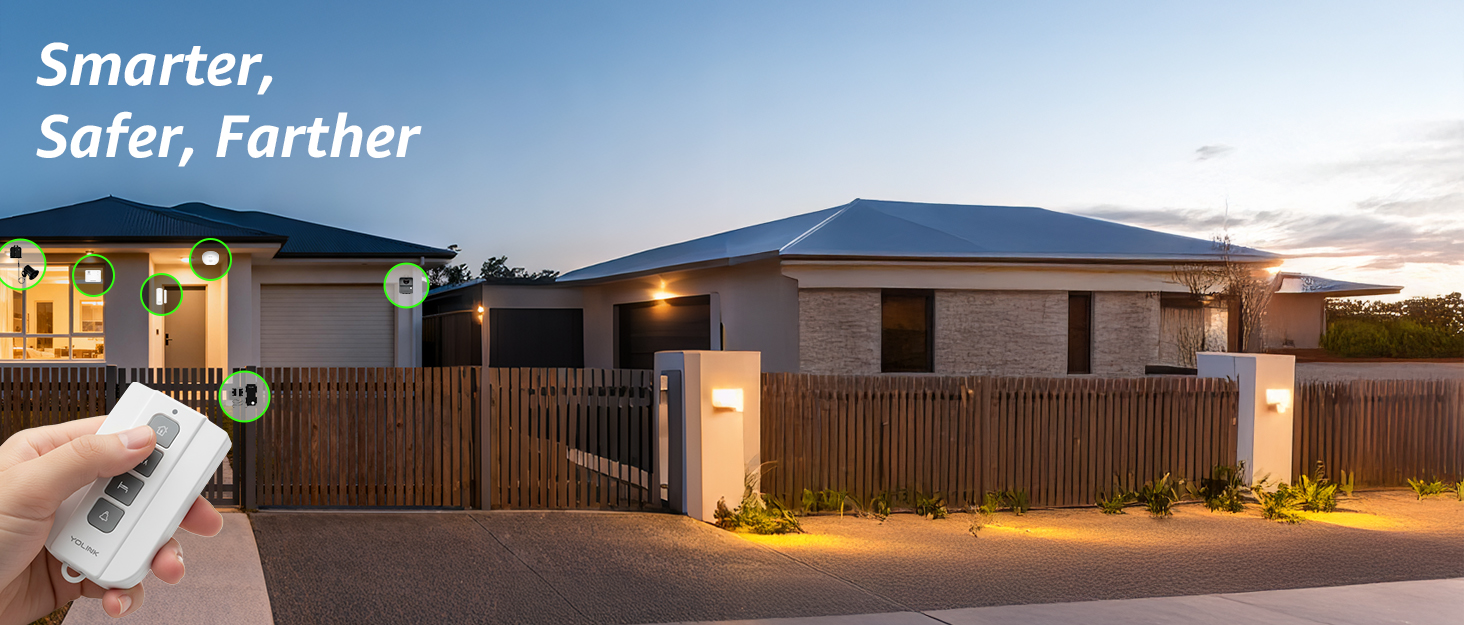
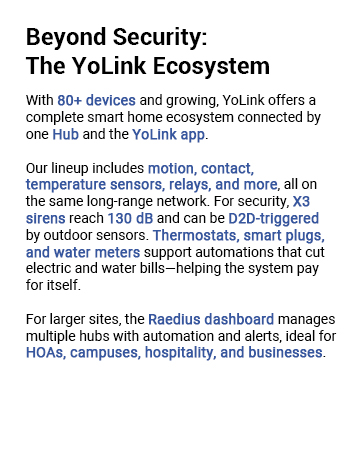
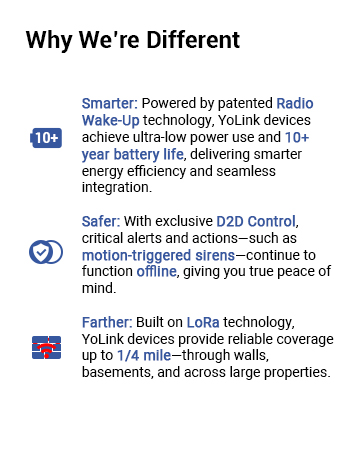
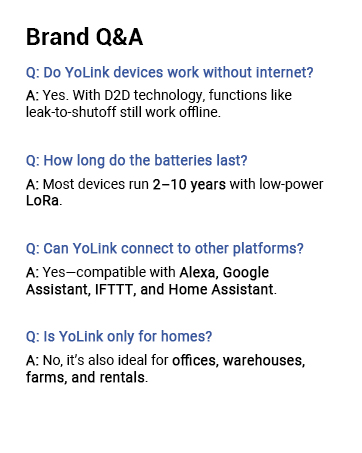
The YOLINK LoRa Smart Outdoor Contact Sensor offers a robust 1/4 mile wireless range using LoRa technology, perfect for securing gates, sheds, and remote doors without wiring. Powered by two included AAA batteries lasting over 5 years, it delivers instant Email, SMS, and push notifications with no monthly fees. Compatible with Alexa, IFTTT, and Home Assistant, it supports device-to-device pairing for offline operation, making it a versatile, cost-effective solution for professional-grade outdoor security.

| Brand | YoLink |
| Color | Outdoor Sensor |
| Compatible Devices | IoT Devices, Smart Home Hubs |
| Connectivity Technology | Wireless |
| Installation Type | Outdoor |
| Power Source | Battery Powered |
J**.
Yolink has very good products. Great range. Great battery life. Very good quality
Works great, room for error as can have a large gap in between sensors upon install. The smaller sensors have to be very tight to work properly, too tight Batteries last a long time, and very well built. A good value as this should last a long time. Also, I love that they allow us to replace the batteries in virtually every one of their products, this is so cool not to have to charge each one and then replace the whole unit due to a dead rechargeable sealed battery that cant be accessed. Issues with Yolink: first their app would send push notifications and worked great on my old Samsung phone for a few years but the s25 phone upgrade works some weeks and others not intermittently for no apparent reason, so not ideal for security. Ive contacted them about this with no solution. I have spent over 1000 dollars on yolink for house automation and security so not a good thing to have intermittent notifications. Also, Yolink should make both a carbon monoxide detector and smoke detector, I have heard others mention this.. Lastly, we should be able to organize our devices in the app to keep all the same categories together. For instance sensors together, cameras in another area etc... It would be much more efficient. It should be easy enough to program a way to move the icons around in the app to group them together or a auto list by name, date downloaded or type. I would be happy to be a product tester for YoLink as I think they are a great company with great forward thinking products.
D**R
Yo-link - Features, Range, Extenders, and limitations
Yo-link - Features, Range, Extender, Limitations PRO Features Diversity of product line Integration capabilities as a smart home device Low cost Battery Life CON 1/4 Mile range advertised likely clear line of site In wooded area reliable range was more like 300 feet Antennas, range extenders not available Unsupported range extender works but limits features Some limitations For house monitoring of crawl space temp/humidity, water leak detection, motion in attic etc., the product line works extremely well and has excellent smart home integration. The goal was to simplify install, minimize/eliminate wiring for sensors, and to gain smart device capabilities. When working for external device monitoring such as driveway gates, package delivery box notification at a range of 450 feet through wooded areas challenges were uncovered. For the package delivery box, the original concept was to mount a garage door sensor flush (horizontal) on the bottom of the lid that would toggle when the lid was opened. From what I could glean the device is designed to be installed on the inside of a garage door (vertical) with door closed. There was not a software option on this sensor to alert on normally open vs normally closed. Therefore a bracket needed to be assembled to mount the sensor in a vertical position for the device to operate. Would be nice if the device offered this option. During the process the range was learned to be a challenge. Moved hub outside, tried different orientations to try to optimize internal antenna (vertical / horizontal) different sides facing device and was not able to mitigate signal limitation. Yo-link does not offer an antenna, and/or range extender. Found a helpful "non-supported" solution to create a signal relay solution. This uses a yo-link Security Siren & Alarm controller and yo-link Outdoor contact sensor. Between these two devices a relay is required. I found and electronic relay with NO normally open and NC normally closed output contacts; "OONO DPST 1NO 1NC 8Amp Power Relay Module, AC/DC 12V Control Voltage" which worked perfectly. Configure the remote device to trigger the Alarm controller. Replace with siren with the input to the relay module. Attach the contact sensor to either the NO/NC contacts as appropriate for your project. This solved the range issue in this case. However, the ability to monitor if the device remains open and is not closed is lost. A goal was to add this solution to the driveway gate and obtain a notification if the gate was not closed. At this time I do not know a solution to the range challenge combined with some of the additional features yo-link offers. I am using these devices outside of their intended design, so I will still rate them highly. However, it would be nice for yo-link to have an extended range solution that supports all of the device capability as well as a tilt sensor (garage door sensor), that allowed the NO/NC configuration to be modified. Overall I have been impressed.
S**L
Save time from walking to mailbox for nothing
My mailbox is about 154 feet away from my house. My mail delivery times vary, it can be anywhere from 3 pm -10 pm. I used to check it when I got home from work and found nothing, but I know I have mail due to the USPS Informed Delivery I signed up for. So I would need to keep checking the mailbox until either I got the mail or just went to bed and I would get the mail the following day. So I wanted something that would alert us when the mail was delivered. I did an internet search and I found this YoLink LoRa Smart Outdoor Contact Sensor. I read reviews and watched YouTube video reviews of it. As I was reading a review and saw that someone decided to go a slightly different route and went with the YoLink LoRa 1/4 Mile Wireless Range Smart Motion Detector. They placed the motion detector inside and on the back of the mailbox. I was going to follow because I liked the idea of the lack of any wires but then discovered the motion sensor does not work in cold weather (32 degrees is the lowest operating temperature and I live where it is colder during the winter months). So I went back to the idea of this, YoLink LoRa Smart Outdoor Contact Sensor. I bought the YoLink LoRa Smart Outdoor Contact Sensor with Hub. It was easy to set up. I downloaded the app first and created an account. Then I plugged in the hub and connected it to my router (via ethernet cable, it can be connected wirelessly but I like the wired connection, less chance of any issues), and then I added the contact sensor to the app. I tested the sensor first before installing it on the mailbox. When I was planning my installation on the mailbox, I saw that some installed the sensor inside the mailbox, but I did not want the sensor to get bumped by any mail or packages, so I decided to place the sensor on the outside. I also wanted to have easy access to the battery box. I wanted to easily remove the battery box from the mailbox, so I did not want to tape the box to the mailbox (underneath the mailbox). So I used the double-sided tape that came with the sensor and taped the battery box to an 11 lb round magnet (it takes 11 lbs of force to remove the magnet, the magnet does not weigh 11 lbs). With the magnet on the battery box, I can place the battery box anywhere on my metal mailbox and it is secure enough that it will not fall or detach itself. It is a solid connection. I placed the battery box underneath the mailbox where it is not too noticeable. I installed the sensors in the door area of the mailbox with double-sided tape after I wiped the area with rubbing alcohol for a clean surface. Once the sensor and box were installed, I then went into the app setting and set up the alerts. I wanted app alerts when the mailbox sensor was opened. At first, I did not get alerts, but then I realized I had to go into my phone app settings and give permission for the YoLink app to give me alerts. Once I did that, it was working great. I work in a different city and I will get notified via app alert that my mailbox has been opened. This system was easy to install and use. It is easy to add more sensors and devices. A hub can have more than 200+ devices connected to it, plenty if you want to add more devices for home security. The only critical thing I can say about this is this has an option to get text alerts if the the sensor is opened, but you only get so many texts a month and you will need to pay to subscribe to get more text alerts. But with the app alerts, it is limitless and it alerts me. What else can you ask for? You can get email alerts as well, but the app alerts work great for my needs.
N**R
Great product for outdoor door/gate scenarios.
Needed a solution to add outdoor sensors for some farm gates that are not visible. Added these to the YoLink app, then presented to home assistant, then via that presented that to Apple HomeKit. I get notifications on my iPhone , and set up automation to pop up camera feed when the gate opens. The range is great, one gate is 300 feet from the hub and still works like it's 1 foot away. Surprised to find that the Hub connects to wifi or wired which is a great plus, as I prefer wired for backend infrastructure. Sensor uses the basic aa battery box with cookie jar like plastic latches. Think battery operated fairy lights or Christmas lights. I am concerned about its durability in the summer, we will see as it gets very hot where I live and these are black plastic. So far the product does exactly what it's supposed to. A simple contact closure that is weather proof that uses regular ol batteries. Also discovered you can use a larger stronger magnet for a bigger gap.
D**E
Works well for how I want to use it with my driveway magnetic sensor system.
I’m totally blind! Let’s start out with saying the wire magnetic switched is about 1 foot or so long. The magnet and switch both have screw holes for mounting. The package comes with screws and double sided tape. There is no screw holes in the box and electronics. So you would need to use some other way to attach the box. Really double sided tape for something that could be outside in the weather and maybe on wood? I don’t think so. But anyway. What I like! The batteries are very easy to get to and the sensor doesn’t come with them already in it. You have 2 lock down clasp to undo and then you lift up the top. On the bottom of the top is the QR code label that you need to scan to bring the sensor online to YoLink. The sensor takes 2 AA batteries. To bad other outside sensors that YoLink doesn’t have easy to replace batteries like this one. I don’t like the fact the box doesn’t have a screw mount. Now I wanted a way to have my old Magnetic driveway transmitter and receiver setup works with the Alexa service. Thought about it a lot and kicked around some ideas of how to do it. My STI-V34100/STI-V34150 system has a 12V output when it triggers. So knowing that needed a way to trigger some other device. Thought about using a electric magnet. But that pulls to much power. So thought about using the YoLink outdoor sensor being it has a wired connection for the magnetic switch for Open/Close status. Figured that would work. Needed a way to be able to tie that into the driveway receiver. So pick up a 12V relay that doesn’t require much power to be able to change the connection. So pick up the YoLink Outdoor sensor and the relay. Then I sat down and using my light detector and talking multi meter along with my talking cell phone was able to determine what wires whir what for the relay and guessing what was hot for it. Then wired up the power first to the relay to ensure it worked with the driveway receiver. Herd a click when the receiver was turned on. So that was good. Cut the magnet off the YoLink door sensor and touched the wires together to ensure the sensor said it was closed. Yep that worked. Then unplugged the relay and attached the YoLink wires to the Open side of the relay. Plugged the relay back into the receiver and triggered it! The YoLink sensor went from Open to closed as I wanted. Yea! That worked. Now created the routine for Alexa to say when the Outdoor sensor names (Driveway Monitor sensor) is closed! Then announce through all Echo’s in the house that there is a vehicle in the driveway! Tested again by triggering the transmitter and the Echo announced what I wanted. So with my own thoughts and ability to figure out things! I was able to make this work. This is in some way much better then the YoLink outdoor motion detector. Why! Is because this will not trigger off of people, pets or things like that. It will only work on vehicles. It works off of magnetics and detects the iron in the vehicle. Yes every now and then; You’ll will get a faulse reading! But not near as many as a motion sensor and also sun light doesn’t impact how it works at detecting vehicles. P.s. You could also use the YoLink water sensor 2 or 3 to do the same thing in place of the outdoor contact sensor. I used the contact sensor being I could feel the 2 wires side by side and on teh water leak sensor! It was a round wire and would be harder for me to strip the wires. I didn't have an 3.5MM male Mono jack with wires on the other end. If I had, I probably would have used the water leak sensor instead. Just some other options for people who may want to do something like I did above. After all, not like I can see someone in my driveway!
D**R
Works great
This worked so well I ordered three more for my other Gates. One is 300 ft from the house and it works fine. Very easy to install . I have a metal gate so I got a larger magnet and stuck it to the gate for the opposite side of the sensor. No tape or Fastener needed. I now have Alexa announce when the gate has been opened. It's supposed to have a long battery life up to 5 years but we'll see
R**E
Love Yolink products!
I've become a big fan of Yolink products, and this one has been no exception. Their app is sometimes unintuitive and puzzling, but once you figure out how it functions it's okay to deal with. Yolink products might be a little expensive, but to me they're TOTALLY worth it as the products are solidly built and you can feel the quality of them in your hand - unlike most things nowadays they don't feel like a piece of cheap plastic. I've outfitted my entire house with water shut-off valve, leak sensors, temp sensors, outlets, alarm siren, and contact sensors, and none of them have let me down yet. This contact sensor has been used on my front gate in the Las Vegas sun for about half a year now, as part of my security and entry notification system. The security system part will function even without an internet connection - a giant plus. Integrated with Alexa, (which was very easy to do), it's nice to have an announcement when someone opens the gate, but that can be done without Alexa anyway just by adding a small Yolink alarm speaker. The overall size of this contact sensor is large compared to others, but the ease of use of using AA batteries I didn't appreciate until I started using Yolink products - FAR better battery life and overall ease-of-use over short lived and expensive coin batteries. A Yolink hub is required, but it seems they practically give those away as they bundle them with other products. I've had to contact them twice for tech support, as I mentioned the app can be puzzling and I needed assistance setting up the whole security system and all the different components. They responded very quickly both times and addressed my issues without complications. No buyer's remorse at all - Yolink is a great company. (So far at least!)
C**O
Weak plastic
Comes with delicate plastic pieces that all broke off because they were shipped in a flimsy regular envelope. Not worth the effort to replace. I just returned
Trustpilot
1 day ago
1 week ago