![Meraki Go Router Firewall | Cloud Managed | 5 Ports | Cisco [GX20-HW-UK]](https://m.media-amazon.com/images/I/51LoW9qr2wL._AC_SL3840_.jpg)



🔐 Secure your small business network like a pro—without the hassle!
The Cisco Meraki Go Router Firewall GX20-HW-UK is a cloud-managed 5-port security gateway designed for small businesses and home offices. It offers easy app-based setup in under 5 minutes, built-in firewall protection, and automatic firmware updates to safeguard your network. With dual-band Wi-Fi compatibility and optional Cisco Umbrella security subscription, it balances simplicity with enterprise-grade security features, ensuring reliable connectivity and peace of mind for non-technical users.


| ASIN | B081D89C71 |
| Antenna Location | Business |
| Antenna Type | Internal |
| Best Sellers Rank | 112,711 in Computers & Accessories ( See Top 100 in Computers & Accessories ) 844 in Routers |
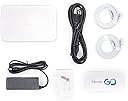
| Box Contents | Ethernet cable, Meraki Go Security Gateway - GX20, Power supply, Quick start guide, Wall mount and screw kit |
| Brand Name | Cisco |
| Colour | Black |
| Compatible Devices | Laptop, Personal Computer, Smart Television, Tablet |
| Connectivity Technology | Wi-Fi |
| Control Method | App |
| Coverage | Up to 230 feet indoors and 400 feet outdoors |
| Customer Reviews | 3.2 3.2 out of 5 stars (47) |
| Data Transfer Rate | 250 Megabits Per Second |
| Frequency Band Class | Dual-Band |
| Global Trade Identification Number | 00810979015154 |
| Is Modem Compatible | No |
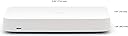
| Item Dimensions L x W x H | 12.3L x 20.2W x 2.6H centimetres |
| Item Type Name | Gateway |
| Item Weight | 500 Grams |
| LAN Port Bandwidth | 2.5E+2 megabits_per_second |
| Manufacturer | Cisco |
| Manufacturer Part Number | GX20-HW-UK |
| Maximum Upstream Data Transfer Rate | 250 Megabits Per Second |
| Model Name | Meraki Go - 5 Port Security Gateway |
| Model Number | GX20-HW-UK |
| Number of Ports | 5 |
| Operating System | Cisco IOS |
| Other Special Features of the Product | WPS |
| Product Warranty | 2 year manufacturer |
| Security Protocol | WPS |
| UPC | 810979015154 |
| Unit Count | 1.0 count |
| Wireless Compability | 802.11n |
B**R
5-ports, good enough for home office or small business setup
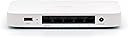
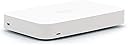
Due to the pandemic, the whole work model changed and we spend more time working at home than in the office. To respond to this, we have reviewed our home network and in need of a network upgrade to enhance network security to better protect us. We are upgrading with 'Cisco Meraki Go - 5 Port Security Gateway'. The box arrived in a speedy manner in a well-protected box specially designed for it. Once opened, you will see a very neat and tidy matt white cisco 5-port router sitting in there. It actually matched my home colour. I really don't like those BT black box or metal box hanging around in my home. Opening up to the second layer , you will see all you need to power it up (network cable and power plug) to get it up and running. Once powered up and connected, you can download the Meraki Go app and starts to configure. The setup is very easy and guided. The little box not only can serve as a gateway but also have build-in network security safeguard by Cisco. To the home office and small business, this is an absolutely best solution as you don't always have a very technical people at home/office to help you safeguard your network security 7x24x365. Let this little box do it for you. All updates are automatic, it leaves you with hassle free environment. Then management can done via the Meraki Go app or via browser. Very convenient indeed. The network so far is very stable and nothing goes wrong after the new setup done for a week. I will let it continue to run and update my review if any additional comments comes up. In product description, it mentioned that DNS based security powered by Cisco Umbrella via optional subscription enables content filtering, anti-malware, anti-phishing, and C2C callbacks (ADDITIONAL PURCHASE REQUIRED), as a little home office, I am happy with the current setup at the moment, therefore I didn't subscribe or purchase those functions but I will keep an eye on it for sure.
V**A
Expensive pile of rubbish!
Bought three items: gateway, 8 port switch and wireless access point. - Gateway bandwidth is capped at 250mbps, so if you have 500mbps or 1gbps line (which most households do these days), then you are only getting half of a quarter of what you are paying for bandwidth wise. - The app user experience is beyond bad. They made an announcement of web portal being available on the desktop, but it's just the same app, but in a beta version. This is just poor. - The app talks about subscription for further security. You click on buy subscription and it takes you to Cisco website with no instructions on how to buy it. It actually looks like they no longer offer it. - Gateway has a port called internet. I hoped this would offer PPPoE, so I can dump by modem and just use the gateway. There is a support article on their website titled "Meraki Go - How to configure PPPoE on a Security Gateway". NONE of the instructions actually work and it doesn't look like this can be done. - Wireless access point worked intermittently, often not providing internet connection to some of the devices. The irony is that I thought I bought an improvement from deco x20 but feels like I stepped back into the stone age. Returning and not touching their products ever again.
A**X
Great if you're not using PPPoE
Looks like a good router for most people. Unfortunately for me there's very limited PPPoE support for it, so it won't work using an OpenReach modem, even using recommended settings from the ISP and Meraki. Shame really as Ubiquiti works fine with it. Update: Have tested PPPoE on a FTTP connection and it's fine. Doesn't work for FTTC. I will say that there are cheaper routers with more features. This one is ok, but limited throughout (200Mb/s) and limited features and security mean I wouldn’t recommend this.
S**Y
Easy to set up
Perfect for a start at home Business or a small business that needs the added protection of wifi security. comes in a strong box the router is white in colour and comes with power supply any network cable. Dowoad the Meraki Go app and follow instructions easy to set up as it guides you through the process.
L**R
Disappointed broken PPPoE support
Update : This device does support PPPoE It doesn’t work if you have BT VDSL - connection settings that work on my old router do not work on this one due to an authentication mismatch This seems to be quite a big problem in the UK where we like to use PPPoE if you were on BT or many other VDSL providers, this means even though the documentation on the Meraki Go Website advises you that PPPoE is supported, The only options you can actually set or DHCP or static - Neither of which will help you if you’re on BT Please do not confuse PoE with PPPoE - I am not talking about power over Ethernet here While you can get this set up working, it means you need your old router in Bridge mode, but then connect to the Meraki security router, which then connects to your access point Yuck - So the solution to work for me I need to use my original VDSL modem, My original Google Wi-Fi router in Bridge mode, That then connects to my security router on the Internet port, Then I need to connect my point to one of the normal port on the Meraki security router That is an absolutely horrible set up, When if I stick with my Google router, I can cut up two bits of equipment. I have returned both the security router and the access point because they’re dependent on me having all my legacy equipment, even though the Official website mislead you with the fact that PPPoE is supported It’s not, this is exactly exactly the same problem you used to have with Eero - However, I also find Darren implementation is buggy at best.
Trustpilot
3 weeks ago
2 weeks ago