Buy anything from 5,000+ international stores. One checkout price. No surprise fees. Join 2M+ shoppers on Desertcart.
Desertcart purchases this item on your behalf and handles shipping, customs, and support to Iceland.
๐ Double your screens, double your impact โ the ultimate dual 4K adapter for pros on the move!
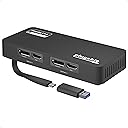
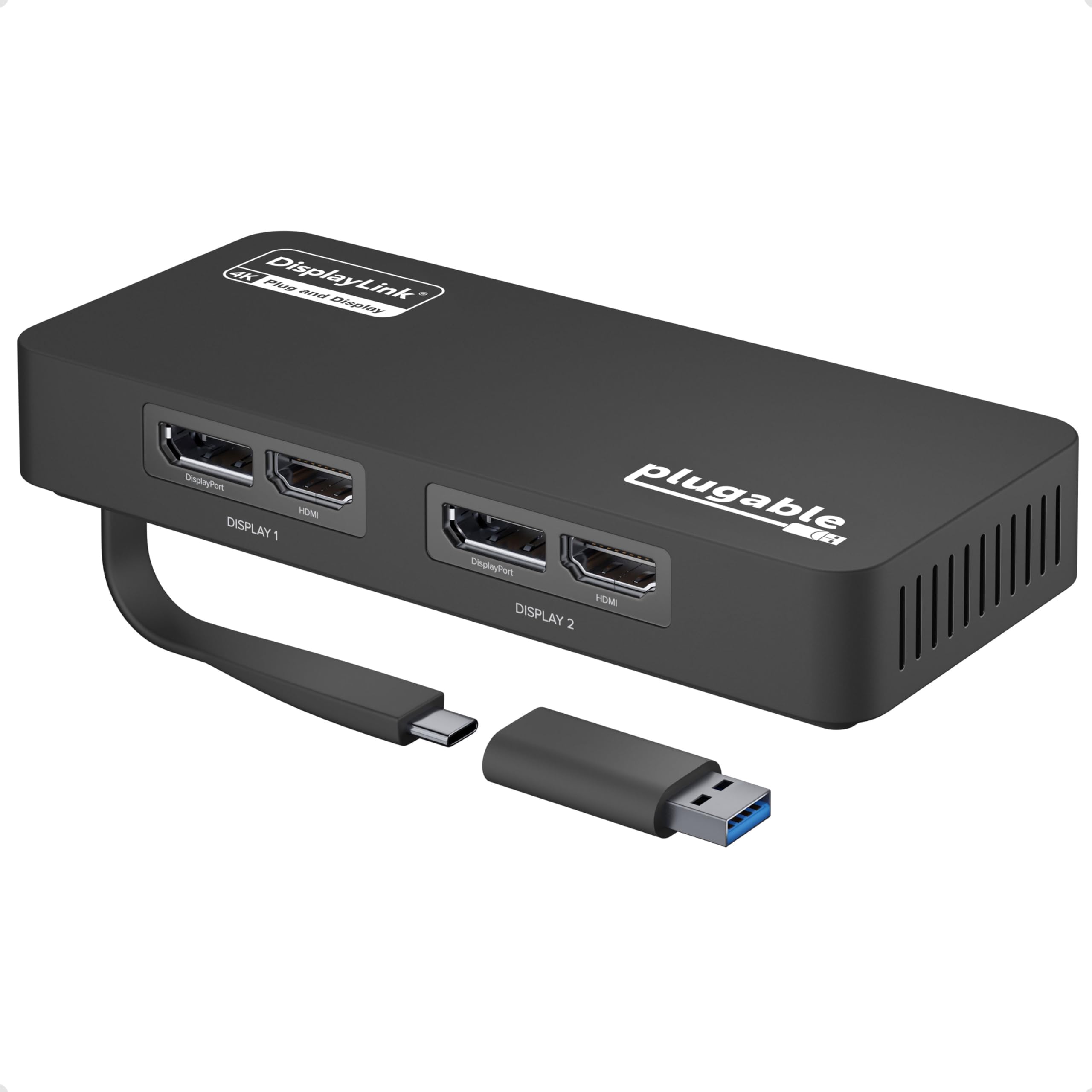
The Plugable 4K DisplayPort and HDMI Dual Monitor Adapter effortlessly connects two 4K monitors at 60Hz via USB-C or USB 3.0, with automatic driver installation for Windows and ChromeOS. Designed for professional multitasking, it supports flexible DisplayPort and HDMI outputs and can scale up to multiple displays when combined with docking stations. Ideal for productivity setups, this adapter delivers reliable, high-resolution visuals without complicated setup.


| ASIN | B08F2SZQYX |
| Best Sellers Rank | #173 in Audio & Video Connectors & Adapters #259 in Computer Cable Adapters |
| Brand | Plugable |
| Color | Black |
| Compatible Devices | Windows 10 and 11, and ChromeOS 100.x or later systems |
| Connector Type | DisplayLink HDMI |
| Customer Reviews | 4.5 4.5 out of 5 stars (1,165) |
| Finish | Chrome |
| Global Trade Identification Number | 00819927012337 |
| Item Dimensions | 6.97 x 5.31 x 1.38 inches |
| Item Weight | 0.45 Pounds |
| Manufacturer | Plugable |
| Model Number | USBC-6950U |
| Number of Items | 1 |
| Number of Ports | 4 |
| Package Quantity | 1 |
| Power Plug Type | No Plug |
| Specific Uses For Product | Monitor |
| UPC | 819927012337 |
| Unit Count | 1.0 Count |
| Warranty Description | 2 Year Limited Parts and Labor |
| Warranty Type | Limited |
S**S
No extra work or hook ups needed just plug and boom done
Absolutely love it cleared my worries in less than 5 mins itโs worth the price may not seem like it but when it arrives it does the dang job I tell ya. Worth every penny itโs priced for
K**O
Adds third external monitor to M4 Macbook Air
After installing the DisplayLink driver, this works perfectly for adding a third external monitor to an M4 Macbook Air. I'm able to connect two monitors to my CalDigit TS3 Plus, then also connect this dongle to the CalDigit, for a total of three monitors (plus the built-in screen), using only one cable connected to the laptop. I did notice some stuttering on the (1440p) monitor connected through this dongle, but after changing its refresh rate in my display settings from the default 70hz to 60hz, the stuttering went away. There is a slight increase in latency and I'm not willing to say that the smoothness is 100% as good as the natively-connected monitors, but it's so good that I have a hard time discerning any difference. Be aware that Apple's "True Tone" feature does not apply to the monitor connected through this, so you'll need to disable it, or else one screen will have a neutral white balance and the other screens will get orangey in dim environments. Also be aware that the DisplayLink driver consumes CPU, depending on how much activity there is on the monitor connected through this dongle. When I run full-screen 1440p video, it consumes about 40% of one CPU core. With every office tasks, it's 10% or less. With a Youtube video playing just in one corner of an otherwise-static screen, it's about 15% of one core. Since I have ten cores, that seems like an acceptable tradeoff.
L**E
Works great for dual monitor setup on M2 MacBook Air
Item arrived well packaged and works as advertised. Setup was easy on my M2 MacBook Air once the driver was installed. It connected smoothly and both monitors display without issues. Build quality feels solid and looks clean on my desk. Just started using it, but so far everything works as expected.
M**K
Computer with no displayport outputs
First, I'm not a typical high rater; to get 5-stars, exceed my expectations. 4-stars means it met expectations and is a good product (so far). I got a small box computer that only had HDMI output for video. Unfortunately, my monitors are only displayport (DP). This unit bridges the difference. At first, after plugging it in the USB3 port, nothing. After a few minutes, I guess the app downloaded and it started working. No problems. Seems like a fine unit. I haven't tried to see if the HDMI ports are still active or not, strictly using the USB3 port with 2 DP monitors.
L**Y
Dual Monitors
A genuine plug and play. Very to install and corrected all my problems with two monitors.
J**T
Working as it should
Wouldnโt you know it? The laptop computer I bought didnโt have the output that was needed to run my two monitors from the docking station so I needed to buy this product in order to be able to run two monitors through the docking station and no complaints here it has worked perfectly, so it was really more a deficiency of my laptop computer that that made it necessary for me to buy this, but it is working as it should
D**R
As expected
Exactly as expected.
D**R
Better Than A Dell Thunderbolt Dock
I have a Dell Pro Max 16 Premium MA16250 laptop with two Dell 34 Curved Gaming Monitor S3422DWG monitors and was using them with a Dell Pro Thunderbolt 5 Smart Dock - SD25TB5. The dock would continually cycle as if the USB-C connection was being removed and reconnected, causing the monitors to go dark. I moved USB devices to a USB hub directly to the laptop and the displays are now connected with this Plugable 4K adapter and everything works better than with the Dell dock.
P**L
[Disclaimer: today is Day 1 so I'll post an update if anything changes in the future. Also, I rarely write reviews despite spending way too much money on amazon.ca. The fact that I'm writing is a testament to my surprise and delight.]. Context: For ~11 months I delayed buying one of these devices to add 2 extra monitors to my M1 Mac Mini (2020), which I originally set up with 2 monitors. I now have 4 monitors connected. Why did i wait? Why did my online research lead to 11months of paralysis by analysis? It's so simple. Yes, I required a DLink software download. Assuming that the downloaded software is generally safe (free of malware), I can't believe how simple it is to connect 4 monitors to my M1_MM. Plug-and-play works. Why did i wait? Duh! btw: I'm using 1 x 27" Apple Thunderbolt Display & 3 x 24" Viewsonic VG2455-2K.
N**S
It installed fine at first, then 3 months later suddenly stopped working. Updated drivers and downloaded the recommended software but no luck!
M**A
ุงูู ูุชุฌ ููุณ ูู ุง ุชููุนุช
F**R
Funciona perfecto, es facil de instalar. Con mi MacBook M1 ahora ya puedo usar 2 monitores externos
I**R
The latest crop of M1 and M2 MacBook Air laptops frustratingly only support 1 external monitor. This thing lets you cost-effectively beat that restriction by allowing you to connect your Mac to 2 external monitors. You simply plug your screens into the two HDMI ports (or display ports - it has two of each) on the device, and plug the device's USB-C cable into your Mac. Install what is an unobtrusive DisplayLink driver (from Synaptics, who have been around for donkeys years) and you'll have two external screens which you manage via the built-in MacOS System Settings app. It works a treat. I can't detect any drop-off in picture quality or lag. It also comes with a 2 year guarantee. There are no other ports on the device, so you can't connect other USB devices to it, but it does exactly what to says on the tin at a very attractive price point. My only (slight) criticism is the device comes with a ridiculously short USB cable. I've ended up buying an extension cable to enable me to hide the box under the desk a few feet away from my Mac, just to keep my workspace uncluttered.
Trustpilot
2 months ago
1 month ago