Desertcart purchases this item on your behalf and handles shipping, customs, and support to Iceland.
🚀 Upgrade your laptop’s brainpower—because speed waits for no one!
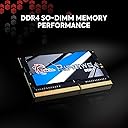
The G.SKILL Ripjaws DDR4 SO-DIMM 32GB (2x16GB) kit delivers high-performance DDR4 memory at 2400MT/s with low latency CL16 timings and ultra-efficient 1.2V power. Designed for laptops and small form factor PCs, this matched kit ensures maximum stability and automatic overclocking for instant speed boosts. Ideal for professionals demanding reliable multitasking and heavy workloads, it combines cutting-edge technology with energy-smart design to keep your system running cooler and faster.


| ASIN | B017UC3UPW |
| Additional Features | High Performance |
| Best Sellers Rank | #401 in Computer Memory |
| Brand | G.SKILL |
| Column Address Strobe Latency | 16 |
| Compatible Devices | Laptop, Small Form Factor PC |
| Computer Memory Size | 32 GB |
| Customer Reviews | 4.8 out of 5 stars 768 Reviews |
| Data Transfer Rate | 2400 megabits_per_second |
| Form Factor | SO-DIMM |
| Global Trade Identification Number | 04719692007681 |
| Item Weight | 30 g |
| Manufacturer | G.SKILL |
| Memory Form Factor | SODIMM |
| Memory Generation | DDR4 |
| Memory Speed | 2400 mt_s |
| Mfr Part Number | FBA_F4-2400C16D-32GRS |
| Model Name | FBA_F4-2400C16D-32GRS |
| Model Number | FBA_F4-2400C16D-32GRS |
| Number of Items | 2 |
| Number of Packs | 2 |
| Number of Pins | 260 |
| RAM Memory Technology | DDR4 |
| RAM Size | 32 GB |
| Special Feature | High Performance |
| UPC | 848354017684 |
| Unit Count | 2 Count |
| Voltage | 1.2 volts |
| Warranty Description | Limited Lifetime Manufacturer |
P**H
A great solution for any laptop
We have been using G.Skill in a number of laptop upgrades around here over the last 6 months and this round was just as impressive as the last. If you have laptop that can support up to 32GB and you find yourself putting that laptop hard through it's multi-tasking rounds every time you use it (especially if you work with complicated programs like CAD, video editing, and more), then this jump in memory will prove wonders for you. We typically put our systems through hell and back, encoding video, working with graphics, editing audio, benchmarking various hardware/gadgets and so much more. Sometimes they are used for production needs and we require a stable operation without any hiccups (ideally). This memory is both fast and reliable and gets the job done without any crashing, anomalies or anything else getting in our way. Even better at its new price, now that we are seeing certain models drop to a more reasonable level for both consumers and businesses alike. Also works great for other devices like mini-PC setups that allow for memory upgrades (vs the models that contain DDR3L/DDR4L memory that is soldered to their board and cannot be upgraded). **If you have found our review helpful, please vote it as helpful below so I know. This helps me provide quality feedback in the future.
J**E
Best Laptop Ram available.
I see some reviews saying it didn’t work. You must first know your machines limitations and should not mix ram. Install all the same. Preferably a matched kit. This is the 3rd machine I’ve installed 4 sticks for total of 64GB. One in an ASUS G751JY and G752VY and again in a Dell P51. All work flawlessly with lower latency than the stock Samsung OEM modules that are more expensive. Anything over 2400MHz in a laptop is a waste as there is no way to set it in the BIOS and 2400 is max. It will set by spd. The first boot may take extra time while memory training. After that smooth and easy. There are only two upgrades you can do to laptops, memory and drives. I highly recommend this memory for laptops. Easy to install depends on the laptop. To replace Stock sticks in ASUS models it takes a great deal of disassembly work but there are plenty of tear down videos on you tube. Once you have done a few it’s a 10 min evolution. The additional ram that can be installed under the user service panel is extremely easy. For the IBM/Lenovo take the user access panel off then 3 more screws hold the keyboard on. Remove those screws and flip it back over and push back then pull up on the keyboard. No need to disconnect ribbon cables. Just flip the keyboard out of the way and the factory installed ram is easily accessed. As stated it’s best to replace all the ram with same part number and preferably one kit.
B**N
Great memory as always !
I've been through my fair share of G-skill memory and I still think they make some of the best on the market. This kit was unbeatable for the price and in a typical laptop build it would be easy to install. I have an MSI GE73VR Raider-066 and taking the entire bottom cover off without damaging the plastic is a PITA but doable with the right tools and some patience. As for the memory itself it takes about 30 seconds to swap and or install, so far the laptop motherboard is running the SPD settings with the advertised timings and clock speed and I have had zero issues. The primary reason I bought this kit was to run dual-channel and effectively double my memory bandwidth as the laptop only came with 1x16GB SODIMM module. I could have bought another 16GB but for stability and compatibility reasons I would rather the modules be the of the same make with the same number of ranks.
J**N
Great performing RAM at a great price with a no BS warranty policy
I've been buying G-Skill RAM for about 10 years now. I started buying it because for a while there was a problem with the 6th generation Intel NUCs that prevented them from working with any brand other than G-Skill and a few others. After Intel got their act together and fixed their NUCs so they would work with other varieties of RAM I continued buying G-Skill because of the excellent bang for the buck. They also have a no BS warranty policy. I've probably bought around 200 sticks of this RAM in the last ten years and have only had one that went bad. When I did I contacted the company and was issued an RMA as soon as I gave them the serial number on the DIMM. They didn't care about where I bought it or when I bought it. They made it, it had the G-Skill name on it, it was under warranty and they were going to take care of their customer. That kind of thing is really refreshing these days and is why I keep coming back to G-Skill for laptop and NUC memory.
B**Z
Why undervolt my CPU processor, Memory heating problems-
This is what I bought, G.SKILL Ripjaws DDR4 SO-DIMM Series DDR4 RAM 32GB (2x16GB) 2400MT/s CL16-16-16-39. Some heating problems at the 3.0 Ghz level. Where my ram was 95 or 96 degrees Celsius. So, I throttled down to 2740 Ghz or near this value, with my CPU voltage around .7899, up and down as the Intel processor does and my Memory Temperature is at this moment, 65 degrees Celsius. I received real bad advise from G.Skill Ripjaws support team, wherin they emailed me back that the max temperature for these memory sticks was 80 degrees Celsius. Which I have discovered that they will operate even if the temperature is over 95 degrees Celsius. The maximum operating temperature for DDR4 RAM SODIMM is temperatures from -40°C to 125°C. These modules are designed for demanding applications. Excellent memory modules and my speed has picked up a bit, as my CL is 16. However, the advise I have received doesn't quiet match what this memory can really do. So, my advise is if you want to listen is to just keep your processor core voltages down below the 1.0 volt level and you will be fine. As always I thank you Amazon.
R**E
Great memory with amazing performance
I got my G.SKILL 32 GB (2 x 16 GB) Ripjaws series, to my laptop Dell XPS 15 (9560) , and it’s give my computer excellent performance after upgrading the RAM, it’s compatible 100% with my laptop, I recommend this memory to any one has the same laptop Dell XPS, I tried different brand but was not compatible and I got BSOD on Windows 10 , but with G.SKILL 32 GB (2 x 16 GB) Ripjaws series no issues reported. The computer working fine and faster than before, now I can run many VMs to practice my IT studying in faster computer, any one need to upgrade his computer to get faster performance for gaming or doing IT labs with VMs which required more memory, I advise him to get G.SKILL 32 GB (2 x 16 GB) Ripjaws series.
S**S
BSOD in a great way!
Beyond Superb, On-the-money & Dependable, BSOD. For years, with every system I've put together, I have been using G.SKILL RAM. It's great to see that they work great in SO-DIMM form factor, too. I am not paid by anyone to put down into words my thought about G.SKILL RAM, it's from experience with their memory products.
S**O
Works perfectly, no more RAM bottleneck
I own an Asus F570Z laptop. It comes with only one 8GB RAM stick, so I bought those. Disassembling the laptop is a little troublesome, but once you've done it, installing the RAM is very easy, you only need to put it in the slot and press it downwards. My Ryzen 2500U only supports up to 32GB working at most 2400mhz so these worked like a charm.
D**D
Guter RAM
Hat mich jetzt seit 3 Jahren nie im Stich gelassen. Gute RAM!
I**.
They work for dell XPS 15 9550
I have been using them for a couple of weeks and their work perfectly. I put them in a dell xps 15 9550 and they are a perfect match.
P**A
Excellent Upgrade For My iMac (2017)
It is an outstanding product and works perfectly, should someone needs to upgrade there Mac and upgrade to more ram. I was a little bit concerned that it might not work, but it Works fluelessly, without any issues.
R**A
Instaladas en un HP 840 g5
Buena calidad aparente de los módulos. Detectadas sin problema de forma automática nada más instalarlas. Test de RAM ok, funcionando sin problemas.
T**Y
VERY impressed, Samsung chips - perfect to improve old laptop - lifetime warranty
Didn't expect that much of the Amazon Warehouse 2x 16GB DDR4 CL16 2400Mhz memory but its easily better speed and lower power than 2666Mhz CL19 DRAMs, utterly great in a skinny old i7-8850 laptop.
Trustpilot
2 weeks ago
5 days ago