


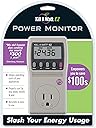


P3 International P4460 Kill A Watt EZ Electricity Usage Monitor , grey
Product ID: 2175851
Details
- BrandP3
- Special FeatureEnergy
- Colorgrey
- Form FactorTower
- Indoor/Outdoor UsageIndoor
⏳long-term cost forecasts
⚡0.2% accuracy
📊8 critical metrics
Buy anything from 5,000+ international stores. One checkout price. No surprise fees. Join 2M+ shoppers on Desertcart.
Desertcart purchases this item on your behalf and handles shipping, customs, and support to Iceland.
⚡ Know your watts, save your wallet!
The P3 International P4460 Kill A Watt EZ is a sleek, wall-mountable energy monitor designed for indoor use. It delivers ultra-precise (0.2%) measurements of electricity consumption and power quality across eight key metrics. Featuring a large LCD display and built-in memory backup, it forecasts your energy costs from hourly to yearly scales, empowering you to cut waste and save money effortlessly.


| ASIN | B000RGF29Q |
| Brand | P3 |
| Brand Name | P3 |
| Color | grey |
| Customer Reviews | 4.4 out of 5 stars 3,897 Reviews |
| Form Factor | Cabinet |
| Fuel Type | Electric |
| Global Trade Identification Number | 00751549044603 |
| Heating Element | Radiant |
| Heating Method | Forced Air |
| Included Components | usage monitor |
| Indoor Outdoor Usage | Indoor |
| Indoor/Outdoor Usage | Indoor |
| Item Dimensions D x W x H | 3.81"D x 5.72"W x 12.7"H |
| Item Type Name | P3 International P4460 Kill A Watt EZ Electricity Usage Monitor |
| Manufacturer | P3 INTERNATIONAL |
| Model Number | P4460 |
| Mounting Type | Wall Mount |
| Part Number | P4460 |
| Power Source | Battery Powered |
| Recommended Uses For Product | Home |
| Room Type | Living Room |
| Smart Home Compatibility | Not Smart Home Compatible |
| Special Feature | Energy Efficient |
| Special Features | Energy Efficient |
| UPC | 731215344275 872182724360 168141408564 115970738560 809190598300 163121121341 809386512523 727558621760 806296606182 182682430372 809187157503 807034919304 001910683093 807031792726 100177522586 801200954021 872182760955 782386050090 132017979458 765042440862 795971978471 041114745692 807320370659 104727329366 754262034609 041114435654 805095150674 168141348822 617407346732 854587166921 6111015966… |
| Unit Count | 1.0 Count |
| Voltage | 125 Volts |
| Warranty Description | 1 Year Limited |
M**N
Five Star, But You'll Find More Positive Status Quo Than Negative
We got ours last night and got down to business. Serious home-economics business. The big ones I was worried about were entertainment center with Wii, stereo, etc. "on idle", a laptop station in another room that is often left on and then finally I just installed a window A/C unit in our bedroom to avoid paying for all-night whole-house A/C when we are only in one room (childless couple as you may have imagined). Anyhow, the entertainment center turned out to be costing us something like $15...per year. A buck and change a month. Not worth the hassle of fooling with, but I did put the Wii, amp, preamp and various disc players on a single switch on our uber-power supply in order that we can squelch even that. I did some preliminary stuff around the house...lots of stuff like *newer* cell phone chargers draw almost literally nothing. I think it was $1.76 per YEAR *when charging* for our cell phone chargers...a pittance at cents a month. When phones are not plugged in, our chargers drew only LED power...i.e. unregisterable as it was less than one-tenth of a cent an hour. So...mostly just confirmation that a lot of the potential "vampires" out there really aren't. BUT...WOW...in some cases, you must be careful... We stuck our Bunn coffeemaker in the thing. The numbers started ratcheting up...fifty dollars per year...seventy...one hundred and twenty...one hundred and fifty... OH MY GOODNESS... The Kill A Watt EZ works on averaging over time, I realized we had *just* turned this thing on and it was going from cold to "heat water up - QUICK!" mode...in other words, drawing lots of power. That said, while Bunn coffeemakers I believe make the best tasting coffee and quick, they do the "quick" part of that by leaving the water heater on standby mode, always heating the water up as it cools. Naturally, I have always wondered about how much that sucker costs per year. I think I will feed it some water and let it run for a few days to get an averaged yearly cost. Should be interesting and if Amazon lets me I will report back. Secondly, another issue: I plugged this thing into our turned-off Oster blender...this is one of the classic vintage style blenders, if that matters at all...and it was reporting something like $4.75 per month, IDLE. Weird. Then, after a bit, that number started dropping...and dropping...and dropping. Perhaps when it first starts, there is some big surge that runs through it that was taking a while to be diluted by the draw-per-minute averaging in the Kill A Watt EZ. Anyhow, I really think that thing uses nothing when plugged in and idle. *** The important point to the blender example is that there will be a temptation to perform quick-hit analyses on your appliances, but this is not always the best strategy. This thing will give an accurate yearly cost for something that draws consistently, but anything that has a weird spike when first plugging it in or that turns on and off in terms of draw, like a Bunn coffee maker's water heater or a window A/C unit that blows cheap fan constantly, but turns on it's power-consuming compresser here and there must be left on for a while to get that averaging going. That is the only way you'll get an accurate and realistic actual-use cost. *** Microwave was also basically nothing year-long when not in use...I think it was one dollar a year, maybe. It was apparently just powering it's little calculator-style LCD display, and that was it. The power gets sucked during cooking, but how many minutes per day are you doing that? A floor fan costed $11...per year...to run continuously. The way we were using it, it was probably costing us $4.50 a year...and to think I used to get upset if one of us left it on all day. HA! My InFocus projector (800x600 DLP projector) draws 1 cent per hour. Well, wow, that shocked me. I left that on for a while and it still reported 1 cent per hour. Good stuff! I am sure they will come out with LED projectors that use 1 cent per 10 hours, but until that time, I have no good reason to switch or upgrade...power is cheap. (Oh, forgot to mention, power is 12 cents per kWh where I live at the moment...price your own accordingly). Oh, that window A/C unit is - I think - about 8,000 BTU and came in at thirty-six cents per night. I am sure our A/C for the house was running at least dollar a night, judging by our bill, so this should save us 60% (36 cents instead of a buck) of about half of our bill (since 8 hrs we use A/C wall unit, 8 hrs we use whole-house and 8 hrs it is OFF completely during the day when we are gone). So 30% savings right off the bat...and that will pay for the A/C wall unit very quickly. In the final analysis, there wasn't much adjustment made. This thing did not really directly pay for itself monetarily, but in terms of peace-of-mind, it definitely helped. I think our major expense is air conditioning, and after two months of our bill jumping over 50%, I am hoping the use of the window unit solves our energy "crisis." I sure couldn't find anything else (plugged in anyways, hardwired is another story) that seemed to draw anywhere near significant amounts of power. The Kill A Watt EZ was worth it for me as a "peacemaker" - both with myself and with my wife. The peace-of-mind was easily worth the thirty bananas it costed, and the hour-day-month-week-year calculations are WELL worth the ten or twelve more bones you pay for the "EZ" model over the regular P4400...if I had to do it all over again, I'd still pick the P4460...well worth the hassle savings. The criticisms about it being hard-to-read and the solution to stick it on an extension cord (I used a power strip, which was perfect as it was short and highly portable versus a big bulky three-prong extension cord) are both spot on. Well done, P3, for a great product. Our "vampire hunt" didn't turn up any convincing vampires, but it did ease our minds about them and allowed us to better focus our energy saving...well...energies.
P**H
Working fine as expected.
UPDATE(12-17-15): I thought I lost this, but I finally found it again. I attached it to a printer and forgot about it for many many many months. I definitely got a good data sample from the printer. This things still works fine even after being connected all that time. UPDATE(02-03-14): Still working - the energy savings ($$$) gained from habit/device changes based on the information the Kill-A-Watt Monitor provides has already covered the cost of buying it. In fact, several+ times over! As mentioned in the original review, this Kill-A-Watt Monitor model retains the statistics when it does not have power. Devices that don't use power when turned off will, of course, not power the Kill-A-Watt Monitor and not record any new data. Subsequently, when the device is turned on the monitoring resumes where it left off and the statistics reflect the "always on" energy usage (for the length of time indicated in the meter). When the monitor is connected to a device that uses power when it's turned off (vampire loads such as TVs, microwaves, paper shredders, etc) the statistics will continuously accumulate and will basically be a weighted combination of the energy used when the device is on AND off. Yes, I know this is obvious, but, it's a subtle but important point to recognize. To illustrate this subtlety, think about a microwave oven, a likely vampire device. Microwaves are not used 24 hrs/day (I hope not). If you monitor a microwave only when it's warming/cooking something (the oven is unplugged after each use) the $/year will be very high. This would not reflect the true operating cost because the monitor does not take into account when the oven is plugged in but turned off. But, if you monitor your microwave when it's plugged in all the time (it usually is), the $/year will slowly lower to a more correct value the longer you monitor it. This really shows your usage "habits" and not the always on cost. If saving some $ is your goal, the Kill-A-Watt Monitor saves you NOTHING by using it. YOU have to change your habits on how you use your electrical devices (or don't use lol) to realize the savings. You don't need to have one of these monitors to do that. However, it will certainly tell you where to focus your efforts by revealing the high energy loads you use. You may be surprised on the power usage of some devices too (good and bad surprises :-) ). If it takes buying a device such as this one to help inspire one to change habits/devices, then so be it. If your goal is basically to inspect the specifications of electrical devices (volts/amps/VA/W/power factor, frequency) the Kill-A-Watt Monitor works great. Original Review: I borrowed one of these a while ago and it worked well. I liked that this model retains the values when you remove the monitor from the equipment your testing. The money values (hour, day, week, month, year) are convenient enough. Just remember to hold reset to zero the monitor before testing another piece of equipment (the $/kWh rate you enter does NOT change when you press reset which is a good thing. I would hate to enter than every time before monitoring something). It's best to use a small (6" long) extension on the back of the monitor to make it easier to plug into your outlets when other plugs are in the way. Otherwise you'll have to remove all plugs in the outlet as the Kill-A-Watt will cover the other sockets.
H**K
Solid power meter choice, but with a couple flaws
The P4460 works great for its advertised purpose (such as determining power factor), but there are two things that keep me from giving it a 5-star review. First is the display - a backlit display with wide viewing angles would be a huge improvement. I know that a backlight would draw additional power and that would slightly skew the power consumption data from what is intended to be a very sensitive meter. However, electrical outlets are almost universally located in places that are hard to illuminate and hard to view straight-on, so there have been a lot of situations where I wished that the meter had a backlight for me to switch on in those situations. The second is the fact that the meter completely died after I had been running 1,300 watts of power through it for about 8 hours. Looking online, I see that it also died under heavy continuous power for other people as well. So, it is kind of an edge-case, but you should be aware of that risk. So overall, the P4460 is a pretty solid power meter, but I won't be replacing my dead one with the same model. I will be picking up a P4498 to see if the remote display helps deal with the P4460 display's illumination and viewing angle issues.
T**R
Absolutely Excellent, Quick, & Everything You Need (Almost)
It is an excellent tool that gives you pretty much everything you need quickly so that you can run around the house testing different things. It has nearly every calculation that you might be interested in. It is very easy to discover surprises for vampires that you didn't realize, as well as figure out the actual cost of things you knew drew energy but didn't know in actual costs, such as how much that computer actually draws if you leave it on. It is a nearly perfect tool. There are a few things I might wish for, like a back light, extension cord, or longer tracking than 99:99. But you can work with all that. USING You just plug it in, and plug the device into it and it starts working. It is a little hard to use directly without combining it with a separate power strip or extension cable. For example, it is awkward to read and might not fit if you plug directly into the existing socket in a power strip or wall outlet. It is much easier if you buy a separate power strip, plug this on top of it, just swap in by the power trip extension and device into this. Then you can easily fit anywhere, can tilt and read more easily, etc. In poor lit areas, you will need to carry a flashlight to help read the screen. I just run around with a paper, pencil, and flashlight and write down findings while testing a number of devices in a row. Just swap out an existing plug, hold reset for 5 seconds to start fresh, and you're off and just monitoring the results. Measuring is actually very quick if you are just testing current operating state of things. It only takes a minute or so to swap out, check current wattage and cost, and move onto the next plug. I test items individually plugged into a power strip under a desk in less than 10 minutes -- swap each, power on, reset, cycle through measurements, write down finding, move on. RESULTS It immediately tells you current voltage, watts in use, amps, Hz, and a few more, and then projects the costs per hour, day, week, month, and year based on what it has seen so far. You can enter your own utility rate in case you run at a high bracket. It keeps a running total in KWh, total cost so far, so to isolate a new device you hold reset for 5 seconds. If you want the total cost while operating in a certain mode such as to isolate when running at full power you just hit the reset and it assumes costs from that point on and assumes if it keeps running at that it will project out. So you can easily calculate after resetting the cost per hour. For example, how much your computer uses while on and doing intensive work, versus sleep mode, versus turned off. It is nice to know how much per hour something costs so you might think twice how long you run it in that mode. Then you can leave it on for a day or two to discover the realistic cost such as how much it affects your monthly energy bill overall. For example, my water distiller cycles and while cost per hour is one thing, I want to know how much I am really consuming per day and per month. EXAMPLES For example, I learned my space heater uses 1100W at at my utility rate of 0.34/KWh I know it costs me 0.35/hr to use, so now there is a concrete cost that I know. My desktop computer consumes 100W while idle, but my laptop consumes only 30W while idle. My older computer speakers use 5W whether on or off it makes no difference with the power adapter plugged in. My external hard drive draws about 5W while off too. My coffee maker surprisingly uses 6W while off, 6.8W while on, which adds up to $17.80/yr just to sit on my counter while off. Now I will put it on a power strip. Under a longer test for something that cycles, my water distiller, it realistically costs $25/month, which makes me rethink how much I draw from it. I learned my new wireless printers each draw 3 to 4W while in standby mode, but 0W while off. I use them infrequently, so I might as well just turn them off while not using them. DRAWBACKS There are a few things that could be slightly better, but are all workable. 1. I had to build my own dongle by attaching this to a power strip for easier swapping & reading. (cheap & easy) 2. Need a flashlight to read in low lit areas due to no back light (no big deal really). 3. Long running tests sometimes reset, or automatically at 99:99 rather than remembering only the most recent 99:99. So if you check it shortly after it rolls over or resets, it will not be accurate. (but sometimes works) The biggest problem is #3. I wanted to get an idea of a weeks worth of actual use of my water distiller because the daily use varies and would even out over a week. But I checked it after it reset or rolled over and then only had 8:22 of history in which it had not even run in those hours making it calculate that it was free. But now that it is back up to 47:00 in history it calculates $25/month. I don't know for sure the cause of why it reset other than it was around 99:99, but this hasn't always happened. I have since tested beyond 99 in which it lists "142h". If it did reset at 99:99, I wish rather than a complete reset every 99:99 that it would just drop the oldest data and keep rating the most recent 99:99 once it reaches that much. For example, I can't possibly test my water softener for a month this way in which I have no idea when or how often that runs so that a 99:99 sampling will not be adequate. Or else it just sometimes resets on me near that time. But really this is minor. I use it much more often for spot checking things.
T**R
Great product!
This is a great product to help you monitor electricity usage! It is accurate and easy to use after reading the manual. It has lots of features for its low cost. It provides all kinds of statistics regarding a products usage: Cost to use by year, month, week, day, and hour, Wattage used, amps, etc. It averages use over the period of time you have it plugged in. A good feature is that it holds the information until you reset it, allowing you to unplug the item and take it to a convenient location to retreive the readings. It can be used with most any electric item that plugs into a conventional electric outlet. It's easier to use if you use a short heavy duty extension cord between it and the wall outlet, preventing having to get down level with the outlet for readings. It will surprise you with some of the 'phantom' uses of products, such as electronis that are 'off' but still in a 'standby' condition and sapping electricity. You get your kw per hour from your electric bill and enter it into the unit and get accurate costs. Very well made high quality product. I inadvertantly ordered the P4400 model previously expecting it to record the cost of use. Be careful ordering, they look the same but the P4400 doesn't have nearly as many features, including the ability to input the cost of electricity in your area. I also ordered at the same time the Belkin Conserve monitor with the remote display. It's a good unit also, but doesn't have all the features of the P4460. It does allow you to plug the cost of your electricity into the unit. It is convenient to leave plugged in to a product over time like a freezer, as it will accumulate the usage for as long as you have it plugged in, averaging the usage over this time to give you a more accurate cost to use per month and year. This unit only gives cost per month and year, if you want week, day, hour, you have to calculate it from the month/year readings. It also has a feature I like that is shows with a moving bar when electricity is being used like a power company electric meter does. By the tripple or single bar, you can tell if the reading is real time or averaging. It begins to average after 15 minutes, and gives real time usage prior. Either of these units will give good results, but the P4460 is much more complex with a wider range of features. The Belkin has a simple 3 button screen that is very simple to use.
P**E
Works great.
Holds the current total even when power goes out.
E**E
Improved an already great product
I owned the original P4400 Kill-A-Watt until I loaned it to someone who never returned it. The original was an excellent unit but with a major flaw. This P4460 Kill-A-Watt EZ fixes the flaw and has a new very useful feature. The flaw in the original unit was that it didn't retain data after it was unplugged. It was aggravating to let it run for an entire day only to lose the accumulated data because someone accidentally unplugged it, or there was a momentary power failure, or light was too dim to read it. This new model solves this problem entirely. It retains all data until you hit the Reset button. The button needs to be held down for several seconds before it does the reset, making it much less likely that you'll accidentally reset it. A convenient feature that was absent on the original Kill-A-Watt but that has been added to the new one is the ability to enter the hourly rate that your utility charges for electricity. This isn't a huge advantage for me, because I'm logging all the data on a spreadsheet where I can automatically display total cost at the various rate tiers that Pacific Gas & Electric charges, but for many people it will be a huge advantage not to have to compute the actual cost for each reading by multiplying kwh by what you pay for each hour of electricity. The Kill-A-Watt EZ does it for you. For me, this is a must-have item. If you're concerned either about your utility costs or about preserving the environment, this could make a big difference for you. It's eye-opening to see how much power some electric devices consume, and surprising how efficient some are. This is a great way to determine how to reduce the power your home, office, or workshop is consuming. Many owners complain about the lack of a dongle that would make it easier to plug the Kill-A-Watt into a wall socket. I just use a short 14AWG extension cord rated for 1875 watts. A built-in dongle would be nice to have but it's not a major deal for me. Another complaint I see is about the menu on the new model. I think it's an improvement over the original. It's easy to use: - Hold the red "Set" button several seconds, then enter the rate your utility charges per kwh (you should be able to find it on your bill); after you select the right rate, press "Set" again to save it - After pressing the "Set" button, press the "Up" and "Down" buttons to set the rate. The digits change fast. - Hold the "Reset" button several seconds to set all readings back to zero (except the rate that you set with the "Set" button) - Press the "Menu" button to cycle through the Elapsed Time, Volt, Cost, Rate, and KWH displays For me, the new button layout and menu system is clearer to use than the older model's buttons. I've just received the Kill-A-Watt EZ last night so I can't attest to its durability, but I had no problems with my previous Kill-A-Watt and I don't anticipate any arising with this one. If any problems do arise, I'll update this review.
A**W
Everyone should own one of these
The P3 P4460 is one of those things that you never knew you needed until you have one. I was amazed at how much electricity some of my appliances used (space heater, 1500 watts!). I'm finding myself plugging most of my appliances and electronics devices in for a few days and seeing how much they are costing me per day/week/month/year. Definitely an eye opener. I will be saving more money in electricity in one year than this monitor costs due to my changed habits. When you see that a certain lamp costs $15 (or whatever) in electricity per year for every hour it's in use every day, it makes it much easier to remember to turn it off when not in use. This adds up fast. Positive: * Easy to use once you've read the manual. * Can keep a running total of electricity used even after it's unplugged. It's sister product, the P4400, cannot do this. * Does the math for you (cost per day/week/month/year) once you enter in how much you're paying for electricity per KW/H. Negative: * You must read the manual to understand how to use this to it's full potential. The interface is NOT intuitive. * Must be plugged in in order to read the display. * The display is not lit, so reading this under a desk or behind a cabinet can be a little awkward. Other: Max 1800 watts of power can be monitored. I knew this ahead of time, but it would have been nice to be able to monitor my refrigerator or clothes dryer. I can't say this is a negative, however, because this limitation is documented and is quite reasonable. Final thoughts: Buy this. You will save more in one year than this costs once you realize how much money you're throwing down the drain with appliances (lights, stereo, TV, whatever) that you keep on for no good reason. Note: The first one I received has a display problem; some of the LED bars didn't work and made the display unusable. A replacement was promptly shipped from Amazon and the replacement works perfectly. No company can make sure 100% of their products work out of the box and this problem was resolved quickly, so I didn't knock off any stars for this problem. The quality of this monitor seems good.
O**O
Perfecto para reducir el gasto de electricidad
Kill A Watt es esencial para conocer el consumo eléctrico de los aparatos de la casa y de esta manera saber en que gasta la electricidad. Una de las cosas interesantes de este medidor, es que puede decirnos aproximadamente cuanto nos cuesta tener un aparato en uso por hora, día, semana, mes y año. Gracias al medidor pude encontrar que aparatos consumen energía cuando están apagados y así reducir el consumo fantasma. Con algunos cambios pude reducir 66kWh de consumo al bimestre, ahorrándome $185 pesos en el próximo recibo. (En mi caso 1kWh = $2.802) El medidor es muy fácil de utilizar, solo se conecta a la toma de electricidad y conectamos el aparato a "observar" en el contacto del medidor. Podremos ver casi inmediatamente cuantos Watts consume en tiempo real, cuanto ha consumido y cuanto tenemos que pagar por la electricidad usada desde que se prendió. Lo importante aquí es configurar el costo por kWh la primera vez que lo conectemos, de esta manera los "costos" sean lo mas cercanos a la realidad.
S**H
Four Stars
Perfect product..
A**R
Great little meter
Nice device for finding out how much power I'm wasting...lol. works as described, it's nice to be able see how much draw I'm actually pulling from the wall, the only thing that is lacking is the ability to set a clock and have more then one power price input to more accurately track cost (getting picky I know). I haven't had it long enough to know what kind of accuracy or lifespan it has yet. Once again great little meter for finding wasted power and a neat little tool to see how much different items cost to run.
M**.
NO ES PRACTICO DE UTILIZAR
NO ES DE PRACTICO DE UTILIZAR, HAY OTRAS MEJORES OPCIONES
L**O
Excelente para identificar que aparatos están gastando más energía
Muy bueno, aunque por desgracia (que no es culpa del aparato) el costo de la energía en México es variable, por lo que la función de cálculo de gasto, simplemente no sirve, pero da una buena idea. Me gustaría un poco más de autonomía en el aparato. Esto quiere decir, el display está encendido mientras el aparato está conectado. Cuando se desconecta, el display se apaga, así que puede ser complicado leerlo en ciertas condiciones. Ciertamente se puede conectar en algún lugar más cómodo y leer lo que decía, pero ¿por qué no ponerle una batería recargable pequeña para poderlo leer en la mano, después de que se desconecta?
Trustpilot
1 month ago
2 months ago