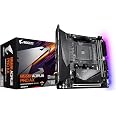
🚀 Power your Ryzen build with the ultimate ITX motherboard—speed, stability, and style in one compact package!
The GIGABYTE B550I AORUS PRO AX is a premium ITX motherboard designed for AMD Ryzen 5000/4000/3000 series processors. Featuring a robust 6+2 digital power phase, dual M.2 slots with PCIe 4.0 support, WiFi 6, and 2.5 GbE LAN, it delivers exceptional performance and connectivity. Its advanced thermal design and Q-Flash Plus BIOS update system make it an ideal choice for enthusiasts and first-time builders seeking a compact yet powerful platform.


| ASIN | B089FWWN62 |
| Best Sellers Rank | #17 in Computer Motherboards |
| Brand | GIGABYTE |
| Computer Memory Type | DDR4 SDRAM |
| Customer Reviews | 4.4 4.4 out of 5 stars (3,325) |
| Date First Available | June 16, 2020 |
| Item Dimensions LxWxH | 7.44 x 3.07 x 8.74 inches |
| Item Weight | 2.2 pounds |
| Item model number | B550I AORUS PRO AX |
| Manufacturer | GIGABYTE |
| Memory Speed | 3200 MHz |
| Number of USB 2.0 Ports | 2 |
| Processor | ryzen_5 |
| Product Dimensions | 7.44 x 3.07 x 8.74 inches |
| RAM | DDR4 |
| Series | B550I AORUS PRO AX |
| Wireless Type | 802.11ax |
W**N
Excellent Hardware with Exceptional Support
The Gigabyte B550I Aorus Pro AX is one of the most affordable B550 ITX motherboards on the market at the time of this review, yet it is also extremely solid with all the latest features that an enthusiast may want in an ITX motherboard. Pros: For myself personally, the reasons for choosing this motherboard or a B550 board in general, is to have better/sooner support for the Ryzen 5000 series, along with things like PCIe 4.0, USB 3.2, and 2.5 Gigabit Ethernet. This board also features a very handy Q-Flash feature for flashing the BIOS without having anything aside from a power supply and a USB stick, so no need to worry about having a Ryzen 3000 series chip on-hand to flash the latest BIOS. The board also features a backplate that really makes it feel like a properly premium and sturdy product. Compared to its X570 sibling, this board is around $30 less expensive but does not lack anything notable in my opinion, aside from the M.2 slot on the back of the board being PCIe 3.0 whereas the X570 version has PCIe 4.0 on both M.2 slots. The B550 also does not have a chipset cooling fan, which to me is an advantage over the X570 because it eliminates a potential source of noise and premature failure. It’s also worth noting that the chipset fan on the X570 version takes up one of the 3 fan headers, whereas all 3 headers on this board are usable. The X570 version also appears to only have USB 3.1 Gen 2 and 1.0 Gigabit Ethernet. Cons: This board does not have any provisions for front panel USB-C ports, so beware if your case features any USB-C ports that will need to be connected to the motherboard. Officially, the B550 chipset only supports Ryzen 3000 series out of the box, with Ryzen 5000 support enabled via a BIOS update. On the other hand, the X570 version will support Ryzen 2000 series as well, so in that regard the B550 board does lack a bit of flexibility. Additional Notes: I picked up this motherboard with the intention of using it with a Ryzen 5000 series chip when I get around to buying one sometime next year. The reason for buying this board now is mainly because availability for this board has been very inconsistent until recently, so I figured it would be wise to buy one while it’s readily available. I’m currently using a Ryzen 2700X which isn’t officially supported by the B550 chipset, so I was originally going to leave this board on the shelf until I got a Ryzen 5000 series CPU. I saw a few reports of people getting 2000 series CPUs to work in B550 boards, though they were few and far in between. However, I was going to go ahead and flash this board to BIOS version F10 to enable Ryzen 5000 support, so I thought it wouldn’t hurt to check if my 2700X will post in this board while I’m at it. The board was probably preloaded with the F1 or F2 BIOS out of the box, and I got nothing but a black screen when I tried to boot. However, after flashing to the F10 BIOS, I was massively surprised to see that it was able to post, and everything seemed to function normally in the BIOS. I proceeded to go a step further and installed my boot drive to see if it will boot into Windows, and I couldn’t quite believe my eyes when it reached desktop without any noticeable issues, and without reinstalling Windows or any of the drivers. Fast forward to today, and I’m running the F11b BIOS from October 19 with “additional optimizations” for Ryzen 5000 series, which actually enabled XMP for me, something that wasn’t working on the F10 BIOS. I have now reinstalled Windows and have been fine-tuning all the details without any problems whatsoever. I couldn’t be any happier with this board, everything from its features and construction to the unexpected support for older chips like mine. I would also like to add that the F10 BIOS which enabled Ryzen 5000 support was released on September 18, before the Ryzen 5000 series was even announced. I don’t see how Gigabyte could possibly have been further ahead of the curve when it comes to product support, and they have done a truly excellent job with this board.
P**E
Perfect motherboard for a first time PC build
Gigabyte did a great job with this motherboard. First ever PC build, matched this clean mobo with a 5600x cpu and 5600xt gpu. Easy build frame, nice cable organization options. Super nice option now with over priced DDR5 ram costs, DDR4 makes for a nice and capable budget friendly build. If it's your first build and you don't seek 4K gaming on ultra settings, this could be your base for a long term gaming station.
T**T
Works very well
Great motherboard. I updated the system BIOS before even before installing the board. BIOS update went with no issues. Installed the board and all other hardware. Installed Windows 11. System is fast and very responsive.
J**E
Wi-Fi and Bluetooth have been reported to be intermittent or not working consistently.
Build Quality and Robust VRMs: Several users highlight the VRMs as efficient and reliable, and the overall design feels solid. Amazon +15 EHGomes Reviews +15 Amazon +15 . Onboard Wi-Fi 6E + Bluetooth: Includes the latest generation wireless module. A Redditor confirms: “It does have onboard Wi-Fi 6E and Bluetooth. Gigabyte uses AX at the end of the name to mean onboard Wi-Fi and Bluetooth.” Ripley +4 Reddit +4 Amazon +4 . Dual M.2 PCIe 4.0: Ideal position for ultra-fast NVMe SSDs thanks to PCIe 4.0 support
L**N
no heatsink, giant wifi antenna
good micro ATX board, got 3 problems though. it came with a giant wifi antenna that was on top of the board. it came with 2 of the hd audio pins bent, no biggie, i can bend them back. also be ready to buy a heatsink for your M.2, because it does not come with one
C**T
A Strong Budget Pick But a Few Minor Issues
This motherboard delivers a great set of features for the price, but with a few minor things worth pointing out. The RAM slots are very close to the CPU socket, so be mindful of your cooler choice and orientation. I learned that lesson the hard way - after installing my cooler, one side of the fan shroud protruded just enough to block a RAM slot, so I had to remove the cooler, clean/reapply thermal paste, and reverse the fan orientation to make it fit. If you need to remove the stock mounting brackets for a different cooler mounting style, keep in mind that the backplate is not attached to the board. It stays in place as long as you don’t move the board, but I lifted my board while working and suddenly found myself wondering where the cooler mounting screws had disappeared to, not realizing the bracket got left behind. There were some minor quality control issues. The M.2 screws were over-tightened, so I nearly stripped them trying to remove them. There was also a USB 3.2 header issue in that the plastic socket for the USB 3.2 header came loose when I needed to unplug the cable. I was able to fit it back onto the pins just fine, but this shouldn't happen. My only real disappointment is with the M.2 slots. The board features two, but only the first one (nearest the CPU) supports PCIe 4.0 speeds. The second slot is PCIe 3.0 only, which wasn't obvious in the product description. This won’t matter for many users, but if you were planning a RAID setup like I was, it’s important to note that both drives won’t run at the same speed. I loved Q-Flash! Being able to flash the BIOS without needing a CPU installed is an awesome feature. After flashing, the BIOS handled everything in my build flawlessly - I only had to enable XMP and I was good-to-go. If you’re using a newer Ryzen CPU, be sure to check if a BIOS update is required before installation. For lighting, the board has two main LED zones - one near the I/O shield, and another with 2 LED strips and backlighting near the PCIe slots. These were individually addressable using OpenRGB in Linux. I haven’t tested RGB control in Windows yet, but Gigabyte’s software is likely needed for full customization. Overall, this is a feature-rich board for the price and Q-Flash alone makes it a great choice for Ryzen users. If you need a solid, budget-friendly AM4 motherboard that's easy to work with, this is a great choice.
V**V
Funciona perfectamente
N**S
Kein Karton um das Mainboard zudem wurde Retouren ware verwendet da dort schon zwei weitere Adressen auf dem Karton standen, funktionierte aber alles einwandfrei. Karton hatte einige Beschädigungen weshalb ich mir ein wenig sorgen machte. Teile nächste mal bestellen über Amazon, definitiv nein.
A**.
Placa boa demais, chegou completa, atende as necessidades que eu tinha e com muita margem para upgrade.
J**R
La tengo desde hace 2 meses y no me ha presentado ningún problema, llegó en perfecto estado y tiene todos los puertos y conectividad necesarios que por el precio me parece una muy buena opción en comparacion con otras
N**S
La MAJ bios semble réduire les évènements de déconnexion mais il y en a toujours, chaque fois la souris et le clavier sont deco donc redémarrage manuelle et ca remarche. Ça fait ieche quand même car j'ai prévu un wake on lan pour éviter toute interaction physique avec le pc mais bon ca marche quand même la plupart du temps. Pour le reste bas j'attendais des températures plus élevée avec le 3200g (qui fonctionne dès la sortie de boîte sans maj d'ailleurs). La carte est solide et le heatsink du m.2 de devant a l'air de tres bonne qualité malgré que je ne l'ai pas encore testé. Globalement pour le prix ce serait un excellent produit (5 étoiles) s'il n'y avait pas de problème bluetooth.
Trustpilot
1 month ago
3 weeks ago